
Xero Integration for Australian Businesses: What Actually Syncs, GST Mapping and the Mistakes That Break Reconciliation (2026)
 Jignesh Vagadiya
21/10/2026
9 min read
Jignesh Vagadiya
21/10/2026
9 min read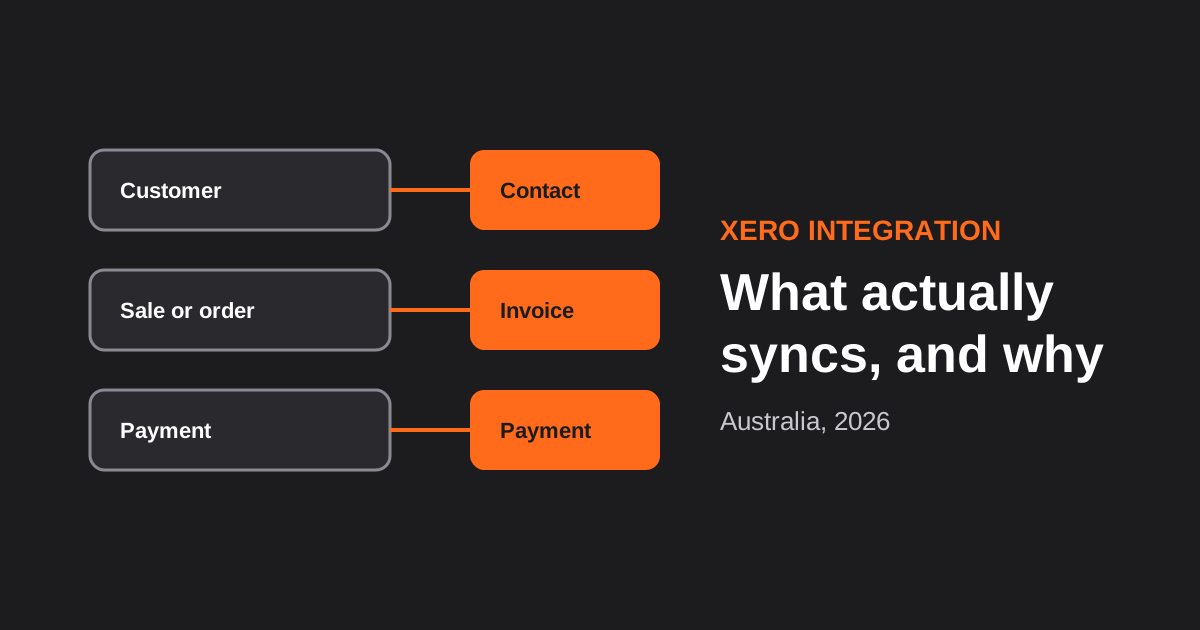
Most Xero integrations don’t fail on day one. They fail in the third month, when the BAS is due and the accountant notices that the GST on a batch of refunds doesn’t match, or that two hundred invoices are sitting in Xero marked unpaid when the money arrived weeks ago. The connection worked. The mapping behind it was never thought through.
This guide is about that mapping. It isn’t a comparison of accounting software (we’ve done that in our guide to the best accounting software for Australian small business), and it isn’t a general explanation of two-way sync (see field ownership, conflicts and echo loops). It covers the Xero-specific decisions that determine whether an integration stays trustworthy: what to create in Xero, how GST gets treated, how payments and refunds should land, and what to watch for as it runs. If you want us to build one, our Xero integration service page explains how we approach it.
What Usually Syncs, and What Becomes What
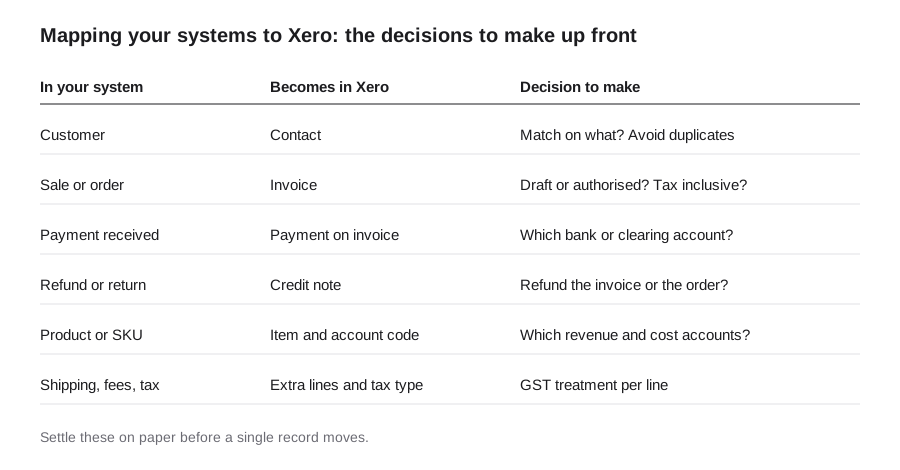
Whatever system sits on the other side (a store, a point of sale, a CRM, a job management tool), the same handful of objects cross the boundary. The useful exercise is to decide, for each one, what it becomes in Xero.
Customers become contacts
The first question is how to recognise an existing contact. Matching on name alone creates duplicates the moment a customer is entered as “J. Smith” in one place and “John Smith” in another. Matching on email address is better, and storing the other system’s customer ID against the Xero contact is better still. Also decide what happens to customers who don’t want a contact record, such as anonymous walk-in sales: they usually belong against a single generic contact rather than thousands of one-off entries.
Sales become invoices
Two choices matter here. The first is the invoice status: created as a draft for someone to review, or authorised straight away. Drafts are safer while you are proving the integration, authorised is what you want once it’s trusted. The second is whether amounts are tax inclusive or exclusive. Retail systems tend to work in GST-inclusive prices while many B2B setups work exclusive, and mismatching them is a classic cause of one-cent rounding differences that add up across thousands of lines. Settle on one convention and make the integration set it explicitly on every invoice.
Payments become payments on invoices
A payment should be applied to the invoice it settles, into the right account. When a customer pays by card through a gateway, the money doesn’t land in your bank account that day; it arrives later, in a batch, with fees taken out. Many businesses therefore apply the payment to a clearing account first and reconcile the deposit against it when it arrives. Skipping this step is the single most common reason integrated businesses can’t reconcile their bank feed.
Refunds become credit notes
A refund isn’t a negative sale. In Xero it is a credit note against the original invoice, allocated and (if money went back) refunded. Decide what happens when only part of an order is refunded, and what happens when the refund occurs in a different tax period from the sale. Those cases are exactly the ones that surface in the BAS.
Products, fees and shipping
Every line on an invoice needs an account code and a tax type. Map your products to the right revenue accounts, and give shipping, payment fees, discounts and gift card sales deliberate treatments rather than leaving them to default. Gift cards, for instance, are generally a liability when sold, not revenue; confirm treatment with your accountant before you automate it.
Getting GST Right
GST is where an integration earns or loses your accountant’s trust. Xero assigns a tax type to each line (for example GST on income, GST-free, or no GST), and the integration has to choose correctly for every kind of sale. Common traps include GST-free items such as some foods or exports mixed in with taxable ones, shipping to overseas customers, marketplace sales where the platform collects GST, and digital products. Build a small table of every product category and shipping destination against its tax type, and have your accountant sign it off. A short review at this stage costs far less than correcting a quarter of invoices later.
If you sell through Shopify, the same mapping questions apply in a specific shape, and we cover them on our Xero and Shopify integration page.
Detail vs Summary: How Much Should Land in Xero?
High-volume businesses face a genuine design choice. Posting every individual sale as its own invoice gives complete detail but can bury your Xero file in thousands of records. Posting a daily or per-settlement summary keeps Xero clean and fast, at the cost of detail living in the source system. Neither is wrong. Retailers and ecommerce stores with high order counts commonly choose summaries, while service businesses with a few dozen invoices a day usually want each one in Xero. Tools like A2X exist specifically to summarise store sales and settlements into Xero, and are worth considering before building anything custom. We cover that thinking in our guide to Shopify apps worth paying for.
The Technical Realities That Catch People Out
- Rate limits. Xero limits how many API calls an organisation can make per minute and per day (the documented limits have been 60 per minute and 5,000 per day, but check Xero’s developer documentation for current figures). A bulk import or a busy Saturday can hit them, so integrations need queueing and back-off rather than hammering the API.
- Connections expire. Xero uses OAuth, with short-lived access tokens and refresh tokens that stop working if unused for too long. An integration that sits idle, or is disconnected by a user, quietly stops. Monitor it, and see our note on OAuth vs API keys.
- Retries can duplicate. If a request times out and your integration tries again, you can end up with two invoices. Use unique references and check before creating. This is explained in idempotency and retries.
- Locked periods and approvals. After a BAS lodgement or period lock, edits to old invoices can be refused. Decide what the integration should do when Xero says no: queue it, flag it, or post in the current period with a note.
- The API changes. Xero updates its API and developer terms over time. Pin versions where you can and watch announcements. Our guide to API versioning explains why this matters.
- Accounts, not just amounts. If someone renames or archives an account code in Xero, an integration still pointing at the old code will fail. Keep a short change process between the person who manages the chart of accounts and whoever owns the integration.
How to Keep Reconciliation Clean
- Use clearing accounts for card and gateway takings, then reconcile deposits against them.
- Record fees separately so a deposit of $970 against sales of $1,000 is explained, not a mystery.
- Give every posted record a reference that points back to the source system, so any line in Xero can be traced in seconds.
- Run a weekly check: source system totals against Xero totals, by tax type. Differences caught weekly are small; caught quarterly, they’re expensive.
- Keep a log of what the integration did, including failures, accessible to a human who isn’t a developer.
If you also run a point-of-sale system, the till-to-bank side of this has its own wrinkles; see our guide to POS integration for Australian retail and hospitality. For CRM-driven invoicing, our CRM integration guide covers the deal-to-invoice handoff.
Frequently Asked Questions
What can be integrated with Xero?
Almost any system that holds sales, customers or payments can be connected: online stores, point-of-sale systems, CRMs, job and project management tools, payroll and subscription billing. Each connection usually moves customers as contacts, sales as invoices, payments against those invoices, and refunds as credit notes. What differs is how much of that you want in Xero versus kept in the source system.
Should every sale be an invoice in Xero?
Not necessarily. Low-volume, high-value businesses often want each invoice in Xero. High-volume retail and ecommerce businesses commonly post daily or per-settlement summaries to keep Xero manageable, with detail retained in the source system. The right answer depends on your volume, how your accountant works, and what reporting you need from Xero itself.
How does a Xero integration handle GST?
Each invoice line is assigned a tax type, such as GST on income or GST-free, based on rules you define for products, shipping destinations and sale channels. The integration should set the tax type and whether amounts include GST explicitly, rather than relying on defaults. Have your accountant review the mapping table before you go live, particularly for GST-free items, exports and refunds.
Why won’t my Xero bank feed reconcile with my integrated sales?
The usual causes are payment gateway fees taken out of deposits, batched settlements that arrive days after the sales, and refunds processed in a different period. Posting takings to a clearing account, recording fees separately, and referencing the settlement ID make the deposit reconcile cleanly. If sales and deposits never agree, the clearing account balance shows where the difference is hiding.
Is a ready-made connector enough, or do I need a custom Xero integration?
A ready-made connector is often enough for standard setups, and it’s cheaper and better supported. Custom integration makes sense when you need unusual mapping, several systems feeding one set of books, high volumes, or guaranteed handling of failures. A sensible approach is to test the standard connector first and build custom only for the gaps it can’t cover.
Where to Start
Before you buy a connector or brief a developer, produce the one-page map in the diagram above for your own business: what each record becomes in Xero, which accounts and tax types apply, and who owns each decision. Ask your accountant to read it. That page prevents most of the problems in this guide. When you’re ready to build, see our Xero integration service, or the broader API and systems integration work we do.
Keep reading
Related posts
POS Integration for Australian Retail and Hospitality: Stock, Sales, Settlements and Getting the Books to Agree (2026)
How point-of-sale integration works for Australian retailers and hospitality venues: stock sync, daily sales posting, settlements and fees, and keeping the books…
CRM Integration for Australian Businesses: What to Connect First and How to Do It Properly (2026)
A practical guide to CRM integration for Australian businesses: what to connect first, which way data should flow, native vs middleware vs…
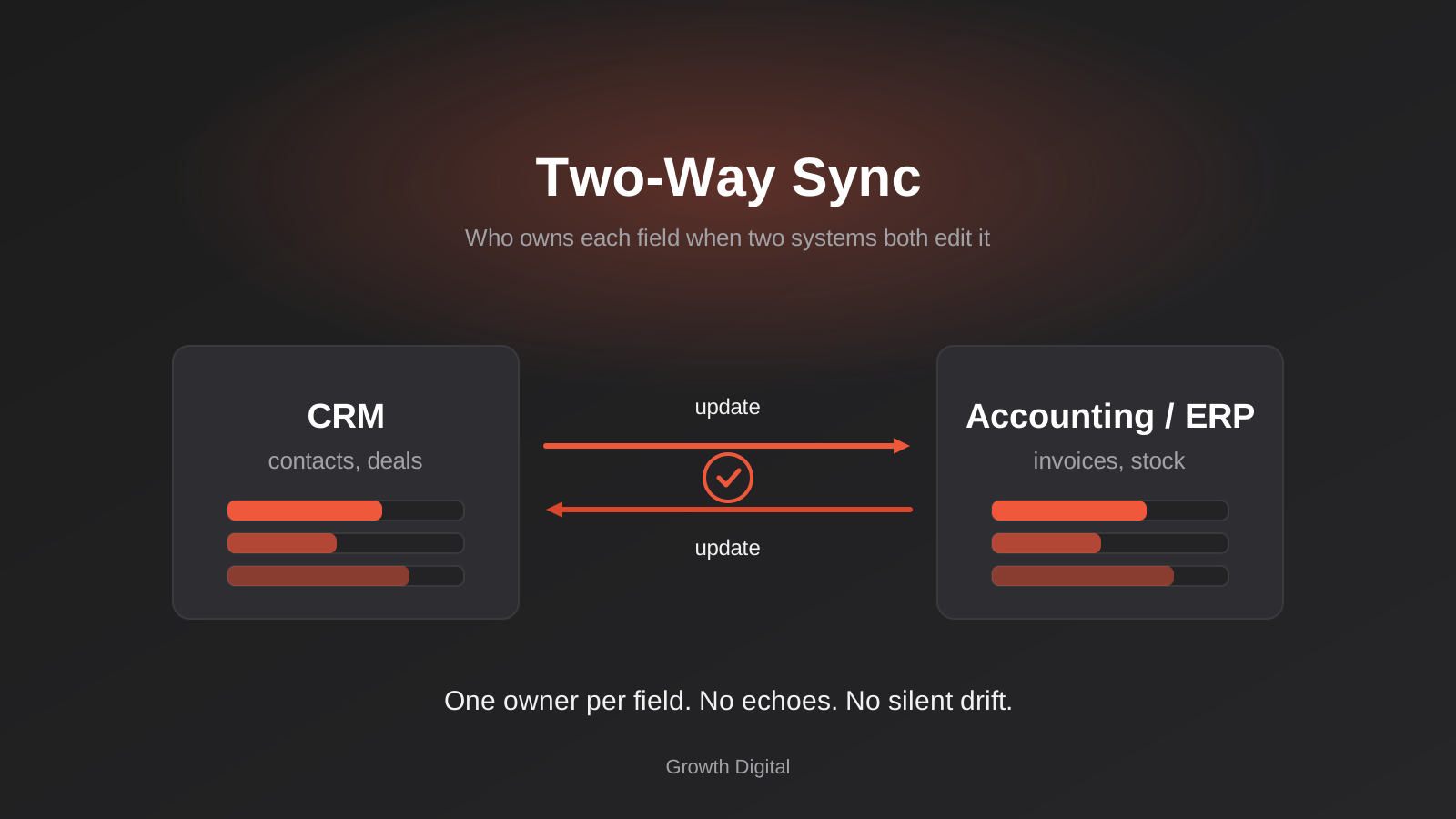
Two-Way Sync Between Business Systems: Field Ownership, Conflicts and Echo Loops (2026)
Two-way sync between business systems done properly: field ownership, conflict rules, echo-loop prevention and reconciliation for Australian businesses.
Got a project you'd like to talk through?
Tell us what you're working on — we'll come back with a plan.
