
Shipping Carrier Integration for Australian Ecommerce: Labels, Rates and Tracking
 Jignesh Vagadiya
03/11/2026
26 min read
Somewhere in your business there is a person whose afternoon disappears into a courier website. They copy an address out of Shopify, paste it into a label form, fix the postcode that the customer typed wrong, print the label, copy the tracking number back, and paste it into the order. Then they do it again for the next order. At 15 orders a day it is an annoyance. At 80 a day it is a part-time job that nobody put in the budget.
Shipping is the one stage of ecommerce where your systems have to talk to a company that is not yours, runs its own rules, and will not bend them for you. Australia Post, the independent couriers and the aggregators in between all have quirks that generic integration advice skips over: contract-only APIs, manifests that lock labels, services that disappear from a lane, and a customer who emails you the moment a tracking page says something odd.
This guide is about connecting your store to carriers properly. We cover the three routes (a carrier app, a shipping platform, or a direct API build), what the data flow really looks like, where the traps are, and how to decide which route fits an Australian business at your volume. It is deliberately narrower than our broader piece on ecommerce automation for inventory, orders and fulfilment, which covers the whole chain. Here we stay on the last mile and the labels, rates and tracking that sit around it.
What Shipping Integration Actually Covers
People say “integrate with Australia Post” as if it were one thing. It is at least five separate jobs, and different tools handle different subsets of them.
- Rates at checkout. Showing the customer a shipping price that is close enough to your real cost that you are not quietly losing money on heavy or remote orders.
- Address validation. Catching a wrong postcode, a suburb that does not match, or a unit number crammed into the wrong field before a parcel is booked, not after it bounces.
- Label creation. Turning an order into a booked shipment with the right service, weight, dimensions and a printable label.
- Manifesting and pickup. Telling the carrier which parcels are in the batch, so the driver (or the post office) can accept them as one lodgement.
- Tracking and notifications. Pulling status events back, writing them against the order, and telling the customer something useful without your team lifting a finger.
A business that only wants labels printed faster has a very different project from one that wants live rates from three carriers, split shipments, returns labels and proactive delay emails. Be clear about which of the five you actually need before you look at a single tool. Most of the money wasted on shipping projects comes from buying the full set when the pain is only in two of them.
Why shipping integrations fail differently to other integrations
When a CRM sync fails, a record is out of date. When a shipping integration fails, a parcel is in the wrong place, a label has been paid for twice, or a customer was told it had shipped when it was still on the shelf. The side effects are physical and sometimes expensive, which is why the boring engineering matters more here than the clever engineering. We come back to that in the mistakes section.
The Three Routes: Carrier App, Shipping Platform or Direct API
Almost every Australian store lands on one of three setups. None is universally right. The right one depends on volume, how many carriers you use, and how unusual your fulfilment rules are.
Route one: the carrier’s own connection
Australia Post publishes its own Shopify connection for its MyPost Business product, and describes it as free to eligible customers. If you ship almost entirely with one carrier, ship in modest volumes and do not need much logic beyond “pick a service, print a label”, this can be all you need. It is the cheapest option in both money and maintenance because someone else is looking after it.
The limits show up when you outgrow a single carrier. A carrier’s app is built to sell that carrier’s services. It will not tell you that a courier is cheaper for a 12 kilo parcel to Perth, and it will not route a bulky item differently from a satchel. Check the current eligibility terms with the carrier before you build a process around it, because plan requirements and features change.
Route two: a shipping platform in the middle
Platforms such as Starshipit sit between your store and several carriers. You connect the store once and connect each carrier to the platform. The platform handles rate comparison, rules (“orders over 5 kilos go with this carrier”), label printing, manifests and customer tracking emails. For a business with a few hundred orders a month and more than one carrier, this is often the sweet spot, and it is where we usually point smaller stores first.
The catch is that you now have three parties in the chain: your store, the platform and the carrier. When something breaks, you need to know which of the three it was, and each of them will, reasonably, suggest it was one of the other two. It also means your carrier options are only as good as the platform’s current relationships. A useful example from 2026: Starshipit’s integrations page states that from 11 January 2026 Sendle no longer accepts new parcel bookings through it, and recommends moving to another courier. If you had Sendle wired into your whole process, that was a forced migration with a date on it, and not one you chose.
Route three: a direct API build
Some businesses need something neither of the first two does: shipping rules driven by their ERP, split shipments from several warehouses, delivery slots, bulky goods handled by a freight carrier, or wholesale orders that never touch the storefront at all. For those, a direct integration with the carrier API (or an aggregator’s API) written specifically for you can be the right call.
It is also the most expensive route to run, not only to build. Every carrier API has versions, quirks and occasional outages, and someone has to own that. If you are weighing this up, our API and integrations service is the page to read, and the honest answer in many cases is still “use a platform until your volume or your rules genuinely demand more”.
How the Data Flows, Step by Step
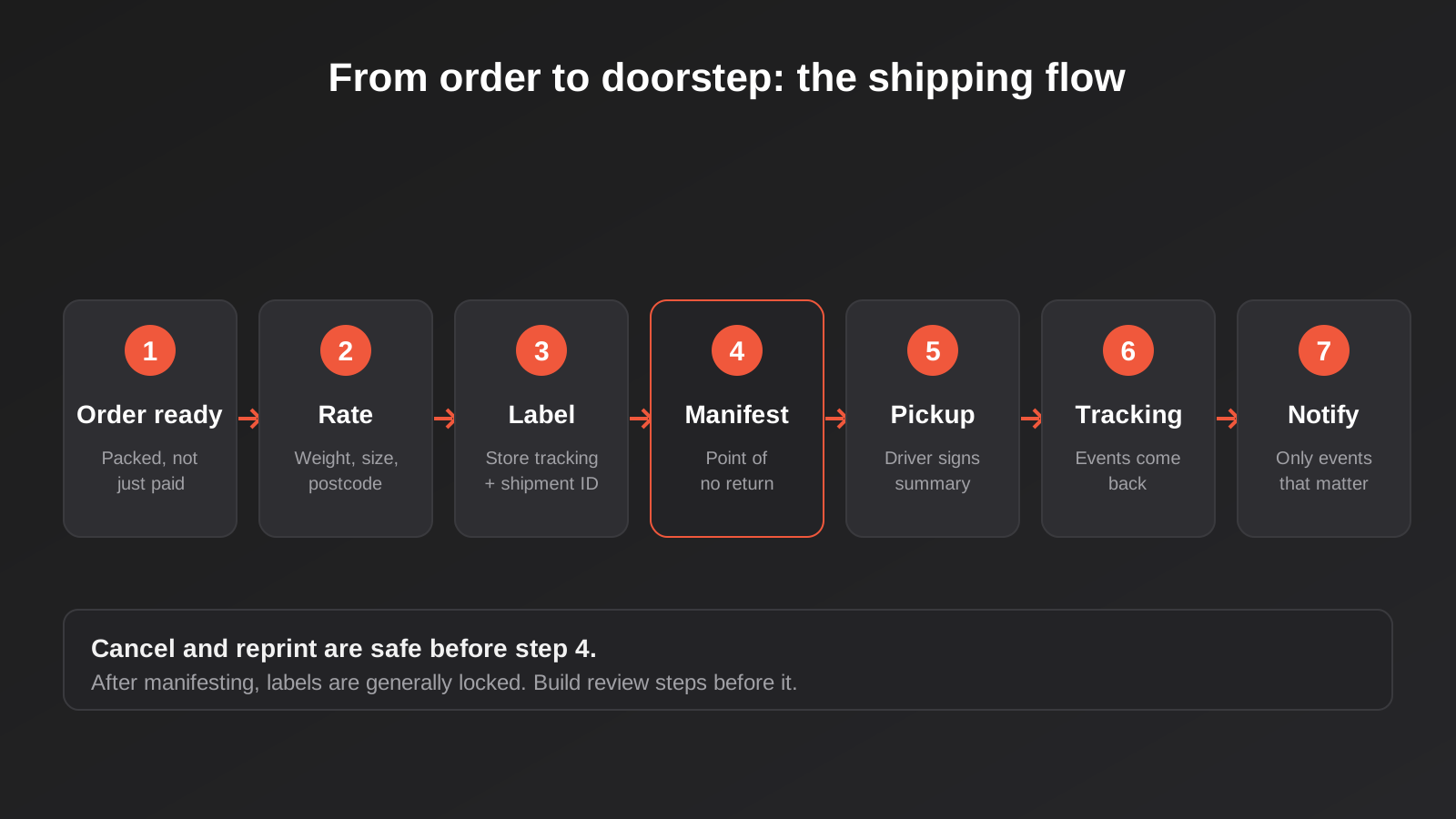
Whichever route you pick, the same sequence happens. Understanding it makes every later decision easier, because most shipping problems are really “a step happened twice” or “a step happened in the wrong order”.
1. The order is ready to ship, not just placed
The trigger matters. If labels are created the moment an order is placed, you will buy labels for orders that get cancelled, flagged for fraud, held for stock or edited by the customer ten minutes later. A better trigger is a status your team controls: paid, picked, packed. Many stores use a fulfilment status or a tag as the signal. The label request fires when that signal appears, not before.
2. The shipment payload gets built
This is where most of the real work hides. A carrier needs a clean recipient name, a valid address split into the fields it expects, a contact phone, a service code, and parcel weight and dimensions. Your store, however, may hold a weight per product, no dimensions at all, and an address typed into a single messy field. Something has to turn that into a payload the carrier accepts.
Weight and size are the quiet cost drivers. Carriers price on actual or cubic weight, whichever is greater. If your product data has no dimensions, your integration will either guess, fall back on a default box, or fail. We have seen stores quote customers one price and pay the carrier another for months simply because the product weights in the catalogue were placeholder values from the original import.
3. The label is requested and stored
The carrier returns a tracking number and a label (usually a PDF or a print-ready format). Your system must store both against the order, ideally with the carrier’s shipment identifier too. That identifier is what you use later to cancel, reprint or look up a shipment. Storing only the tracking number is a common shortcut that causes pain when you need to cancel.
4. The manifest closes the batch
For Australia Post’s contract API, the documentation describes labels being printed first and then a manifest built before pickup, covering the shipments being lodged, with a summary report generated afterwards that the driver signs. Third-party guides describing eParcel integrations also point out that once shipments are manifested, they generally cannot be cancelled through the integration. That one detail should shape your design: build your cancel and recreate steps to happen before the manifest step, and make the manifest step deliberate, not automatic on every label.
5. Tracking events come back
Tracking is either polled or pushed. Some carriers and platforms send webhooks when a status changes; others expect you to ask repeatedly. We covered the trade-offs in webhooks versus polling for real-time sync, and shipping is a good example of why it matters. Polling every parcel every few minutes burns through API limits, and webhooks that fail silently leave customers staring at a stale page. A sensible setup uses push where it is offered, a slow polling sweep as a safety net for anything that has not updated, and an alert when a parcel has sat with no event for longer than it should.
6. The customer hears about it
Finally the tracking information goes back to the order, and a notification goes out. Keep these messages specific and few. A shipped email with a working tracking link is valuable. Six emails for every scan event is noise that trains customers to ignore you. Decide which events actually warrant a message: dispatched, out for delivery, delivered, and exception or delay.
Australia Post Specifically: Account Types Decide Everything
The most common source of confusion we see with Australia Post is the account type. The two main ones behave very differently from an integration point of view, and a lot of wasted time comes from discovering that late.
MyPost Business
MyPost Business is the account most small online sellers start with. It supports a lot of the everyday work (labels, tracking, a Shopify connection) without a lengthy contract. Platforms such as Starshipit list MyPost Business as a supported carrier connection. This is the easiest way to get a label printed from an order with no custom engineering at all.
eParcel and the contract APIs
Larger senders typically have a parcel contract. Australia Post’s developer documentation states that its Shipping and Tracking APIs are available to contract customers, so a business without a contract cannot simply sign up for them. Authentication uses an OAuth token flow in which credentials are exchanged to obtain a token that is then used for the other calls. Some third-party tools only support eParcel accounts and cannot connect to MyPost Business at all, and the reverse is also true for others. Before you commit to any platform, confirm which of the two account types it connects to.
If you are not sure which account you hold, ask your Australia Post account manager or check your agreement. It sounds basic, but we would rather you spend ten minutes finding out than three weeks into a build.
What to check before you commit
- Which account type you hold and which one your chosen tool connects to.
- Whether your contract rates are available through the integration, or whether you would be paying retail rates inside the tool.
- Whether the tool supports the specific services you use, such as parcel post, express or international.
- How labels are printed: on a thermal printer, as PDFs, or through a hosted print service.
- Whether the integration supports returns labels if you offer free returns.
Carrier terms, eligibility and API access change from time to time. Treat anything you read in a blog, including this one, as a starting point and confirm with the carrier before you commit to a build.
Rates at Checkout: Where Stores Lose Money Quietly
Shipping rates shown at checkout are a pricing decision wearing a technical costume. There are three basic approaches, and each has a failure mode.
Flat rate
Simple and customers like it. It works when your parcels are all roughly the same size and your customers are not spread across remote areas. It breaks the first time someone orders four heavy items to a regional address and your flat rate covers a third of the real cost.
Table or zone rates
You build a table by weight band and postcode zone, based on what you actually pay. This is manual to maintain but cheap to run, and it holds up well if you review it every few months against real invoices. The failure mode is staleness: carriers adjust pricing, and a table set up two years ago quietly drifts.
Live carrier rates
The store asks the carrier (or platform) for a price at checkout using the real weight and destination. This is the most accurate, and it depends entirely on your product data. If weights and dimensions are wrong, live rates will be confidently wrong. It also adds a dependency to your checkout: if the rate service is slow or unavailable, you need a fallback rate so the customer can still pay. A checkout that errors because a courier API timed out is a lost sale, and nobody will ever tell you it happened.
A practical middle path we often suggest: live rates for bulky or unusual products, a simple table for everything else, and a monthly check that compares what you charged customers with what you were invoiced. That comparison is the single most useful report in shipping, and it takes very little effort to automate.

Address Validation and Data Quality
A surprising share of failed deliveries starts with an address that looked fine in the order. Validation can happen at three points: when the customer types it, when the order lands, and when the label is requested. You do not need all three, but you should pick at least one on purpose.
Typing-time validation (an address autocomplete at checkout) is the most effective because the customer can fix their own mistake instantly. Order-time validation catches what autocomplete missed and can route the order to a short review queue rather than printing a bad label. Label-time validation is your last line of defence: the carrier rejects the request, and your system should catch that rejection and put the order somewhere visible, not let it vanish into an error log.
Common address problems worth designing for
- Unit and street numbers merged into one field or split the wrong way.
- Postcode and suburb that do not match.
- PO Boxes entered for services that need a street address, or the other way round.
- Missing mobile numbers where the carrier requires a contact for delivery.
- Very long names or company fields that exceed the label limits.
Dirty data is also the reason we recommend cleaning before you automate, a point we make at more length in our guide to cleaning data before you automate. A shipping automation does not fix messy addresses. It just ships them faster.
Tracking, Exceptions and Customer Communication
Tracking looks like a solved problem until you have to build the logic behind it. Carriers use their own status vocabulary, platforms translate it into theirs, and your store has its own idea of “fulfilled”. Mapping those three sets of words is where integrations earn or lose customer trust.
Decide what each status means to your business
Build a small mapping table. Carrier says “in transit”, you say “on its way”. Carrier says “attempted delivery”, you open a task for your team and send the customer a message about collecting from a post office. Carrier says nothing for five days, you raise an alert. The point is that every status has an owner and an action, even if the action is “do nothing”.
Exceptions are where the work is
Most parcels sail through. The ones that do not are the ones that generate emails, chargebacks and one-star reviews. Your integration should surface these without anyone checking a dashboard: parcels stuck at one scan, returned to sender, held at a depot, or delivered but disputed. A daily summary to whoever owns fulfilment, listing only parcels that need attention, is far more useful than another tracking page.
Keep customer messaging honest
If your delivery estimate is a guess, say it is an estimate. If a carrier is running late in a region, tell customers there before they ask. Proactive honesty costs you one email. Silence costs you a support ticket per customer.
Building It Safely: The Engineering That Matters
Because shipping actions cost real money and move real objects, the same reliability principles that apply to payments apply here. Three deserve spelling out.
Make label creation idempotent
If a request to book a shipment times out, your automation will probably retry. If the first request actually succeeded, you now have two shipments and two charges for one order. The fix is to record, before you call the carrier, that a label is being created for this order, and to check for an existing shipment before creating another. We wrote about the same failure with invoices in idempotency, retries and duplicate invoices, and the logic transfers directly to labels.
Handle partial failures
A batch of 60 orders will contain a few that fail: a bad address, a weight over the limit, a service not available to that postcode. A fragile automation stops at the first failure and leaves the rest unprocessed, or worse, silently skips the failed ones. A sturdy one processes everything it can, collects the failures into a visible list with the reason attached, and lets a person fix and resubmit them.
Separate “label printed” from “handed over”
Because manifesting is the point of no return for many carrier setups, treat it as its own state. Printed labels can still be cancelled, voided and reprinted. Manifested ones are committed. Your order status should reflect that difference, and your team should not be able to trigger a manifest by accident while someone is still packing.
Watch for rate limits and keys that expire
Carrier and platform APIs enforce limits, and credentials rotate. Both cause failures that look random from the outside. If your tracking poller starts returning errors every afternoon, you are probably hitting a limit. If everything stops on a Monday morning, a token or key has probably expired. Both are cheaper to prevent than to debug during peak season.
Returns, Split Shipments and Other Awkward Cases
The happy path is one order, one parcel, one address. Real stores quickly collect exceptions to that rule, and each exception needs a decision before it needs code.
Returns
A returns label is a shipment in reverse, with the customer’s address as the origin and yours as the destination. Some carrier connections support it neatly and some treat it as a workaround. Decide whether you issue prepaid labels automatically, only after a return request is approved, or never. Automatic prepaid labels are generous and expensive; approval-based ones add a step but keep abuse down. Whichever you choose, link the returns shipment to the original order so your accounts team can see the full cost of a return, not just the refund.
Split and partial shipments
When an order ships in two parcels, or one item is backordered, your integration needs to create multiple shipments against a single order, attach each tracking number, and tell the customer clearly that two parcels are on the way. Stores that ignore this tend to send a “your order has shipped” email when only half of it has. The customer then panics, or assumes the courier lost it.
Multiple warehouses and local pickup
Shipping from more than one location means rates, carriers and cut-off times can differ per origin. If a stockroom in one state can reach a customer overnight but another needs three days, your rate logic has to know where the stock actually is. That ties shipping straight back to inventory accuracy, which is its own project, and a similar principle runs through POS integration for businesses that sell in a shop and online from the same shelves.
Bulky goods and freight
Anything on a pallet, or too long and heavy for a standard parcel service, usually moves through freight carriers that work very differently: booking windows, tail-lift requirements, quotes rather than instant rates. Do not expect your parcel setup to stretch to cover it. A manual process for the occasional freight order is perfectly reasonable, as long as the order is flagged automatically so it does not slip into the parcel queue.
Choosing Your Route: A Plain Decision Framework
Here is how we think about it when a business asks us what to do. It is not a formula, just the questions that matter in the order that matters.
Question one: how many carriers do you genuinely use?
One carrier and a small number of services: start with the carrier’s own connection or a platform. Two or more carriers where you actually pick between them: a platform becomes worthwhile quickly, because rate comparison and rules are its core job.
Question two: how many parcels do you ship in a typical week?
Below roughly a few dozen a week, even a manual process with a good label tool is defensible. The time you save from automation is small, and the monthly cost of a platform matters. As volume climbs into the hundreds a week, the time saved is real, and mistakes from manual copying start costing more than the tool.
Question three: do your shipping rules depend on something outside the store?
If the answer is no, a platform with a rules engine will almost certainly cover you. If your rules depend on ERP data, customer-specific contracts, stock location or credit status, you are heading towards custom work. That is where an integration layer between your systems, rather than a shipping app alone, begins to pay for itself. The principles are the same ones we apply to any systems integration.
Question four: who will own this in a year?
A platform has a vendor looking after carrier changes. A custom build has you, or us, looking after them. Neither is wrong, but be honest about whether you have someone who will notice when a carrier changes a service code. If you do not, either choose the managed option or budget for ongoing support from the start.
What the Work Costs, and What Drives It
We are not going to put a number on shipping integration here, because the honest range is wide. A free carrier connection costs you nothing but setup time. A platform typically charges a subscription that scales with volume or features. A custom build costs whatever it takes to scope, build, test and support, and that depends on the factors below.
- Number of carriers and services. Each carrier brings its own authentication, error formats and label types.
- Quality of your product data. Missing weights and dimensions must be fixed first, and that clean-up often takes longer than the integration.
- Order sources. One storefront is simple. A storefront plus marketplaces plus wholesale orders from an ERP is a different job.
- Rules and exceptions. The more special cases, the more logic to build and test.
- Returns, tracking and notification scope. A label-only project is far smaller than a full lifecycle build.
- Support and monitoring after launch. Carriers change things. Somebody has to notice.
Ongoing running costs are easy to overlook. Label fees, platform subscriptions, SMS notifications and any paid address validation service all add up per parcel, so model them at your real volume before you decide a route is cheap.
Preparing Your Business Before You Build Anything
The best shipping projects we have seen started with a week of dull preparation. That preparation is what makes the automation boring, and boring is what you want.
- Export your last three months of shipping invoices and orders. Compare what customers paid for shipping with what you were charged. The gap is your baseline.
- Audit product weights and dimensions for your top sellers, which usually cover most of your volume. Fix those first.
- List every carrier service you actually use, and the situations where you choose each.
- Write down what should happen when something goes wrong: bad address, damaged parcel, lost parcel, return. Who is told, and what do they do?
- Decide what your customers should hear, and when.
None of this requires a developer, and all of it makes the eventual build cheaper and more accurate.
Common Mistakes
- Creating labels at order time. You pay for labels on orders that are cancelled, edited or held. Trigger on a packed or ready status instead.
- Trusting the catalogue’s weights. Placeholder weights make live rates wrong and invoices surprising. Audit them before switching on live rates.
- Manifesting automatically. Once a batch is manifested it is generally committed. Make it a deliberate step.
- No fallback rate at checkout. If the rate service times out and your checkout fails, you lose the sale silently.
- Storing only the tracking number. Keep the carrier’s shipment ID as well, or cancelling and reprinting becomes guesswork.
- Assuming the account type does not matter. MyPost Business and contract accounts connect differently, and some tools support only one.
- Letting failures disappear. A rejected label that lands in a log nobody reads is a customer waiting for a parcel that was never booked.
- Locking in to a single aggregator without an exit plan. Carrier relationships change. Keep your shipment data in your own system so a switch is a reconnect, not a rebuild.
- Over-notifying customers. Send a message on events that matter, not on every scan.
- Never reconciling. Without a monthly comparison of shipping charged against shipping paid, you will not know how much you are losing.
Frequently Asked Questions
Can I connect Shopify to Australia Post without any custom development?
Often yes. Australia Post describes a Shopify connection for its MyPost Business product, and shipping platforms such as Starshipit support Australia Post as a carrier. Check the current eligibility and plan requirements with the provider first, since both change. Custom development is only needed when your rules or systems go beyond what those tools do.
What is the difference between MyPost Business and an eParcel contract for integrations?
MyPost Business is the account most small senders use, and it works with many off-the-shelf connections. An eParcel-style contract is for larger senders and unlocks Australia Post’s Shipping and Tracking APIs, which are available to contract customers. Some third-party tools connect to only one of the two, so confirm which account type you hold before choosing a tool.
Why can’t I cancel a shipment after it has been manifested?
Manifesting tells the carrier which parcels are being lodged for pickup, and in many setups it locks those labels. Integration guides for eParcel accounts note that manifested labels generally cannot be cancelled through the integration. Build your review and cancel steps to happen before the manifest, and treat manifesting as a deliberate action.
What happens if a courier I rely on stops accepting bookings through my platform?
You have to move to another carrier, and how painful that is depends on how tightly you built around the old one. Starshipit stated that from 11 January 2026 Sendle no longer accepts new parcel bookings through it. Keep carrier-specific logic in one place, keep your own copy of shipment data, and review your options each year so a change is an inconvenience, not an emergency.
Should I show live carrier rates or flat rate shipping at checkout?
It depends on how varied your parcels and destinations are. Flat rates suit uniform products with a predictable cost. Live rates suit varied or heavy products, but only work well when product weights and dimensions are accurate, and you need a fallback rate in case the service is slow. A hybrid, with live rates only for bulky items, is a common compromise.
How do I know whether I need custom shipping integration at all?
If a carrier app or shipping platform already does what you need, you probably do not. Custom work makes sense when your shipping rules depend on data outside the store, such as ERP records, multiple warehouses or customer-specific contracts, or when you need orders from several systems to flow into one shipping process.
Where to Start
If you are shipping by hand today, the first step is not a tool. It is a week of measuring: how many parcels, which carriers, how long labelling takes, and what you charge versus what you pay. That tells you whether a free carrier connection is enough, a platform is worth its subscription, or your rules really do need something built for you.
If it turns out you need more than an off-the-shelf tool, we build exactly this kind of thing as part of our ecommerce automation work, connecting your store, your stock and your carriers so labels, tracking and exceptions look after themselves. You can see how we scope and quote on the automation pricing page.
Because we run lean as a specialist agency rather than carrying a large account-management layer, our fixed quotes typically come in below the Australian averages covered in this guide. If you’ve already got a written quote from another agency for comparable scope, send it through and we’ll do our best to beat it.
If you would rather talk it through first, get in touch and tell us how you ship today. We will tell you honestly if a simpler option will do the job.
Keep reading
Related posts
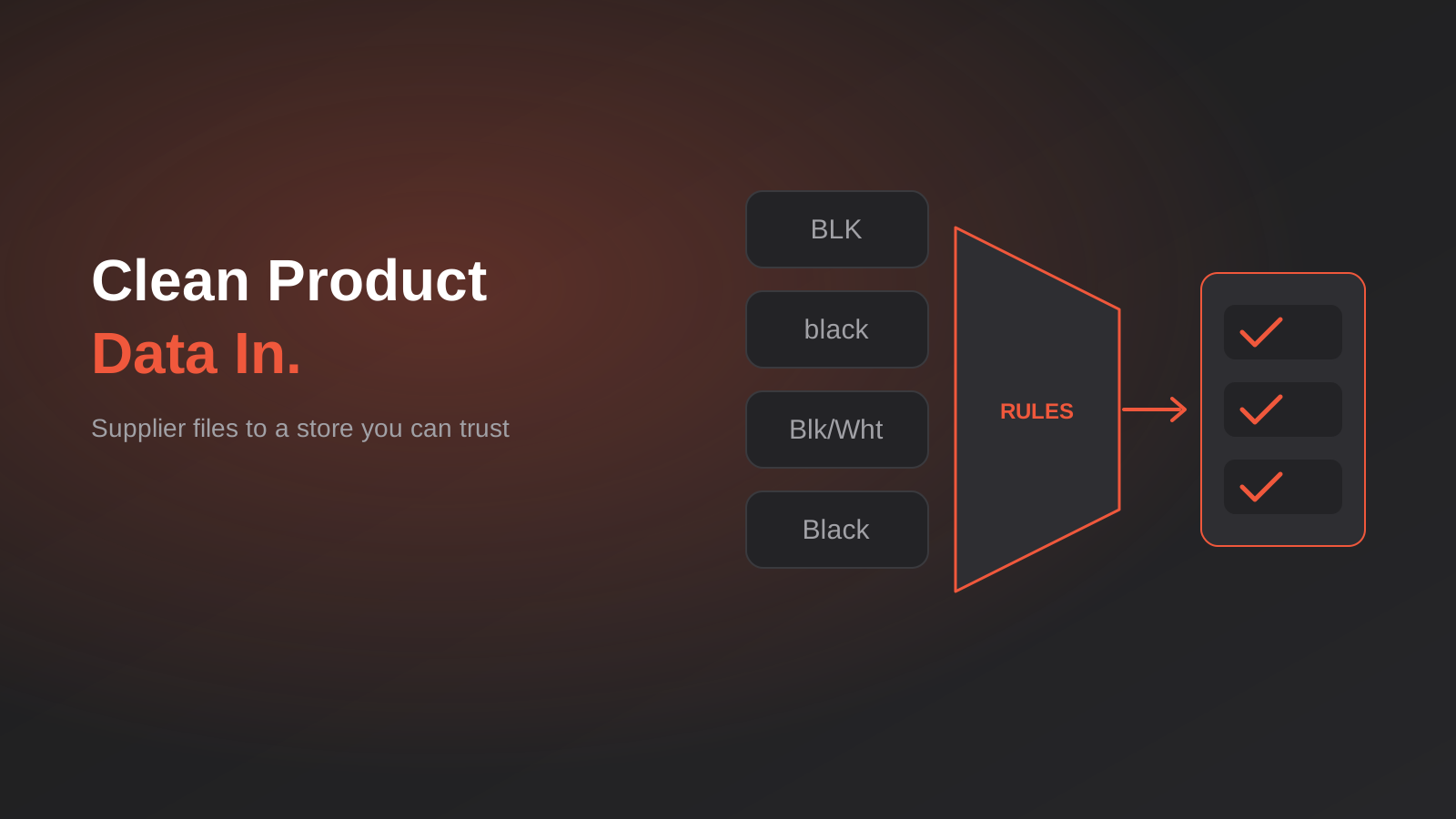
Product Data Management for Australian Ecommerce: Supplier Feeds, Staging and When You Actually Need a PIM (2026)
How to turn messy supplier files into clean product data: staging, validation, GTINs and whether you really need a PIM. A guide…
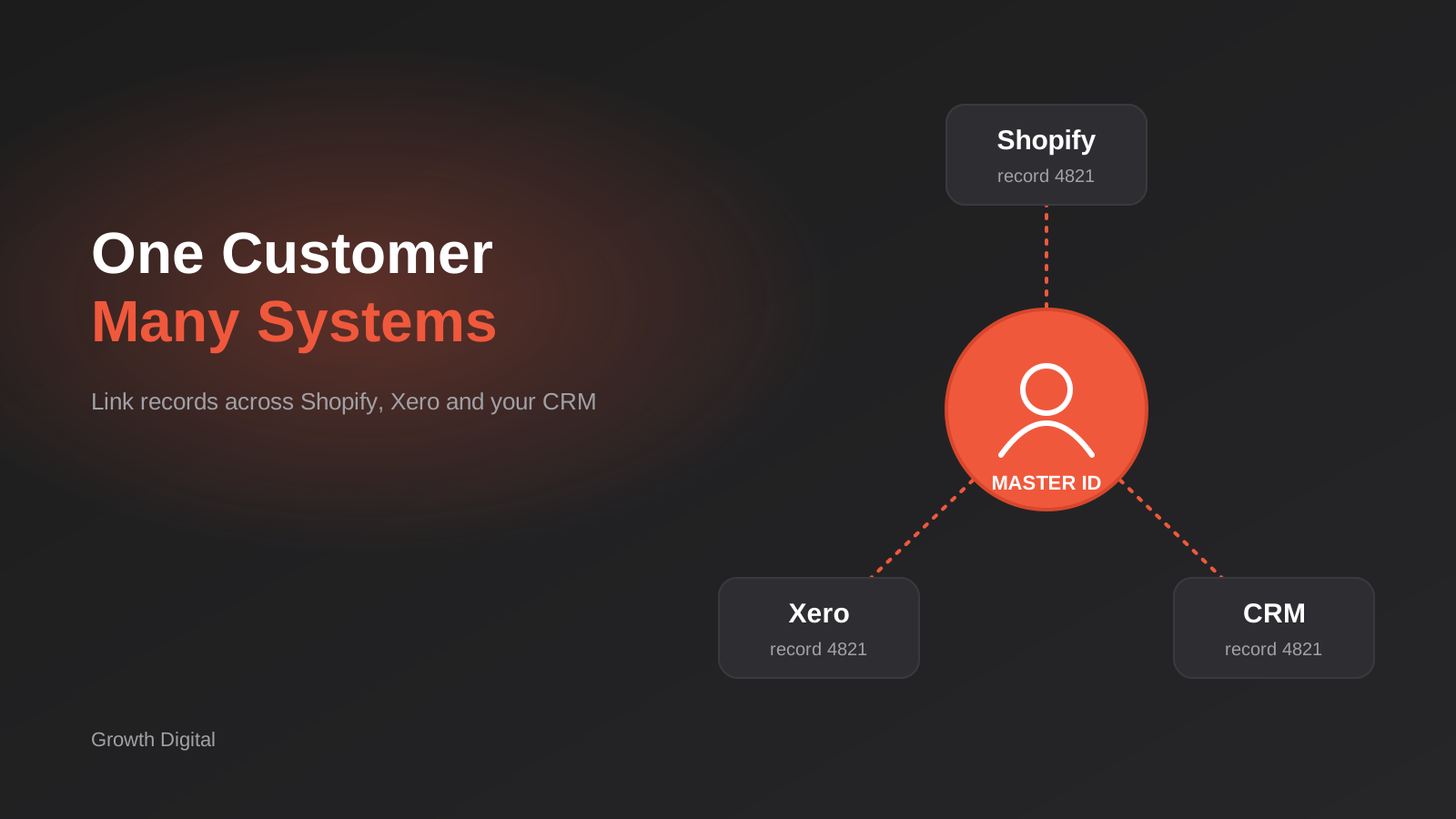
Single Customer View for Australian Businesses: Matching and Merging Records Across Shopify, Xero and Your CRM
How to build a single customer view in Australia: match and link duplicate customers across Shopify, Xero and your CRM without merging…
Australian Address Validation: PAF, G-NAF and How to Stop Bad Addresses Entering Your Systems (2026)
How to validate Australian addresses with PAF and G-NAF, where to check them in your workflow, and how to store clean data…
Got a project you'd like to talk through?
Tell us what you're working on — we'll come back with a plan.
