
Best Analytics and Reporting Tools After GA4 for Australian Businesses (2026): 6 Compared
 Jignesh Vagadiya
26/10/2026
21 min read
Jignesh Vagadiya
26/10/2026
21 min read
Sooner or later most Australian business owners open Google Analytics 4, look at a report, and cannot work out what it is telling them. That’s not a personal failing. GA4 is a capable product built around events and explorations, and it asks you to learn a different model from the one you used in Universal Analytics. If your question is “how many people visited, where did they come from and did they enquire”, you can spend an hour in there and come out less sure than when you went in.
The good news is that GA4 isn’t your only option, and for plenty of sites it shouldn’t be your only tool. A privacy-focused analytics tool can answer the daily questions in a single screen. A free reporting layer can pull your ad spend, search data and enquiries into one dashboard. A behaviour tool can show you where visitors get stuck. This guide compares six of them from the point of view of an Australian business: what each does well, where each one lets you down, what it costs, and who it suits.
A note on how we chose. We looked for tools that solve a real gap GA4 leaves, not ones that merely clone it. We checked pricing against current listings and flag where sources disagreed, because analytics vendors change plans often and a number that was right in March can be wrong now. Every tool gets a genuine drawback. Prices are in US dollars unless stated, ex-GST, and before card foreign-exchange fees, since most of these vendors bill in USD or EUR rather than AUD. Treat our numbers as a guide and confirm on the vendor’s page before you buy.
Where GA4 Still Earns Its Place, and Where It Stops
Before comparing alternatives it’s worth being fair to the incumbent. GA4 is free, it connects natively to Google Ads and Search Console, it feeds the conversion signals that smart bidding depends on, and its BigQuery export (free on standard properties up to a daily event cap) gives you raw data you can query however you like. If you advertise on Google, you will almost certainly keep it running whatever else you add.
The trouble is what sits between you and an answer. The reports are built around events rather than sessions and pages, so the numbers rarely match what you remember from the old version. Explorations are powerful but aren’t something a busy owner opens on a Tuesday. Event-level data in the Explorations area is held for a limited window, up to 14 months on standard properties, which makes long-range comparisons awkward. Consent settings, data thresholds and sampling can quietly change what you see. None of that makes GA4 bad. It makes it a specialist tool that a lot of small businesses are using as a general-purpose one.
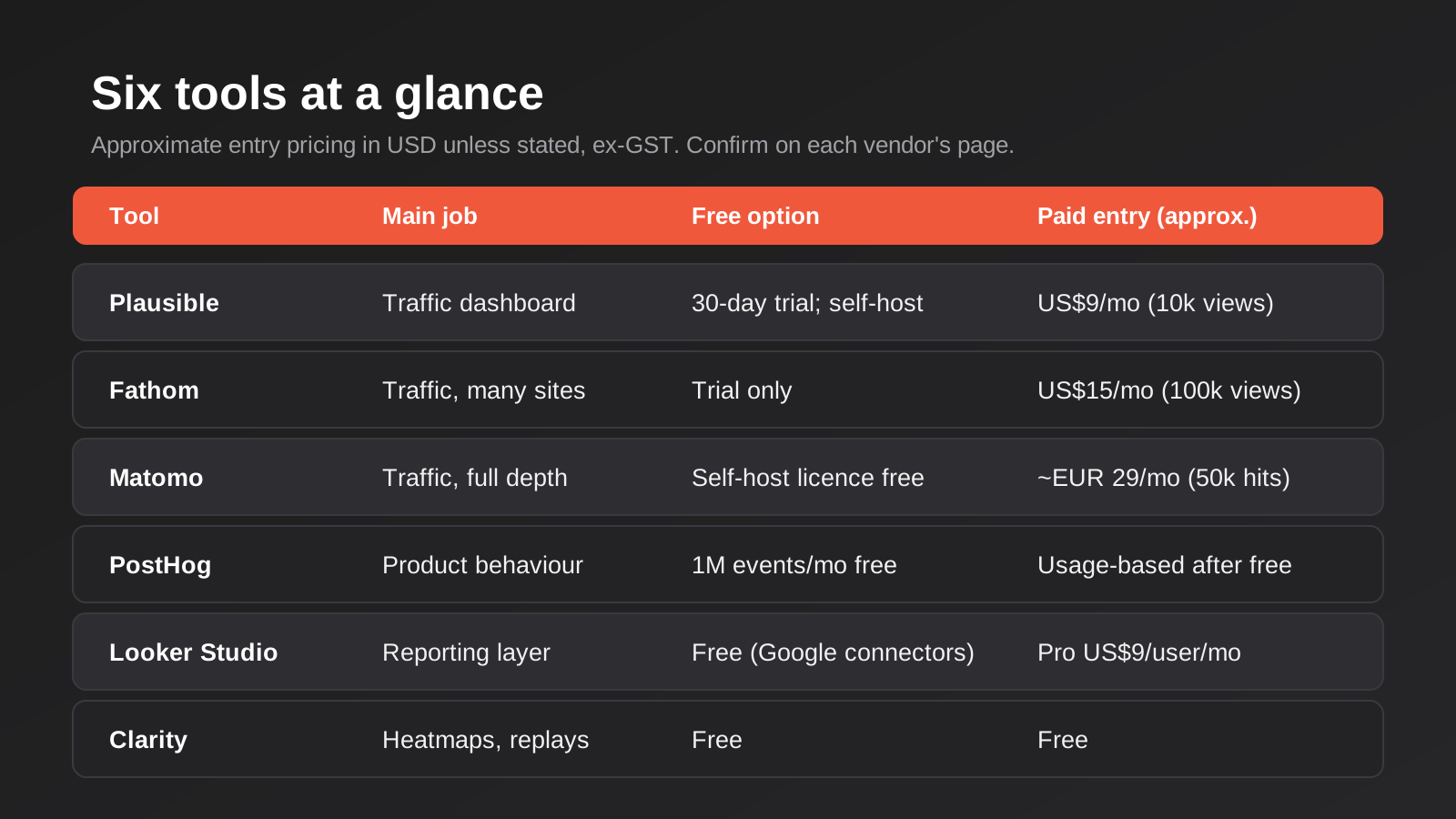
So the six tools below fall into three jobs. Plausible, Fathom and Matomo are alternatives or companions for counting traffic. PostHog and Microsoft Clarity explain behaviour. Looker Studio pulls the sources together into something you can present. Most businesses need one from each job at most, and many need only two.
Plausible Analytics
What it is
Plausible is a lightweight, privacy-focused web analytics tool that replaces the maze of GA4 reports with a single page. Visits, sources, top pages, countries, devices and goal conversions all sit on one screen. It doesn’t use cookies, doesn’t track individuals across sessions, and is hosted in the EU. The code is open source, so you can also self-host it if you have the appetite.
What it does well
Speed to an answer. You open it, you see the last 30 days, and a non-technical owner can read it without a briefing. The tracking script is tiny compared with the Google tag, which helps page speed, and that matters when you’re trying to keep Core Web Vitals healthy. Goals are straightforward to set up, and on the higher plan you get funnels and ecommerce revenue tracking without wrestling with event parameters.
Because there are no cookies and no personal identifiers, it also simplifies the privacy conversation. You still need to describe what you collect in your privacy policy, but you aren’t building a consent-management project around your analytics.
Where it falls short
It deliberately gives you less. There’s no user-level history, no audience building for remarketing, and limited ability to slice data by custom dimensions compared with GA4 Explorations. It also doesn’t know what you spent on ads, so you can’t see cost per lead without bringing in another tool. If your marketing relies on Google Ads audiences built from site behaviour, Plausible won’t feed them. There’s no permanent free cloud plan either, only a trial.
What it costs
Current listings put the entry plan at about US$9 a month for up to 10,000 pageviews on one site, with higher plans around US$14 and US$19 at the same traffic level that add sites, team seats and features such as funnels and revenue tracking. Price rises as monthly pageviews climb. There’s a 30-day trial with no card required. Self-hosting the Community Edition has no licence fee, but you pay for the server and your own time to maintain it. Sources disagreed on the higher-traffic tiers, so check the calculator on the vendor’s site for your volume.
Who it suits
Small service businesses, local brands, content sites and anyone whose real question is “is traffic going up and which channels bring it”. It’s a good second tool beside GA4 and a reasonable replacement if you don’t run audience-based advertising.
Fathom Analytics
What it is
Fathom is a Canadian privacy-first analytics product that sits in the same family as Plausible: cookieless, one-page dashboards, no personal data collected. It has been around a long time and has a reputation for being dependable rather than flashy. It offers EU-isolated data handling as an option for people who want their visitors’ data kept inside Europe.
What it does well
Multi-site management is where Fathom earns its keep. A single account covers many sites, so an agency, a franchise group or an owner with several brands can watch them all from one login. Reporting is clean, and it includes handy features such as uptime monitoring and email reports. It also tends to be gentle on page weight, and it has a feature for serving the script from your own domain to reduce the chance of ad blockers swallowing your data.
Where it falls short
The entry price is higher than Plausible’s, and you pay it even for a tiny site, so a one-page brochure site with 2,000 visits a month is poor value here. Like Plausible, it won’t build audiences, won’t import ad cost, and offers shallower segmentation than GA4. Its ecommerce and funnel capability is lighter than a full product-analytics tool. If you need to answer “what did people who viewed these three pages do next”, you’ll feel the ceiling.
What it costs
Reviewers consistently list the entry plan at about US$15 a month for 100,000 pageviews, with a generous site allowance on that tier (figures of up to 50 sites are quoted). Mid tiers were reported at US$25 and above, with sources disagreeing on exact pageview bands, so confirm on the vendor’s pricing page. There’s no free plan. If you pay annually there’s a discount.
Who it suits
Agencies, multi-brand owners and publishers with moderate traffic who want something that runs quietly in the background. If you only have one small site, Plausible’s lower entry price is usually the better fit.
Matomo
What it is
Matomo is the closest thing to a full open-source replacement for the old Universal Analytics. It tracks sessions, goals, ecommerce, campaigns and custom dimensions, and it can be run as a paid cloud service or installed on your own server at no licence cost. It’s the tool most often chosen when someone says “we want the depth, but we want to own the data”.
What it does well
Depth and control. You can configure it to run without cookies, anonymise IP addresses, set your own retention and keep raw data in a database you control. There’s an importer for bringing Google Analytics data across, which is useful if you don’t want to start from zero. Reports are familiar to anyone who used Universal Analytics, and the plugin marketplace covers a lot of ground. For organisations with strict data-handling requirements, such as health providers, law firms or government suppliers, the ability to host in a location of your choosing is the point.
Where it falls short
It’s heavier than the privacy-focused one-pagers. The interface has a lot in it, self-hosting means somebody has to patch, back up and monitor the server, and several features people assume are included, such as heatmaps, session recordings and funnels, are paid plugins. The default setup uses cookies, so if you want the “no consent banner” benefit you have to configure it deliberately. And archiving reports on a busy self-hosted install can bog down a cheap server.
What it costs
On-Premise is free to download and use. The cloud version is billed in euros, with the entry plan reported at around €29 a month for 50,000 hits and a free trial, scaling up with traffic. Third-party listings quoted different entry figures, so confirm on the vendor’s pricing page. Budget separately for any premium plugins and, if you self-host, for hosting and maintenance time, which is the cost people forget.
Who it suits
Businesses with real data-governance needs, larger sites that want GA-style depth without Google, and teams with someone technical who can own the install or a budget to pay for the cloud plan.
PostHog
What it is
PostHog is a product-analytics platform that bundles event analytics, session replay, feature flags, A/B experiments and surveys. It’s open source, can be self-hosted, and runs a cloud service with US and EU regions. It’s built for people shipping software, which makes it a different animal from the web-traffic dashboards above.
What it does well
Answering behaviour questions. Funnels, retention charts, paths, cohorts and session replays all live in the same place, and you can go from “conversion drops at step three” to watching real sessions where it dropped. If you run a web app, a membership site, a booking flow or a SaaS product, this is the class of tool you actually need. The free allowance is generous: current pricing lists the first 1 million events a month free, plus an allowance of session recordings.
Where it falls short
It’s more than most brochure sites need, and the learning curve is real. You’ll want someone who is comfortable thinking in events and properties. Billing is usage-based, so a traffic spike or a badly configured autocapture can push you into paid territory faster than you expect. Setting a billing limit per product is wise. As a pure marketing-attribution tool it’s weaker than GA4, since it doesn’t natively understand your Google Ads cost data in the way a marketing platform does.
What it costs
Free up to roughly 1 million analytics events a month, then pay-as-you-go with prices that fall at volume. In the first paid band the published rate works out to about US$50 per additional million events. Session replay, feature flags and other products each have their own free allowance and rates. There’s an enterprise tier for large organisations.
Who it suits
Web app and SaaS teams, ecommerce stores with custom flows, and technical founders who want to watch behaviour rather than count visits. Overkill if your site is mostly pages that say who you are and how to call.
Looker Studio
What it is
Looker Studio, Google’s free reporting tool formerly called Data Studio, doesn’t collect any data itself. It sits on top of other sources and turns them into dashboards. Its value is that it can show GA4, Google Ads, Search Console, YouTube and spreadsheets in one report, which answers the question GA4 alone can’t: what did we spend, what did it bring in, and where did the enquiries come from?
What it does well
It’s free to build and share reports, and Google’s own connectors (Analytics, Ads, Search Console, Sheets, BigQuery and others) cost nothing. A well-made dashboard replaces the monthly ritual of exporting five CSVs and pasting them into a slide. Sharing is as easy as sharing a Google Doc. Pair it with a GA4 BigQuery export and you can query more than the 14-month window that GA4’s Explorations are limited to. We cover how to build reports that people actually read in our guide to reporting and data automation.
Where it falls short
The tool is free; the data usually isn’t. Connecting to Meta Ads, Shopify, Xero, a CRM or any non-Google source normally means a paid partner connector, and those are priced by the vendor, often per source per month. Large reports with several blended data sources can be slow, and dashboards break silently when a connector token expires or a field changes. Someone has to own it. A dashboard nobody maintains becomes a source of confident wrong answers.
What it costs
The standard product is free. Looker Studio Pro, which adds team workspaces and support, is generally listed at about US$9 per user per project per month. Partner connectors are the swing factor; vendor estimates run from a few dollars to a few hundred dollars a month depending on the source and the row volume, so price them before you design the dashboard around them.
Who it suits
Anyone running paid media, SEO and email at the same time who needs one honest view of the numbers. It’s the natural third tool alongside GA4 or a privacy analytics product. If you want reports that populate themselves from systems beyond Google, that’s where reporting and data automation comes in.
Microsoft Clarity
What it is
Clarity is Microsoft’s free behaviour-analytics tool. It records anonymised session replays, draws heatmaps of clicks and scrolling, and flags frustration signals such as rage clicks and dead clicks. It doesn’t replace GA4 or any traffic tool; it shows you the why behind numbers those tools report.
What it does well
It’s remarkable value for nothing. Watching ten recordings of people trying to use your enquiry form tells you more than another week of staring at bounce rate. Heatmaps quickly show whether visitors scroll past your main call to action or tap on things that aren’t links. It can link with GA4 so you can filter recordings by segments. Setup is a single snippet or a Google Tag Manager tag.
Where it falls short
It’s free for a reason: Microsoft states that it uses aggregated, anonymised data to improve its products, which some regulated businesses won’t be comfortable with. Recordings and data are kept for a limited window, so build your analysis habit around that. Masking of sensitive fields (payment details, health information, anything typed into a form) needs to be checked, not assumed, before you switch it on. And it tells you what happened, not how many times; use a counting tool for that.
What it costs
Free, with no traffic cap advertised in the sources we checked. Confirm retention periods and terms on Microsoft’s own documentation, as third-party summaries differ.
Who it suits
Any site with a form, a checkout or a booking flow that isn’t converting as well as it should. It pairs naturally with conversion work: once the recordings show you a problem, you have a concrete thing to test and fix rather than a hunch.
The Australian Angle: Billing, Privacy and Where the Data Lives
US round-ups ignore three things that matter here. The first is billing. Almost all of these tools charge in US dollars or euros, so your real monthly cost moves with the exchange rate and your card’s foreign-transaction fee. A US$15 plan can cost noticeably more than the headline once converted, and whether you’re charged GST depends on the vendor’s registration, so check the invoice and talk to your accountant about claiming credits.
The second is privacy law. Australia has no single cookie-consent statute, but the Privacy Act and the Australian Privacy Principles still apply to information that can identify a person, and the recent reforms are pushing obligations up, including around transparency for automated decisions and tracking technologies. A cookieless tool reduces how much personal information you collect in the first place, which is a practical advantage rather than a legal loophole. Session-replay tools carry the opposite risk, because they can capture personal details typed into forms. Mask first, record second.
The third is data location. None of the cloud versions of these tools lets you keep your analytics in an Australian data centre as a standard option that we could confirm. If that’s a hard requirement, the realistic route is self-hosting Matomo, PostHog or Plausible on an Australian cloud region, which trades a licence fee for engineering time. For most small businesses a clear privacy policy and sensible retention settings are enough, but regulated sectors should decide this deliberately rather than by default.
How to Choose
Start with the question, not the product. Most businesses we talk to are trying to answer one of four things: how much traffic are we getting and from where, what do visitors do once they arrive, what did our marketing cost against what it produced, and can we trust the numbers. Each of those points at a different tool, and none of the six does all four.
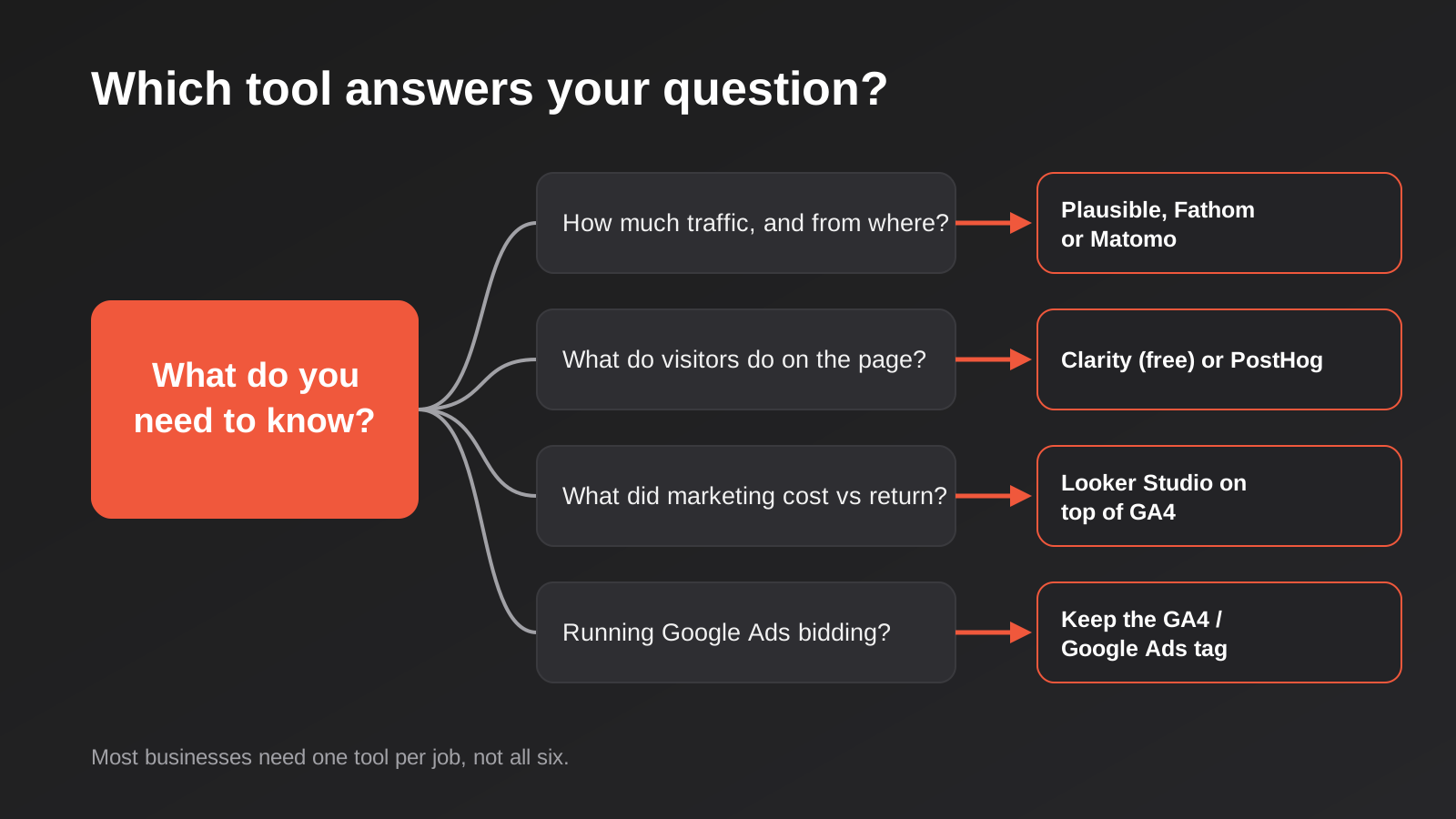
If you run Google Ads or Performance Max, keep GA4 or at least the Google Ads conversion tag. Smart bidding learns from the conversions you send it, and a privacy analytics tool doesn’t send anything to Google. Many businesses end up with GA4 for the advertising plumbing, a simple tool such as Plausible or Fathom for the daily look, and Looker Studio for the monthly report. That’s not duplication for its own sake. Each layer does a job the others do badly.
If you run a web app, a portal or a subscription product, add PostHog to the list early, because retrospective event data doesn’t exist. If you have a form or checkout leaking enquiries, switch Clarity on this week; it’s free and the first ten recordings usually pay for the effort.
To make that concrete, here are three typical set-ups (illustrative combinations, not client stories). A local trades business with a five-page site and a Google Ads budget keeps GA4 for the ads connection, adds Clarity to watch how people use the quote form, and builds one Looker Studio page that shows spend, calls and form leads side by side. A multi-location clinic group with strict privacy expectations might run self-hosted Matomo with tightly configured retention, plus a Looker Studio report on top. A software or membership business that cares about activation and churn puts PostHog on the product, keeps a lightweight traffic tool on the marketing site, and ignores heatmaps until the funnel data points somewhere.
Think about who will open the tool. A dashboard that the owner reads every Monday beats a more powerful one that only an analyst understands. Think also about where the data lives. GA4 doesn’t let you choose Australia as a storage region, and most of the tools above host in the EU or the US unless you self-host. For most small businesses that’s acceptable with accurate privacy-policy wording. For health, legal or government-adjacent work, it deserves a proper look, and the Privacy Act reforms mean it’s worth looking sooner rather than later.
One last filter is the accuracy of what you collect. Switching tools won’t fix a tag that fires twice or a conversion that counts the thank-you page on reload. If your numbers have never matched your bank account, read why conversion tracking data goes wrong before spending on anything new. And if you’ve kept GA4 and want it configured sensibly, our GA4 setup guide for Australian businesses is the place to start.
Common Mistakes
- Ripping out GA4 before you’ve exported anything. Event-level exploration data in standard GA4 properties is kept for a limited period (up to 14 months). If you want year-on-year comparisons later, set up a BigQuery export or archive key reports first, then decide what to retire.
- Assuming “cookieless” means “no obligations”. Australia has no direct equivalent of the EU’s cookie-consent rules, but the Privacy Act still applies where information can identify a person, and your policy has to describe what you collect. If you serve European visitors, different rules apply.
- Running every tool on every page. Three tracking scripts for the sake of completeness slow the site and muddy ownership. Decide who owns each tool and what question it answers.
- Buying a dashboard before defining the numbers. A Looker Studio report built before anyone agrees what counts as a lead will faithfully display an argument.
- Forgetting the connector bill. The reporting tool is free; the paid connector for Meta, Shopify or your CRM is not. Price the full stack.
- Recording sessions without masking. Replay tools can capture what people type. Mask form fields, especially anything health, financial or identity-related, and test it before launch.
- Treating a tiny sample as proof. A site with 800 visits a month doesn’t give you statistically meaningful conversion splits whichever tool you use. Look at trends and qualitative evidence instead.
- Letting the free trial lapse mid-migration. Run the new tool in parallel for at least a full month so you can compare totals and understand why they differ before you switch the old one off.
Frequently Asked Questions
Is GA4 still worth keeping?
For most sites, yes, particularly if you advertise with Google. It’s free, it connects to Google Ads and Search Console, and the BigQuery export is a useful archive. Keeping it doesn’t stop you adding a simpler tool for everyday reading.
Do I still need a cookie banner if I switch to a privacy-focused tool?
If the only thing on your site that sets cookies or tracks individuals is the analytics, a cookieless tool can remove the need for one on that account. But advertising pixels, chat widgets and embedded video often set their own cookies, so check what else is running. Get advice if you have visitors from the EU or UK.
Will leaving GA4 break my Google Ads conversion tracking?
Not if you keep the Google Ads conversion tag or the GA4 property that feeds it. A tool like Plausible or Fathom measures visits for you but sends nothing back to Google Ads, so smart bidding would lose its signal if you removed the Google tag entirely.
Can I bring my GA4 history into another tool?
Matomo offers an importer for Google Analytics data. Most other tools start fresh. The safest approach is to keep GA4 running, export what you need to BigQuery or a spreadsheet, and use the new tool alongside it for a few months.
Which of these tools is best for a small Australian business on a tight budget?
Keep GA4, add Microsoft Clarity and a simple Looker Studio report using Google’s free connectors. That costs nothing in licences. If you want a cleaner daily view, a low-traffic Plausible plan is a small monthly outlay.
What drives the cost of getting this set up professionally?
Mostly the number of systems involved (ads, CRM, ecommerce, forms), how clean the existing tracking is, whether data needs to flow into a warehouse, and how much of the reporting should update itself. We don’t think a single price fits every site, so we scope it against what you actually need.
Where to Start
Write down the three or four questions you wish your numbers answered, then match each to a tool from the list above rather than the other way round. Install the cheapest one that answers the first question, run it alongside what you already have for a month, and add the next only when a real gap shows up. If you’d rather have someone connect the sources and build a report that updates itself, our reporting and data automation service does exactly that, and the automation pricing page explains how we scope and quote it.
Worth saying plainly: because we run lean as a specialist agency rather than carrying a large account-management layer, our fixed quotes typically come in below the Australian averages covered in this guide. If you’ve already got a written quote from another agency for comparable scope, send it through and we’ll do our best to beat it.
Keep reading
Related posts
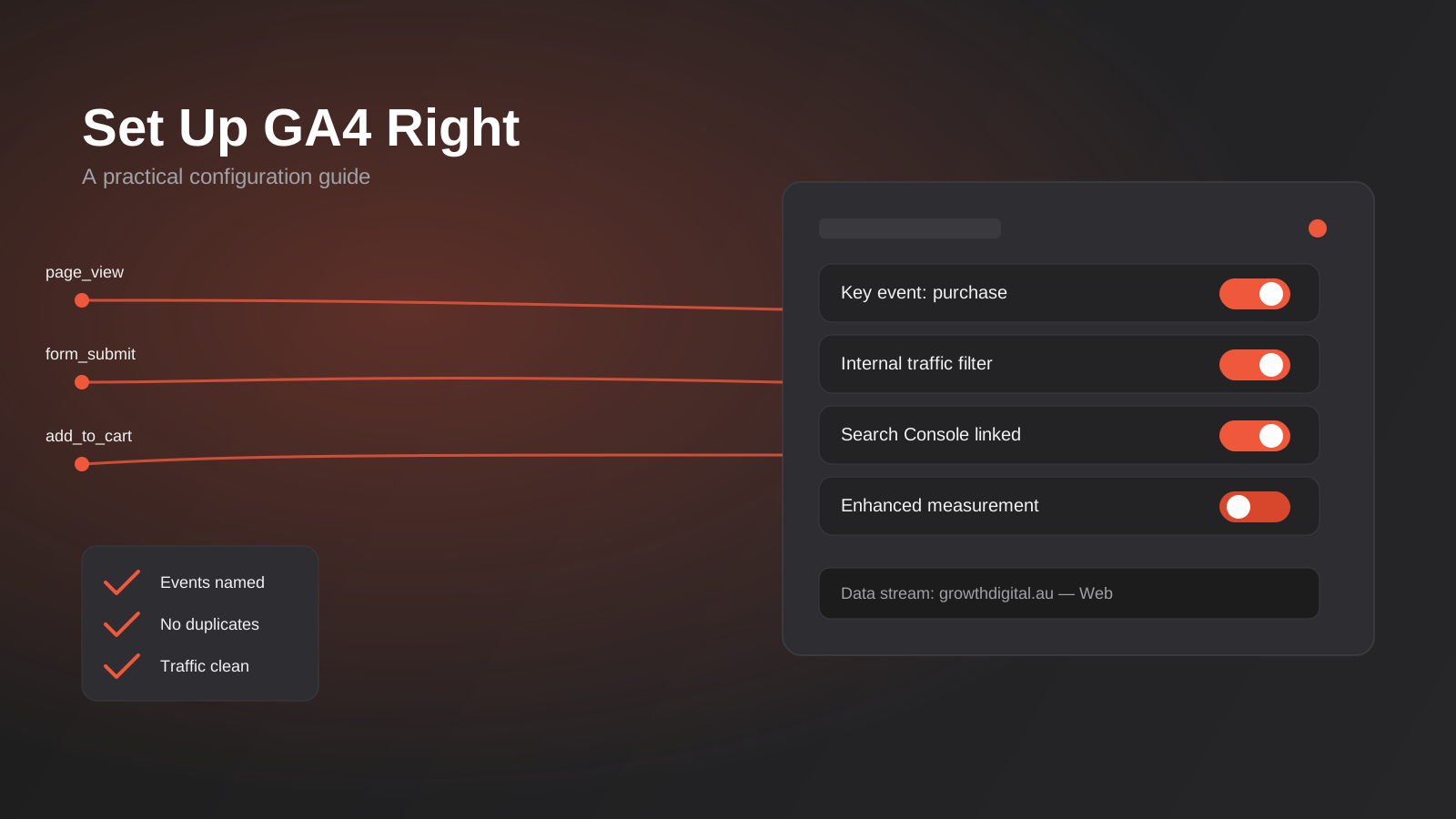
Google Analytics 4 Setup: A Practical Configuration Guide for Australian Businesses (2026)
A practical GA4 setup guide for Australian businesses: events, key events, filters and the mistakes that quietly corrupt your data.
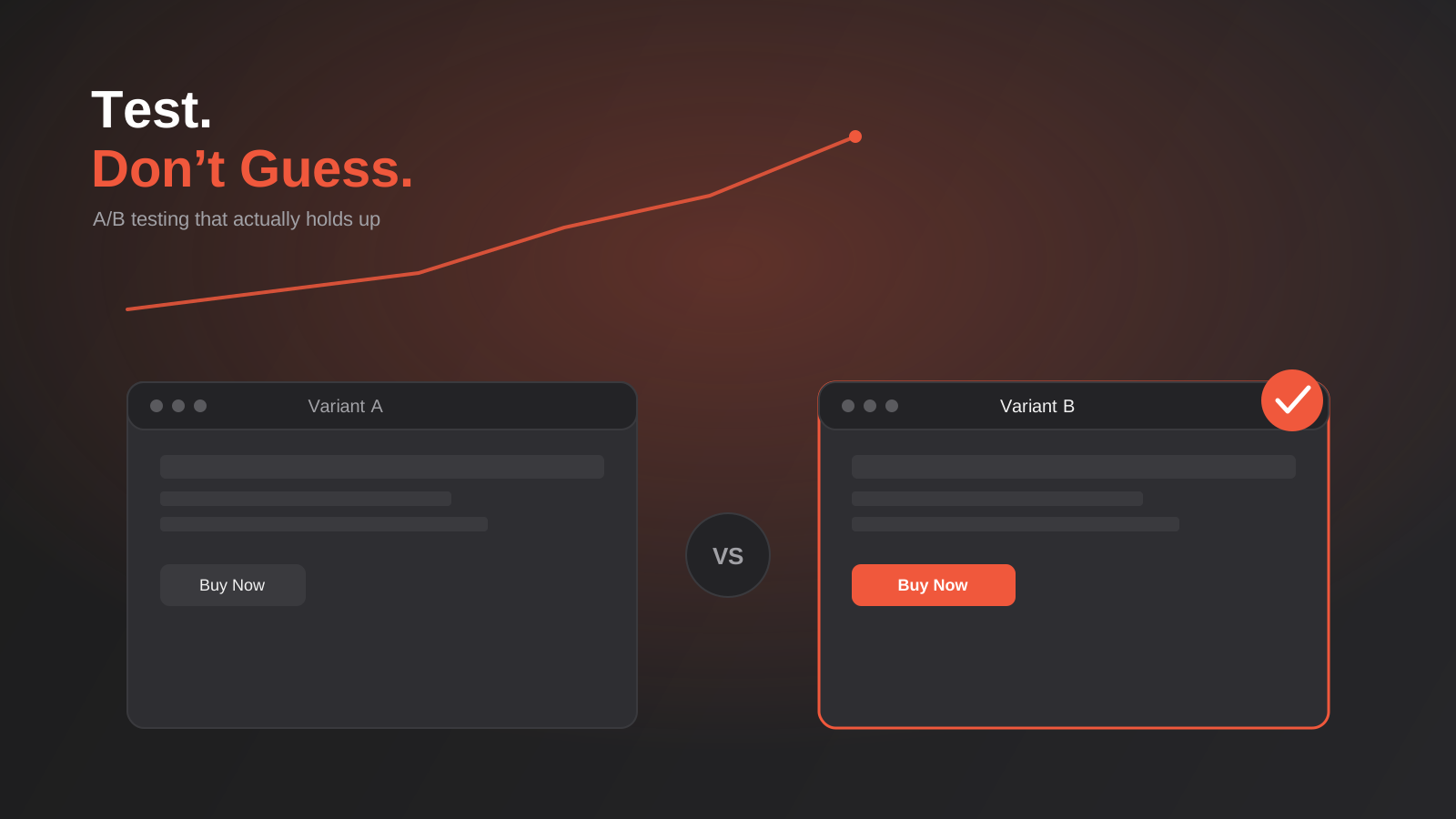
A/B Testing for Australian Websites: How to Run Tests That Actually Tell You Something (2026)
How to run A/B tests that hold up: sample size, avoiding peeking, low-traffic alternatives and building a real testing programme in Australia.
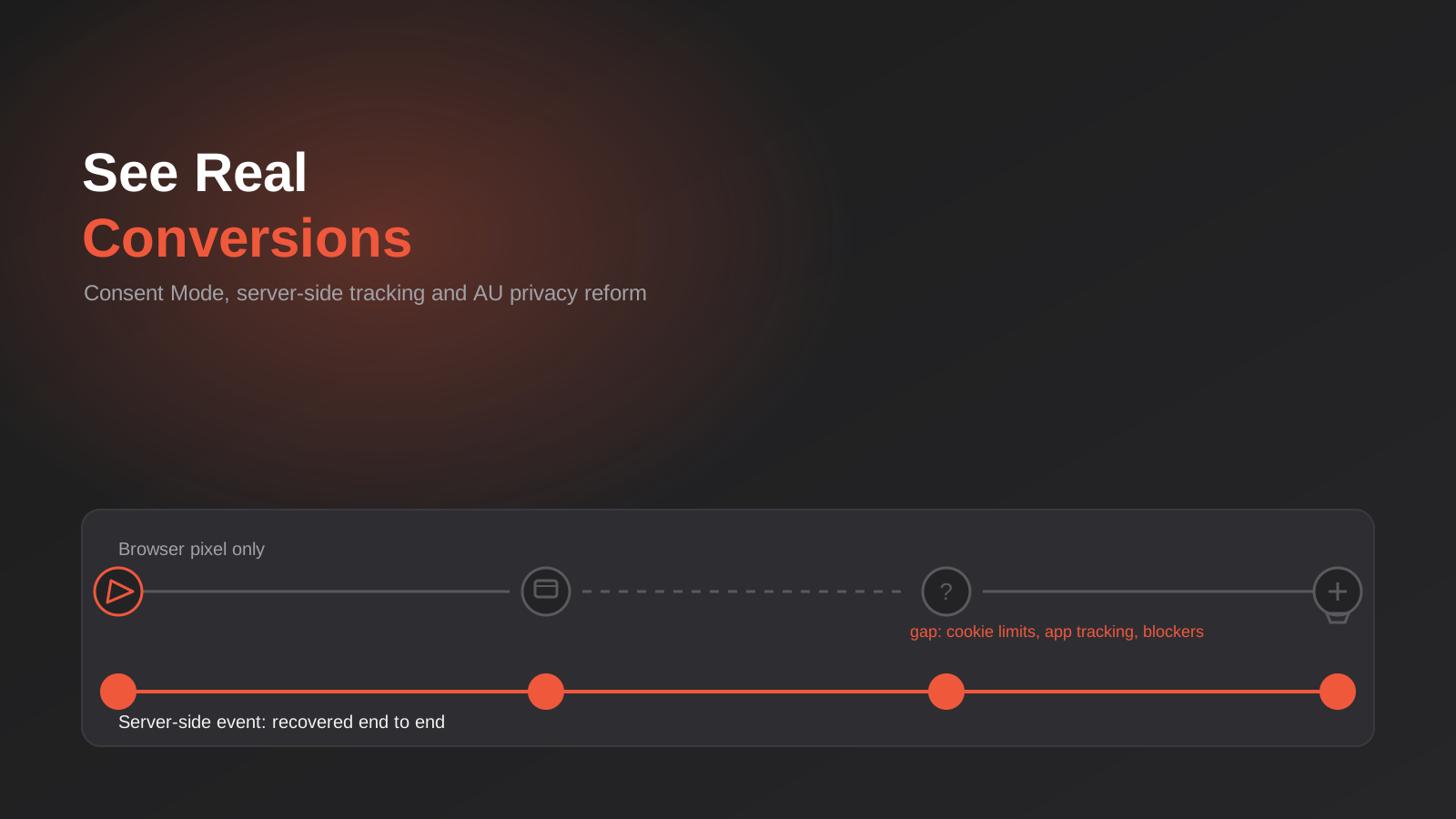
Why Your Conversion Tracking Data Is Wrong: Consent Mode, Server-Side Tracking and Australia’s 2026 Privacy Reform
Why Google Ads and Meta conversions don't match real sales: Consent Mode v2, server-side tracking and Australia's 2026 Privacy Act reform, explained.
Got a project you'd like to talk through?
Tell us what you're working on — we'll come back with a plan.
