
ABN Validation and Lookup for Australian Business Systems: A Practical Guide
 Jignesh Vagadiya
13/11/2026
23 min read
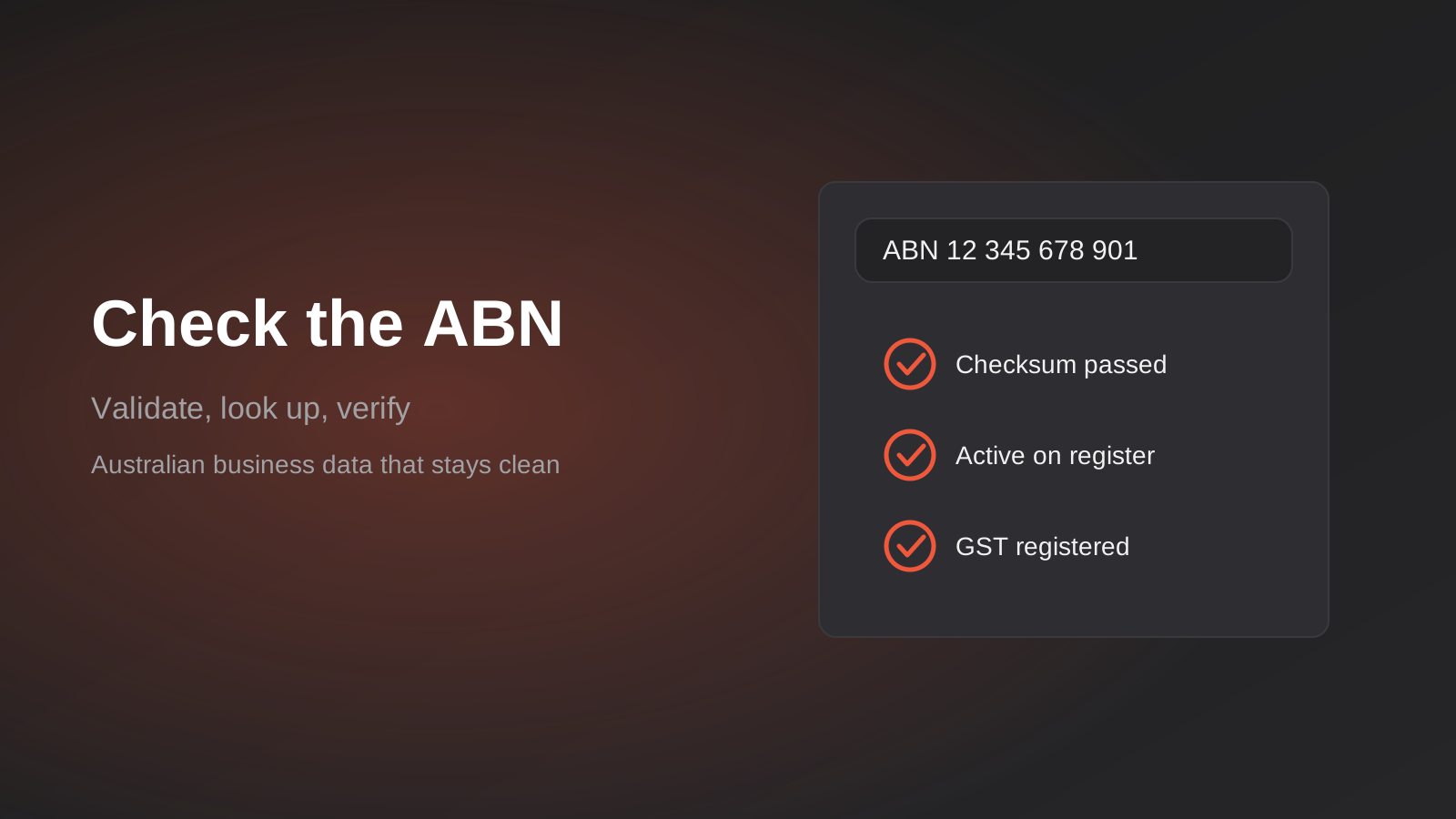
Somebody types an ABN into your supplier form with a digit transposed. Nobody notices. Three weeks later accounts payable can’t match the invoice to the vendor, the bank details are sitting in a record that points at a business that doesn’t exist, and a person on your team is ringing around trying to work out who the supplier actually is. It’s a small problem that costs more than it should, because it was avoidable at the moment the number was entered.
Australia is unusually well set up for this. The Australian Business Register publishes a free lookup service, the ABN has a built-in checksum, and the public record tells you whether a number is active and whether the holder is registered for GST. Most businesses we talk to use none of it. They collect the ABN as free text, store it as a string with whatever spaces the customer typed, and hope.
This guide is about doing it properly: what the ABN register can and can’t tell you, how to validate in layers, how to get access to the ABN Lookup web services, where the checks belong in your forms, CRM and supplier onboarding, and the mistakes we see when other people have already built it. It’s a narrow topic, but it’s the sort of detail that decides whether an integration between your systems stays clean or slowly fills with junk. If you’re thinking about the wider picture of connecting systems, our API and integrations service page covers the broader range of what we build.
What the ABN register actually tells you
Before writing any code it helps to be precise about what you’re checking against. The ABN Lookup service, run by the Australian Business Register, is a public view of the ABN data held by the ATO and other registers. It is not a credit check, an identity check or a reputation check. It answers a handful of specific questions, and it answers them well.
The facts you can rely on
For a given ABN the register will tell you whether the number exists and whether its status is active or cancelled, along with the date the status took effect. It returns the entity name (and for companies and trusts, the entity type), any registered business names and trading names, the state and postcode of the main business location, and whether the entity is registered for GST, again with an effective date. If you supply an ACN it can resolve that to an ABN as well.
That’s more useful than it sounds. Active status plus a GST registration date lets you make a sensible decision about whether to apply GST to an invoice or whether a supplier is entitled to charge it. The entity name lets you pre-fill the legal name on a form so nobody has to type “Smith & Sons Plumbing Pty Ltd” with three different spellings. The entity type tells you whether you’re dealing with a sole trader, a company or a trust, which matters for contracts and for who you’d actually be suing if things went wrong.
What it will never tell you
The register doesn’t tell you that the person filling in your form is entitled to act for that business. Anyone can type any valid ABN. It doesn’t give you street addresses (only state and postcode), it doesn’t give you a phone number or email, and it says nothing about whether the business is solvent, reputable, or in the industry it claims. For sole traders, the name on the register is the individual’s name, and treating that data carefully is part of the job, which we’ll come back to.
This distinction drives the whole design. The ABN check proves the number points at a real, current entity. Proving that your counterparty is that entity is a separate problem, and conflating the two is how supplier-payment fraud gets through otherwise tidy onboarding processes.
Three layers of validation
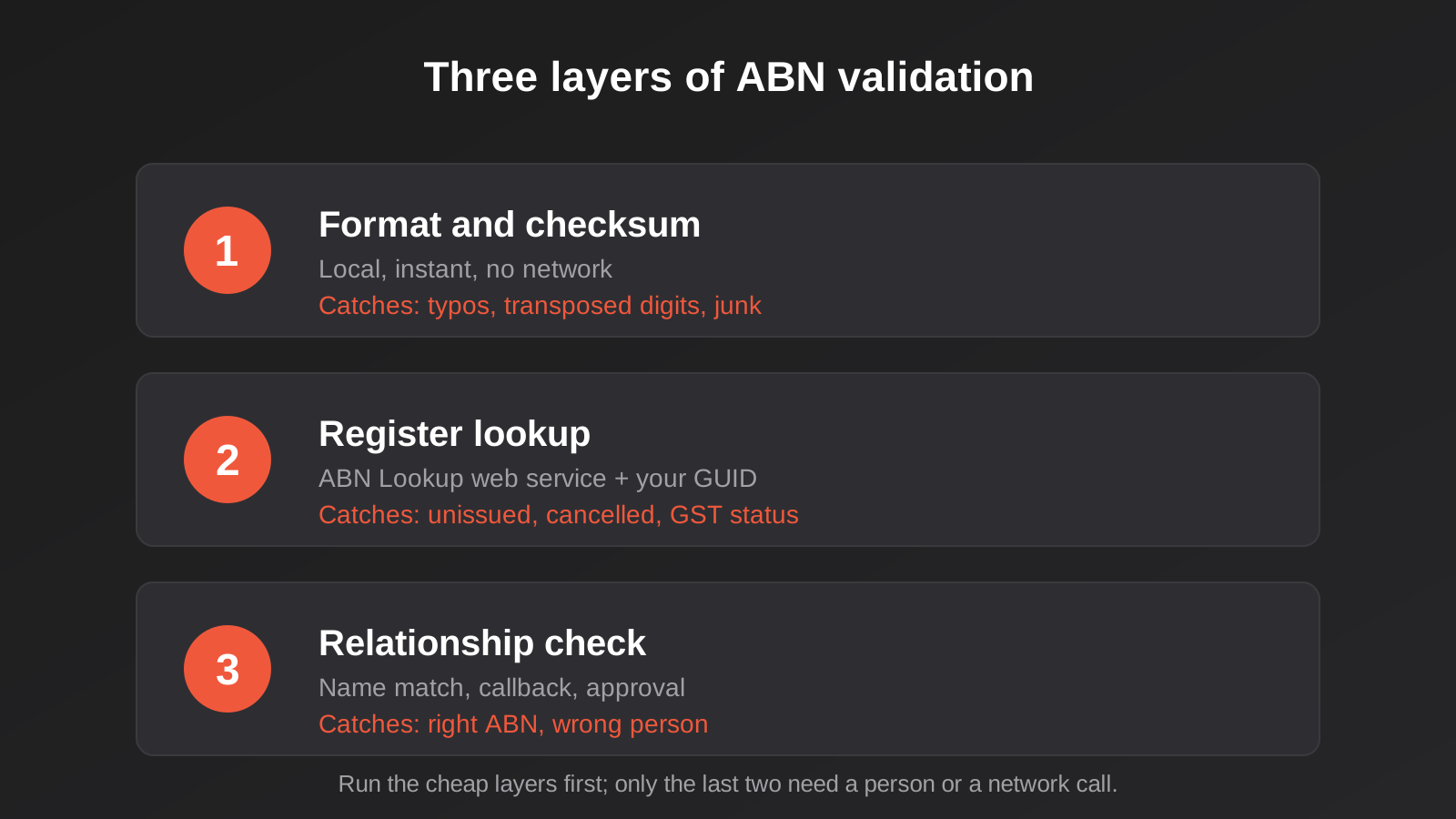
We think about ABN checking as three layers, each catching a different class of problem, each cheaper than the next. You want all three in most systems, applied in order, so that the expensive and fallible one (a network call to a government service) only runs after the cheap ones have passed.
Layer one: format and checksum
An ABN is eleven digits. People write it as “12 345 678 901”, “12345678901”, “12-345-678-901” or with a stray trailing space from a copy and paste, so the first job is normalising: strip everything that isn’t a digit and check you have exactly eleven. Reject anything else with a clear message rather than guessing.
The second job is the checksum, which the ATO publishes as a modulus 89 test. You subtract one from the first digit, multiply each of the eleven digits by a fixed weighting (10, 1, 3, 5, 7, 9, 11, 13, 15, 17, 19), add the results, and the total must divide evenly by 89. It’s about ten lines of code in any language, it needs no network access, and it runs in microseconds. Because it runs locally you can do it as the person types and give feedback before they leave the field.
What the checksum catches: typos, transposed digits, and most made-up numbers. What it doesn’t catch: a number that is mathematically valid but was never issued, or one that was issued and has since been cancelled. Treat a pass at this layer as “plausible”, nothing stronger. We’ve seen forms that displayed a green tick after the checksum, which teaches users that the system has verified their business when it hasn’t verified anything yet.
Layer two: the register lookup
Once the format passes, you call the ABN Lookup web service. This is where you learn whether the number was actually issued, what its status is, what the entity is called and whether it’s registered for GST. This is the layer that gives you data you can store and act on.
It also introduces everything that can go wrong with a dependency you don’t control: the service can be slow, it can be briefly unavailable, it can return a result that reflects a state changed yesterday, and a very recently registered ABN may not yet appear. We’ll cover how to handle each of those, because the way you respond to a failed lookup matters as much as the lookup itself.
Layer three: does the business match the person?
The last layer is about relationship, not registration. Does the entity name returned match the name the customer gave you, at least loosely? Does the email domain look like it belongs to that business? For a supplier asking to change bank details, has someone you already know confirmed it through a channel you control?
This layer is partly automated and partly a human process. Automated fuzzy name comparison catches the obvious mismatches (someone entering a large company’s ABN while claiming to be a one-person operation). For money movement, the useful control is procedural: call back on a number you already hold, not the number in the email asking for the change. Our guide to accounts payable automation goes into where those approval steps fit in an automated invoice flow.
Getting access to the ABN Lookup web services
Access is free, but it isn’t anonymous. You register with the Australian Business Register, accept their web services agreement, and receive an authentication GUID by email. That GUID has to accompany every request. Treat it like an API key, because that’s what it is: keep it on your server, load it from an environment variable or secrets store, and never put it in front-end JavaScript where anyone can read it from the page source.
The service has historically been built around SOAP, with a published WSDL and test pages, and there are also JSON-style endpoints that are easier to call from modern code. Which one you use depends on your stack and your appetite for XML. Check the current documentation on the ABR site rather than trusting a blog post, ours included, because endpoints and versions move. The principles don’t change: you pass the cleaned eleven-digit ABN and your GUID, and you get a structured response back or an error that tells you why.
There are three search styles worth knowing. A search by ABN (the one this guide mostly concerns) returns the full record for a known number. A search by ACN resolves a company number. A search by name returns candidates, which is useful for a “find your business” box on an onboarding form but needs more careful handling, because names are ambiguous and a search can return dozens of results. For most validation work you want the first. The name search is a convenience feature, not a validation.
One practical point on environments. Use the same GUID in development and production if the agreement allows it, but don’t hammer the service from automated tests. Record a few real responses (active company, cancelled ABN, sole trader, GST not registered) as fixtures and test your logic against those. Your test suite shouldn’t depend on a government service being up.
Designing the form so people actually complete it
The technical side is the easy half. The harder half is a form that handles real businesses, who rarely fit the tidy path.
Look up as they type, but don’t punish them
The pattern that works well: the user enters their ABN, you normalise it and run the checksum immediately, and on a pass you fire the lookup in the background. When the result returns, show the entity name and the GST status and ask them to confirm “Is this your business?” This reads as helpful instead of bureaucratic, saves them typing the legal name, and gives them a chance to spot a mistyped (but valid) number that points at someone else’s business.
Keep the confirmation step. A valid number that resolves to a different business is the most common real-world error, and the person is the only one who can tell you it’s wrong.
Handle the awkward cases deliberately
Sole traders are the first awkward case. Their entity name on the register is a person’s name, their trading name sits separately as a business name, and they may legitimately be not registered for GST. Your form shouldn’t treat “no GST” as an error. It’s a normal state for small operators below the registration threshold.
Foreign businesses don’t have ABNs at all. If your supplier or customer base includes overseas companies, you need an explicit path for them, with a different set of fields, rather than a mandatory ABN box that forces them to invent something. Likewise, some Australian individuals and organisations legitimately won’t have one: private consumers, some not-for-profits, certain government bodies. Decide your policy and make the “I don’t have an ABN” route visible and honest, because a form that demands an ABN from someone who doesn’t have one produces fake numbers.
Then there’s the newly registered business. A number issued this week can fail a lookup for a short period while the register catches up. Don’t turn that into a hard rejection. Accept the entry as “pending verification”, flag it for a re-check in a day or two, and let the person continue. Rejecting a legitimate new customer to protect against a hypothetical risk is a bad trade.
Cancelled ABNs need a policy too. A cancelled number might be a former supplier, or a business that has restructured and operates under a new number. Showing “This ABN was cancelled on 14 March 2025, do you have a current one?” is far more useful than a generic error.
Where the checks belong in your systems
A website form is the obvious place, but it’s rarely the only place an ABN enters your business. Think of the number as an identifier that moves between systems, and ask where each of those entry points checks it.
Your CRM
Companies in a CRM are usually created by whoever’s in a hurry: a salesperson, an import, a form. Without a validation step you end up with duplicates (the same business entered as “Acme Pty Ltd” and “ACME PTY. LTD.”), no consistent identifier, and no way to merge them safely. A validated ABN stored in its own field gives you a reliable key for de-duplication, and it lets you enrich records with entity type and state automatically. If your CRM is already full of unvalidated numbers, run them through a one-off bulk validation first, as part of the broader cleanup we describe in cleaning your data before you automate.
Supplier and customer onboarding
In onboarding, the ABN check is the first gate. A complete flow: collect the ABN, validate and look up, confirm with the user, check the name against what they entered, record GST status and the check date, and only then let the record be created in the accounting or ERP system. If you run an ERP, this is also where a clean identifier prevents duplicate vendor records, a surprisingly expensive problem. We cover how those systems connect in more detail on our ERP integration page.
Wholesale and trade ordering
Businesses that offer trade pricing often gate it behind “must have an ABN”. Checking only that the box isn’t empty is the weak version of this control. A proper lookup confirms the number is active and, if your terms require it, that the entity is registered for GST. It still can’t prove the applicant is who they say they are, so for higher-value trade accounts a human approval step remains worthwhile.
Storing the result and keeping it fresh
A lookup is a snapshot. An ABN that was active and GST-registered when the supplier signed up in January may be neither by October. If you only ever check once, your data quietly goes stale, and the risk lands precisely where it hurts: you keep paying GST-inclusive invoices to a supplier who stopped being registered, or you keep trading with an entity that no longer exists.
Store more than the number. At a minimum keep the cleaned ABN, the entity name as returned, the entity type, the ABN status, the GST status with its effective date, the state and postcode, and the date and time you last checked. Store the name as the register returned it separately from the name the customer typed. When those two differ, you want to see both, not have one silently overwrite the other.
Then decide on a refresh policy that matches the risk. For active suppliers you pay regularly, re-checking quarterly is a reasonable starting point, and it’s cheap to do in bulk as a scheduled job. For customers on trade terms, re-check when they place an order above a threshold or when their account is reviewed. For anything triggered by a change request (new bank details, new entity name), re-check immediately. A scheduled job that walks the table, calls the lookup, and flags changes for a person to review is the sort of thing that suits a workflow tool well. Our workflow automation work covers this kind of scheduled, exception-driven job.
When a re-check turns up a change, don’t auto-correct. Write the change to a log and route it to someone. A supplier’s status flipping from active to cancelled might mean they’ve closed, restructured, or that the register is mid-update. A human decision is the right response, and the log gives you the history if there’s a dispute later.
Reliability: when the lookup fails
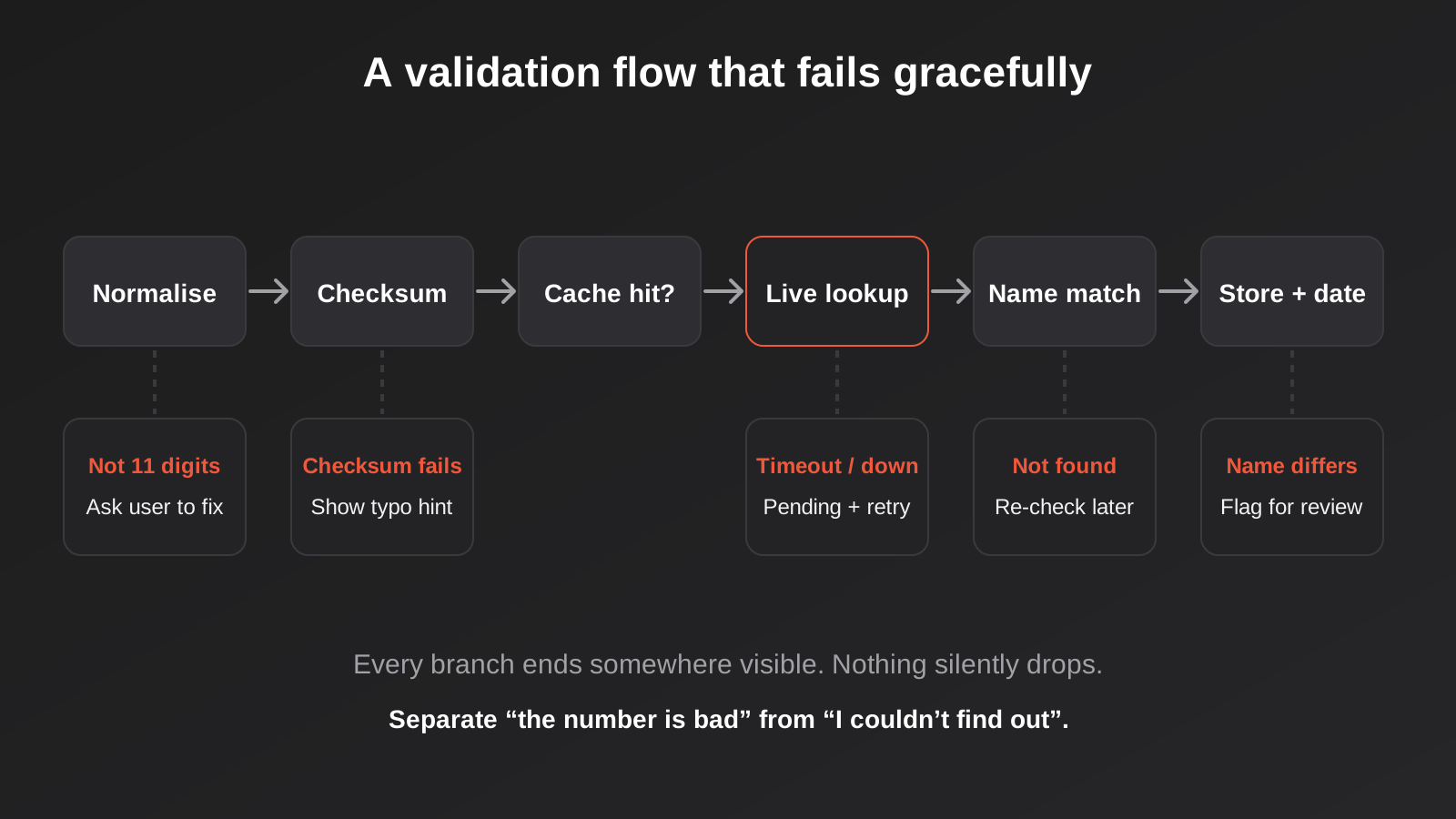
Every external dependency fails sometimes. What distinguishes a robust integration is that the failure has a defined outcome. For ABN lookups there are four distinct failure shapes, and they deserve four distinct responses.
The first is a “not found” answer from the register. That’s a result, not an error: the number passed the checksum but nobody holds it. Tell the user plainly, let them correct it, and consider the new-registration caveat above. The second is an error the service returns about your request, such as an unrecognised GUID or a malformed ABN. That’s a bug on your side and should alert you, not the user. The third is a timeout or connection failure. Here you should let the person continue in a “pending verification” state, queue a retry, and not block a legitimate customer because a government server is slow. The fourth is a rate or usage problem if you’ve been calling heavily. Cache results so repeat lookups of the same ABN within a short window don’t hit the service again, and read our notes on API rate limits for business integrations for how to space calls out sensibly.
The principle underneath all four: separate “the number is bad” from “I couldn’t find out”. Systems that blur those two either reject good customers or accept bad ones, and you won’t know which is happening.
Privacy and compliance, briefly
Public data isn’t free of obligations. The register is public, but once you copy a sole trader’s name and ABN into your own systems it becomes personal information you hold, and your privacy policy and security practices apply to it as they do to any other customer record. Collect what you need for the purpose (verifying the business), don’t build a shadow database of every ABN you’ve ever looked up, and delete or de-identify records you no longer have a reason to keep. If you’re thinking about retention more broadly, the same principles apply as in our post on deleting customer data on schedule.
Read the ABR’s terms for the web services before you build, particularly around permitted use and how you can present or store the data. We’re not lawyers and this isn’t legal advice; the point is that the agreement you accept when you register for a GUID is a real agreement and someone in your business should have read it.
Build, buy or connect: choosing an approach
You don’t necessarily need to write code. The right approach depends on where your data lives and how much volume you handle.
If your forms and CRM are mainstream products, check whether there’s an existing ABN lookup field, add-on or marketplace app before building. Some accounting and CRM tools already include a lookup when you create a contact. That covers the common case of a sales rep entering a new company, and it’s usually the cheapest option. The limitation is control: you generally can’t change when it runs, how failures are handled, or what’s stored.
If you want the check inside a workflow, tools like Zapier, Make or n8n can call the ABR service through a generic HTTP step. That suits moderate volume and gets you a validation step across several systems without writing an application. The trade-offs are the usual ones: you’re relying on the platform for retries and logging, secrets handling needs care, and complicated branching (pending states, fuzzy name matching, scheduled re-checks) gets messy to maintain in a visual builder.
If ABN validation is part of a bigger onboarding system, such as a supplier portal, a trade application flow or a customer-facing app, it’s usually cleaner as a small service of its own that your other systems call. It holds the GUID, applies the three layers, caches results, writes the audit trail, and exposes one simple answer to everything else. That’s more work upfront and less work every time you add a new place that needs the check. It’s also easier to swap out later if you decide to add other registers or a commercial data provider.
A word on commercial providers. Paid data services will give you richer information (credit risk, directors, related entities) and sometimes a friendlier interface. They solve a different problem from ABN validation. If all you need is “is this number real, current and GST-registered”, the free register answers it. Pay for more data only when you have a decision that actually uses it.
What it costs to get right
There’s no meaningful licence fee for the lookup itself, so cost comes down to build effort and what surrounds it. A single form field with checksum and a lookup is a small job. The effort climbs as you add the parts that make it dependable: pending states and retries, a name-matching rule, bulk back-checking of existing records, scheduled refresh, an audit trail, and connections into the CRM, accounting package or ERP so the validated data lands where it’s used.
The most common way projects blow out isn’t the ABN lookup. It’s discovering partway through that the existing data is a mess, with duplicates, missing numbers and conflicting spellings, and that merging records safely is the real project. Do a data audit first. Count how many records have an ABN, how many pass the checksum, how many are duplicates. Those three numbers will tell you more about scope than any estimate of the integration itself.
Testing it before it matters
Validation code has a nasty property: when it’s wrong, nobody sees it. A function that wrongly rejects one valid ABN in a thousand will cost you a customer now and then and you’ll never trace it. So test the awkward inputs on purpose.
Build a small table of cases and run it every time the code changes. Include an ABN pasted with spaces, dashes, and non-breaking spaces. Include one with a leading zero removed by a spreadsheet, which is a real hazard if people paste from Excel. Include ten digits and twelve digits. Include a number that passes the checksum but doesn’t exist, a cancelled ABN, a sole trader, a company, a GST-registered entity and a non-registered one. For the register responses, use recorded fixtures rather than live calls, and separately run a small monitored check against the live service so you find out when the API changes under you.
Also test the failure paths on purpose: simulate a timeout and confirm the user can continue; simulate an unrecognised GUID and confirm it raises an alert rather than telling a customer their ABN is wrong. Those paths are the ones that go untested until the day they happen.
Common mistakes
These are the problems we see most often in systems that handle ABNs.
- Storing the ABN exactly as typed, with spaces and dashes, so the same business appears as several different values and matching breaks.
- Treating a checksum pass as proof that the business exists, and showing a green “verified” tick on the strength of it.
- Putting the GUID in front-end code, where anyone can copy it from the page source and use your access.
- Rejecting a customer outright when the lookup times out, instead of letting them continue as pending and retrying.
- Confusing “ABN found” with “this person represents that business”, then changing bank details based on an email.
- Treating “not registered for GST” as an error, which misfires on sole traders and small operators below the threshold.
- Letting the register’s name silently overwrite what the customer entered, losing the evidence of a mismatch.
- Checking once at signup and never again, so cancelled ABNs and lapsed GST registrations stay in your data for years.
- Requiring an ABN from people who legitimately don’t have one, which produces made-up numbers.
- Letting spreadsheet imports strip a leading zero or convert the number to scientific notation before it reaches your checks.
Frequently Asked Questions
Is the ABN Lookup web service free to use?
Yes, access to the ABN Lookup web services is free. You register with the Australian Business Register, accept their agreement and receive an authentication GUID. You’re still responsible for building the integration, handling errors and storing results responsibly, and you should read the current terms for permitted use before you launch.
What’s the difference between validating an ABN and verifying it?
Validating is the local check: the right number of digits and a passing checksum. It catches typos but proves nothing about whether the number was ever issued. Verifying means confirming against the register that the ABN exists, is active, and belongs to the entity you think it does. You need both, and the second needs a network call.
Can I find out if a business is registered for GST from an ABN?
Yes. The register returns GST registration status along with the date it took effect. That’s useful for deciding whether a supplier is entitled to charge GST. Remember that a small business can legitimately be unregistered, so a missing GST registration is information to act on, not automatically a mistake.
How often should I re-check ABNs I’ve already stored?
It depends on the risk. Quarterly is a sensible default for active suppliers you pay regularly. Re-check straight away when a record changes in a sensitive way, such as new bank details, and before large payments or credit decisions. A scheduled job that flags changes for review is far better than one that overwrites records automatically.
What should happen when the lookup service is down?
Don’t block the user. Accept the entry as pending verification, store what you have, and retry in the background. Flag it for review if it still hasn’t resolved after a day or so. Rejecting legitimate customers because an external service is slow costs you more than a short delay in verification does.
Does an ABN check protect me from invoice or bank-detail fraud?
Only partly. It confirms the number is real and current, but a fraudster can quote a real ABN belonging to someone else. The protection against bank-detail fraud is procedural: confirm changes by calling a number you already hold, and require a second person to approve changes to payee details.
Where to Start
If you’re deciding whether any of this is worth doing, start with a half-hour audit rather than a build. Export your customer or supplier list, count how many records carry an ABN, run the checksum over them, and look at the duplicates. If the data is clean, a light validation step on your forms may be all you need. If it isn’t, the cleanup comes first and the integration second.
When you’re ready to put validation into your forms, CRM or supplier onboarding, we’re happy to talk through what that would involve for your setup. There’s no pitch attached: tell us where the ABN enters your business and what goes wrong today, and we’ll say honestly whether you need a custom build or just a better configuration of tools you already have. Automation work is scoped individually, and you can see how that works on our automation pricing page.
Worth putting plainly: because we run lean as a specialist agency rather than carrying a large account-management layer, our fixed quotes typically come in below the Australian averages covered in this guide. If you’ve already got a written quote from another agency for comparable scope, send it through and we’ll do our best to beat it.
Keep reading
Related posts
Best POS Systems for Australian Businesses (2026): 6 Compared
Six POS systems compared for Australian retailers and venues: Square, Zeller, Shopify POS, Lightspeed and Hike. Fees, drawbacks and who each suits.
Shipping Carrier Integration for Australian Ecommerce: Labels, Rates and Tracking
Connect your store to Australia Post and other carriers: rates, labels, manifests and tracking, plus when to use an app, a platform…
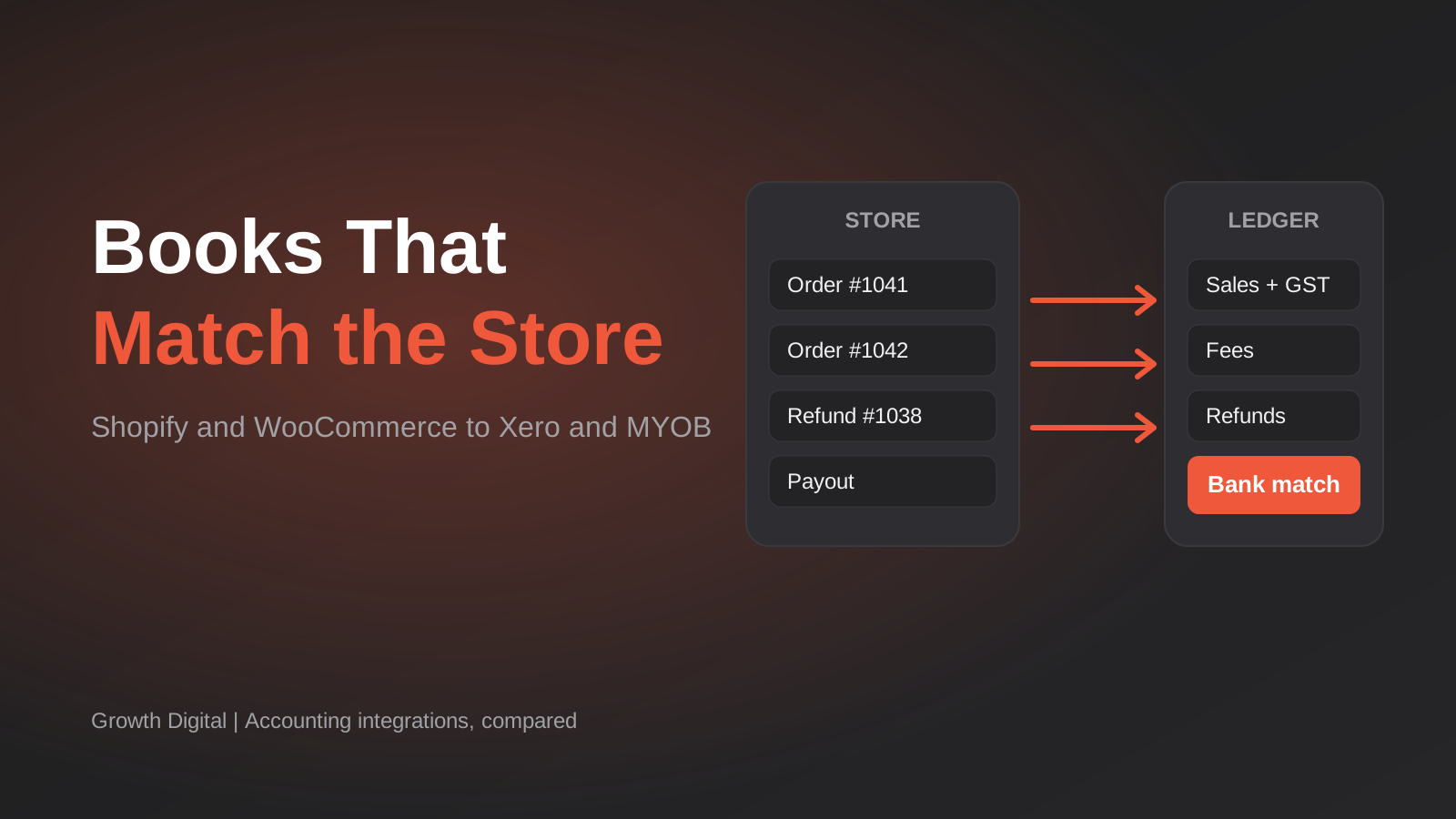
Best Accounting Integrations for Shopify and WooCommerce in Australia (2026): 6 Compared
Six accounting integrations for Shopify and WooCommerce compared for Australian stores: Xero and MYOB support, GST, payouts and real prices.
Got a project you'd like to talk through?
Tell us what you're working on — we'll come back with a plan.
