
Best Accounting Integrations for Shopify and WooCommerce in Australia (2026): 6 Compared
 Jignesh Vagadiya
01/11/2026
22 min read
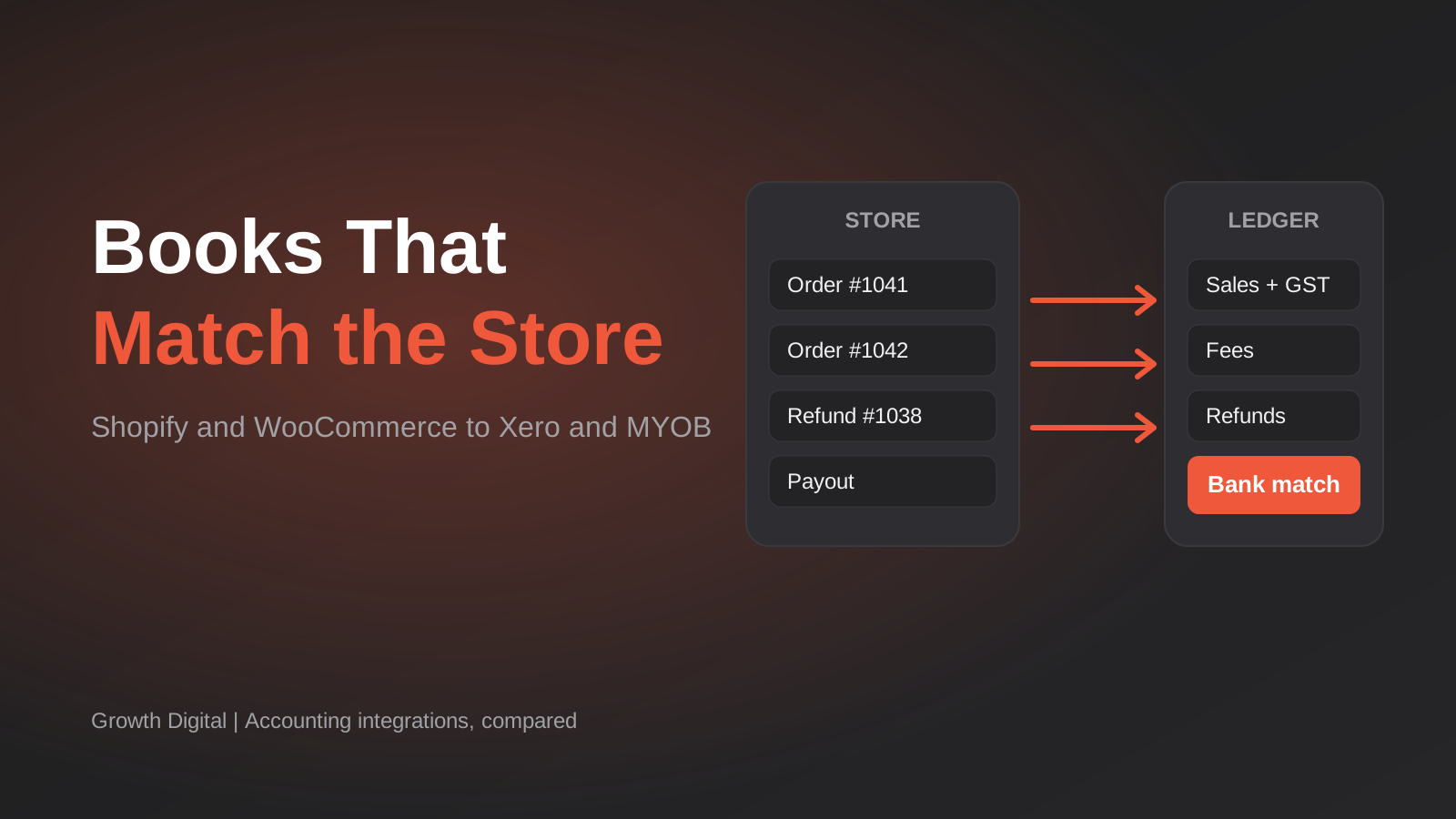
Somewhere in most Australian online stores there is a person, often the owner, who spends the first week of every month working out why Shopify says one number and Xero says another. The orders are all there. The money is mostly there. But the payout that landed in the bank was $4,317.62, and nothing in the books adds up to that, because Shopify paid out 41 orders less fees less two refunds, and the accounting file recorded something else entirely.
An accounting integration is the thing that fixes that, and there are more of them than you would think. They look similar on a pricing page and behave very differently once real orders, refunds, Afterpay settlements and GST start flowing through them. We have set up and untangled a fair few of these for Australian stores, so this round-up is written from that side of the table: what each tool does well, where it quietly falls short, and which sort of business it suits.
Our selection criteria were practical. A tool had to work with Shopify or WooCommerce, connect to Xero or MYOB (the two ledgers most Australian small businesses actually use), handle GST sensibly, and have a public price you can check without a sales call. We left out enterprise middleware and anything we could not confirm supports an Australian chart of accounts. Prices below come from public listings and vendor pages at the start of November 2026. Several vendors price in US dollars, a few list in Australian dollars, and the sources do not always agree with each other, so treat every figure as a guide and confirm on the vendor’s own page before you subscribe. Where we could not pin a number down with confidence, we say so rather than guess.
What “Accounting Integration” Actually Means
The phrase covers three quite different jobs, and most disappointment comes from buying one when you needed another.
The first job is settlement-level (summary) posting. Instead of creating a Xero invoice for every order, the tool takes each payout from Shopify Payments, Stripe, PayPal or Afterpay and posts one tidy summary entry: gross sales, refunds, fees, GST, net deposit. That summary matches the bank line exactly, so reconciliation takes a click. You lose per-order detail in Xero (it lives in Shopify), but your ledger stays small and your accountant is happy. This is the A2X model, and it is what most stores with a few hundred orders a month or more should be doing.
The second job is order-level (transaction) sync. Every order becomes an invoice or sales receipt in the accounting system, with customers, line items and tax attached. That is the right shape if you chase invoices, run wholesale accounts, need customer-level history in Xero, or want inventory and cost of goods movements recorded there. The cost is volume: a store with 3,000 orders a month now has 3,000 more transactions to look after, and the bank-side reconciliation of payouts is still a separate problem that the sync may or may not solve.
The third job is payout reconciliation, which is where the real time sink is. A payout is a batch. It contains many orders, minus fees, minus refunds, sometimes minus chargebacks, and it arrives on a different day to the sales. Matching the batch to the bank feed is the whole point of the exercise, and a tool that syncs orders beautifully but ignores payouts has only solved the easy half.
Add the Australian layer on top. GST needs to land on the right sales, shipping and fees. Afterpay and Zip settle net of their fees on their own schedules. Some customers pay in other currencies. And your BAS depends on all of it being coded consistently. If you want the accounting-side detail first, our guide to Xero integration, GST mapping and the mistakes that break reconciliation covers the mapping decisions in depth. The comparison below is about the tools themselves.
A2X for Shopify
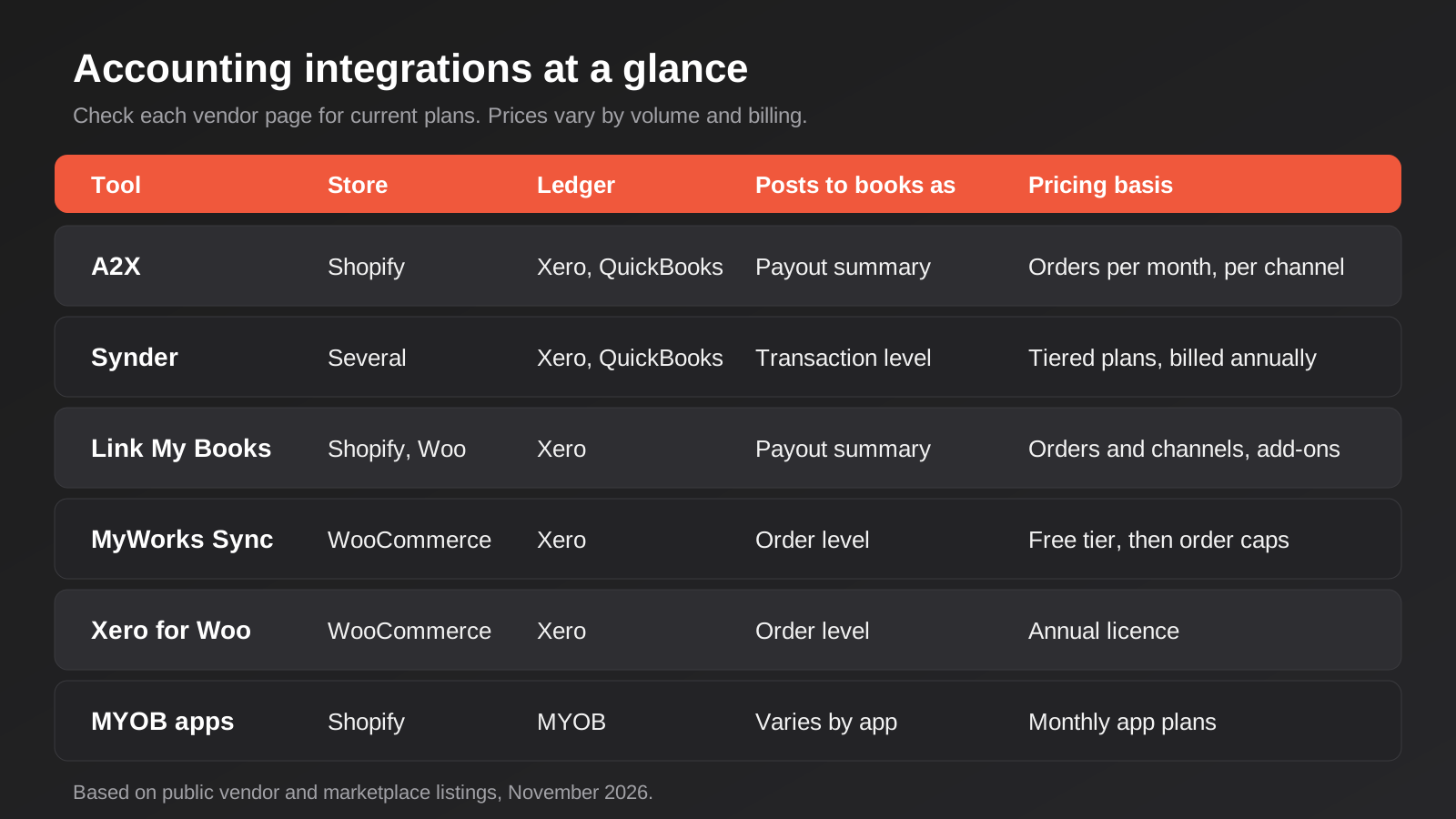
What it is. A2X is a dedicated ecommerce-to-accounting tool. It connects to your Shopify store and your payment gateways, then posts each payout to Xero (or QuickBooks) as a summarised settlement that mirrors the deposit. It is deliberately narrow, and that is most of its appeal.
What it does well. The payout matches the bank deposit, and that is the whole game. A2X’s own support documentation lists Shopify Payments among its supported gateways and notes that those payouts reconcile directly to the bank deposit. Afterpay is on the supported list too, using a clearing account. Because it works at the settlement level, your Xero file stays compact: sales, refunds, fees and GST show up as a handful of lines per payout rather than thousands of individual invoices. Accountants tend to know it, which matters more than it sounds when someone else is doing your BAS.
Where it falls short. It does not give you per-order invoices in Xero, so if you need customer-level records in the ledger, it is the wrong shape. Pricing is per sales channel, so a business selling on Shopify and Amazon pays for two subscriptions unless it moves to the multi-channel plans. The Afterpay story also has a wrinkle: the support documentation walks through allocating Afterpay fees monthly using the settlement export from the Afterpay merchant portal, which means one recurring manual step. And we could not find any evidence of MYOB support. If your books are in MYOB, A2X is not your answer.
What it costs. The Shopify App Store lists plans from US$29 a month, and third-party directories describe tiers stepping up with order volume (a small plan covering a couple of hundred orders a month, then larger bands, with premium plans for stores above roughly 10,000 orders). Sources disagree about exact tier prices and currency, so check the pricing page for your order volume. Budget for GST and exchange rates if you are paying in USD.
Who it suits. Shopify stores on Xero with steady order volume, a few payment gateways and an accountant who wants clean summaries. It is the default recommendation for that profile, and we rarely argue with it.
Synder
What it is. Synder is a broader sync tool that pulls sales, fees, taxes and refunds from payment platforms and stores into your accounting software. It operates closer to the transaction level than A2X, so it suits businesses that want more of the detail flowing through automatically.
What it does well. Flexibility is the headline. It handles a wide spread of platforms and gateways, and it works closer to the individual transaction than a payout summary. If your business sells through several channels and you want one tool watching all of them, it has a credible claim. The Shopify App Store listing describes syncing sales, fees, taxes and refunds into Xero.
Where it falls short. The plan structure is the awkward part. The published figures vary by source, and the plan ladder appears to have changed during 2026, with at least one tracker reporting a new top-tier plan added in July. It generally bills annually by default, with a premium for month-to-month. More importantly for local buyers, its listed integrations name Xero and QuickBooks but we could not find MYOB on them, so confirm that directly with the vendor if you are an MYOB shop. And the extra flexibility costs you setup time: every mapping choice is yours to make, which is a feature if you know what you want and a trap if you do not.
What it costs. Third-party price trackers put the entry plan somewhere between roughly US$50 and US$65 a month, the middle plan around US$115, and higher tiers into the hundreds, with a custom premium tier above that. Because the sources conflict, get the current table from the vendor before you plan around it.
Who it suits. Multi-channel sellers on Xero who want real-time, transaction-level posting and have the patience (or a bookkeeper) to configure it properly. For a single-channel Shopify store with ordinary needs it is more tool than you need.
Link My Books
What it is. Link My Books is another settlement-focused tool, in the same family as A2X, built around getting marketplace and store payouts into Xero accurately. It supports Shopify and WooCommerce on the Xero App Store listing.
What it does well. Its Xero Australia listing says GST rules are applied to each transaction automatically, and it prices in Australian dollars there, which takes the guesswork out of budgeting. It also lists marketplace channels alongside Shopify and WooCommerce, so a store selling in more than one place can keep everything in one tool. There is a free trial of 14 days listed, enough time to run a month’s worth of payouts through it before committing.
Where it falls short. The price structure has moving parts. Plans are set by order volume and number of sales channels, and some capabilities (the listing mentions deferred revenue recognition and a multi-currency PayPal clearing feature at about A$30 a month each) are paid add-ons. Multi-currency settlement also depends on your Xero plan supporting multiple currencies. We saw two different sets of Australian prices across Xero listings, which suggests the plans have changed recently, so do not rely on a cached number. Like A2X, it is a summary-posting tool, so per-order invoices in Xero are not the point. And it is Xero-first; if you run MYOB, look elsewhere.
What it costs. Xero’s Australian listing showed entry plans somewhere around A$50 to A$70 a month on monthly billing, scaling up with order volume into the hundreds of dollars a month at the top end, plus add-ons. Treat that as a range to sanity-check against the live listing.
Who it suits. Stores selling on Shopify or WooCommerce plus a marketplace, on Xero, that value Australian-dollar pricing and are comfortable choosing which add-ons they need. A sensible second opinion alongside A2X when you are shortlisting.
MyWorks Sync for Xero (WooCommerce)
What it is. A sync service that connects WooCommerce to Xero and passes orders, customers, products and payments across automatically. It installs as a WordPress plugin, with the syncing handled through the vendor’s service.
What it does well. It is one of the few options that offers a genuine free tier you can use for real. The free plan covers up to 20 orders a month, which suits a new or very small store, and the paid tiers add automatic real-time sync and two-way product sync. Two-way product sync is the useful one. If you manage products or stock levels on the Xero side, changes can flow back into WooCommerce, which many simple connectors cannot do. The vendor lists 24/7 ticket support on paid plans.
Where it falls short. It works at the order level, so you inherit the transaction volume we described earlier. A busy store will see hundreds or thousands of new invoices or receipts in Xero each month, and the real accounting work, matching gateway payouts and fees to the bank, is something you should test carefully before you trust it. Order caps also apply: the paid tiers are capped by monthly order volume (the listings mention figures of about 300 and 1,000 orders for the middle tiers), so a fast-growing store may move up a tier quickly. And as with any sync that depends on a plugin, a WooCommerce or Xero update can change behaviour, so you want someone watching it.
What it costs. On the WooCommerce marketplace and WordPress plugin listings, the paid tiers are around US$19, US$39 and US$69 a month billed annually, above a free tier. Other directories list slightly different monthly-billed numbers, so confirm before buying. Prices are in US dollars.
Who it suits. WooCommerce stores on Xero with modest volume, or those who genuinely need order-level invoices and two-way product data in the ledger. If you are weighing a platform move altogether, settle that first, because the sync design changes with it.
Xero for WooCommerce (Official Extension)
What it is. A paid extension sold through the WooCommerce marketplace that pushes WooCommerce order data into Xero. It runs inside WordPress, which is both its strength and its limit.
What it does well. It is simple to understand and priced as an annual licence rather than a monthly subscription with order tiers, which makes budgeting easy and removes the surprise of crossing an order threshold. The listing describes sending product, shipping, discount and tax data to Xero, and it comes with a 30-day money-back guarantee, which lowers the risk of testing it against a real month of orders. For a store with ordinary needs and a person who likes to see exactly how the pieces connect, that simplicity is a real virtue.
Where it falls short. It is a connector, not a reconciliation product. It will send the orders; matching the Stripe or Afterpay payout to the bank, and coding the fees correctly with GST, is still on you or your bookkeeper. Because it runs on your own WordPress site, its reliability is tied to your hosting, your plugin stack and your cron jobs. Tax mapping needs careful setup so that GST-free and GST-inclusive lines land in the right Xero tax rates. Support is the plugin vendor’s, not a bookkeeping specialist’s.
What it costs. The marketplace listing we found showed an annual price in the low hundreds of US dollars, but the way the price was displayed was ambiguous (a struck-through and a discounted figure appeared side by side), so we would rather not quote a number. Check the product page at the point of purchase.
Who it suits. A WooCommerce store with moderate order volume, a bookkeeper who is happy reconciling payouts in Xero, and a preference for a flat yearly cost over another monthly subscription.
Shopify-to-MYOB Connector Apps
What it is. MYOB users get a thinner field than Xero users. The tools that exist are mostly third-party apps on the Shopify App Store (MYOB Integration and MYOB Sync are two names that turn up) plus heavier ERP-grade connectors for MYOB Exo and Acumatica. We group them here because the decision is the same: you are choosing a connector for a ledger that the big global tools mostly ignore.
What it does well. The honest advantage is that they exist at all, and that they are cheap. Listings show entry-level plans at modest monthly prices, with trials. One app listing describes syncs running every 15 minutes with local Australian support, which counts for something when your books are open at 9am Brisbane time and the vendor is not asleep in another hemisphere.
Where it falls short. Choice and depth. These apps typically have smaller review bases than the Xero-side tools, and what a given plan syncs varies a lot (some tiers handle inventory and manual sync only, with orders, invoices and payments reserved for higher plans). MYOB itself now has more than one product, and support differs between the older desktop-era files and the newer cloud ones, so ask which version a connector supports before installing. Payout-level reconciliation of gateway fees is generally not something you should assume. For ERP-style MYOB Exo connections, you are in different territory entirely: one listing starts from US$145 a month and targets a heavier use case.
What it costs. Listings put simple MYOB sync apps at roughly US$9 to US$29 a month (tiered by features) or around US$25 a month for the MYOB Integration app, with the heavier Exo connector from about US$145 a month. These come from app-store listings and a third-party directory, so verify the live price and the supported MYOB product.
Who it suits. Shopify stores whose accountant lives in MYOB and is not about to switch. Do a small trial first, and consider a scoped integration if your needs go beyond order sync. We cover this scenario on our MYOB Shopify integration page.
Setting Up Any of Them Properly
Whichever tool you choose, the quality of the result depends far more on the setup than on the logo. The same four decisions come up every time, and it is worth making them on paper before you connect anything.
First, clearing accounts. Money does not go from a customer to your bank in one step. It sits with Shopify, Stripe, PayPal or Afterpay first. A clearing account per gateway in Xero or MYOB represents that in-between money, and when the setup is right the balance drops to zero each time a payout lands in the bank. If a clearing account carries a balance that never clears, something is being posted twice or not at all, and it is the quickest diagnostic you have.
Second, tax rates. Decide which tax rate applies to product sales, shipping, discounts, gift card redemptions and gateway fees, then map each deliberately. Defaults are written for the average store in the average country, and you are neither. Export sales and GST-free lines are the usual casualties, and the fix after the fact is painful because it means reversing posted periods.
Third, the start date. Choose the first day of a month, preferably the first day of a BAS quarter, and make sure everything before it is reconciled the old way. Starting mid-period is how payouts get counted in both systems.
Fourth, who gets the failure email. Most of these tools notify someone when a sync breaks. Make sure that someone exists and reads it. A sync that stalls for three weeks and is discovered at BAS time is the single most expensive way to run any of these tools, and it is entirely avoidable with one forwarded alert.
If you are the owner and also the bookkeeper, do this on a quiet afternoon with a recent export from your gateway open beside Xero. If you have an accountant, ask them to review the account mapping before you go live. Ten minutes of their time at the start is cheaper than an hour untangling a quarter later, and most accountants are glad to be asked.
How to Choose
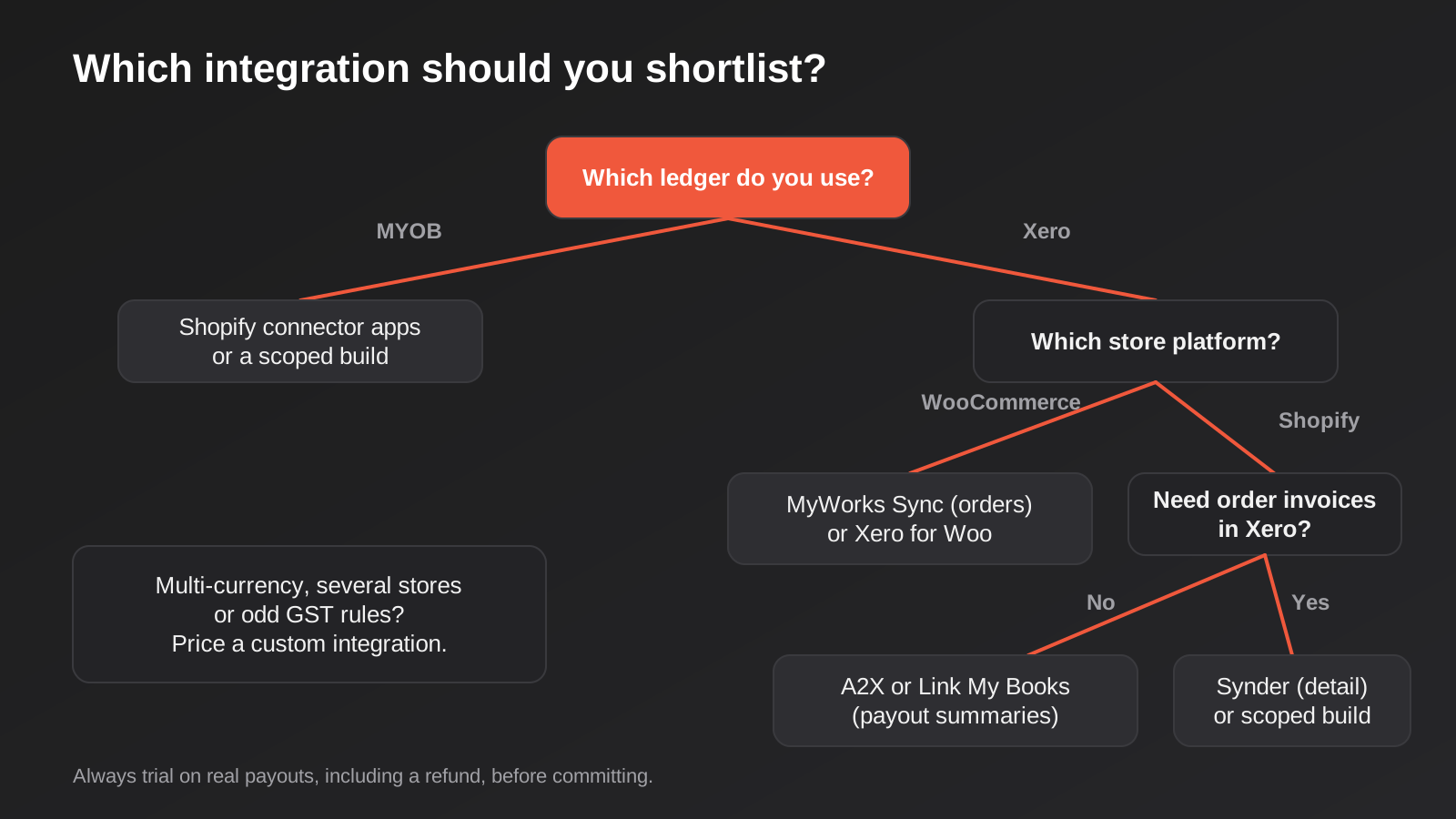
Start with your ledger and your platform, because they eliminate half the field. MYOB narrows you to the connector apps or a custom build. WooCommerce narrows you to the plugin-based tools plus Link My Books. Shopify on Xero leaves A2X, Synder and Link My Books as the realistic shortlist.
Then decide whether you want summaries or invoices. If nobody ever looks up an individual customer’s invoice history in Xero, choose settlement-level posting. Your ledger stays small, bank rec is fast, and the detail lives in Shopify where it belongs. If you run wholesale accounts, chase overdue invoices from Xero, or need customer history in the ledger, you want order-level sync, and you should accept the larger file that comes with it.
Next, look at how you get paid. If most of your money arrives through Shopify Payments or Stripe, the field is wide open. If a meaningful share comes through Afterpay, Zip, PayPal, or a bank transfer from trade customers, check each tool’s gateway list and ask what the manual steps are. Every tool can look good on the happy path; the differences show up in the gateways you actually use.
Finally, count orders honestly, including the growth you expect over the next year. Nearly every tool prices by volume, and the cheapest plan for 200 orders is not the cheapest for 1,200. A tool that looks like a bargain at today’s volume can become the expensive option within a couple of quarters. Build the cost at your expected volume, then add any add-ons you would need (multi-currency, deferred revenue, extra channels).
If none of the six fit, the usual reason is one of three things: you sell in several currencies, you run multiple storefronts into one Xero file, or you have non-standard tax rules. At that point an off-the-shelf app tends to fight you, and a scoped build is worth pricing. Our Xero Shopify integration service exists for exactly those cases, and we will tell you plainly when an app is the better answer.
One more test is worth running, and it costs nothing: refund an order. Place a small order through your own store, pay with the gateway you use most, refund part of it, and watch what the tool does with the sale, the fee, the partial refund and the GST on each. Refunds are where integrations most often disagree with reality, and a trial that skips them tells you very little.
Common Mistakes
These are the ones we see most often when we are asked to clean up after an integration that has gone wrong.
- Turning on the sync with no test period. Run the tool alongside your existing process for a full month, reconcile both ways, and only then switch.
- Ignoring the opening position. If last month’s payouts are half in the books and half not, the first sync will double-count or leave gaps. Pick a clean start date, ideally the first of a BAS period.
- Treating GST as a default setting. Shipping, gift cards, export sales and gateway fees can all carry different tax treatment. Map them deliberately and confirm with your accountant.
- Forgetting the gateways that are not Shopify Payments. Afterpay, Zip, PayPal and manual payments are where the leftover manual work hides.
- Buying on today’s order count. Price the tool at the volume you expect in twelve months, not the volume you had last quarter.
- Syncing everything to everything. If the integration pushes products, customers, inventory and orders both ways, a mapping mistake spreads fast. Start one-directional and add what you need.
- Nobody owns the alerts. Syncs fail quietly. Someone should get an email when one does, and a monthly check that sales in Shopify equal sales in Xero is a ten-minute habit that saves a bad BAS.
- Assuming one tool covers a platform migration. Moving from WooCommerce to Shopify (or the reverse) changes the entire sync design, so plan the integration as part of the move.
Frequently Asked Questions
Do I need an accounting integration at all?
If you take only a handful of orders a month, you can probably manage with manual journals or a monthly summary entry. Once reconciliation takes more than an hour or two a month, or errors start to appear in your BAS figures, the subscription usually pays for itself in time and accountant fees. There is no fixed threshold, but if you are dreading month-end, you are past it.
Is Xero or MYOB better for ecommerce?
For ecommerce specifically, Xero has the deeper ecosystem of connectors, and most of the dedicated tools in this list support it first. MYOB works, but the choice of integrations is narrower. We would not switch ledgers purely for an integration, but if you are choosing from scratch and plan to sell online, the Xero side is easier to automate. Our comparison of accounting software for Australian small businesses goes through the broader trade-offs.
Will these tools handle Afterpay and Zip correctly?
Some do, with caveats. Because Afterpay and Zip pay you net of their fees on their own schedule, the fees often have to be allocated from a settlement report. A2X, for example, documents a monthly process for Afterpay fees. Before you commit, ask the vendor exactly what happens with each gateway you use and whether any part is manual.
Can I use Zapier or Make instead of a dedicated tool?
You can, and for simple cases it works: a new order creates a Xero invoice. The trouble starts with refunds, partial payments, payouts and rate limits, where a hand-built zap tends to grow into something fragile. A dedicated tool carries years of edge cases that you would otherwise be rediscovering.
What happens to my existing history when I switch tools?
Generally nothing: past transactions stay in Xero exactly as they were. The risk is the changeover period. Pick a clean cut-off date, close off the old tool’s last settlement properly, and start the new one from the next period so you do not post the same payout twice.
When is a custom integration worth it?
When the off-the-shelf tools make you work around your business instead of fitting it: several currencies, multiple storefronts into a single ledger, wholesale and retail running on different rules, or reporting your accountant needs that no app produces. Below that complexity, a packaged tool is almost always cheaper and faster, and we say so to clients.
Where to Start
Write down three things before you look at any pricing page: your platform, your ledger, and your real monthly order count including refunds. Then pull your last two payouts from each gateway and see how many manual steps it takes to get them to match the bank. That number tells you more about the right tool than any feature list does. Pick two candidates from the list above, run each through its free trial against real payouts, and choose the one where reconciliation took the fewest clicks.
If your setup is unusual, or you would rather have someone else map the accounts, test the edge cases and set up the alerts, we are happy to look at it with you. Our API and integrations work covers Xero, MYOB and other systems, and we scope each project against your actual files rather than quoting blind.
Custom integration work is scoped per project, so there is no published figure to compare against here. If you’ve already got a written quote from another agency for comparable scope, send it through and we’ll do our best to beat it.
Keep reading
Related posts
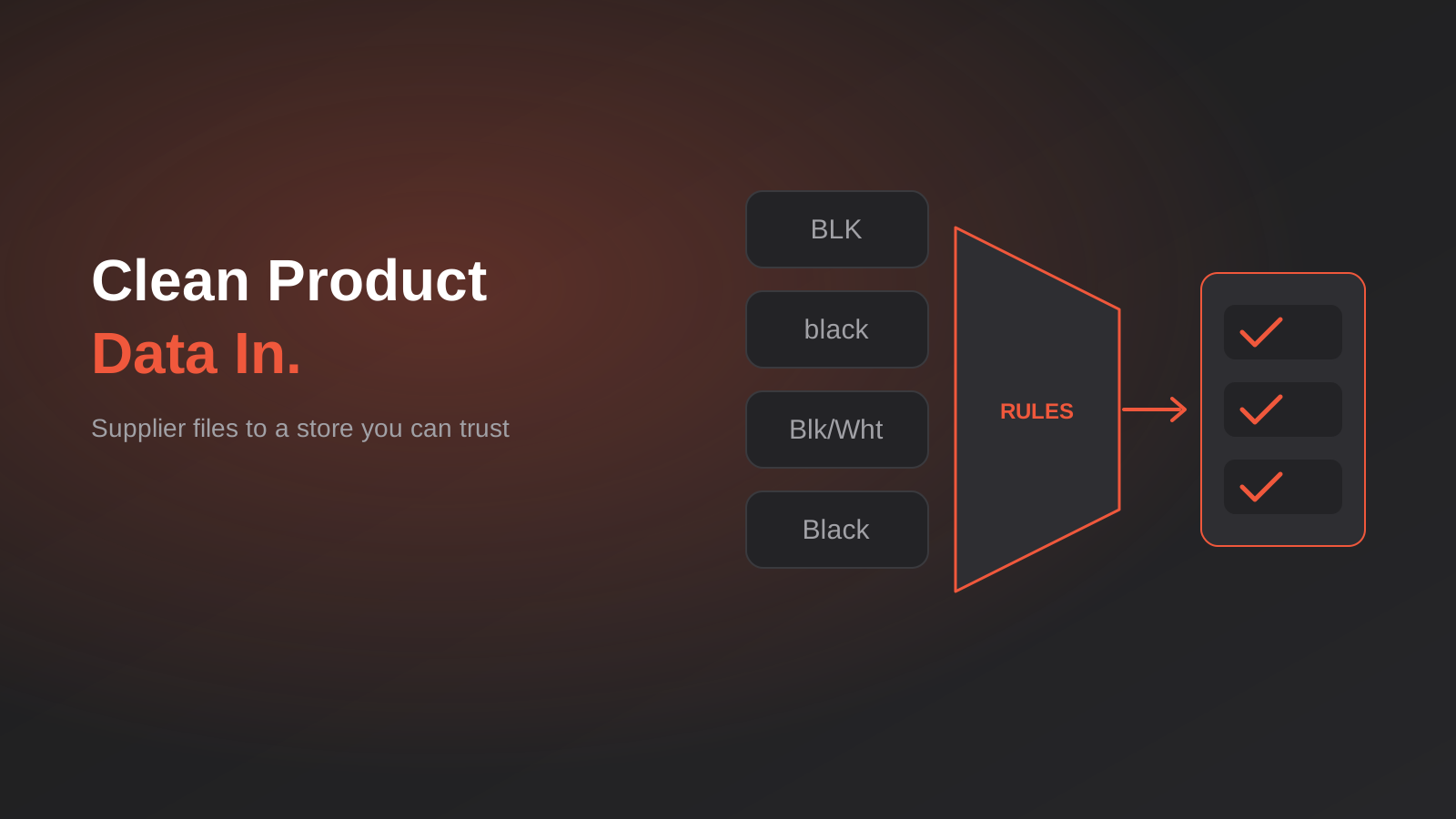
Product Data Management for Australian Ecommerce: Supplier Feeds, Staging and When You Actually Need a PIM (2026)
How to turn messy supplier files into clean product data: staging, validation, GTINs and whether you really need a PIM. A guide…
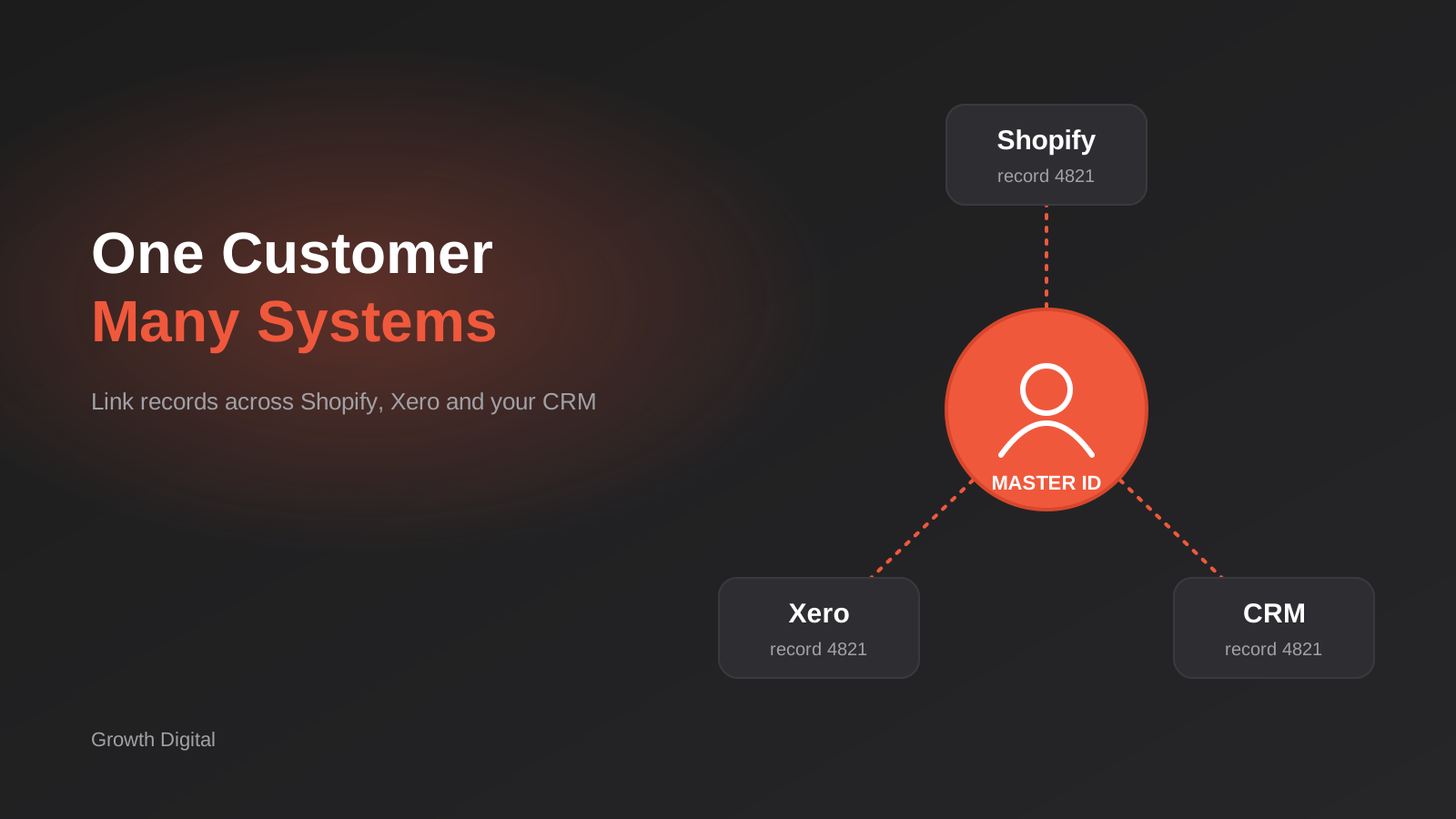
Single Customer View for Australian Businesses: Matching and Merging Records Across Shopify, Xero and Your CRM
How to build a single customer view in Australia: match and link duplicate customers across Shopify, Xero and your CRM without merging…

Australian Address Validation: PAF, G-NAF and How to Stop Bad Addresses Entering Your Systems (2026)
How to validate Australian addresses with PAF and G-NAF, where to check them in your workflow, and how to store clean data…
Got a project you'd like to talk through?
Tell us what you're working on — we'll come back with a plan.
