
ERP Integration for Australian Businesses: What It Actually Takes to Connect Your Systems (2026)
 Jignesh Vagadiya
06/09/2026
21 min read
Jignesh Vagadiya
06/09/2026
21 min read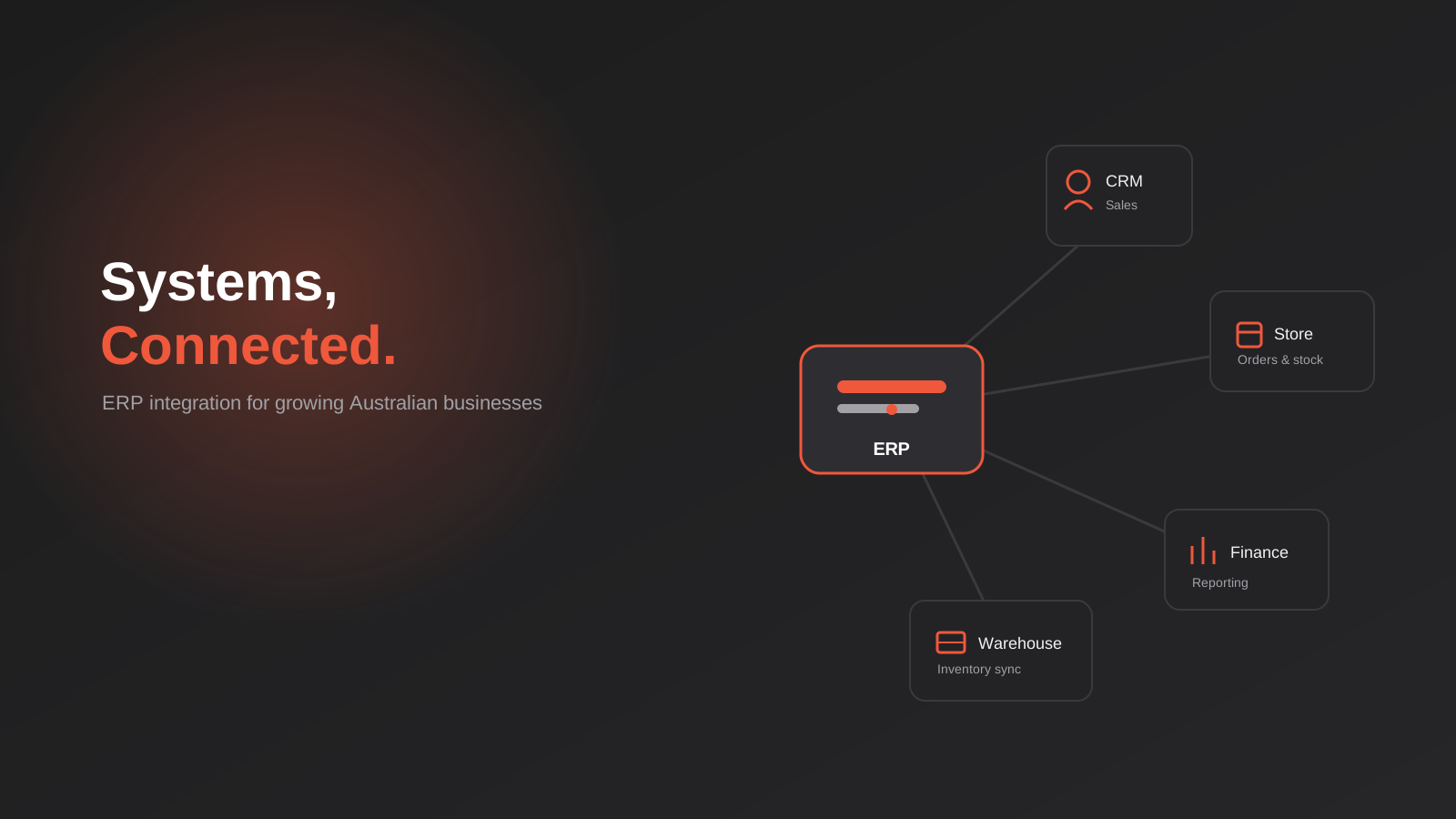
Somewhere in most growing Australian businesses there’s a person — often the ops manager, sometimes the owner — who spends part of every day copying numbers from one system into another. An order lands in the ecommerce store and gets keyed into the accounting platform by hand. A stock adjustment happens in the warehouse and someone updates a spreadsheet, then updates the website, then hopes nobody sells the last unit twice. It works, until the business grows past the point where one careful person can hold it all together.
That’s usually the moment “ERP integration” starts showing up in conversations, and it’s also where a lot of confusion starts. The term gets used for wildly different projects — everything from linking Xero to a Shopify store, through to a multi-week build connecting a manufacturer’s SAP environment to a corporate procurement portal. They’re not the same job, they don’t cost the same, and they don’t need the same approach.
We build these integrations for Australian businesses across that whole range, so this is a practical look at what ERP integration actually means, how to tell which end of the spectrum your business sits on, the methods used to build one, what it realistically costs and takes, and the mistakes that turn a useful project into an ongoing headache. None of this requires you to already know the jargon — if you can describe what’s currently being typed by hand, you can work out from here what actually needs to change.
What ERP Integration Actually Means
An ERP — enterprise resource planning system — is the software that holds the operational core of a business: inventory, orders, financials, sometimes manufacturing or procurement. Think NetSuite, SAP, SAP Business One, Oracle, or an industry-specific platform built for distribution or manufacturing. It’s the system of record, the one place that’s supposed to be right when everything else disagrees.
ERP integration is the work of connecting that system to everything else the business runs on — the ecommerce storefront, the CRM, the warehouse management tool, the customer portal, a supplier’s procurement platform. Left unconnected, an ERP just becomes another island of data that someone has to manually keep in sync, which defeats a large part of the reason for having one.
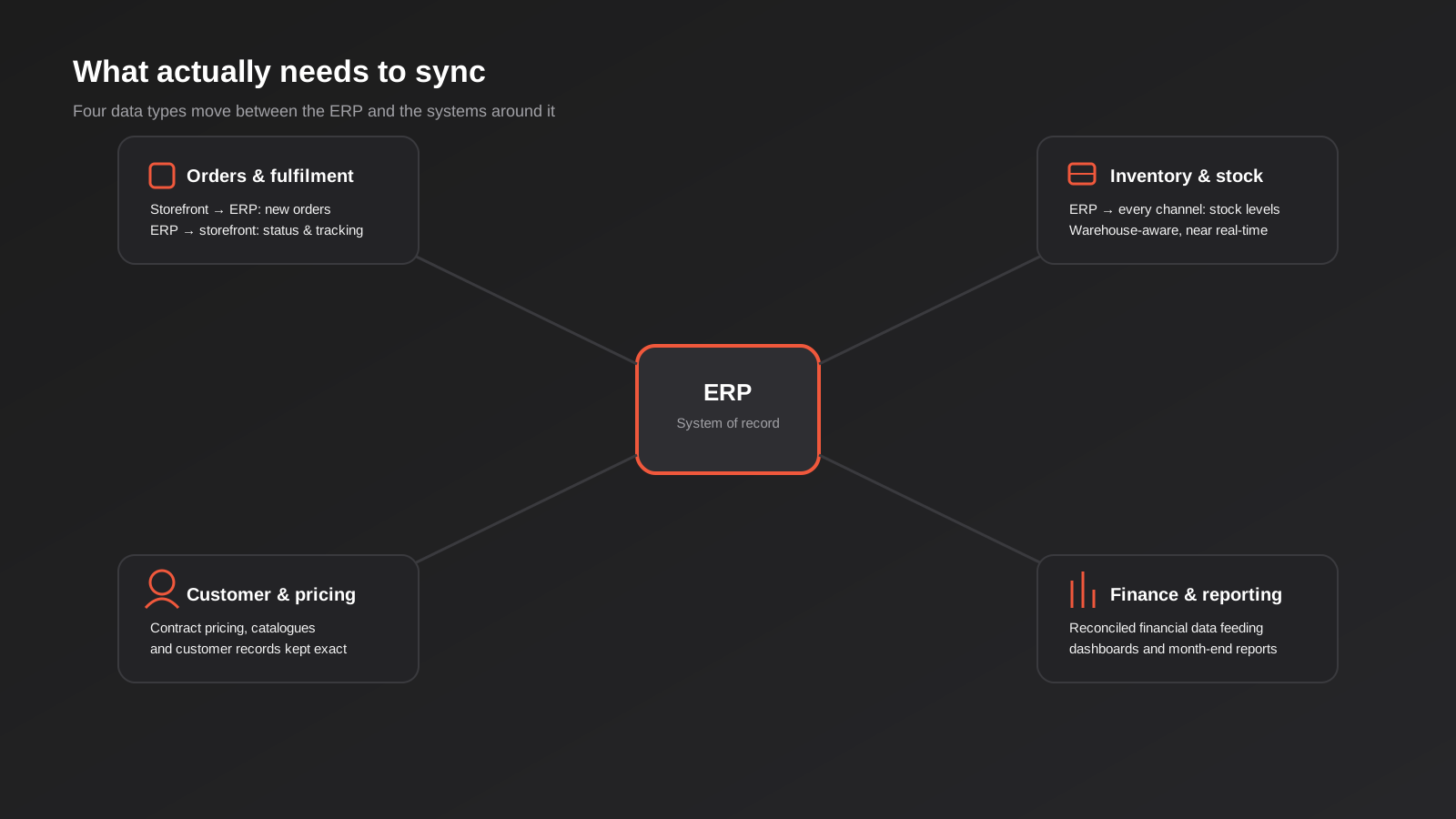
In practice, an integration project usually covers some combination of four things: orders flowing from a storefront or sales channel into the ERP, inventory and stock levels flowing back out, customer and pricing data staying consistent across systems, and financial data reconciling correctly between the ERP and whatever accounting or reporting tools sit around it. Most projects need two or three of these, not all four at once, and scoping which ones you actually need is most of the battle.
It’s also worth separating the ERP itself from the integration work. Buying and configuring an ERP is one project, usually run by the ERP vendor or a specialist implementation partner, and it can take months on its own for a mid-sized business. Integrating that ERP with the rest of your stack — the storefront customers actually buy through, the CRM sales use, the tools finance reports from — is a separate, ongoing piece of work that often gets underestimated during the initial ERP purchase. Plenty of businesses budget carefully for the ERP licence and implementation, then treat the integration as an afterthought, which is usually where the timeline and the budget both start slipping.
The other thing worth knowing upfront is that integration isn’t a one-off event. Once it’s live, it needs to keep working as both sides of the connection change — a new product field gets added to the ERP, the ecommerce platform ships an update, a customer’s pricing tier changes. Treating integration as infrastructure to maintain, rather than a project to finish and forget, is the difference between one that keeps quietly working and one that someone has to firefight every few months.
The Signs You’ve Actually Outgrown Manual Data Entry
Not every business with an ERP needs a full integration straight away, and plenty of smaller operations run perfectly well on manual entry for longer than you’d expect. The decision usually comes down to volume and risk rather than a fixed rule, but there are consistent signals worth watching for.
Order volume is the most obvious one. Somewhere between a handful of orders a day and a few dozen, manual entry stops being a minor chore and starts being a part-time job, and the error rate climbs as whoever’s doing it rushes to keep up. Multi-warehouse or multi-channel selling is another — the moment stock sits in more than one place, or sells through more than one channel, manual stock updates create a real risk of overselling, and overselling on a marketplace or a B2B account can cost more in penalties and lost trust than the integration would have cost to build.
The other signal is less about volume and more about consequence: when a data-entry mistake stops being an annoyance and starts being expensive. Wrong pricing flowing to a customer, a missed order because someone was on leave, stock figures that are wrong by the time finance reports on them — once those mistakes start happening regularly, the cost of the status quo is usually already higher than the cost of fixing it.
A useful, honest way to check where your business actually sits is to add up the hours someone spends each week re-keying data between systems, then ask what else that person would be doing with that time if the systems simply talked to each other. For a lot of growing businesses, that number is a full day a week or more by the time someone tallies it up properly, and it’s usually higher than whoever’s asking expected. That figure, not a general sense that “automation would be good,” is the number worth taking into a conversation about integration.
ERP Integration vs Just Connecting Your Accounting Software
This is where a lot of the confusion in this space actually lives, and it’s worth being direct about it. If your business runs Xero, MYOB or QuickBooks and you want it talking to your ecommerce platform or CRM, that’s a real and valuable project — but it’s not really an ERP integration in the sense most integration teams mean it. Xero and MYOB are accounting platforms, not ERPs. They handle the books well, but they don’t manage inventory across warehouses, manufacturing, procurement workflows or multi-entity operations the way a true ERP does.
Connecting an accounting platform to your other systems is usually a faster, cheaper, more standardised project — Xero and MYOB both have well-documented APIs, and there are established patterns for syncing invoices, payments and customer records. That kind of work sits under general API and systems integration — connecting your CRM, payment gateway, inventory and accounting software so data moves automatically instead of being copied by hand.
True ERP integration is a different scale of project. It usually involves a platform like NetSuite, SAP, SAP Business One or Oracle, systems that manage inventory across multiple warehouses, complex order routing, procurement workflows, sometimes manufacturing bills of materials, and often a corporate buyer on the other end who needs to place orders through their own procurement system rather than yours. The data models are more complex, the platforms are less standardised out of the box, and the integration usually needs to account for edge cases that a small accounting sync never encounters — backorders, partial shipments, multi-currency, contract pricing tiers.
Knowing which side of that line your business sits on before you start scoping a project saves a lot of wasted conversation. If the honest answer is “I want my accounting software talking to my store,” say that, not “I need ERP integration” — you’ll get quoted the right kind of work.
The Three Ways to Build an ERP Integration
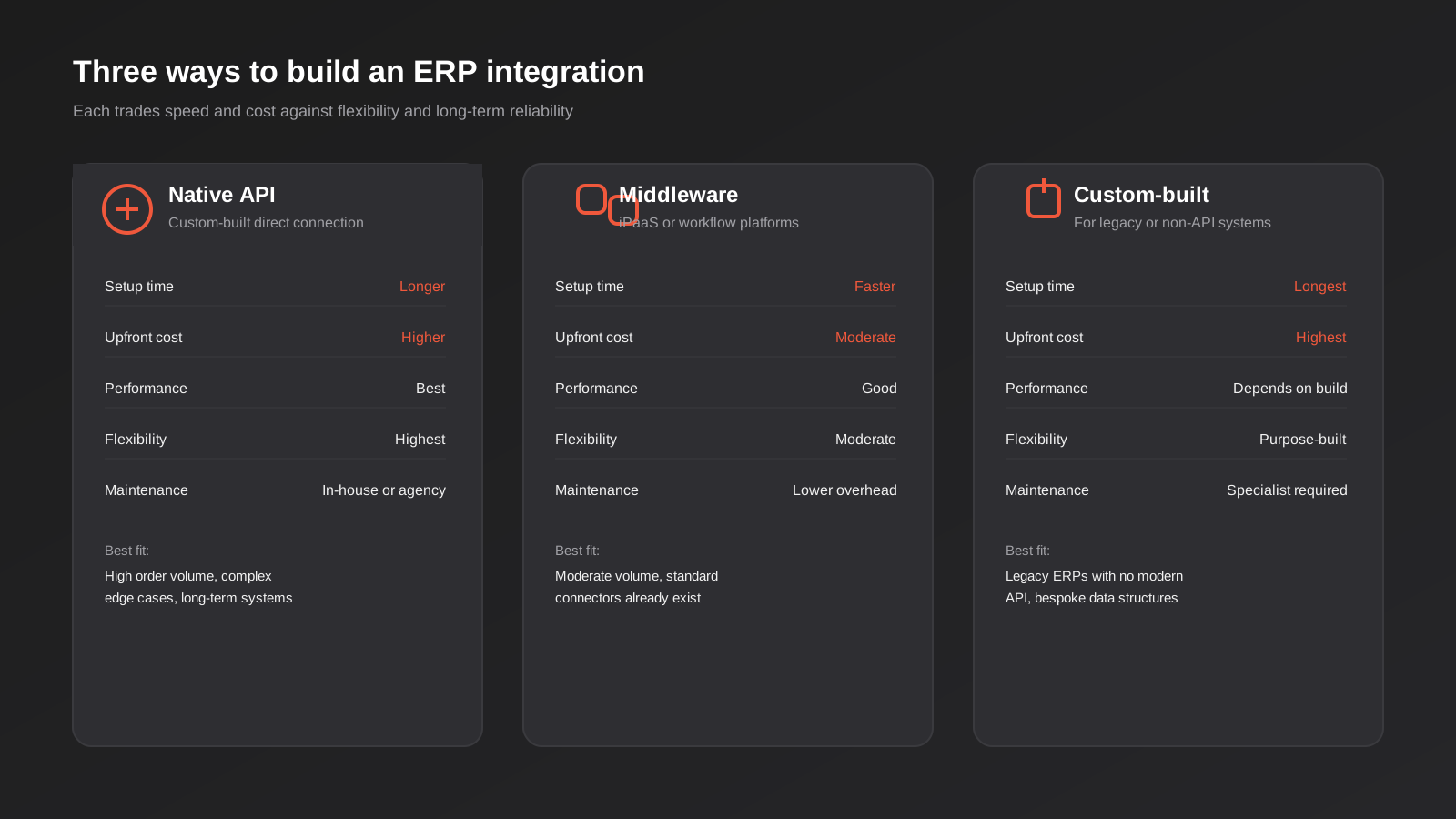
Once you know roughly what needs to connect, there are three broad ways to actually build the connection, and most real projects end up using a mix rather than picking just one.
Native API connections
Most modern ERPs and the platforms around them expose an API — a defined way for two pieces of software to talk directly. A native API connection is custom-built code that calls the ERP’s API directly, maps the data into the right shape, and pushes or pulls it on whatever schedule or trigger makes sense. This is usually the most reliable and highest-performing option, but it takes development time upfront, and it needs someone to maintain it when either system’s API changes.
Middleware and iPaaS platforms
Middleware — sometimes called an integration platform as a service, or iPaaS — sits between your systems and handles the connection logic through a visual builder rather than custom code. Tools like Celigo, Workato and Boomi are built specifically for this kind of enterprise system connection, while general workflow tools like Zapier, Make and n8n can also handle simpler ERP-adjacent syncs depending on what connectors are available. We’ve covered how those three general-purpose platforms actually compare for Australian businesses in a separate guide to choosing a workflow automation tool — worth a look if the volume and complexity of what you’re connecting sits closer to that end of the spectrum than a full enterprise ERP build. Middleware trades some performance and flexibility for faster setup and lower maintenance overhead, which makes it a reasonable choice when the integration logic isn’t especially complex.
Custom-built integration
Some ERP estates — particularly older, heavily customised or genuinely legacy systems — don’t expose a clean modern API at all. In those cases the integration might need to work against a file export, a database connection, or a bespoke interface the ERP vendor built years ago. This is the most expensive and time-consuming path, but it’s often the only option for a business running a system that predates the API-first way most software is built today. The first step is always an honest audit of what the system actually exposes, because assuming an API exists and finding out otherwise halfway through a project is an expensive mistake.
What Actually Needs to Sync
Scoping an ERP integration properly means being specific about which data needs to move, in which direction, and how often — not just deciding to “connect everything.”
Orders and fulfilment
Orders placed on a storefront, marketplace or B2B portal need to land in the ERP accurately and quickly, carrying the right customer, pricing and shipping details. In the other direction, fulfilment status and tracking information need to flow back so customers and internal teams both see the same picture. Getting order sync wrong is usually the most visible failure mode — a missed or duplicated order is the kind of problem a customer notices immediately, and it’s also the failure mode most likely to end up as a support ticket or a bad review rather than a quiet internal fix.
Inventory and stock levels
Stock levels need to move from the ERP out to every channel that sells the product, ideally close to real time once volume gets high enough that a delay creates a real risk of overselling. Multi-warehouse businesses have an extra layer of complexity here, since the right answer isn’t just a single number but which warehouse can actually fulfil a given order, and getting that routing logic wrong tends to show up as split shipments and unhappy customers rather than an obvious system error.
Customer and pricing data
B2B operations in particular often run contract pricing, customer-specific catalogues or negotiated terms that live in the ERP and need to be reflected accurately wherever a customer places an order. Getting this wrong doesn’t just look sloppy, it can mean under-charging a customer for months before anyone notices the discrepancy.
Reporting and finance
Financial data needs to reconcile between the ERP and whatever reporting or accounting layer sits around it, and increasingly businesses want that data flowing into a dashboard rather than being pulled together manually at month end. If building out that reporting layer is the part of this that matters most to your business right now, our reporting and data automation work covers exactly that — turning scattered exports into dashboards that update themselves.
Punchout Catalogues: A Special Case of ERP Integration
One specific type of ERP-adjacent integration deserves its own mention because it comes up often enough in Australian B2B: punchout. If your customers are large corporate or government buyers, there’s a good chance their procurement team uses a system like SAP Ariba, Oracle Procurement or Coupa to manage purchasing, and they may require suppliers to support punchout — a standard (cXML or OCI) that lets their buyer click through into your catalogue, build a cart, and send it back into their own system for approval and payment, without ever really “leaving” their procurement platform.
Punchout is narrower than general ERP integration — it’s specifically about the buying experience for procurement-portal customers, not about syncing your own internal systems — but it usually sits alongside a broader ERP integration project, since the catalogue and pricing data it serves up needs to come from somewhere reliable. It also tends to arrive as a requirement rather than a choice: a corporate buyer’s procurement team tells a supplier they need punchout support to remain an approved vendor, and a deadline follows shortly after. We’ve written a dedicated guide to punchout catalogue integration with cXML and OCI if that’s the specific problem you’re trying to solve, covering the standards, the platforms and where these projects typically go wrong.
Migrating Historical Data Before You Switch On the Sync
Almost every ERP integration project has a data migration question attached to it, even when nobody scoped it as one. If you’re connecting an existing storefront to a new or newly-integrated ERP, there’s usually a backlog of historical orders, customer records and product data sitting in the old system that needs to end up somewhere sensible — either migrated into the ERP, archived, or deliberately left behind with a clear cutover date.
The mistake we see most often is treating this as a technical afterthought rather than a data-quality exercise. Historical records accumulate duplicate customers, inconsistent product codes, orders with missing fields that never mattered until something tried to sync them automatically. Migrating that mess straight into a newly-integrated system just moves the mess somewhere harder to fix, and it tends to surface as mysterious sync errors weeks after launch rather than as an obvious problem during the migration itself.
The more reliable approach is to clean up known issues in the source data before migration starts, decide explicitly how far back historical data needs to go (not everything needs five years of order history migrated into a live system), and run the migration as its own tested step before the live sync goes active — not as something that happens automatically the moment the integration turns on.
What Actually Drives Cost and Timeline
Because “ERP integration” covers such a wide range of projects, quotes for it vary enormously, and that variation almost always comes down to a handful of specific factors rather than which agency you ask.
The number of systems involved matters more than any other factor — a single storefront-to-ERP order sync is a fundamentally smaller job than connecting a storefront, a CRM, a warehouse management system and a procurement portal all to the same ERP. Whether the ERP exposes a clean, documented, modern API also matters a lot; a well-documented REST API can be integrated against in a fraction of the time a legacy system with only a flat-file export requires. The number of edge cases the business genuinely needs handled — multi-currency, multi-warehouse, contract pricing, partial shipments — adds real scope, since each one needs to be planned and tested, not just assumed to work. And whether historical data needs migrating, versus starting the sync fresh from a cutover date, changes both the timeline and the risk profile of the project.
A realistic range for a single, well-scoped order and inventory sync between a modern ERP and one sales channel is a small number of weeks. A multi-system integration covering several sales channels, custom pricing logic and historical data migration is a materially bigger project, often running into months rather than weeks. Anyone willing to quote a firm number before auditing your actual systems is quoting against a guess, not your business.
How We Approach an ERP Integration Project
The shape of the work is fairly consistent regardless of which ERP or which method ends up being right, because skipping any of these steps is usually where projects go wrong later.
Systems audit first
Before recommending anything, we map what the ERP and the systems around it actually expose — what APIs exist, what data is clean versus messy, and what edge cases show up in real order and customer records. A lot of assumptions about “this should be simple” don’t survive contact with the actual data.
Planning the data flow, including the edge cases
Every field that moves between systems needs a clear answer for what happens when it’s missing, malformed, or in conflict with the other system’s version. This is the least exciting part of the project and also the part that determines whether it holds up once real volume hits it.
Building against real data, not sample data
Sample data is clean by definition, which is exactly why testing against it doesn’t tell you much. We test integrations against genuinely messy real records — the customer with three different spellings of their business name, the order with a partial refund, the SKU that got renamed halfway through last year.
Monitoring from day one
An integration that fails loudly is manageable. An integration that fails silently — where orders quietly stop syncing and nobody notices for a week — is the expensive version of this problem. Every integration we build ships with monitoring and alerting so a failure gets caught within minutes, not discovered when a customer complains about a missing order.
Common Mistakes
- Treating “ERP integration” as one project instead of naming the specific systems and data that need to sync. Vague scope leads to vague quotes and, usually, a project that runs over.
- Assuming every system has a clean, documented API. Older and heavily customised ERPs often don’t, and finding that out mid-project is expensive.
- Skipping the edge cases during scoping. Partial shipments, backorders, multi-currency and returns are where most integration bugs actually live, not in the happy path.
- Building the connection with no monitoring. A sync that fails silently can run broken for weeks before anyone notices missing orders or wrong stock counts.
- Migrating historical data without validating it first. Bad data synced faster is still bad data — cleaning up known issues before the migration saves a much bigger cleanup afterwards.
- Choosing middleware because it’s familiar, not because it fits. A tool built for simple app-to-app workflows can genuinely struggle with the volume and complexity a real ERP integration produces.
- Not planning for the cutover. Switching a live business over to a new integration without a rollback plan turns a manageable risk into a genuine outage risk.
- Forgetting that APIs change. A connection that works perfectly at launch can break months later when a vendor updates their API with no warning — ongoing maintenance isn’t optional, it’s part of the job.
- Confusing the ERP implementation with the integration. Getting the ERP itself configured correctly doesn’t mean it’s connected to anything — budget and plan for these as two separate pieces of work, not one.
- Under-scoping who needs access to what. Sales staff, warehouse teams and finance often need different views of the same synced data, and bolting on permissions after the build is more disruptive than planning for them upfront.
Frequently Asked Questions
Is connecting Xero or MYOB to my online store an ERP integration?
Not in the strict sense, no. Xero and MYOB are accounting platforms, and connecting them to a storefront or CRM is a smaller, more standardised project than integrating a true ERP like NetSuite, SAP or Oracle. It’s still valuable work, it just sits under general API and systems integration rather than ERP integration specifically — worth knowing before you start asking for quotes, since the two are priced and scoped differently.
How long does an ERP integration project take?
It depends heavily on scope. A single order-sync connection between a well-documented ERP and one storefront can take a few weeks. A fuller integration covering orders, inventory, pricing and financial data across multiple systems, or involving a legacy ERP with no modern API, typically takes longer. Anyone quoting a fixed timeline before auditing your actual systems is guessing.
What does ERP integration cost in Australia?
Cost is driven mainly by how many systems need connecting, whether they expose clean APIs, and how many edge cases the business actually needs handled — multi-warehouse stock, multi-currency, contract pricing and punchout catalogues all add scope. A straightforward two-system sync costs considerably less than a multi-system integration with custom authentication, historical data migration and complex data mapping. Proper scoping against your actual systems, rather than a generic package price, is the only reliable way to get an accurate figure.
Can a legacy or custom-built ERP be integrated at all?
In most cases, yes. Even ERPs without a modern developer-friendly API usually expose some form of file export, database access or older interface that can be integrated against, though the build takes longer and needs more careful handling. An audit of what the specific system actually exposes should always come before scoping the project.
Should I use middleware like Zapier or Make, or build a custom integration?
If the data volume is moderate and the systems involved have solid, well-supported connectors already, middleware is usually the faster and cheaper option. Once volume, complexity or edge-case handling grows past what a visual workflow tool handles comfortably — which happens sooner than most people expect once real order volume kicks in — a custom-built or native API integration tends to be more reliable long term.
What happens if the ERP or the connected system updates its API?
This is one of the most common ways integrations quietly break. Vendors update APIs, deprecate old versions or change authentication requirements without much warning, and a connection that worked fine for months can fail overnight. Monitoring and alerting built into the integration from the start catches this within minutes rather than weeks, which is why it shouldn’t be treated as optional or added on after something breaks.
Where to Start
If you’re at the point of googling “ERP integration” because someone in the business is drowning in manual data entry, the useful first step isn’t picking a method or a platform — it’s getting specific about which systems actually need to talk to each other and what breaks today because they don’t. That’s usually enough to tell whether you’re looking at a modest accounting-software sync or a genuine ERP integration project, and it’s a much more useful starting point than a generic feature list from a vendor.
Write down the systems involved, roughly how much manual re-entry is happening between them each week, and the last two or three times a data mismatch actually cost the business something — a missed order, an overselling incident, a pricing error. That short list is worth more going into a scoping conversation than any amount of research into which integration method sounds most impressive.
If you want a second opinion on which side of that line your business sits on, tell us what systems you’re running and what’s currently being done by hand. We’ll give you a straight answer about what’s actually involved, not a sales pitch for the biggest possible project.
Keep reading
Related posts
POS Integration for Australian Retail and Hospitality: Stock, Sales, Settlements and Getting the Books to Agree (2026)
How point-of-sale integration works for Australian retailers and hospitality venues: stock sync, daily sales posting, settlements and fees, and keeping the books…
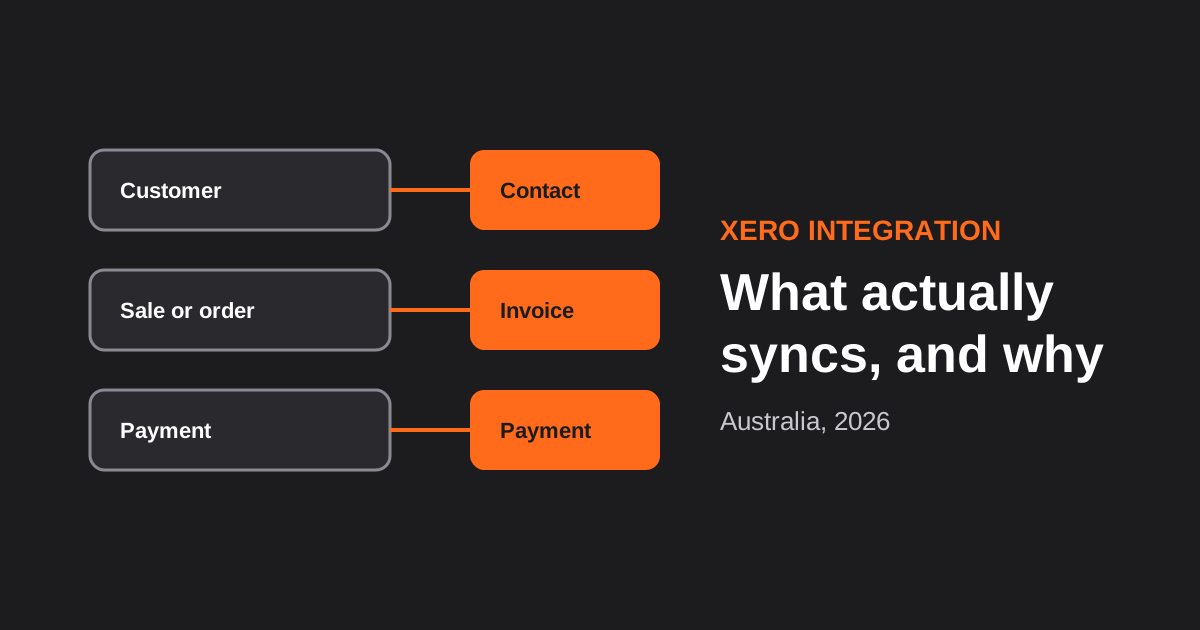
Xero Integration for Australian Businesses: What Actually Syncs, GST Mapping and the Mistakes That Break Reconciliation (2026)
How a Xero integration really works in Australia: what to sync, how to map invoices, payments, refunds and GST, and the mistakes…
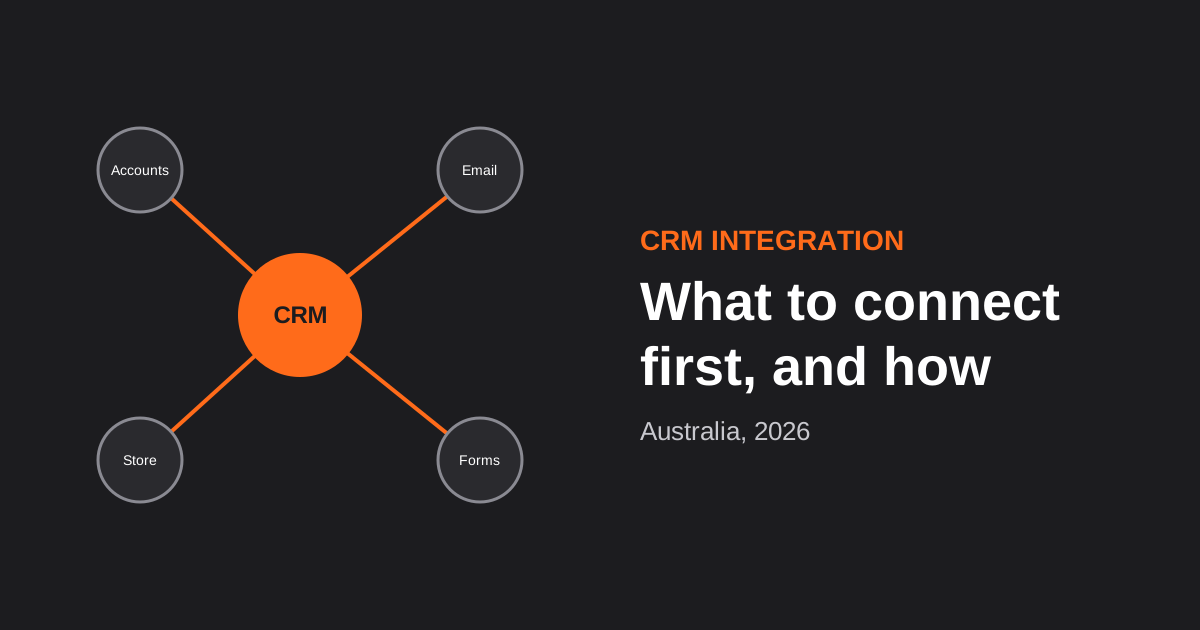
CRM Integration for Australian Businesses: What to Connect First and How to Do It Properly (2026)
A practical guide to CRM integration for Australian businesses: what to connect first, which way data should flow, native vs middleware vs…
Got a project you'd like to talk through?
Tell us what you're working on — we'll come back with a plan.
