
Zapier vs Make vs n8n: Choosing the Right Workflow Automation Tool for Your Australian Business (2026)
 Jignesh Vagadiya
30/08/2026
21 min read
Jignesh Vagadiya
30/08/2026
21 min read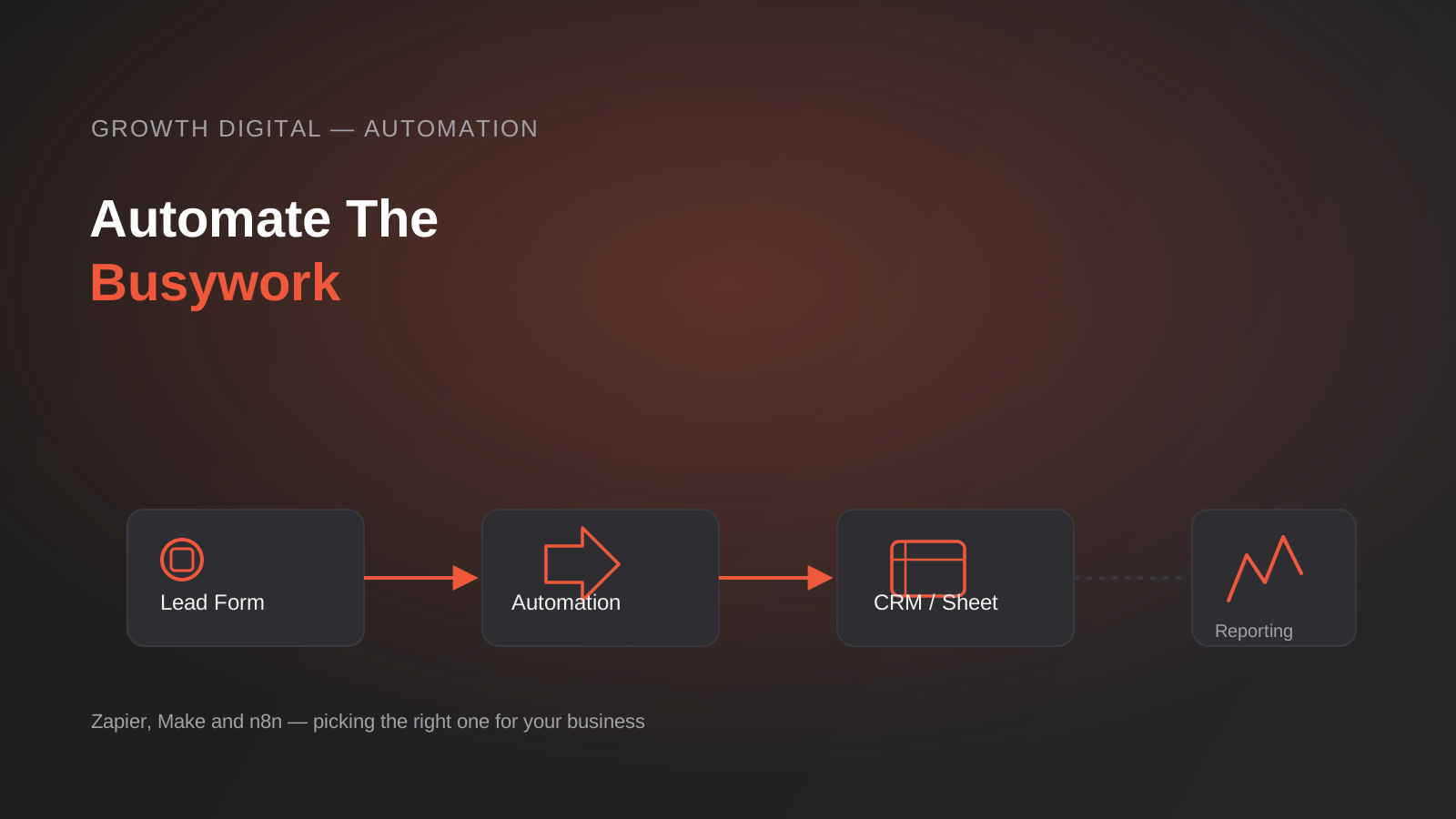
Somewhere in your business right now, someone is copying a lead from a form submission into a spreadsheet, then into a CRM, then sending a follow-up email by hand. It takes them four minutes. They do it fifteen times a week. Nobody’s ever added that up, but it’s roughly fifty hours a year spent moving data between systems that could talk to each other directly.
That’s the gap workflow automation tools like Zapier, Make and n8n exist to close. Not “AI” in the way that word gets thrown around lately — just connecting the apps you already use so information moves between them without a person in the middle. A new order in Shopify creates a job in your project tool. A form submission becomes a CRM record and triggers a Slack alert. A weekly report builds itself from three different data sources instead of someone assembling it in Excel every Friday afternoon.
We get asked which tool to use more often than almost any other automation question, and the honest answer is that it depends on things most comparison articles skip over — who’s going to maintain the workflow after it’s built, how your costs scale as volume grows, and whether your data can leave your own servers. This is the guide we wish existed before we’d built (and rebuilt, and migrated) enough of these to know where each tool actually breaks down.
None of this requires a developer budget or a six-month project. Most businesses get real value from automation within a week of starting, provided they pick the right first workflow and the right platform for their situation. The mistake is picking the platform first, based on whatever a comparison article ranked highest, rather than working backwards from what you’re actually trying to fix.
What workflow automation actually covers
It’s worth being precise about scope here, because “automation” gets used to describe a few different things and they’re not interchangeable. Email marketing automation — welcome sequences, abandoned cart flows, subscriber segmentation — lives inside your email platform and is a different discipline with its own tooling; we’ve covered that in detail in our guide to email marketing automation. Marketing automation more broadly extends that into lead scoring and multi-channel nurture sequences.
Workflow automation, the subject of this piece, is the layer underneath all of that: the plumbing that connects separate applications so data and actions flow between them automatically. It’s what makes a form submission become a CRM contact become a Slack notification become a calendar invite, without anyone touching all four systems by hand. Your email platform might be one of the apps in that chain, but the workflow tool is what’s actually orchestrating the connection.
Three platforms dominate this space for small and mid-sized Australian businesses: Zapier, Make (formerly Integromat) and n8n. They solve the same underlying problem — connecting apps via triggers and actions — but they’re built on genuinely different philosophies, and that difference matters more than any feature comparison table.
Zapier, Make and n8n, in plain terms
Zapier: the on-ramp
Zapier popularised this category and it’s still the easiest entry point for someone who has never built an automation before. You pick a trigger app, pick an action app, map a few fields, and you have a working “Zap” in under ten minutes. It supports the widest range of app integrations of the three, which matters if your stack includes smaller, niche software — Zapier’s app directory is genuinely enormous.
Its interface is linear: trigger, then a sequence of steps, one after another. You can add conditional logic (Paths) and multi-step actions, but the mental model stays simple, which is exactly the point. The tradeoff is that Zapier is the most expensive per unit of automation once you’re running any real volume, and its linear structure gets awkward once a workflow needs proper branching logic, loops, or error handling across multiple paths.
Zapier also has the best out-of-the-box reliability for beginners — its error notifications are clear, its interface makes it obvious when a step has failed, and there’s rarely any ambiguity about why a Zap didn’t run. For a first automation, that clarity is worth more than any feature comparison.
Make: the visual builder
Make trades some of Zapier’s simplicity for a genuinely visual canvas — you see the whole workflow as connected modules on a screen, with routers that split logic into branches, built-in error handlers, and the ability to loop over arrays of data without workarounds. For anyone who thinks in flowcharts, this is a meaningfully better way to build and debug a workflow than Zapier’s step list.
Make’s pricing is also more forgiving at moderate volume, because it counts “operations” (each module execution) rather than charging a premium multi-step price the way Zapier’s task model effectively does. The tradeoff is a steeper learning curve than Zapier — not dramatically steeper, but real — and a slightly smaller app library, though it covers every major business tool and supports generic HTTP/webhook modules for anything it doesn’t natively integrate with.
The other underrated advantage is debugging. Because you can see every module and inspect the exact data passing through it at each point in the canvas, tracking down why a workflow produced the wrong output is far quicker than stepping through Zapier’s task history one item at a time. For any workflow that’s going to run unattended for months, that visibility matters more than it seems like it will on day one.
n8n: the open-source option
n8n is different in kind, not just degree. It’s open-source, node-based, and can run entirely on infrastructure you control — a cheap VPS, your own cloud account, or n8n’s own hosted cloud if you’d rather not manage a server. Because it’s fair-code licensed rather than proprietary SaaS, self-hosted n8n has no per-task or per-operation billing at all; you pay for the server it runs on, which for most small businesses is a handful of dollars a month.
It supports custom JavaScript and Python directly inside a workflow node, which means genuinely complex logic — the kind that would require three separate apps stitched together in Zapier — is often a single code node in n8n. It’s also the only one of the three where your workflow data never has to leave infrastructure you control, which is a real consideration for healthcare, legal, finance or anyone handling data covered by the Australian Privacy Principles. The cost of that flexibility is technical: someone needs to be comfortable with servers, updates and basic troubleshooting, or you need an agency retainer that covers it.
n8n’s node library is smaller than Zapier’s app directory in raw numbers, but it closes most of the gap with its HTTP Request node, which can call almost any API directly — something that requires more manual configuration than a native integration, but removes the “this app isn’t supported” wall entirely. For a technically capable team, that’s often more useful than a longer list of pre-built connectors.

The pricing models are different, not just the prices
This is where most comparisons go wrong, because they line up entry-level monthly prices side by side and call it done. The starting price tells you almost nothing about what you’ll actually pay once a workflow is doing real work, because each platform counts usage in a fundamentally different unit.
Zapier counts tasks
Every action a Zap performs — not the trigger, but each step after it — consumes one task from your monthly allowance. A workflow with a trigger and three actions uses three tasks each time it runs. Run that a thousand times a month and you’ve used three thousand tasks, which pushes you into a higher tier fast. Multi-step Zaps with several actions get expensive quickly, and it’s easy to underestimate this when you’re mapping out a workflow that “only” has four or five steps.
Make counts operations
Make’s unit is the operation — each time a module runs, that’s one operation, functionally similar to Zapier’s task model. Where it diverges is price per unit, which is generally lower, and in how loops are counted: if a module processes ten items in an array, that can be ten operations rather than one, so workflows with iteration need watching. For most straightforward multi-step workflows, Make handles meaningfully higher volume than Zapier for the same monthly spend.
n8n counts executions
n8n’s cloud plans bill per workflow execution — the entire run, however many steps it contains, counts once. Self-hosted, there’s no execution billing at all; the only ongoing cost is the server. This is the structural reason n8n becomes dramatically cheaper than the other two once volume climbs into the thousands of runs per month, and it’s why we increasingly recommend it for clients whose automation needs have outgrown Zapier’s task allowances.
The practical takeaway: at low volume with simple, linear workflows, Zapier’s convenience is worth paying a premium for — you’re not going to notice the difference between $20 and $40 a month if it saves you from learning a new tool. Once you’re running multiple workflows with meaningful volume, the platform choice starts to materially affect your automation budget, and that’s worth working out with real numbers before you commit to building on one platform. Our pricing guide for digital marketing and automation services breaks down what typical implementation and ongoing costs look like across all three.
Choosing the right tool for where your business actually is
Rather than declaring a single winner, it’s more useful to match the tool to your situation. A few scenarios we see repeatedly:
You’re a solo operator or small team with straightforward needs
If your automation needs are things like “new enquiry form submission creates a CRM contact and sends me a Slack message,” Zapier is the right starting point. You’ll build it yourself in an afternoon, it’ll work reliably, and the cost at low volume is genuinely not worth optimising around. Don’t over-engineer this stage — the businesses that get the most value from automation early on are the ones that start simple and expand only when a real bottleneck appears.
You’re growing and workflows are getting more complex
Once you need conditional branching — different actions depending on lead source, deal size, or product category — or you’re running enough volume that Zapier’s task costs are becoming noticeable, Make is usually the better fit. Its visual builder makes multi-branch logic easier to construct and, critically, easier to debug six months later when something breaks and you need to work out which branch failed.
You have technical resource, high volume, or data sensitivity requirements
If you have a developer on staff or an agency partner who can own the infrastructure, if your workflows are running thousands of times a month, or if you’re in a regulated industry where data residency and control matter, n8n is worth the setup investment. The cost savings at scale are real, and self-hosting means your customer data, financial records or health information never touches a third party’s servers at all — it stays wherever you host it, which for most Australian businesses means an Australian data centre if that’s a compliance requirement.
It’s also worth saying plainly: these tools aren’t mutually exclusive forever. We regularly build a client’s first automations in Zapier because it’s fast to validate the idea, then rebuild the ones that matter most in n8n once volume justifies the migration. Treating the initial platform choice as permanent is one of the more expensive mistakes businesses make here.

Where to start: the workflows worth automating first
Almost every business we work with has the same handful of high-value automation opportunities sitting unaddressed. These are the ones worth tackling before anything more ambitious:
Lead capture and routing
A form submission, a phone enquiry logged manually, or a new subscriber should become a CRM record automatically, get assigned to the right person based on territory or product interest, and trigger a notification to whoever needs to follow up. This is usually the single highest-ROI automation for a growing business, because speed to first response correlates directly with conversion rate, and manual entry is where leads get lost or delayed. We build a lot of this inside our CRM and sales automation work, and it’s typically the first thing worth fixing.
Invoicing and payment reconciliation
Connecting your job management or ecommerce platform to your accounting software so invoices generate automatically when a job is marked complete, or so payments reconcile against orders without manual matching, removes a genuinely tedious weekly task and reduces billing errors.
Reporting that assembles itself
If someone on your team spends an hour or more each week pulling numbers from ad platforms, your website analytics and a sales spreadsheet into one report, that’s a workflow automation problem, not a person problem. Data can be pulled into a shared dashboard or a scheduled summary automatically, on a cadence you set. We cover this in more depth as part of our reporting and data automation service, and it pairs well with proper analytics setup if that side of your reporting isn’t solid yet.
Ecommerce order and inventory sync
Stock levels, order status updates and customer notifications across a storefront, a fulfilment system and an accounting platform are a classic multi-app workflow, and one where a missed sync causes real problems — overselling stock, or customers left in the dark about a delayed order.
Internal notifications and handoffs
Simple as it sounds, automating the “someone needs to know this happened” moment — a support ticket ages past a threshold, a deal moves stages, a project is marked ready for review — often has an outsized effect on how quickly a team responds to things, because it removes the dependency on someone remembering to check.
Repetitive customer questions
A meaningful share of inbound support and sales enquiries are the same handful of questions asked repeatedly — order status, opening hours, pricing tiers, return policy. Routing these through an automated first response, with a clean handoff to a person for anything more complex, is one of the more common workflow projects we build, and it sits right at the intersection of workflow automation and the kind of AI-assisted support tooling businesses are increasingly asking about.
Working out if an automation is actually worth building
Not every repetitive task is worth automating, and it’s worth doing a quick sanity check before committing time to building one. A rough but useful way to think about it: multiply how long the manual task takes by how often it happens in a month. If a task takes five minutes and happens forty times a month, that’s over three hours a month of someone’s time — almost always worth automating, even accounting for the hour or two it takes to build the workflow properly.
The calculation changes for low-frequency tasks. Something that takes twenty minutes but happens twice a month probably isn’t worth the setup and maintenance overhead unless the task is also error-prone or time-sensitive when done manually. Automation has diminishing returns on rare tasks, and every workflow you build is also one more thing that can break and needs monitoring, so it’s worth being selective rather than automating everything that technically could be automated.
The other factor worth weighing, separate from time saved, is error reduction and speed. A lead routed automatically the moment it arrives, at any hour, converts at a meaningfully different rate than one sitting in an inbox until someone checks it the next morning. That speed advantage is often worth more than the raw hours saved, particularly for anything customer-facing.
Self-hosting n8n: what it actually involves
Because n8n’s cost advantage is the headline reason people consider it, it’s worth being straight about what self-hosting actually requires, rather than presenting it as a free lunch.
Infrastructure
n8n runs comfortably on a small virtual private server — the resource requirements are modest for most small business workloads. That server needs to be provisioned, secured, and kept patched, which is a one-off setup task plus ongoing minimal maintenance, not a full-time job, but it is a job someone needs to own.
Updates and version management
n8n ships frequent updates. Staying current matters for security patches and new node integrations, but updates occasionally introduce breaking changes to existing workflows, so someone needs to review release notes and test after updating rather than applying them blindly to a production instance.
Backup and monitoring
Unlike a SaaS platform where uptime and backups are the vendor’s problem, a self-hosted instance is yours to monitor. If the server goes down, every automation running through it stops silently until someone notices. Basic uptime monitoring and automated backups of your workflow data aren’t optional extras here — they’re part of the real cost of self-hosting, even if that cost is mostly time rather than money.
When the trade is worth it
For a business running a handful of low-volume workflows, this overhead isn’t worth taking on — n8n Cloud or Make will serve you better. The trade starts making sense once you’re running enough volume that execution-based billing saves real money, once you need capabilities (custom code, self-hosted AI model connections, direct database access) that go beyond what SaaS platforms expose, or once data residency is a genuine compliance requirement rather than a nice-to-have. We handle the infrastructure side of this for clients who want the cost and control benefits of n8n without taking on server management themselves — it’s one of the more common requests inside our broader workflow automation work.
Common mistakes we see with workflow automation
Most of the automation projects that go wrong don’t fail because the wrong tool was chosen. They fail because of how the workflow was scoped and built, which is a problem no platform choice fixes on its own.
- Building the most complex, ambitious workflow first instead of the highest-value simple one — automating an edge case that happens twice a month while the daily lead-routing problem stays manual.
- Choosing a platform based on the entry-level price alone, without modelling what monthly cost looks like at the volume the business will actually reach in six or twelve months.
- No error handling. A workflow that silently fails when an API call times out or a field is empty causes worse problems than the manual process it replaced, because nobody notices until a customer complains.
- Nobody owns the workflow after it’s built. Automations built by whoever was keen at the time, with no documentation and no clear owner, become fragile the moment that person leaves or an app updates its API.
- Treating every automation as permanent. Business processes change; a workflow built for how you operated a year ago can quietly be doing the wrong thing today if nobody revisits it.
- Connecting apps directly to production data without testing on a sample first, which turns a small mapping error into duplicated CRM records or incorrect customer communications at scale.
- Underestimating data sensitivity. Passing customer or financial data through a SaaS automation platform without checking where it’s processed and stored can create compliance gaps that only surface during an audit or a breach.
Frequently Asked Questions
Can I switch between Zapier, Make and n8n later, or am I locked in once I build on one?
You’re not locked in, but migrating isn’t a copy-paste exercise. Each platform structures logic differently, so moving a workflow means rebuilding it in the new tool’s paradigm rather than importing it directly. It’s straightforward for simple linear workflows and more involved for anything with complex branching or custom code. This is exactly why starting simple on Zapier and migrating the high-volume workflows to n8n later, once they’ve proven their value, is often a better path than committing everything to one platform upfront. Running two platforms at once during a migration — old workflow live while the new one is tested — is normal and worth doing rather than cutting over in one step.
Is n8n actually free, or are there hidden costs to self-hosting?
The software itself is free and open-source, and self-hosted instances don’t pay per-execution fees. The real costs are server hosting (typically a small monthly amount for most small business workloads), and the time or agency fees for setup, maintenance, updates and monitoring. It’s genuinely cheaper than SaaS billing at volume, but it’s not zero-cost — it trades a subscription fee for a smaller, ongoing infrastructure responsibility.
How much technical skill do I actually need to use these tools?
Zapier requires the least — if you can use a spreadsheet, you can build a basic Zap. Make requires understanding a visual flowchart-style interface and some comfort with data structures once workflows get more complex, which most operations-minded people pick up within a few sessions. n8n benefits significantly from coding familiarity, particularly if you want to use its custom code nodes, though plenty of non-developers use it successfully for straightforward node-based workflows without ever touching the code option.
What happens if a workflow fails halfway through — do I lose data?
This depends on how the workflow is built, which is exactly why error handling matters. All three platforms log execution history so you can see where a run failed and often replay it, but none of them automatically prevent bad outcomes — a poorly built workflow can send a duplicate email or leave a record half-updated if it fails mid-run. Proper workflows include validation steps and error notifications specifically so failures are caught and fixable rather than silent.
Do these tools integrate with the CRM and accounting software Australian businesses actually use?
Yes, all three support the major platforms used in Australia — Xero, MYOB, HubSpot, Salesforce, Pipedrive and most mainstream ecommerce and CRM tools have native integrations across Zapier, Make and n8n. For anything without a native connector, all three support generic webhook and API connections, which covers the long tail of smaller or industry-specific software most comparison guides don’t mention by name.
Should I build workflow automation in-house or have an agency set it up?
For simple, single workflows, building in-house on Zapier is entirely reasonable and often the right call. Where an agency earns its keep is in mapping the right sequence of automations to your actual bottlenecks, building workflows with proper error handling and documentation so they don’t break silently six months later, and handling the technical setup and ongoing maintenance if you land on n8n. The failure mode we see most with in-house builds isn’t a bad first workflow — it’s a growing pile of undocumented ones nobody fully understands anymore, built by whoever had time that week, with no shared record of what depends on what.
Where to start
If you’re not sure which of these fits your business, the answer usually becomes clear once you map out what you’re actually trying to automate and how often it runs — that’s a more useful starting point than picking a platform first and working backwards. Start with the single most repetitive, time-consuming manual task in your business right now. That’s almost always the workflow worth building first, regardless of which tool ends up being the right fit.
A practical first step: spend a week having your team jot down every time they manually move information between two systems — copying a name from an email into a spreadsheet, re-typing an address, forwarding a notification someone else could have received automatically. That list, more than any tool comparison, tells you where to start and roughly how much time is actually on the table.
We build and maintain automations across all three platforms depending on what a client actually needs, not what we’d prefer to sell, because the wrong platform for your volume and team ends up costing more in wasted subscription fees or unmaintainable workflows than the setup would have cost to get right the first time. If you want a second opinion on which approach makes sense for your operation, or you’ve outgrown a tool you started on and need help migrating without losing what’s already working, we’re happy to have that conversation — get in touch and we’ll talk through where automation would actually move the needle for you.
Keep reading
Related posts

Changing Live Automations Safely: Staging, Version Control and Rollback for Zapier, Make and n8n (2026)
How to draft, test, release and roll back changes to live Zapier, Make and n8n automations without breaking invoices, orders or customer…

Peppol E-Invoicing for Australian Businesses: Automating Accounts Payable From Structured Invoices (2026)
Peppol e-invoicing in Australia: what is and isn't mandatory, how to pick an access point, and how to automate accounts payable once…

Clean Your Data Before You Automate: A Practical Guide to CRM Data Cleanup for Australian Businesses (2026)
Connecting systems on messy data copies the mess everywhere. Here's how to clean, match and merge records before you automate or integrate.
Got a project you'd like to talk through?
Tell us what you're working on — we'll come back with a plan.
