
Punchout Catalog Integration: cXML and OCI for Australian B2B Suppliers (2026)
 Jignesh Vagadiya
01/09/2026
21 min read
Jignesh Vagadiya
01/09/2026
21 min read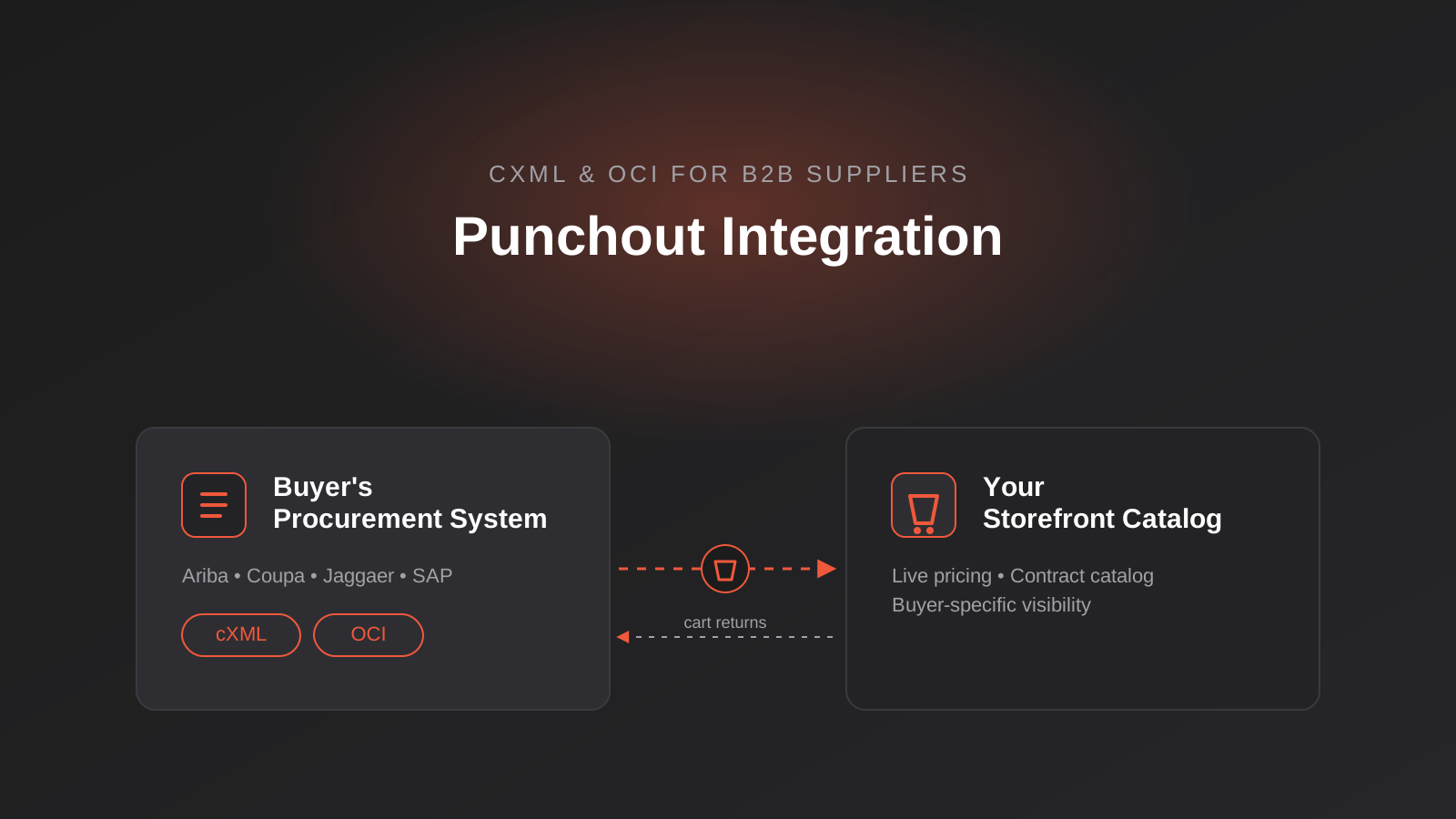
A procurement manager at a mid-size distributor emails your sales team: “Before we can onboard you as a supplier, we need you to support punchout.” Nobody on the call knows what that means. Someone googles it, finds a wall of acronyms — cXML, OCI, PunchOutSetupRequest — and the deal quietly stalls for six weeks while everyone figures out who’s supposed to build this.
This happens constantly to Australian manufacturers, wholesalers and distributors the moment they start selling to larger corporates, government agencies or universities. Once a buyer’s procurement team runs on SAP Ariba, Coupa, Jaggaer or Oracle, punchout isn’t a nice-to-have integration — it’s often written into the vendor onboarding checklist, and suppliers who can’t support it get quietly dropped from the shortlist before pricing is even discussed.
We’ve built punchout catalog integrations for clients moving from “we lost that tender because we couldn’t connect to their system” to being the easy, compliant option in a procurement panel. This isn’t a marketing-driven integration — it’s plumbing that either works reliably or costs you enterprise contracts. Here’s what punchout actually is, how cXML and OCI differ, what you need on your side to support it, and where the real implementation traps are.
What Punchout Catalog Integration Actually Involves
A punchout catalog is a live connection between a buyer’s eProcurement system and your online store. Instead of maintaining a static price list or CSV catalog inside the buyer’s system, the buyer’s staff click a link inside their procurement software, get redirected into your website already authenticated as that specific customer, shop your live catalog with their negotiated pricing and contract terms applied, and then send their cart back into the procurement system as a requisition — not a completed order.
That distinction matters. Punchout doesn’t place the order on your site. It hands a shopping cart back to the buyer’s procurement platform, where it still goes through their internal approval workflow, budget checks and purchase order generation. Your site is the catalog and configurator; their procurement system is still the system of record for spend and approvals. Understanding that boundary early saves a lot of confused scoping conversations with a buyer’s IT team.
The Buyer’s Procurement System Drives the Session
Every punchout session starts on the buyer’s side. Their procurement platform sends an authenticated setup request to your site containing who the buyer is, which cost centre or contract applies, and where to send the cart when they’re done. Your site validates that request, loads the right pricing and product visibility for that specific buyer, and opens a session — typically in an iframe or a redirected browser tab — that looks and feels like your normal storefront but is scoped entirely to that one customer’s negotiated terms.
The Cart — Not the Order — Comes Back to You
When the buyer finishes shopping and clicks “submit” or “checkout” on your site, you don’t process a transaction. You package the cart contents into a structured document and post it back to the URL the buyer’s system gave you at the start of the session. From there, the requisition enters their approval chain. Only once it’s approved does an actual purchase order get issued back to you — sometimes through the same cXML channel, sometimes by email or EDI, depending on what the buyer’s platform supports.
cXML vs OCI: The Two Protocols You’ll Actually Meet
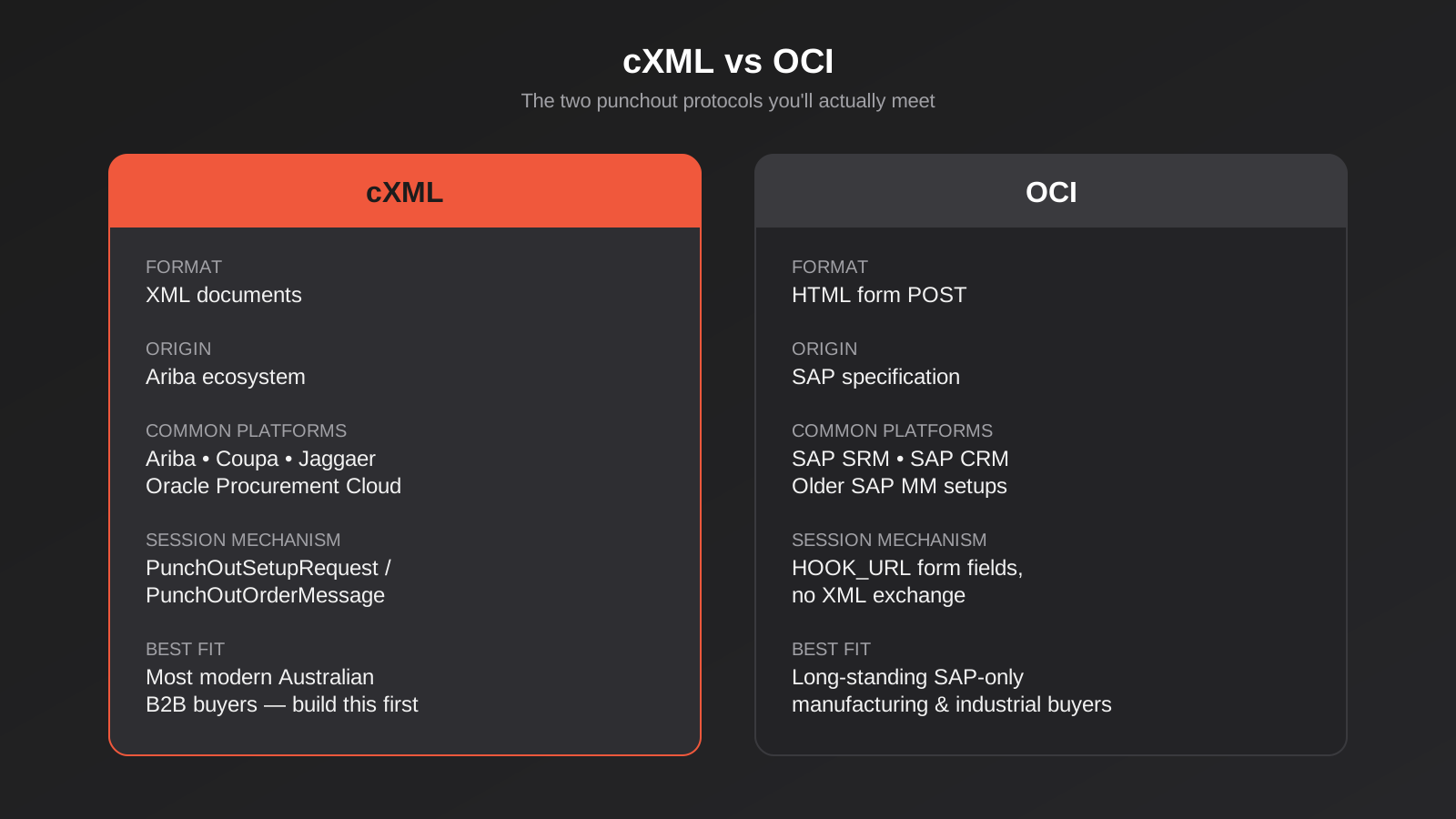
Almost every punchout request you get will ask for one of two protocols. They solve the same problem but come from different procurement ecosystems, and which one a buyer uses tells you a lot about how their internal systems are set up.
cXML (Ariba, Coupa, Jaggaer and most modern platforms)
cXML — commerce eXtensible Markup Language — is an XML-based protocol that originated in the Ariba ecosystem and has since become the common language across most modern procurement platforms, including Coupa, Jaggaer and Oracle Procurement Cloud. A cXML punchout session opens with a PunchOutSetupRequest document containing the buyer’s identity credentials (a FromIdentity, a SenderIdentity and a shared secret used to authenticate the request), and closes with a PunchOutOrderMessage carrying the cart contents back. Because it’s XML, cXML supports richer data — custom fields, multiple ship-to addresses, complex configured items — which is why it’s become the default for newer integrations.
One nuance specific to Ariba: most Ariba buyers don’t connect to you directly. They route through the SAP Business Network (formerly Ariba Network), which means part of your setup involves registering as a supplier on that network, not just building a direct cXML endpoint. Coupa, by contrast, typically connects directly supplier-to-buyer without a shared network layer in between.
OCI (SAP-centric systems)
OCI (Open Catalog Interface) is SAP’s own specification, and you’ll mostly meet it when a buyer runs SAP SRM, SAP CRM or older SAP MM-based procurement setups. It’s a much simpler, form-based mechanism — the buyer’s system POSTs a set of HTML form fields (a “HOOK_URL” and session parameters) rather than exchanging XML documents. It’s less flexible than cXML and generally used by buyers whose procurement stack has been built entirely around SAP for a long time, particularly in manufacturing, industrial supply and some government-adjacent organisations with older SAP deployments.
In practice, if you’re building for a broad Australian B2B customer base, you’ll want cXML support first — it covers the majority of modern procurement platforms including Coupa and Ariba, which are the two we see most often among mid-size and enterprise Australian buyers. OCI becomes relevant once you’re dealing with a specific large SAP shop that requires it, which is common enough in manufacturing and industrial supply chains that it’s worth planning for rather than bolting on later.
How the Punchout Flow Works, Step by Step
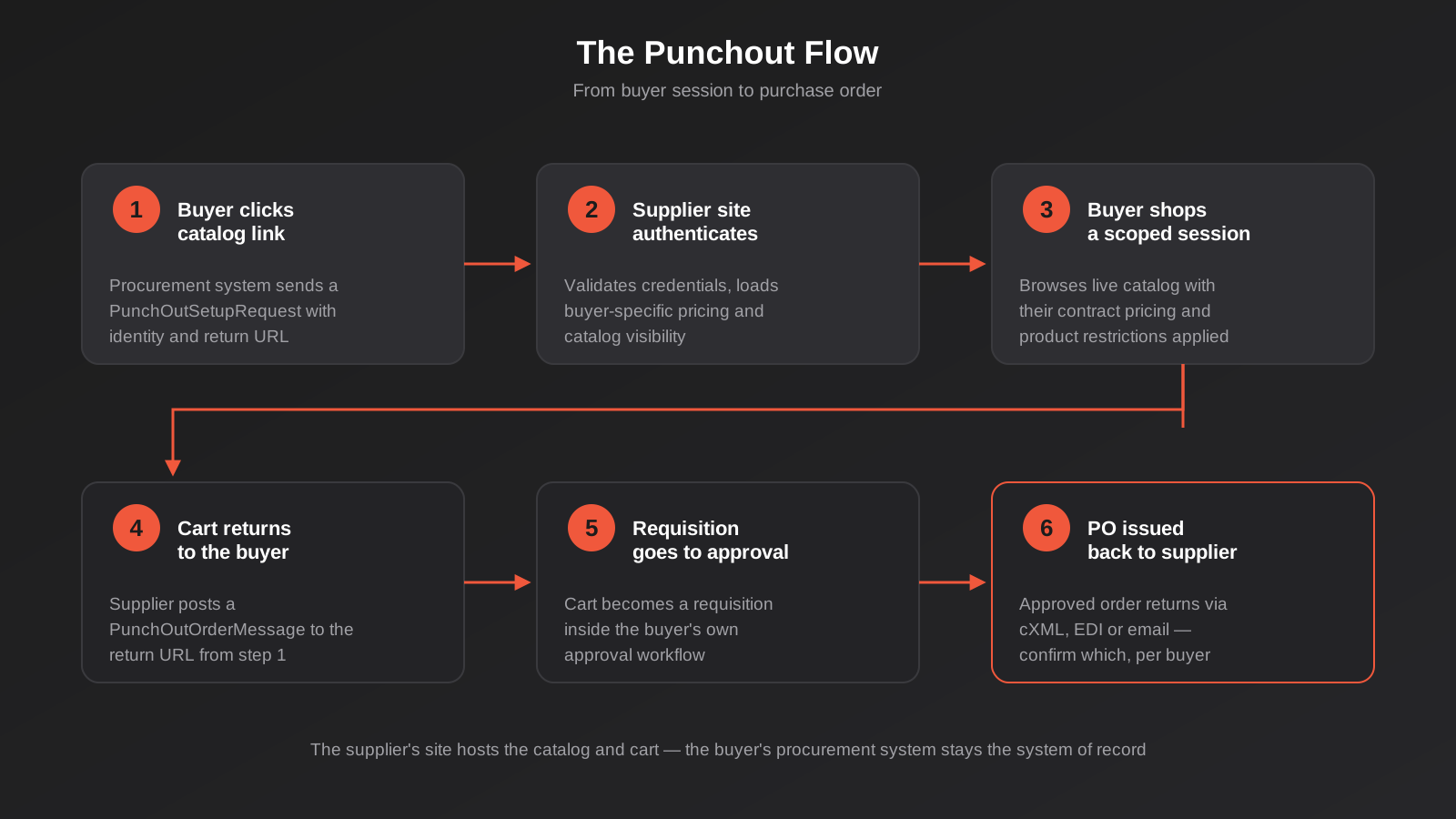
Stripped of protocol-specific detail, every punchout session follows the same five steps, whether it’s cXML or OCI underneath.
1. The buyer initiates from their procurement system
A staff member in the buyer’s procurement platform clicks your catalog link. Their system fires off a setup request — a PunchOutSetupRequest for cXML, a form POST for OCI — containing their identity, the session return URL, and often the cost centre or contract reference the purchase will be charged against.
2. Your site authenticates and loads the buyer’s context
You validate the shared secret or credentials, confirm this is a known buyer account, and load their specific pricing, contract catalog and product visibility rules. This is the step that trips up a lot of first attempts: your site needs to know, in real time, which negotiated price list and which subset of your catalog applies to that exact buyer, not just serve your public storefront pricing.
3. The buyer shops inside a scoped session
The buyer browses and adds items to a cart exactly as they would on a normal storefront, except every price, minimum order quantity and product restriction reflects their specific agreement with you. Sessions are typically single-use and time-limited — if the buyer’s session times out or they close the tab without submitting, that session is simply discarded.
4. The cart returns to the buyer’s system
When they’re done, your site posts the cart back — a PunchOutOrderMessage for cXML, an equivalent structured response for OCI — to the return URL supplied in step one. This document lists every line item, quantity, unit price and any custom fields the buyer’s system expects (project codes, GL codes, delivery instructions).
5. The requisition goes through approval, then a PO comes back
The cart becomes a requisition inside the buyer’s procurement platform, subject to whatever approval workflow they’ve configured. Only once it clears approval does a purchase order get generated and sent to you — sometimes as a cXML OrderRequest over the same integration, sometimes via EDI or plain email, depending on the buyer’s setup. This is worth clarifying explicitly during onboarding, because it determines whether your order processing can be fully automated or still needs a manual step to pick up the PO.
Why This Matters for Australian Suppliers and Manufacturers
Punchout doesn’t come up much for businesses selling to small and medium customers who order through a normal checkout. It becomes unavoidable the moment your customer base includes larger corporates, universities, hospitals, local or state government bodies, or any organisation with a dedicated procurement function. Those buyers standardise on SAP Ariba, Coupa or similar platforms specifically to control spend and enforce approved-supplier lists, and punchout is how approved suppliers plug into that control layer without every purchase becoming a manual, off-system transaction that finance can’t track.
We see this most with industrial and MRO suppliers, office and facilities suppliers, IT hardware resellers, and specialist manufacturers selling into corporate or institutional accounts. In those categories, punchout capability is frequently a scored criterion in supplier onboarding and RFP processes — not because the buyer particularly loves the technology, but because it lets their finance and procurement teams keep every purchase inside their controlled, auditable system. A supplier who can’t support it either gets excluded outright or gets stuck as an informal, off-panel purchase that buyers actively try to minimise.
The upside is that once you’ve built one solid cXML integration, adding additional buyers on the same protocol is largely a configuration exercise — new credentials, a new price list, a new set of catalog rules — rather than a new integration project each time. The first buyer is the expensive one; the fifth is mostly account setup.
Government procurement adds another layer worth planning for. Australian state and federal agencies increasingly run their purchasing through centralised eProcurement platforms, and getting onto a supplier panel often comes with its own technical prerequisites alongside the commercial ones. Universities and large hospital networks tend to follow the same pattern — a central procurement function standardising on one platform across dozens of individual buying units, which means one successful punchout integration can open up purchasing across an entire institution rather than a single department.
What You Need on Your Side to Support Punchout
Buyer-specific pricing and catalog visibility
This is the piece most businesses underestimate. Punchout only works if your platform can serve different prices, different minimum order quantities and sometimes an entirely different product subset depending on which buyer has authenticated. If your ecommerce platform currently has one price list for everyone, this is the real project — the punchout protocol itself is comparatively mechanical once buyer-specific pricing exists. This is exactly the kind of system-level automation work we cover in our guide to ecommerce automation for inventory, orders and fulfilment, and the two often get solved together.
A catalog feed the buyer’s system can index
Beyond the live browsing session, most procurement platforms also want a searchable index of your catalog so buyers can find products without punching out first. This is usually delivered as a CIF (Catalog Interchange Format) file, a cXML index catalog, or in some cases BMEcat or EDI formats, depending on what the buyer’s platform accepts. It needs a refresh cadence — daily or weekly is typical — so prices and stock availability don’t drift out of sync between your live site and what’s indexed on their end.
CIF is worth understanding on its own terms because it’s the format you’ll meet most often for the static index side of things. It’s a comma-separated file structured to represent product hierarchies — parent items with size, colour or configuration variants nested underneath — which keeps the file lightweight and easy to generate from most product data sources. Its limitation is that it’s static: it’s a snapshot uploaded on a schedule, not a live query, so it’s genuinely only suitable for products whose pricing and availability don’t change hour to hour. Fast-moving stock or volatile pricing categories are exactly why the live punchout session, rather than the static index alone, ends up doing the real work for those product lines.
A platform that can actually host the session
Shopify Plus, WooCommerce, Magento/Adobe Commerce and headless builds can all support punchout, but the effort differs a lot. Shopify’s core platform doesn’t have native punchout support, so it’s handled either through a dedicated app (Punchout Cloud and TradeCentric are the two most established options for Shopify) or a custom middleware layer sitting in front of your storefront. If you’re on a platform without a mature app ecosystem for this, or if your B2B pricing logic is complex enough that off-the-shelf apps don’t map cleanly to it, a custom-built integration through your API and integrations layer is usually the more reliable path — it’s more work upfront, but you’re not fighting an app’s assumptions about how your pricing and catalog structure work.
A translation layer between punchout and your ERP
The requisition that comes back from a buyer, and the eventual purchase order, both need to land somewhere useful — ideally straight into your ERP or order management system rather than into someone’s inbox to key in manually. This is where ERP integration work and punchout implementation overlap directly: the punchout endpoint handles the catalog and cart exchange, and a proper ERP integration makes sure the resulting order, customer record and pricing agreement all stay consistent on your side without duplicate data entry.
Security and credential management
Every punchout session relies on a shared secret or credential set that authenticates the buyer’s system to yours, and treating that credential casually is one of the more common gaps we see. Each buyer should get their own unique credential rather than a single shared secret reused across every connection, so that rotating or revoking one buyer’s access doesn’t mean touching everyone else’s integration. It’s also worth restricting punchout endpoints to expected traffic where the buyer’s platform supports IP allowlisting, enforcing HTTPS throughout (most procurement platforms will refuse to connect otherwise), and setting sensible session timeouts so an abandoned punchout session in someone’s browser doesn’t sit open indefinitely. None of this is exotic security work, but procurement teams doing supplier security reviews will ask about it directly, and having clear answers speeds up onboarding considerably.
Testing, Certification and Going Live
Working through the buyer’s UAT process
Most procurement platforms won’t just switch a new supplier on. Coupa, Ariba and similar systems typically run a formal user acceptance testing phase where the buyer’s procurement or IT team punches out into your sandbox environment, checks that pricing and product data display correctly, submits a test cart, and confirms it lands back in their system in a usable shape. This step is worth taking seriously and scheduling for, because it’s often where delays creep in — not because your integration is broken, but because the buyer’s own testers are juggling this alongside other onboarding work and it sits in their queue for longer than anyone would like. Building in a realistic testing window, and having someone on your side who can turn around fixes quickly during that window, tends to matter more to the overall timeline than the initial build itself.
What to monitor once you’re live
A punchout integration that worked in testing can still degrade quietly in production if nobody’s watching it. Worth tracking from day one: failed or timed-out setup requests (often a sign of an expired credential or a session limit being hit), carts that never return successfully (which usually points to a data formatting issue the buyer’s system is silently rejecting), and any drift between what’s in your live catalog and what’s in the index file or CIF feed the buyer indexed weeks ago. Catching these early, ideally through basic alerting rather than a buyer telling you their team can’t check out, is the difference between punchout being a reliable sales channel and becoming a source of recurring support tickets.
Build vs Buy: Punchout Apps vs Custom Integration
For Shopify and Shopify Plus stores, a dedicated punchout app is usually the sensible starting point rather than a from-scratch build. These apps handle the cXML/OCI handshake, session authentication and cart-return mechanics, and connect to procurement networks like SAP Business Network, Coupa and Jaggaer out of the box — which saves you from building protocol-level plumbing that a specialist vendor has already solved. Pricing for these apps runs into several hundred dollars a month, which is genuinely cheap compared to building and maintaining the protocol layer yourself.
Where a custom integration earns its cost is when your pricing logic is unusually complex (tiered contract pricing, customer-specific product restrictions, configured or made-to-order items), when you’re not on Shopify and the available off-the-shelf options are thin, or when a single very large buyer has non-standard requirements an app can’t flex to accommodate. We approach this the same way we approach any MVP-style build — get the first buyer connected and working reliably before generalising the integration to handle every possible procurement platform you might encounter later. Trying to build a universal punchout layer for hypothetical future buyers before you have a real one asking for it tends to waste budget on edge cases that never materialise.
There’s also a middle path worth knowing about: some businesses start with an app to get one urgent buyer connected on a tight tender deadline, then move the more complex or higher-volume buyers onto a custom-built layer once the pattern of what buyers actually need becomes clear. That’s often more sensible than committing to a fully custom build before you’ve handled a single real punchout session end to end, because the second and third buyer frequently surface requirements — a different catalog structure, a non-standard field the app doesn’t support — that you couldn’t have reasonably scoped for up front.
Where Punchout Fits With Your Wider Systems
Punchout is rarely the whole project — it’s usually the visible tip of a broader systems conversation. A buyer asking for punchout is also implicitly asking whether your inventory data is accurate enough to show real-time stock, whether your pricing engine can hold contract-specific rates without manual overrides, and whether your order processing can absorb a requisition without someone re-keying it into your ERP by hand. Suppliers who treat the punchout request as an isolated integration project often end up with a working connection that still generates manual work downstream, which defeats a good part of the point for the buyer.
We’d usually map this out as one connected flow: catalog and pricing data flowing out to the buyer’s procurement system, the returned cart or PO flowing into your order management and ERP, and stock levels staying synchronised in both directions so you’re never accepting an order for something you can’t actually fulfil. If any part of that chain is still manual today, punchout is a reasonable forcing function to fix it properly rather than bolting a protocol connector onto an otherwise disconnected set of systems.
It’s also worth being honest about sequencing. Businesses under pressure to win a specific tender sometimes want to build the punchout connector first and sort out the ERP and inventory synchronisation afterwards. That can work for a single, well-defined buyer with modest order volume, but it tends to create a backlog of manual reconciliation that grows with every new buyer you add. Where we can, we’d rather scope the ERP and inventory side alongside the punchout build itself, even if it means the first connection takes a little longer to go live — it’s considerably cheaper than retrofitting proper system integration once three or four buyers are already depending on the manual version.
Common Mistakes
- Treating punchout as a pure IT integration task without involving whoever owns pricing and contracts — buyer-specific pricing logic is usually the harder half of the project, not the protocol itself.
- Building only for cXML and getting blindsided by a large SAP-based buyer who needs OCI, or vice versa — ask which protocol and which procurement platform before scoping anything.
- Assuming Ariba buyers connect directly to you, then discovering mid-project that registration on SAP Business Network is a separate prerequisite step with its own timeline.
- Letting the catalog index file (CIF or cXML index) go stale because nobody owns the refresh schedule, so buyers see prices or stock that no longer match your live site.
- Not clarifying how the purchase order actually gets back to you after approval — assuming it will arrive automatically through the same channel when the buyer’s system actually emails a PDF PO to a shared inbox.
- Skipping load and session testing before go-live, then discovering the integration breaks under concurrent sessions during the buyer’s actual procurement team’s usage patterns.
- Building a fully custom integration for a single buyer on a common platform like Coupa or Ariba, when an established app would have covered 90% of the requirement for a fraction of the cost.
Frequently Asked Questions
Do we need to support both cXML and OCI?
Not necessarily from day one. Build for whichever protocol your actual buyers use, and cXML covers the largest share of modern platforms including Ariba and Coupa. Add OCI support when a specific SAP-based buyer requires it rather than building it speculatively.
How long does a punchout integration typically take to build?
A single-buyer cXML integration on a platform with an existing punchout app, and with buyer-specific pricing already solved, can often be scoped and tested in a matter of weeks. It stretches out considerably if buyer-specific pricing doesn’t exist yet, if you’re integrating OCI on a platform without a ready-made connector, or if the buyer’s own procurement team is slow to test and approve their side of the connection — that last part is frequently the actual bottleneck, not your build.
Can we use punchout on Shopify or does it need Shopify Plus?
The established punchout apps for Shopify generally require Shopify Plus, largely because reliable B2B pricing, customer-specific catalogs and the API access punchout needs are Plus-tier features. If you’re on standard Shopify and getting serious punchout requests, that’s usually a sign the broader B2B requirement (contract pricing, customer groups) is going to push a platform decision anyway.
What happens if our product data or pricing is wrong inside a punchout session?
The buyer sees it in real time and it damages trust in the integration quickly, since the whole appeal of punchout for them is that it reflects your live, accurate catalog rather than a stale upload. This is why buyer-specific pricing accuracy and stock synchronisation need to be solved properly before go-live, not patched afterwards.
Do small and medium Australian businesses ever need punchout, or is it purely an enterprise thing?
It’s driven by your buyers’ procurement maturity, not your own company size. A relatively small specialist manufacturer selling into a university, hospital network or state government department can face a punchout requirement well before a much larger business that only sells to other small and medium customers.
Does supporting punchout replace the need for EDI with the same buyer?
Not always. Some buyers use punchout for catalog browsing and requisitioning, then still expect the resulting purchase order and invoicing to run over EDI. It’s worth confirming with each buyer’s procurement team exactly which parts of the transaction run through punchout and which stay on separate channels, rather than assuming one integration covers the entire order-to-cash cycle.
Where to Start
If a buyer has already asked you for punchout support, start by finding out exactly which protocol and which procurement platform they’re on, and whether they connect directly or through a network like SAP Business Network. That single conversation tells you most of what you need to scope the work realistically. If you’re anticipating this requirement rather than reacting to one right now, the more useful first step is usually an honest look at whether your pricing and catalog data can already support buyer-specific views — because that’s the foundation everything else gets built on.
We’ve scoped and built punchout integrations alongside the ERP and API work that makes them actually reliable end to end, rather than treating the protocol as an isolated add-on. That usually means one early conversation covering three things at once: which protocol and platform your buyer actually needs, whether your current pricing and catalog data can support buyer-specific views without a rebuild, and how the resulting orders should flow into your ERP so punchout doesn’t just create a new manual task dressed up as automation.
If you’ve got a buyer waiting on this, or you want to understand what it would take before it becomes urgent, we’re happy to have a practical conversation about what your specific setup would need.
Keep reading
Related posts
POS Integration for Australian Retail and Hospitality: Stock, Sales, Settlements and Getting the Books to Agree (2026)
How point-of-sale integration works for Australian retailers and hospitality venues: stock sync, daily sales posting, settlements and fees, and keeping the books…
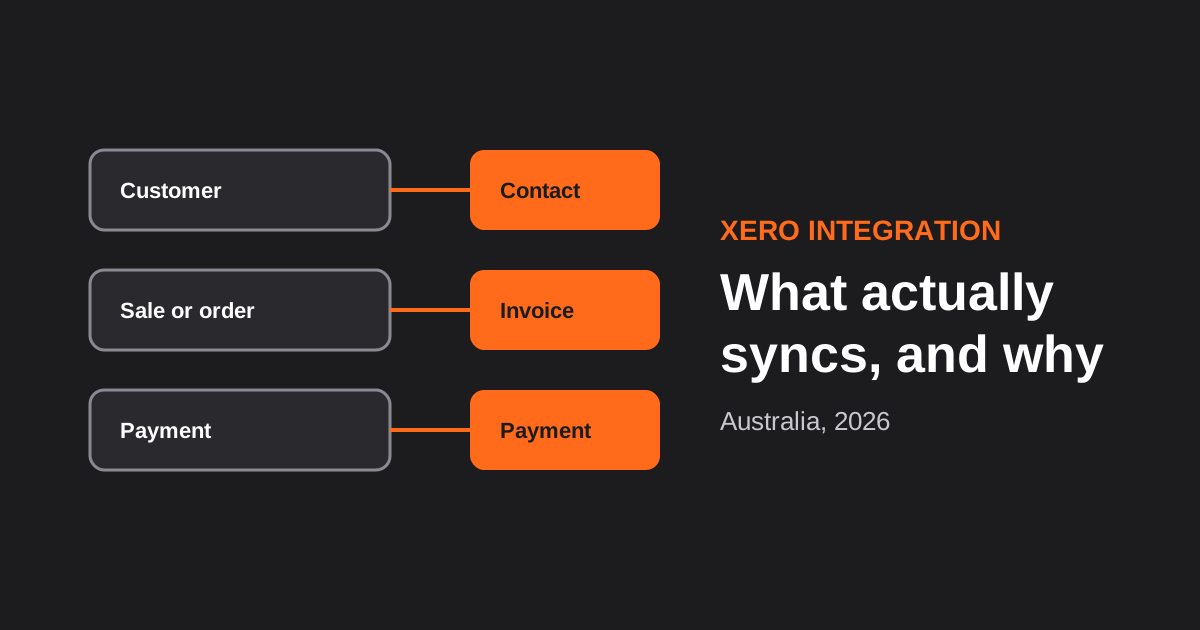
Xero Integration for Australian Businesses: What Actually Syncs, GST Mapping and the Mistakes That Break Reconciliation (2026)
How a Xero integration really works in Australia: what to sync, how to map invoices, payments, refunds and GST, and the mistakes…
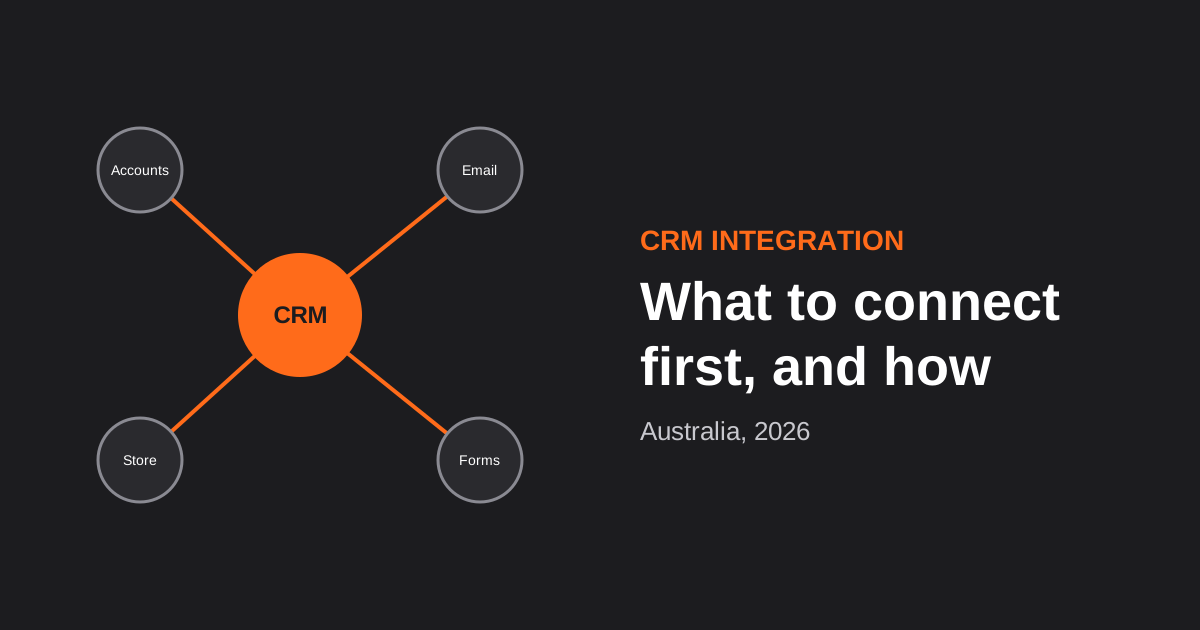
CRM Integration for Australian Businesses: What to Connect First and How to Do It Properly (2026)
A practical guide to CRM integration for Australian businesses: what to connect first, which way data should flow, native vs middleware vs…
Got a project you'd like to talk through?
Tell us what you're working on — we'll come back with a plan.
