
Custom AI Integrations: How to Add AI to the Systems You Already Run (2026)
 Jignesh Vagadiya
10/09/2026
21 min read
Jignesh Vagadiya
10/09/2026
21 min read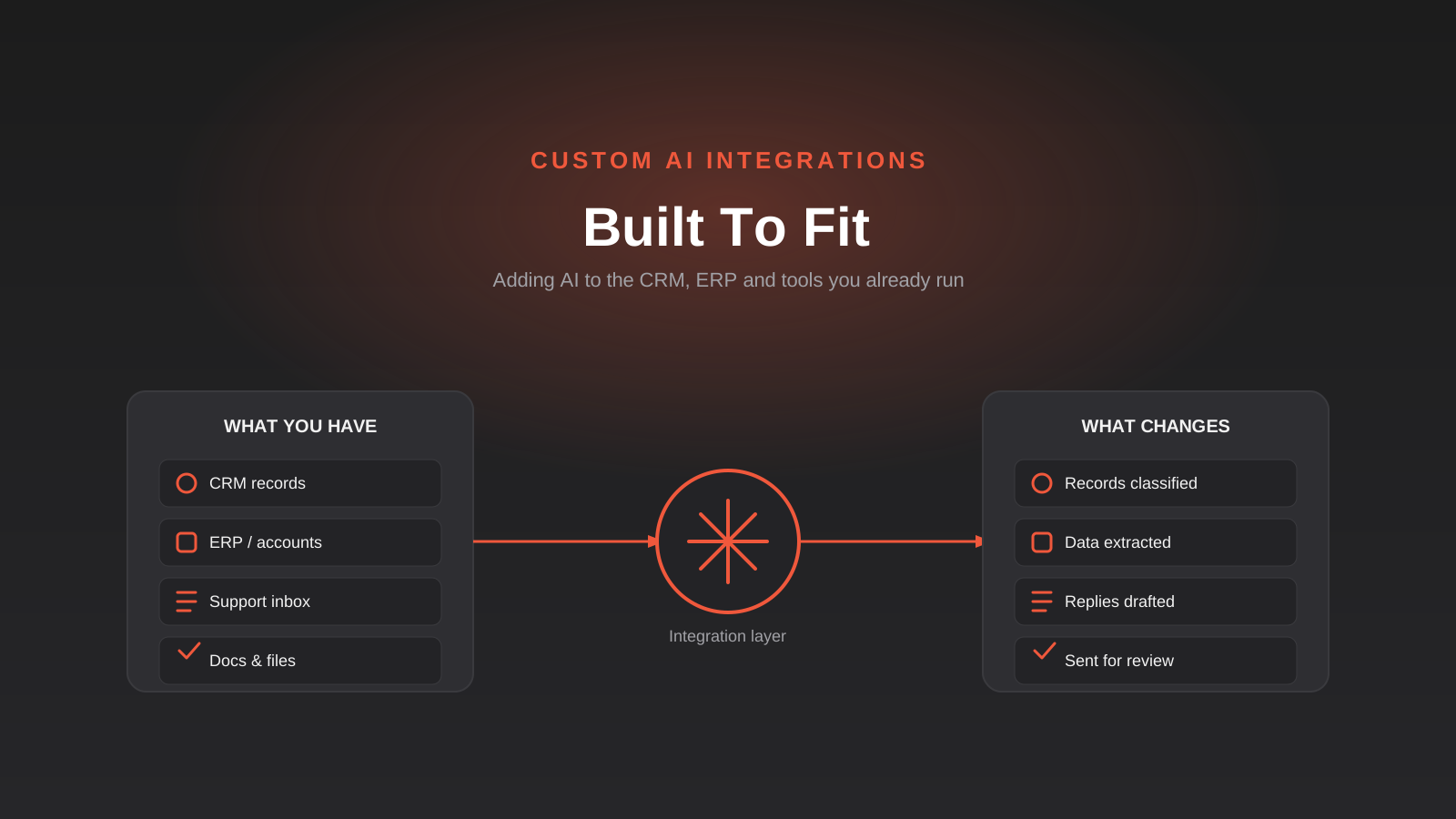
Most articles about “adding AI to your business” start from a blank page. Pick a chatbot platform, connect it to your website, launch it, done. That’s not the conversation we actually have with clients. Almost every business we work with already has a CRM holding five years of customer history, an ERP or accounting system that the whole company depends on, and a support inbox nobody wants to touch because it works — badly, but it works. Nobody’s proposing to rip any of that out.
What they actually want is for AI to sit inside what’s already there. Read the invoices that land in the accounts inbox and pull out the line items. Read a support ticket and work out whether it’s urgent before a person opens it. Read a long project thread and produce a summary someone can actually use. None of that requires a new platform. It requires a piece of custom work that connects a model to the data you already have and the system you already use, and does one job well.
That’s what we mean by custom AI integration, and it’s a different exercise to buying an AI-branded add-on for your existing software or standing up a customer-facing chatbot. This guide covers what these integrations actually look like once you get past the marketing language, the technical approaches that get used to build them, where they tend to go wrong, and what decides whether a project is a small piece of work or a genuinely big one.
What “Custom AI Integration” Actually Means
The term gets used loosely enough that it’s worth drawing a hard line around it before going further. Custom AI integration is not any one of the following, even though all three get lumped in under the same “AI for business” banner.
It’s not the AI feature your CRM or ERP vendor already ships. Most major platforms now have some version of a built-in assistant — lead scoring, smart suggestions, an autocomplete for emails. Those are genuinely useful and cost nothing extra to try. But they only do what the vendor decided to build, phrased the way the vendor decided to phrase it, and they stop being useful the moment your process, your terminology or your edge cases don’t match what the vendor had in mind. If you’ve tried the built-in tool and it half works, that gap between “half works” and “actually works for us” is usually where custom integration starts.
It’s not a customer-facing chatbot. A chatbot is a specific product with its own design problems — tone, escalation, what it’s allowed to promise a customer. We’ve written a separate guide to AI chatbots for customer support because that’s genuinely a different build, with different risks, even when the underlying model is the same one doing the work behind the scenes. If the outcome you want is a customer having a conversation, start there instead of here.
And it’s not the same thing as workflow automation with a tool like Zapier, Make or n8n. We’ve compared those platforms in detail in our Zapier vs Make vs n8n guide, and the short version is that they’re rules engines: when this happens, do that. They’re excellent at moving data between systems on a trigger, and a huge share of what businesses think they need “AI” for is actually just a clean data sync that a rules engine handles for a fraction of the cost. Where they run out of road is anything that requires reading unstructured content and making a judgement call — a rules engine can move an email into a folder based on the sender, but it can’t tell you what the email is actually asking for.
Custom AI integration sits in the gap those three leave open: connecting a language model to your existing systems and data so it can read something messy and turn it into something your business can act on, inside the tools your team already opens every day.
Three signals you’re actually looking at this, not something simpler
The task involves unstructured input. If the information you’re working with is a free-text email, a scanned PDF, a handwritten note or a paragraph a customer typed into a web form, you’re past what a rules engine or a spreadsheet formula can reliably parse.
You’ve tested the vendor’s built-in AI feature and it doesn’t fit. This matters because it’s the cheapest thing to rule out first, and plenty of businesses skip straight past it. If your CRM already has a native AI feature that’s 80% of the way there, extending or configuring that is almost always faster and cheaper than a bespoke build.
The value shows up in an internal workflow, not a customer conversation. Someone on your team currently spends real time reading, sorting, extracting or summarising something by hand, and that time is the cost you’re trying to remove.
The Patterns We Actually Build
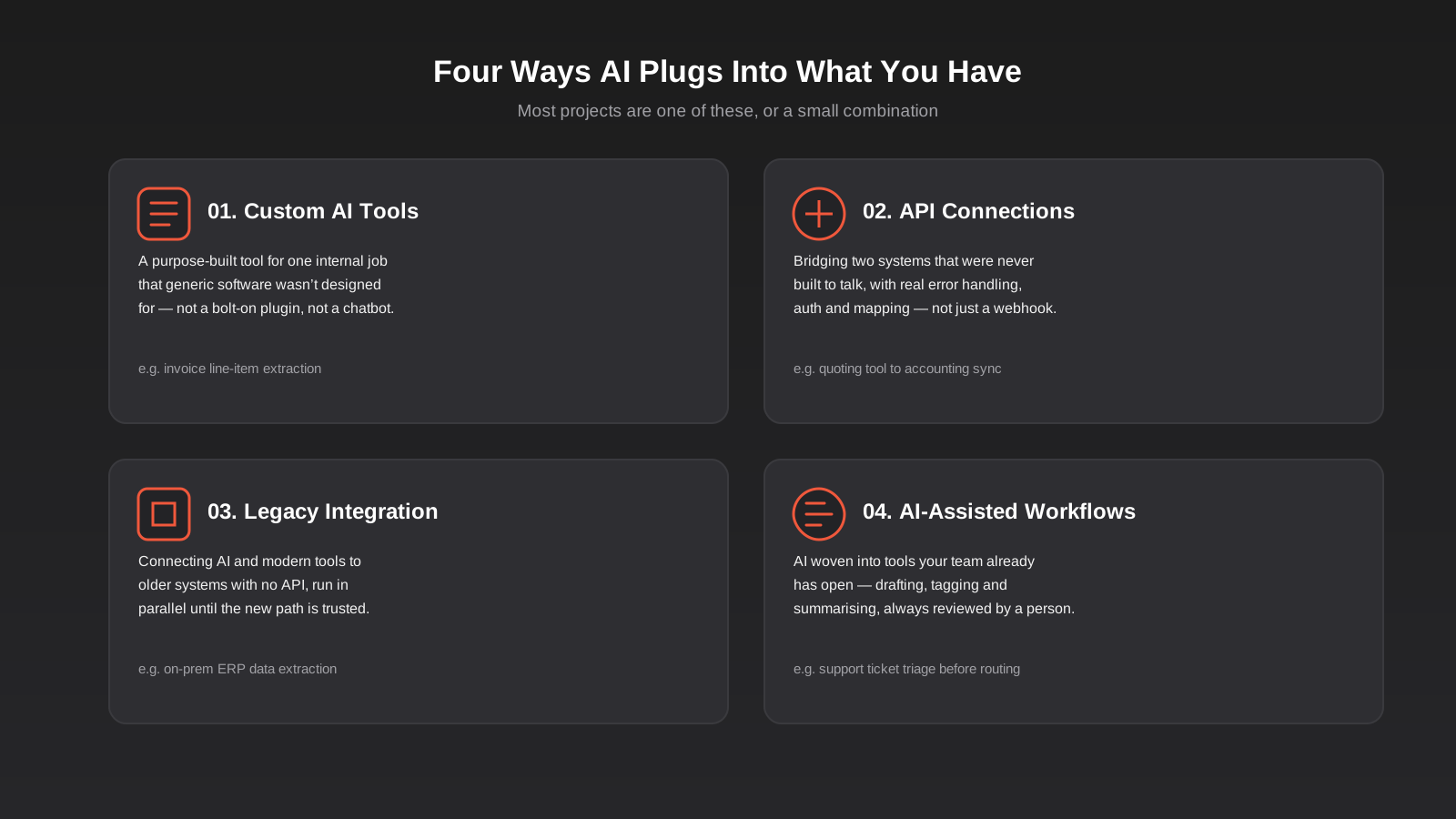
In practice, almost every custom AI integration project falls into one of four patterns, or a small combination of two of them. It helps to know which one you’re actually asking for before you start pricing anything, because they carry very different amounts of risk and effort.
Custom AI tools for one specific job
This is a purpose-built tool that does one thing your generic software wasn’t designed to do. A common example: a tool that reads scanned supplier invoices, extracts the line items and GST, checks the totals against what was actually ordered, and flags anything that doesn’t match for a person to look at before it goes anywhere near the accounts payable system. Nothing about that is a chatbot, and nothing about it needs a new platform — it’s a small, focused tool that reads a document and produces a structured result.
Other examples we see regularly: parsing free-text enquiry forms into structured CRM fields and matching the enquiry to the right sales rep based on what it’s actually about, or a tool that reads a long client email thread and drafts a summary before someone jumps on a call. The common thread is a single, well-defined task with a clear right answer, which makes it realistic to test properly before it goes live.
API connections between systems that don’t talk
Sometimes the AI part is almost incidental — the real work is building the bridge between two systems that have no native connector, and an off-the-shelf integration platform doesn’t cover the combination you’re running. This is proper API development: authentication, retry logic when a call fails, rate limit handling, and mapping fields from one system’s data model to another’s, which is rarely a one-to-one match.
Where this shades into AI is when the data being passed between systems isn’t already clean and structured. If your quoting tool produces a free-text description and your accounting system needs a coded line item, something in that pipeline has to interpret the text, and that’s a model doing a small, specific job rather than a general-purpose chat feature bolted on top.
A growing number of these connections are now built using the Model Context Protocol rather than a one-off API script for each pairing. The short version is that an MCP server exposes your system through a standard interface an AI agent can call, instead of a bespoke pipeline that only ever does the one thing it was built for. It’s worth understanding the difference before you commit to either approach, because they solve overlapping but not identical problems.
Legacy system integration without ripping anything out
A lot of Australian businesses are still running an ERP, a practice management system or an in-house database that’s been in place for a decade or more, has no modern API, and is genuinely too risky or expensive to replace right now. Custom AI integration doesn’t require replacing any of that. It usually means extracting data from the legacy system by whatever route is actually available — a scheduled export, a read-only database connection, sometimes screen-level automation as a last resort — and feeding it into a modern pipeline that a model can work with.
The sensible way to do this is to run the new path alongside the old one for a while rather than switching over on day one. If the legacy system stays the system of record and the AI layer runs in parallel producing results a person checks against reality, you get to build confidence in the new pipeline without betting the business on it working perfectly the first time. Where legacy access genuinely means screen-level automation because there’s no other way in, treat that piece as the most fragile part of the whole build — a layout change on the legacy screen can break it silently, so it needs its own monitoring rather than being assumed to just keep working once it’s live.
AI-assisted workflows inside tools your team already has open
This is the pattern that shows up most often in day-to-day operations: AI woven into an existing workflow to handle the part that used to require someone to read something and make a call. Document processing, categorising inbound content, extracting specific data points, drafting a first-pass response someone edits rather than writes from scratch.
The thing that separates a good version of this from a bad one is restraint. The goal is a tool that saves a genuine chunk of time on a task someone already does, sitting inside the software they already use, not a new interface they have to remember to check. If the AI step adds a new screen nobody opens, it hasn’t actually saved anything.
How These Integrations Actually Get Built
Once you know which pattern you’re dealing with, the technical build follows a fairly consistent shape. It’s worth understanding this even if you’re not the one writing the code, because it’s what a fair quote is actually pricing.
Where the data lives decides almost everything
The first question in any scoping conversation isn’t “which model should we use” — it’s “where does this data currently live, and how structured is it already.” Data that’s already sitting in clean fields in a database doesn’t need a language model at all; a straightforward export/import job or an API sync does that more reliably and for less money. AI earns its place specifically on the unstructured side: PDFs, scanned documents, emails, free-text fields, handwritten notes, long threads. That’s the material a rules-based system genuinely can’t parse.
This is also the single biggest source of wasted budget we see. Businesses reach for an AI solution on data that was never actually unstructured, when a plain integration would have done the job at a fraction of the cost with none of the accuracy questions that come with a model in the loop. Scoping the data honestly before touching a model API saves real money.
The three technical approaches, in plain terms
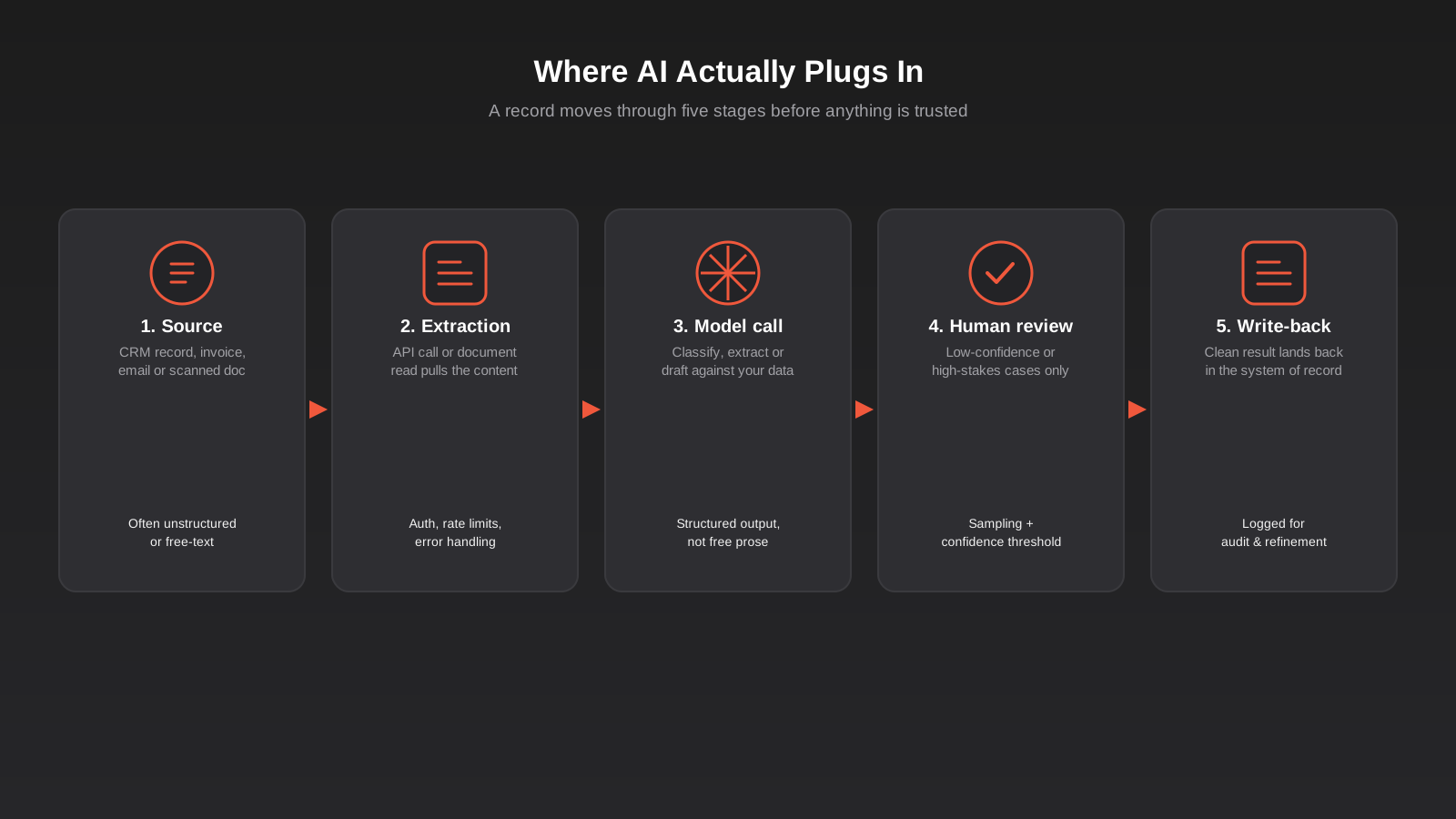
Direct API call with structured output. Your system sends a record to a model API with a clear prompt (and increasingly, function calling or a defined output schema) and gets back structured data rather than a paragraph of prose. This is the right approach for record-by-record tasks: read this invoice, return these fields; read this ticket, return this category and urgency.
Retrieval-augmented generation, usually shortened to RAG. Your own documents — policies, past proposals, product specs, historical support tickets — get indexed into a searchable store so a model can answer a question or draft content grounded in what your business actually knows, rather than general knowledge from its training data. This is what sits behind “ask a question about our own knowledge base” tools, and it’s also what stops a model confidently making something up when it doesn’t actually know your specific policy.
Orchestrated, multi-step access, increasingly built on MCP. Instead of one fixed pipeline that does exactly one thing, the model is given a standard set of tools it can call across your CRM, calendar, inventory or other systems, and it works out which ones to use and in what order for a given request. This is more powerful and more flexible than a single-purpose script, and also carries more to get right around permissions and guardrails — we’ve gone into that trade-off properly in our MCP servers guide, worth reading before deciding it’s the right fit rather than overkill for a single-task problem.
A rules engine and a model are not interchangeable
It’s worth repeating this because it’s the most common confusion we run into: Zapier, Make and n8n are rules engines, and a genuinely large share of “we need AI” requests are actually solved by a well-built rule. Adding a single AI step into an existing Make or n8n scenario — a “summarise this” or “categorise this” node in an otherwise rules-based flow — is a perfectly sensible way for a smaller business to get started. The point where it’s worth moving to a purpose-built integration is when volume, accuracy requirements or the number of connected systems outgrows what a general automation platform handles cleanly, or when the logic genuinely needs more control than a scenario builder gives you.
Human review is not an optional extra
Every integration we build that touches customer communication, financial data or anything that goes out the door on the business’s behalf has a review step, and this isn’t caution for its own sake — models are wrong often enough, and confidently enough, that skipping review is how a business ends up explaining an AI-generated mistake to a client. In practice this means a confidence threshold that routes anything the model isn’t sure about to a person rather than pushing it straight through, a sampling process where someone spot-checks a percentage of the automated decisions on an ongoing basis, and a clear fallback for what happens when the model call fails or the answer looks obviously wrong. None of this needs to slow the system down for the cases it handles well; it just means the system knows the difference between confident and guessing.
What’s worth having ready before a scoping conversation
Projects go faster and get quoted more accurately when a business turns up with specifics rather than a general idea. That means real examples of the messy source material — the actual invoice a supplier sends, not a tidy sample one, the actual free-text field a customer typed into, warts and all. It means a rough sense of volume: ten records a week is a completely different build to two thousand a day, because the second one needs to be fast, cheap to run at scale, and resilient to the model provider having a slow moment. And it means being honest about how much review a business is actually prepared to staff for early on, because a tool that produces a result nobody checks for the first month isn’t ready for production yet, no matter how good the demo looked.
It also helps to name the one task rather than a wishlist. “We want AI in our business” doesn’t scope into anything; “we want the line items pulled off supplier invoices automatically” does. Most projects that go well started as one narrow, well-defined task, proved itself, and only then got extended to a second and third task once the first one was trusted.
Real Use Cases Across Different Systems
It’s easier to picture this against specific scenarios than in the abstract, so here are the ones we’re asked about most often.
Supplier invoice and purchase order processing. Invoices arrive as PDFs or scanned images in wildly inconsistent formats, and a model reads them, extracts line items, quantities and GST, checks them against the original purchase order, and pushes a clean record into the accounting or ERP system, with anything that doesn’t reconcile flagged for a person. For businesses running a full ERP rather than something like Xero or MYOB, this surrounding integration work tends to involve more than one downstream system, which is a meaningfully bigger scope than a simple two-app connector.
Support ticket triage before a human, or a chatbot, ever sees it. A model reads an incoming ticket, works out the topic, urgency and sentiment, and routes it to the right queue or the right person. This is often the step that makes a chatbot project actually work well, because the chatbot only handles what it’s actually equipped to handle and everything else lands with the right human straight away instead of sitting in a shared inbox.
Lead enquiry parsing from web forms and free-text fields. Rather than a generic “message” field landing in the CRM as a wall of text nobody reads properly, the enquiry gets parsed into structured fields — what they’re asking about, budget range if mentioned, urgency — and matched to the right rep or territory automatically.
Contract and document review support for legal and professional services teams. A model reads a long document and flags specific clauses — unusual payment terms, liability caps, renewal windows — for a person to check, rather than replacing the person’s judgement on the document as a whole.
Semantic search over internal knowledge. Past proposals, project files, policy documents and old support tickets get indexed so staff can ask a question in plain language and get pointed to the right existing answer, instead of re-answering something that’s already been solved three times before.
What It Actually Costs and How Long It Takes
There isn’t an honest fixed number to give here, because the range genuinely is wide, and anyone quoting a flat figure before understanding your systems is guessing. What actually drives cost is a fairly short list: how many systems the integration touches, whether those systems already have a usable API or one has to be built from scratch, how messy the source data actually is once you look at real examples rather than clean ones, how high the accuracy bar needs to be, and how much review infrastructure has to be built around it.
A useful way to think about scale: a single-tool integration touching one system that already has a clean API is a similarly sized piece of work to a well-built landing page. A multi-system AI-assisted workflow that includes a legacy system with no API and a proper human review layer is closer in scope to a full custom web app build. Most real projects sit somewhere between those two points, and the honest way to find out where is a scoping conversation that looks at your actual systems and actual data before anyone puts a number on it.
Timeline follows the same logic. A focused, single-task integration with an existing API can genuinely be built, tested and live within a few weeks. Anything involving a legacy system, multiple connected platforms, or a higher accuracy bar because the output touches customer-facing or financial data will run longer, mostly because the testing and review-period phase needs to be done properly rather than rushed.
Ongoing cost is worth budgeting for separately from the build itself, and it’s the part businesses most often forget to ask about upfront. Model API calls are usually priced per use, so a tool processing a handful of records a day costs next to nothing to run, while one processing thousands scales into a real line item worth watching. Add to that the occasional need to retune prompts or logic as your data or process shifts, and the fact that model providers periodically update or retire versions, and it’s clear this isn’t a build-once-forget-it category of software the way a static website is.
Common Mistakes
- Reaching for a model when a plain data sync would solve the problem for a fraction of the cost and without any accuracy risk — check whether the data is actually structured before assuming you need AI at all.
- Skipping human review after the demo looked convincing. A demo runs on the five examples that were chosen to work; production runs on every messy real one.
- Testing against clean, tidy example documents instead of your organisation’s actual records — the all-caps invoice, the handwritten note, the scanned form at a slight angle.
- Wiring a new integration directly into a live, critical record from day one instead of running it in parallel or in a staging environment until it’s earned trust.
- No defined fallback for when the model is uncertain or an API call fails. Every integration needs an answer to “what happens when this doesn’t work,” not just “what happens when it does.”
- Underestimating ongoing cost as usage scales, or as a model provider changes pricing or deprecates a model version you built around.
- Building tightly around one specific model or vendor with no abstraction layer, so a provider’s pricing change or model retirement becomes an emergency rebuild instead of a swap.
- Treating the integration as a one-off project rather than something that needs monitoring and occasional retuning as your data, volume or business processes shift.
Frequently Asked Questions
Is this different from the AI features already built into my CRM or ERP?
Usually, yes. Built-in AI features are designed to work for every customer of that platform, which means they’re general by necessity. Custom integration is worth considering specifically when you’ve tried the built-in feature and it doesn’t handle your particular process, terminology or edge cases well enough to trust. If the native feature genuinely covers what you need, that’s the cheaper and simpler path and we’d tell you to use it.
Do I need to replace my existing software to add AI to it?
No, and that’s really the point of this whole approach. Custom AI integration is built to sit alongside your existing CRM, ERP or other systems and work with the data already inside them, not to replace the platform itself. Even legacy systems with no modern API can usually be integrated with, rather than migrated away from, at least as a first step.
What’s the difference between this and a Zapier, Make or n8n automation?
Those platforms move data and trigger actions based on rules — when X happens, do Y. They’re a genuinely good fit for a large share of automation needs and shouldn’t be replaced with something more complex just because AI is more exciting. Custom AI integration is what you need on top of, or instead of, a rules engine when the task involves reading unstructured content and making a judgement call a fixed rule can’t make. Plenty of real setups use both: a workflow platform handling the rule-based moves, with an AI step doing the one part that needs judgement.
Is my data safe if it’s sent to an AI model?
This depends entirely on which model provider and API terms you’re using, and it’s a question worth asking directly before any project starts rather than assuming. Most commercial model APIs used for business integrations (as opposed to free consumer chat tools) offer contractual terms that your data isn’t used to train the underlying model. The integration should also be built to send only the data actually needed for the task, not a full record dump, and to log what was sent and when for your own audit trail.
How long does a typical integration take to build?
A focused, single-task integration against a system with an existing API can often be built and properly tested within a few weeks. Anything touching a legacy system with no API, multiple connected platforms, or requiring a higher accuracy bar because the output is customer-facing or financial will take longer, mainly because the testing and review period needs the time to actually prove itself before going live.
Do I need an MCP server for this, or is that overkill?
Not always. MCP earns its place when an AI agent genuinely needs to work across several of your systems and decide for itself which tools to use for a given request. For a single, well-defined task — read this document, return this data — a direct API call to a model is simpler, cheaper to build and easier to test. See the guide linked earlier in this article if you’re weighing the two up for a specific project.
Where to Start
The starting point isn’t “which AI model should we use.” It’s a specific task, currently done by hand, where you can point to the exact place the data lives and the exact system the result needs to land in. If you can describe that task in two sentences, you’re already most of the way to a scoping conversation that will actually tell you what’s realistic to build and roughly what it involves.
If you’re not sure yet whether what you’re picturing is a custom AI tool, an API connection, a legacy integration, or something a workflow platform could already handle, that’s a completely normal place to start from. Have a look at what we cover under custom AI integrations, or get in touch and tell us what your existing software can’t do — we’ll tell you honestly what’s realistic to build and what isn’t worth the money yet.
Keep reading
Related posts
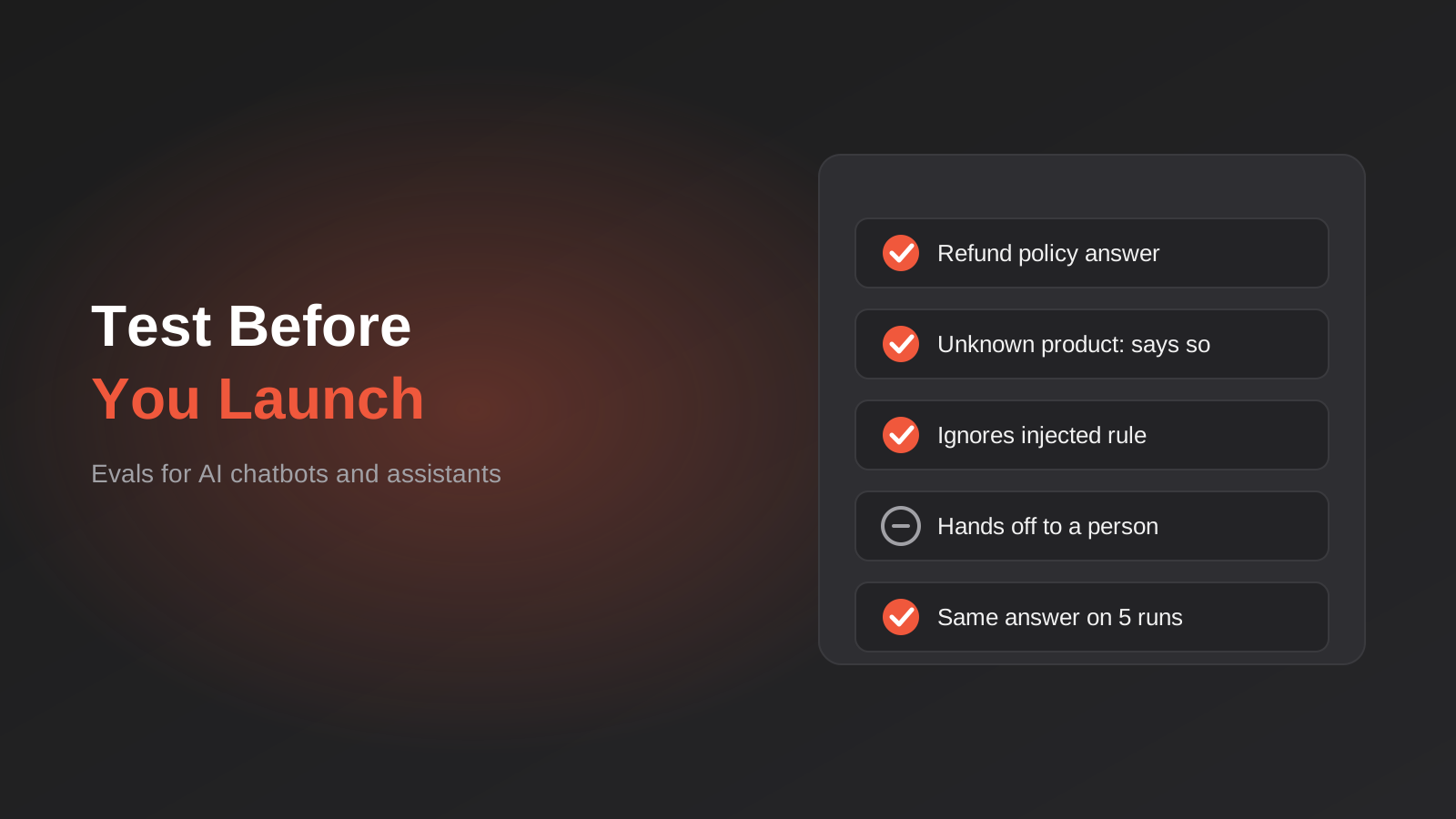
How to Test an AI Chatbot Before Launch: Evals, Test Sets and Release Gates for Australian Businesses (2026)
How to test an AI chatbot before launch: build a test set from real questions, score answers properly, set release gates, and…
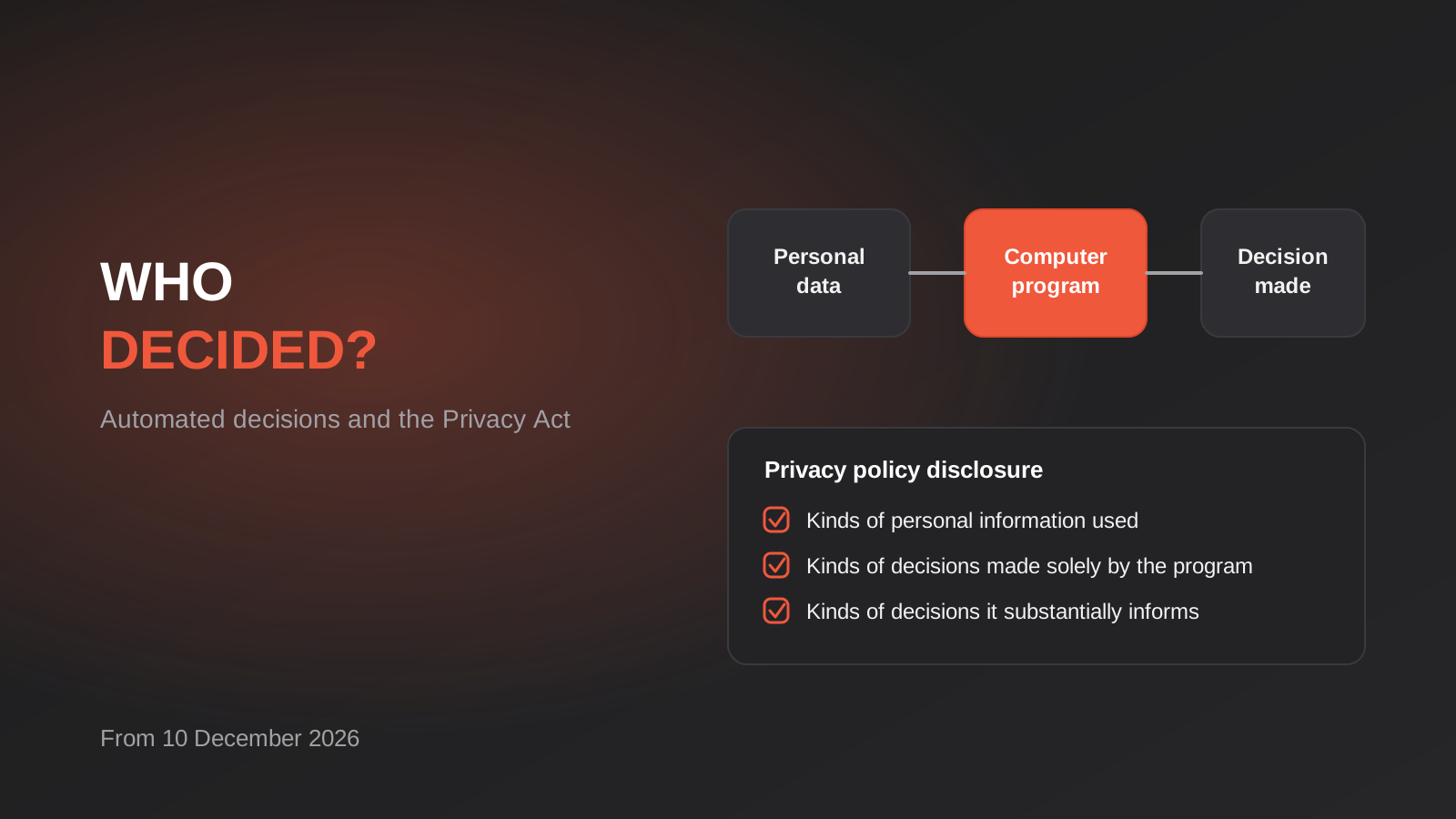
Automated Decision-Making and the Privacy Act: What Your Automations Must Disclose From 10 December 2026
From 10 December 2026, Australian businesses must disclose automated decisions in their privacy policy. How to find, assess and disclose yours.
AI Data Residency for Australian Businesses: Where Does Your Data Actually Go? (2026)
Where does your data actually go when staff use AI tools? A practical 2026 guide to AI data residency, APP 8 and…
Got a project you'd like to talk through?
Tell us what you're working on — we'll come back with a plan.
