
Why Your RAG Assistant Gives Wrong Answers: Fixing Parsing, Chunking and Search Before Blaming the Model (2026)
 Jignesh Vagadiya
27/10/2026
22 min read
Jignesh Vagadiya
27/10/2026
22 min read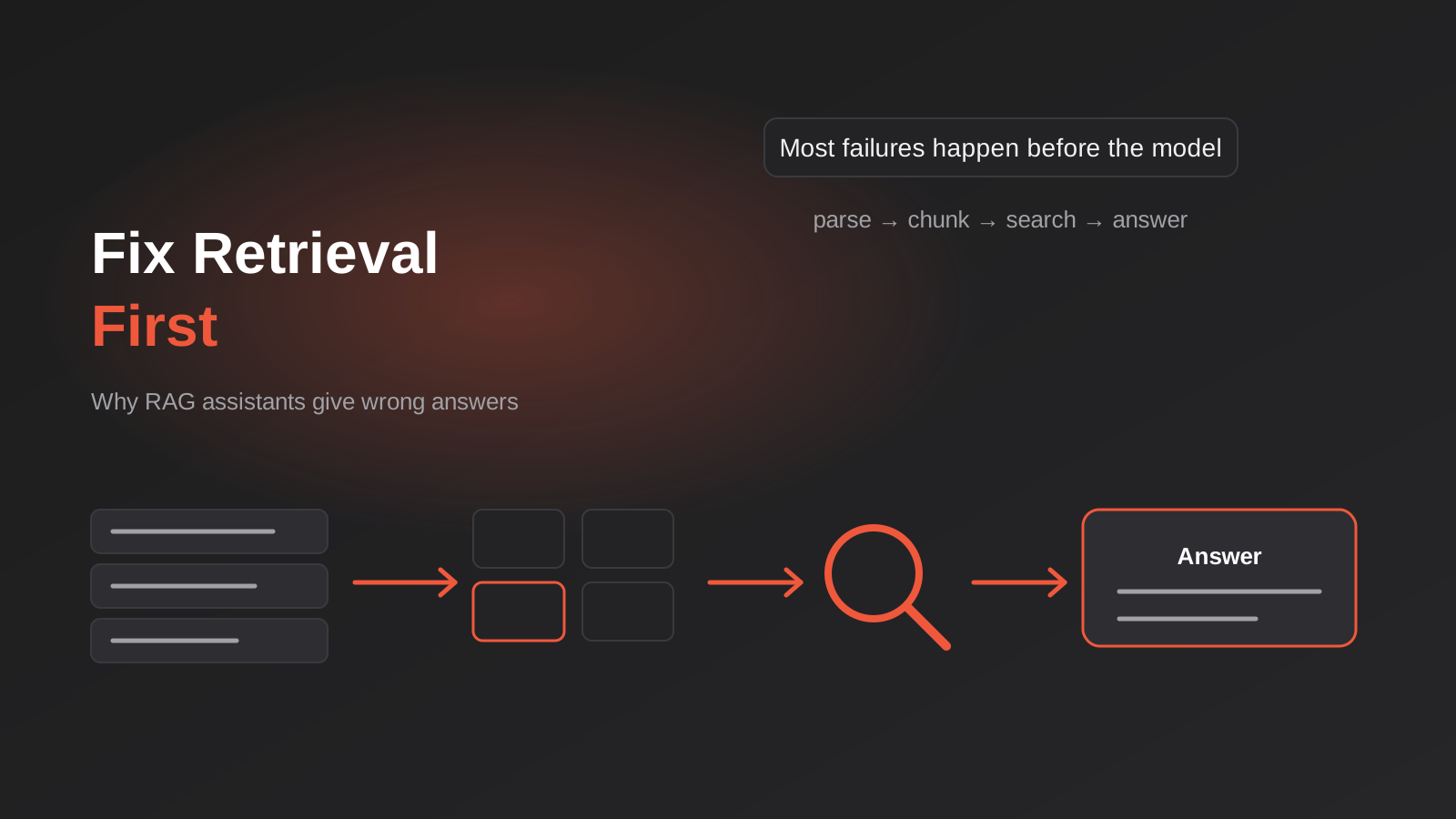
A staff member asks the new internal assistant what the warranty period is on the commercial range. It answers confidently: twelve months. The correct answer is two years for commercial customers and twelve months for residential, and the policy document says so in plain English on page four. The assistant had the document. It just handed the model the wrong half of it.
That is the typical failure of a retrieval-based AI assistant, and it almost never gets diagnosed properly. The first instinct is to blame the language model, so someone tries a bigger one, or rewrites the prompt for the fifth time, and the wrong answers keep coming. In our experience the model is the least likely culprit. The problem sits earlier, in how the documents were prepared, split up, indexed and searched before the model ever saw a word.
This post is about that earlier stage. If you’ve already read our overview of internal AI assistants and what they do, consider this the engineering follow-up: what to actually do when answers come back wrong, in the order we’d check things. It applies equally to a staff-facing assistant, a customer support bot with a knowledge base behind it, or any other tool built on retrieval-augmented generation (RAG).
Find the Failing Stage Before You Change Anything
A RAG system is a chain of four steps. Documents are parsed into text, the text is cut into chunks, the chunks are indexed so they can be searched, and at question time the best-matching chunks are retrieved and handed to a model to write the answer. A wrong answer can come from any link in that chain, and the fix for one link does nothing for another.
The mistake we see most is changing things at random. Someone swaps the embedding model, nothing improves, they tweak the prompt, nothing improves, and three weeks later the pilot has a reputation as “the bot that doesn’t work”. The better habit is to diagnose in order and stop at the first stage that fails.
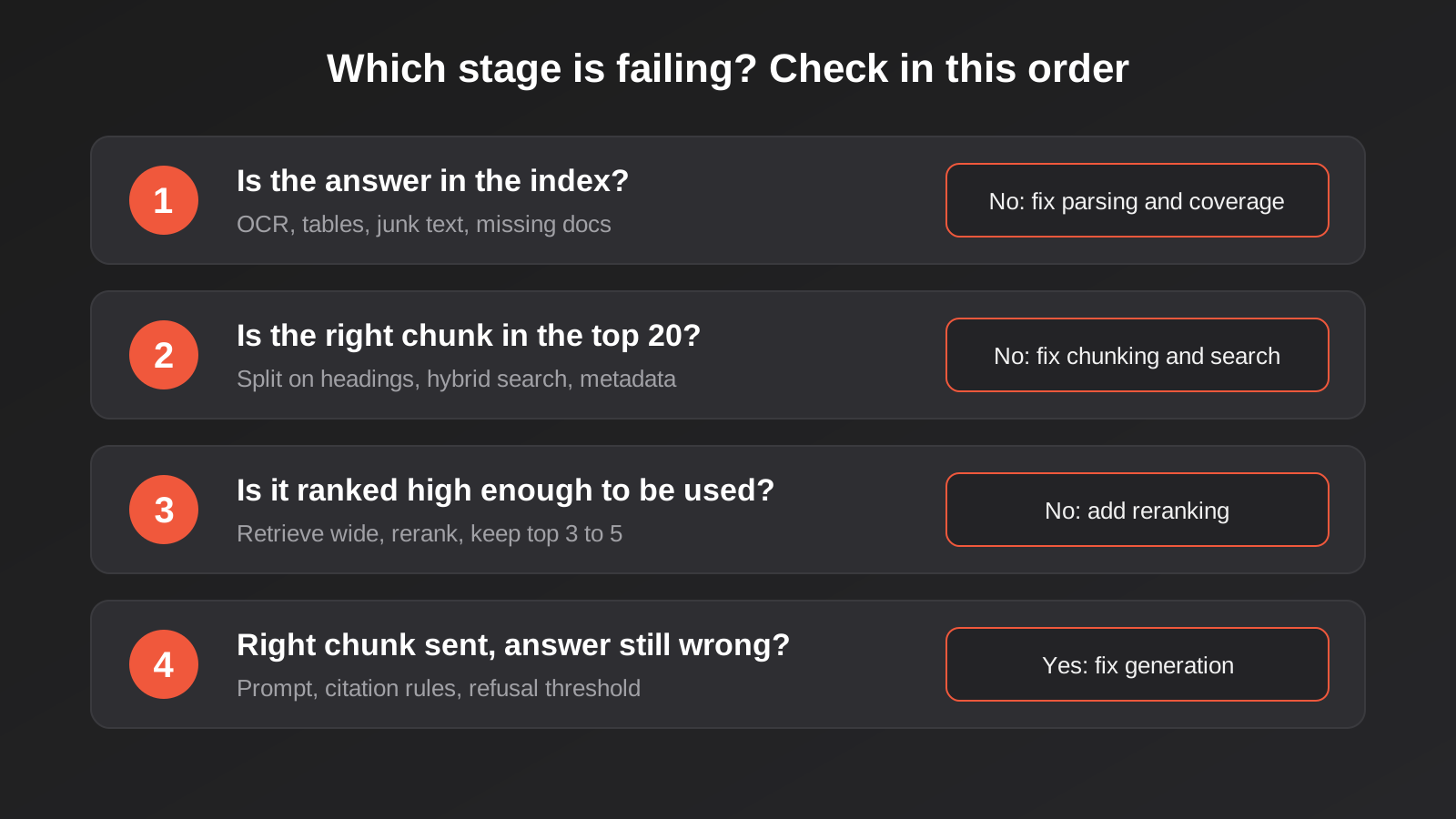
The four questions, in order
Take a question the assistant got wrong and ask these in sequence.
- Is the answer actually in the indexed material? Search your own index by hand for the key phrase. If the text isn’t there, the problem is parsing or coverage, and nothing downstream can fix it.
- Is the chunk containing the answer retrieved anywhere in the top 20 results? If it isn’t, the problem is chunking or search.
- Is it retrieved but ranked so low that it gets cut before reaching the model? If so, the problem is ranking, and it’s usually the cheapest thing to fix.
- Is the right chunk handed to the model and the answer still wrong? Only now is it a generation problem, and the fix is the prompt, the instructions about citing sources, or occasionally the model.
Most of the time the answer to the first or second question is “no”. That’s the useful finding, because it points you at fixes that cost days rather than months.
Build a small test set first
None of this works without a way to measure it. Before you change anything, write down thirty to fifty real questions staff have asked, each paired with the document and section that contains the correct answer. Pull them from Slack threads, support tickets or the questions your best people get interrupted with. Include the awkward ones: questions with product codes, questions where two documents disagree, questions where the honest answer is “that isn’t covered”.
This set lets you measure retrieval separately from generation. For each question, did the correct section appear in the top five results? That single number, checked after every change, tells you whether you made things better or just different. Our guide to testing an AI chatbot before launch covers the broader evaluation process including release gates, and the retrieval check described here is the part of it that catches most problems early.
Parsing: The Stage Everyone Skips
Parsing is the step that turns your PDFs, Word files, spreadsheets and web pages into plain text the index can store. It looks trivial, and it’s where a surprising share of bad answers originate, because whatever the parser gets wrong is faithfully chunked, indexed and retrieved afterwards. No amount of clever ranking recovers text that was never extracted properly.
Tables are the usual casualty
A pricing table in a PDF is a grid. Extract it as plain text and the grid disappears: the columns collapse into a stream of numbers and labels with no indication of which belongs to which. The model is then asked to answer “what’s the trade price for the 40mm fitting” from a jumble where the 40mm label sits three lines away from every number it relates to. It guesses, and sometimes guesses with great confidence.
The fixes, roughly in order of effort:
- Use a parser that preserves table structure and outputs it as Markdown or HTML tables rather than loose text.
- For critical tables, convert them to a row-per-record format by hand or with a script, so each row reads as a self-contained sentence such as “40mm brass fitting, trade price $X, retail price $Y”.
- For tables that change often, stop putting them in documents at all and let the assistant query the underlying system. That’s a different architecture, and it’s the point where the MCP approach to connecting AI agents to live business systems earns its place.
Scanned documents need OCR, and OCR makes mistakes
A scanned contract or a photographed whiteboard is an image, not text. It needs optical character recognition before it can be indexed, and OCR is imperfect on skewed pages, stamps, handwriting and low-resolution scans. The risk isn’t only missing text. It’s plausible-looking wrong text: a 5 read as an S, a clause number dropped. If your assistant will draw on scanned material, spot-check a sample of the extracted text against the originals before indexing the lot.
Headers, footers and navigation junk
Every page of a policy PDF might carry “Confidential | Version 3.2 | Page 14” in the footer. Left in, that line gets chunked into every section and quietly pollutes the search. The same applies to website navigation menus, cookie banners and email signatures if you’re indexing HTML or email. Strip the repeating furniture during parsing, keeping the version number as metadata instead of body text, which we’ll come back to.
Look at the extracted text yourself
This is the cheapest check in the whole process and almost nobody does it. Open the parsed output for your ten most important documents and read it. Not the originals, the extracted text. You’ll find merged columns, missing sections, headings that have become ordinary paragraphs and footnotes pasted into the middle of sentences. An hour spent reading extraction output regularly saves weeks of tuning downstream.
Chunking: Where the Wrong Half Comes From
Models can’t read your whole document library for every question, so documents are cut into chunks and only the relevant ones are retrieved. How you cut matters more than most people expect.
The fixed-size trap
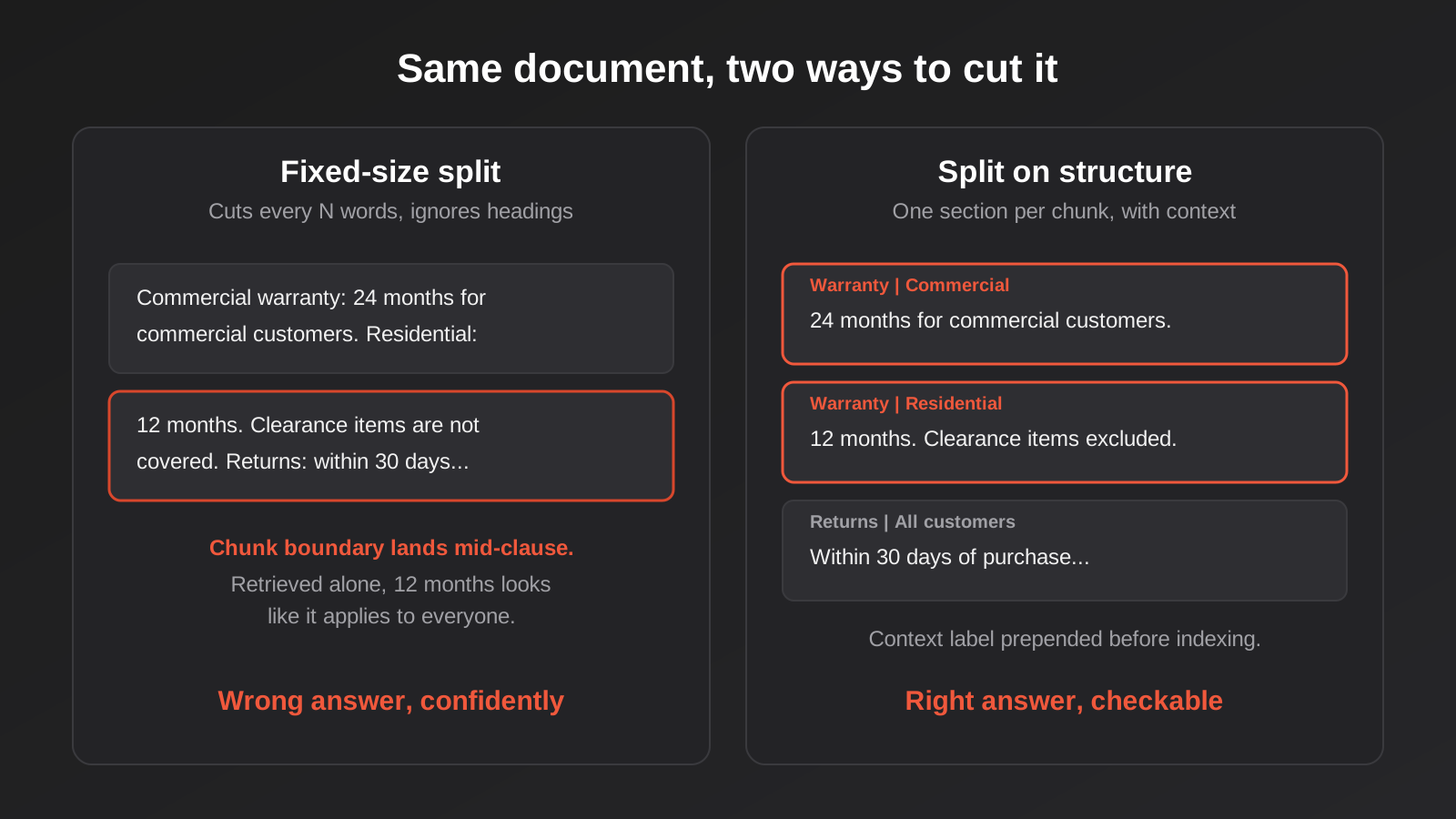
The default in many tools is to split text every few hundred words regardless of content. It’s simple, and it produces exactly the warranty problem from the start of this post: a chunk that ends halfway through the commercial warranty clause and begins the residential one. Retrieved on its own, it reads as if the residential figure applies to everyone. Cut in the wrong place, two correct statements merge into one wrong one.
Chunks that are too small have the opposite problem. A single sentence like “This does not apply to clearance items” means nothing without knowing what “this” refers to. A chunk that’s too large dilutes the answer in surrounding text, which lowers its match score and wastes the space you have to give the model.
Split on the document’s own structure
Business documents already have structure: headings, numbered clauses, FAQ entries, table rows. Chunk along those boundaries. One policy section becomes one chunk. One FAQ question and answer becomes one chunk. A long section gets split at paragraph breaks rather than mid-sentence, with a little overlap so context isn’t lost at the seams.
There’s no universally correct size, and the figures quoted in vendor blogs are starting points rather than rules. Somewhere in the low hundreds of words per chunk suits most policy and procedure material, but test it. Use your question set, try two or three sizes, and keep whichever retrieves the right section most often.
Give every chunk its context
A chunk that says “Refunds over $500 require manager approval” is ambiguous if the document covers both retail and wholesale and the rule only applies to one. Prepend a short context line to each chunk when you index it: the document title, the section heading and the audience, such as “Returns Policy, Wholesale customers, Refunds”. The text the model eventually sees can stay clean, but the indexed version carries enough context to be matched and understood correctly. This is one of the highest-return changes on the list and costs very little.
Search: Meaning Is Not Enough
Most RAG tools search by embedding: text is converted to numbers that capture meaning, and the system finds chunks whose meaning sits close to the question. It’s what lets “how do I get time off” find a document titled “Leave Entitlements”. It also has a weakness that catches businesses out.
Exact terms get lost
Embedding search is fuzzy by design. Ask for part number XJ-4420 and it may return chunks about similar parts, because the meaning of “a hydraulic fitting” is close to many other fittings. Product codes, SKUs, error messages, client names, clause numbers and version numbers all behave this way. They’re exactly the strings people paste into a search box when they’re in a hurry.
The usual fix is hybrid search: run a keyword search alongside the meaning-based one and combine the results. Keyword search is old technology, and it’s excellent at exact matches. Together they cover each other’s blind spots. If your business has any codes, names or reference numbers that staff search for, hybrid search is close to non-negotiable. Most mature tools support it with a setting rather than a rebuild.
Retrieve wide, then rerank
Another common pattern: retrieve a wider set of candidates than you plan to use, perhaps twenty, then pass them through a reranking step that scores each one against the question more carefully, and keep the top three to five. The first pass is fast and approximate; the second is slower and more accurate on a small set.
Reranking only reorders what retrieval already found. If the right chunk wasn’t in the twenty, it can’t be rescued, which is why you diagnose in order. But if your test set shows the right chunk appearing at positions six to fifteen, reranking is a cheap and effective change.
Filter by metadata before you search
If the index holds several product lines, several clients or several versions of the same policy, a question about one can match the nearest chunk from another. Tagging every chunk with metadata (product, audience, document type, effective date, status) lets you narrow the search before the matching happens. A question from the wholesale team can be restricted to wholesale material. A question about current policy can exclude anything marked superseded.
Metadata also solves part of the permissions problem we raised in the overview post. If each chunk carries the access group of its source document, the search can be limited to what the person asking is allowed to open, rather than retrieving first and hoping the filter catches it. For regulated or sensitive material that deserves proper attention, and our guide to AI agent security covers the access controls worth settling before anything goes live.
Freshness: Answers From Last Year’s Policy
A retrieval system is a snapshot. The day after you index your documents, someone updates the leave policy, and unless something re-indexes it, the assistant keeps quoting the old one with full confidence. This is the failure staff lose trust over fastest, because the answer is wrong in a way that costs them something when they act on it.
Re-indexing should be automatic
Manual re-indexing works for a pilot and fails within a quarter. The sustainable version watches the source (a SharePoint library, a Google Drive folder, a wiki) and re-processes a document when it changes, removing the old chunks and adding the new ones. Removing is the part that gets forgotten. If the update only adds new chunks, the old and new versions both stay searchable, and the assistant blends them. Tools for this are straightforward to wire up in a workflow platform; we compare the realistic options in our workflow automation tools comparison if you’re deciding where to build the sync.
Treat superseded documents as a data problem
Folders full of “Policy_v2_FINAL_revised.docx” are poison for retrieval. Either exclude archived material from the index entirely, or mark it with a status in the metadata and filter it out of normal searches. Where the history genuinely matters (say, for a dispute over what the terms were at a particular date), keep it searchable but only when explicitly requested.
Show the date
Include the document’s last-updated date alongside every citation. A staff member who sees “Source: Returns Policy, updated 14 March 2025” can judge for themselves whether it’s likely to be current. It also makes bad answers easier to trace, because you can see at a glance that the assistant drew on something stale.
When Documents Aren’t the Right Source
There’s a category of question that no amount of retrieval tuning will fix: questions whose answers live in a system and change constantly. Current stock, today’s roster, the status of a job, a customer’s open invoices. If these questions are going into a document-based assistant, it will answer from whichever document happens to mention them, and the answer will be wrong in a way that looks authoritative.
The honest approach is to separate the two kinds of knowledge. Policies, procedures, product specifications and past projects belong in the retrieval index. Anything operational should be fetched live from the system of record at question time. In practice that means giving the assistant tools it can call, with the permissions of the person asking, rather than stuffing more documents into the index. That’s the territory our MCP development service covers, and it’s worth deciding early which questions fall on which side, because mixing them is the origin of many “the bot lies” complaints.
Teaching the Assistant to Say “I Don’t Know”
A system that always produces an answer will eventually produce a wrong one. The retrieval stage gives you a useful signal for avoiding that: how well the best chunk actually matched the question. If the top result is only loosely related, the honest response is “I couldn’t find this in our documents”, not a fluent guess assembled from tangentially related text.
Two things make this work in practice. First, set a minimum relevance threshold below which the assistant declines to answer and suggests who to ask. The threshold needs tuning against your test set, because too strict and it refuses reasonable questions, too loose and it bluffs. Second, instruct the model explicitly to answer only from the supplied material and to say so when that material doesn’t contain the answer. Combine that with a visible citation on every answer and staff can verify what they’re told in seconds.
The questions it declines are also a gift. Log them. A list of “things staff asked that we have no document for” is a better documentation backlog than anyone would write from scratch, and fixing the top ten of those lifts usefulness more than any technical tuning.
Questions the Search Never Sees Properly
Some failures come from the question itself, not the documents. Two patterns are worth designing for.
Follow-ups that make no sense on their own
Staff don’t ask tidy standalone questions. They ask “what’s the warranty on the commercial range?”, get an answer, then type “and for residential?”. Send that second message straight to the search and it matches nothing useful, because “and for residential?” carries no subject. The fix is a small rewriting step: before searching, have the model turn the follow-up into a complete question using the conversation so far (“What is the warranty period for the residential range?”), then search with that. It’s a cheap addition and it removes a whole class of baffling misses.
Questions that span several documents
“Which of our suppliers offer net 60 terms and also deliver to Tasmania?” needs facts from several places. Standard retrieval returns the five chunks most similar to the question, which may all come from one supplier’s document. If these cross-document questions matter to your team, they’re a signal that the information belongs in a structured table or a system you can query, not in prose. Retrieval is good at finding a passage. It’s poor at counting, filtering and comparing across a whole collection.
What This Looks Like on a Real Project
A hypothetical example, to make the order of operations concrete. A distributor has an assistant that answers staff questions from a product manual library, and the sales team has stopped trusting it. We would start by collecting forty real questions and the manual sections that answer them, then run each through the pipeline and record where it fails.
Suppose the results split like this: a dozen answers missing because specification tables were extracted as loose text, a dozen where the right section was retrieved but ranked below the cut-off, and the rest scattered. The sensible order is to fix parsing for the tables first, since nothing downstream can compensate for it. Then add hybrid search and reranking to deal with the ranking issues, since part codes feature heavily in these questions. Re-run the same forty questions after each change and keep the ones that improve the numbers. By the end, the model and prompt are untouched, and the assistant is noticeably more accurate. That pattern, boring and sequential, is the realistic one.
Watching It After Launch
Retrieval quality drifts. New documents arrive in different formats, someone restructures a folder, the questions staff ask shift when a new product launches. A short routine keeps you ahead of it.
- Log every question, the chunks retrieved, their scores and the final answer, so any complaint can be traced in minutes.
- Review a sample of low-scoring or declined questions weekly for the first couple of months, then monthly.
- Re-run the test set after any change to parsing, chunking, search settings or source documents, and treat a drop as a regression to investigate.
- Add every confirmed failure to the test set, so the same mistake can’t quietly return.
- Give each source collection a named owner who is responsible for it being current.
This is also where a monitoring habit from the rest of your automation stack pays off. The same discipline we describe in our piece on catching broken Zapier, Make and n8n workflows applies: silent failure is the enemy, and an assistant that quietly gets worse is a silent failure.
Keeping Costs and Data in Proportion
Better retrieval is usually cheaper, not dearer. Sending the model three well-chosen chunks costs less than sending fifteen mediocre ones, because you pay for the text you send. Tighter chunks, metadata filtering and reranking all reduce the volume handed to the model while improving what’s in it. If your running costs have crept up as the document library grew, look at retrieval before you look at the model tier.
On the data side, remember what you’re indexing. HR files, client records and financial documents are personal or commercially sensitive information, and they don’t stop being so because they’re now chunks in a search index. Where the index is hosted, who can read it and which model provider sees the retrieved chunks are all worth knowing precisely. We’ve written about where your data actually goes with AI tools for businesses that need a straight answer on residency before committing.
Common Mistakes We See
- Blaming the model first, and spending weeks swapping models and rewriting prompts when the right chunk was never retrieved
- Never reading the parsed output, so merged table columns and missing sections sit in the index unnoticed
- Using fixed-size chunks that slice policies mid-clause and merge two correct statements into one wrong one
- Relying on meaning-based search alone, then wondering why part numbers and client names return near-misses
- Indexing everything including superseded drafts, so old and current versions compete for the same question
- Re-indexing by hand, then watching the assistant quote last quarter’s policy a few months after launch
- Adding new chunks on update without deleting the old ones from the index
- Putting live operational data into documents when it should be fetched from the system at question time
- Letting the assistant answer when retrieval was weak, instead of setting a threshold and declining
- Tuning without a test set, so nobody can say whether a change helped or just felt better
Frequently Asked Questions
What is the most common reason a RAG chatbot gives wrong answers?
In our experience it’s retrieval rather than the model: the right chunk was never found, or was found but cut before reaching the model. Poor parsing of tables and PDFs, chunks that split a section in the wrong place, and search that misses exact terms like product codes account for most of it. Work through the stages in order before changing the model.
How big should chunks be?
There’s no single right size, and any number quoted without testing is a guess. For policy and procedure documents, chunks roughly the size of a section or a few paragraphs tend to work well, split on headings rather than at fixed word counts. Try two or three sizes against a set of real questions and keep whichever retrieves the correct section most often.
Do we need a vector database?
Not necessarily. For a few thousand documents, many teams get on fine with the vector features built into a database they already run, or with a managed search service. A dedicated vector database starts to make sense at larger scale or when you need specific performance and filtering features. Choose based on volume, permissions needs and where the data is allowed to sit, not on what’s fashionable.
How often should documents be re-indexed?
Whenever they change. The sustainable approach is automatic: watch the source folder or library and re-process a document when it’s edited, removing its old chunks as part of the update. A scheduled full rebuild as a safety net, weekly or nightly depending on how much changes, catches anything the change detection missed.
Can we fix this by using a bigger model with a longer context window?
Sometimes it masks the problem, but it rarely solves it. Pasting more text into the prompt raises cost and can make answers worse, because the relevant passage gets buried among irrelevant ones. Better retrieval, sending fewer and better-chosen chunks, is usually both cheaper and more accurate than a larger window.
How do we know if retrieval or generation is the problem?
Look at what the model was actually given. For a wrong answer, check whether the correct passage was in the retrieved chunks. If it wasn’t, it’s a retrieval problem. If it was there and the answer is still wrong, it’s a generation problem, which you fix with clearer instructions, mandatory citations or a different model. A logged record of retrieved chunks for each question makes this a two-minute check.
Is it worth fixing an existing assistant or starting again?
Usually fix it. Most poor assistants have sound foundations and a few specific weaknesses, typically parsing, chunking and the lack of a hybrid search step. Rebuilding from scratch repeats the same mistakes with fresh code. Start again only if the architecture can’t support what you need, such as permission-aware search or live system access.
Where to Start
Pick ten questions your assistant gets wrong and trace each one through the four stages. Check whether the answer is in the index, whether the right chunk is retrieved, where it ranks and what the model was given. You’ll almost certainly find the same one or two causes behind most of them, and those are your starting fixes. Read the parsed text of your most important documents while you’re at it; it’s a dull job that pays off.
If you’d like a second pair of eyes on an assistant that isn’t performing, or you’re planning one and want to avoid these problems from the start, we’re happy to talk it through. Our AI chatbots and assistants service covers builds like this, and you can see how we approach scoping and pricing automation work before you get in touch. No pressure; sometimes the conversation ends with “tidy up three documents and re-index”.
Because we run lean as a specialist agency rather than carrying a large account-management layer, our fixed quotes typically come in below the Australian agency averages. If you’ve already got a written quote from another agency for comparable scope, send it through and we’ll do our best to beat it.
Keep reading
Related posts
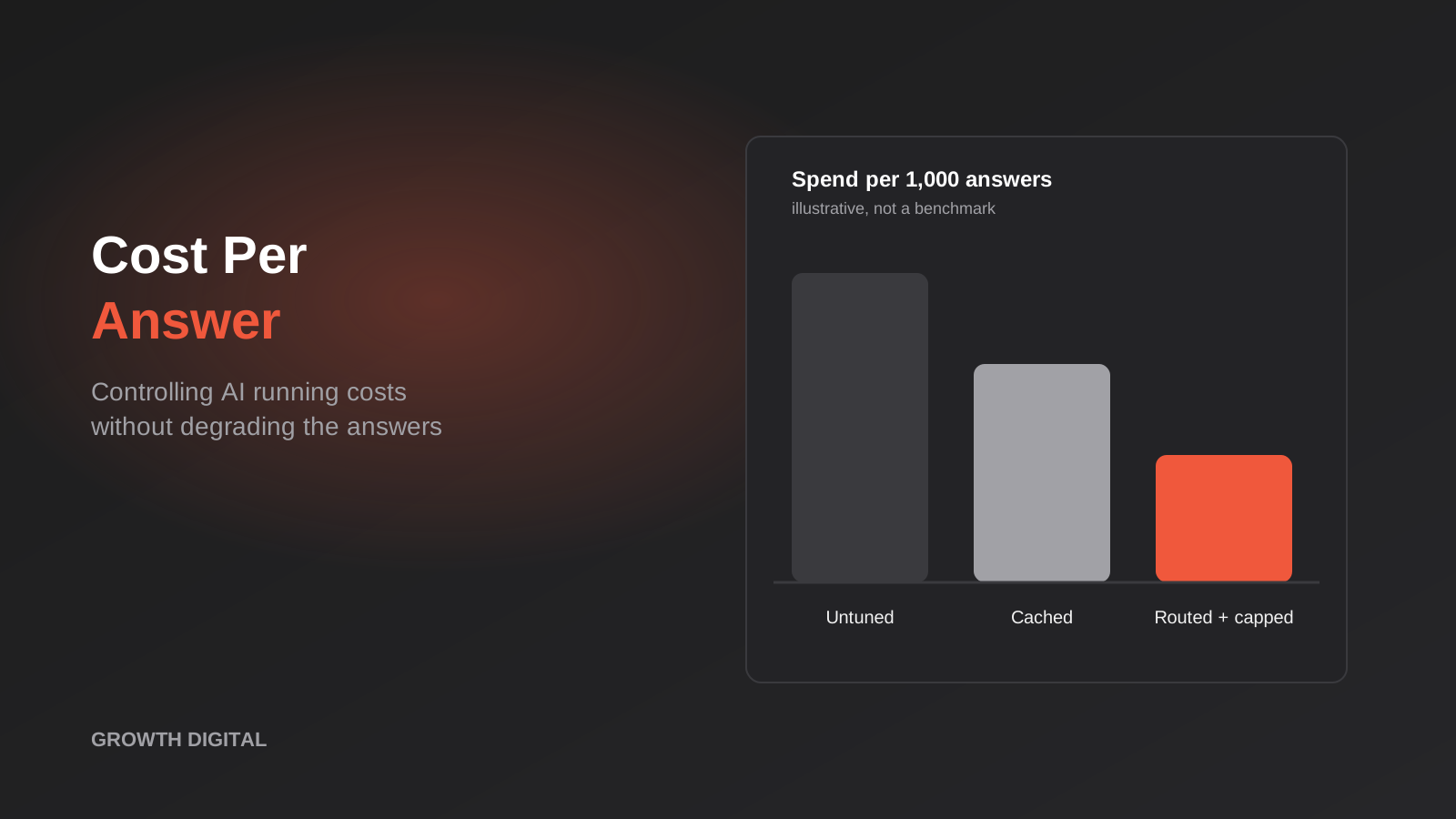
Controlling AI Running Costs: Caching, Model Routing and Spend Caps for Australian Businesses (2026)
Where AI running costs come from and how to cut them: prompt trimming, caching, model routing, batching and spend caps, with worked…
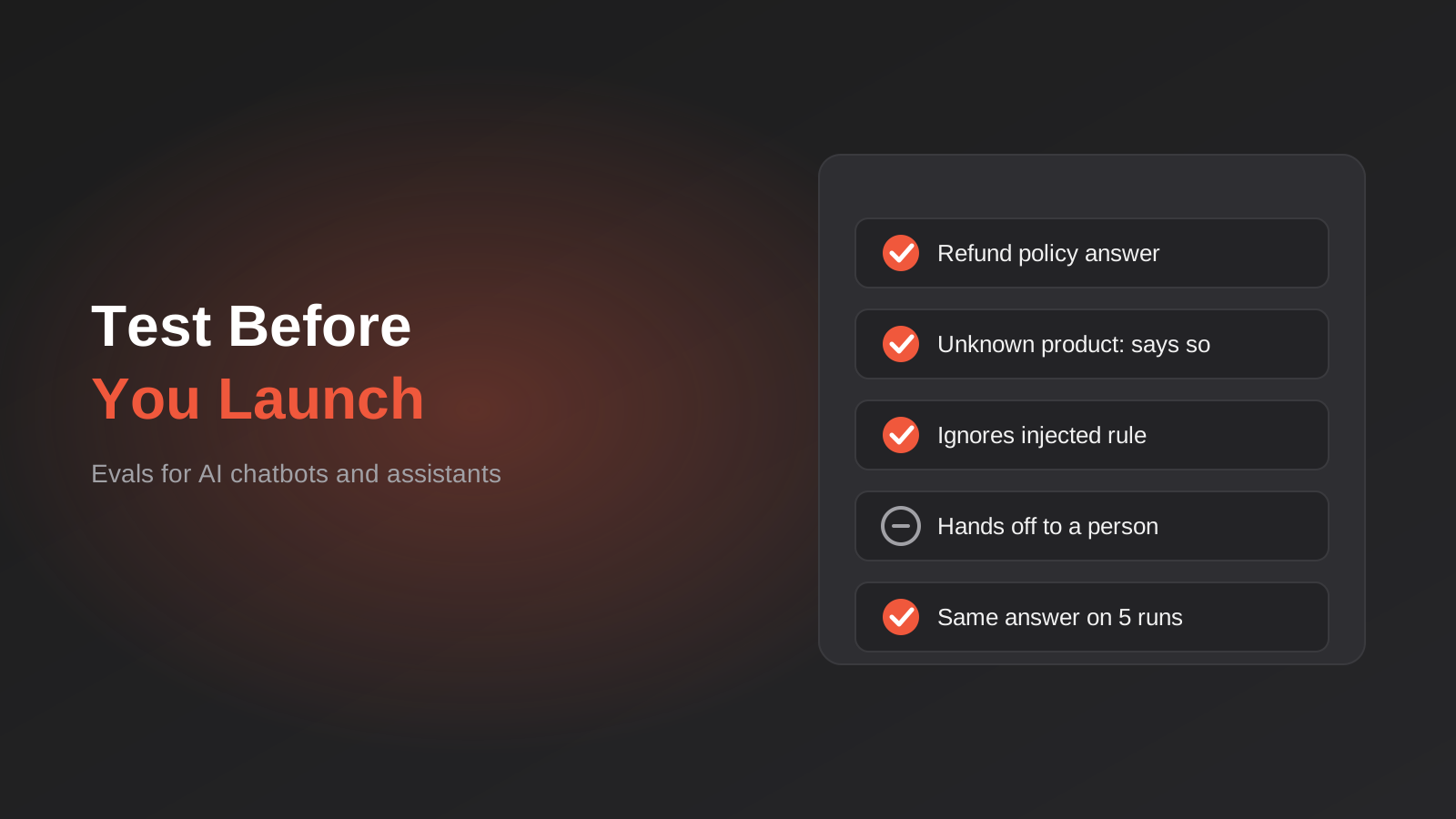
How to Test an AI Chatbot Before Launch: Evals, Test Sets and Release Gates for Australian Businesses (2026)
How to test an AI chatbot before launch: build a test set from real questions, score answers properly, set release gates, and…
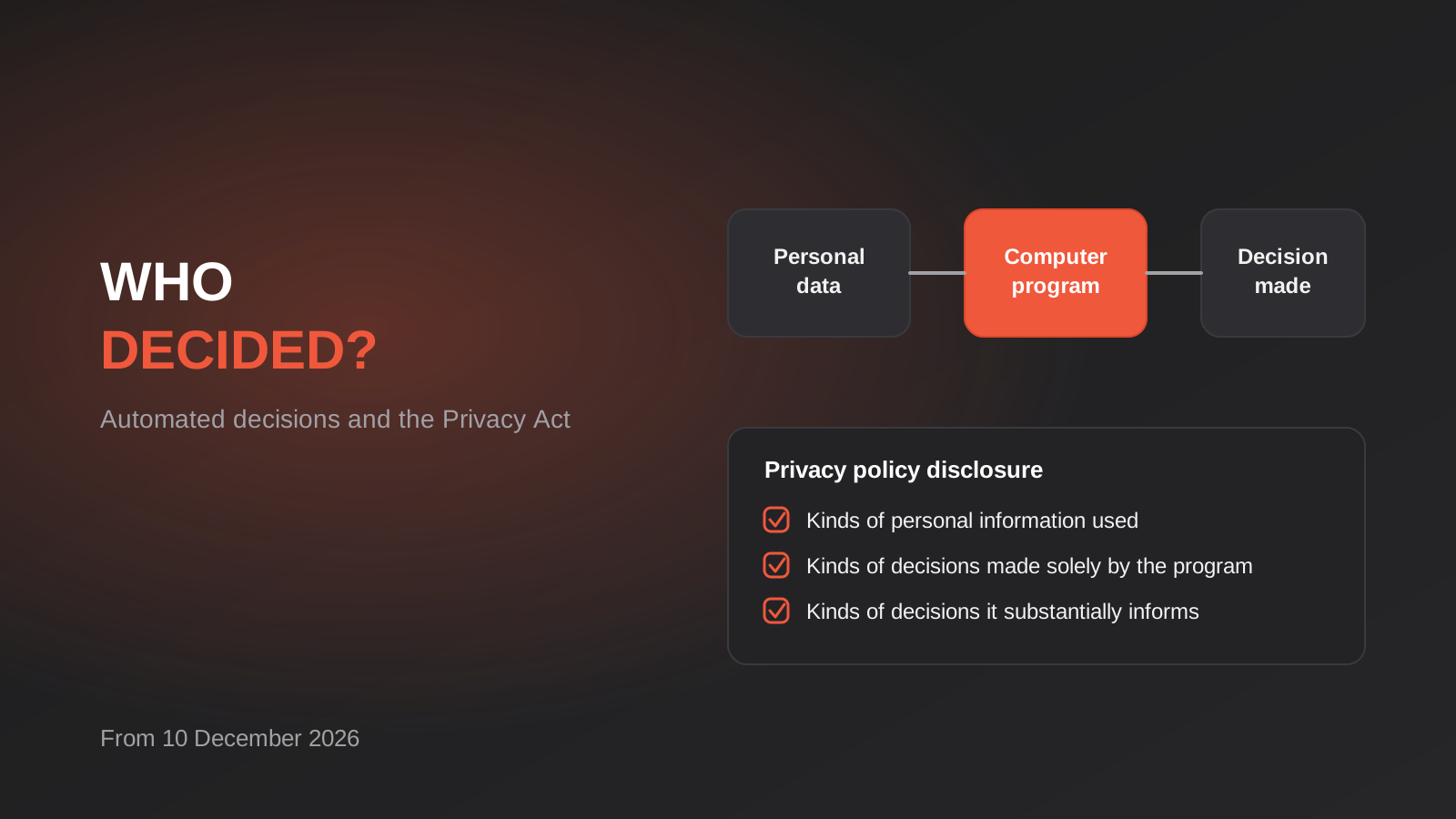
Automated Decision-Making and the Privacy Act: What Your Automations Must Disclose From 10 December 2026
From 10 December 2026, Australian businesses must disclose automated decisions in their privacy policy. How to find, assess and disclose yours.
Got a project you'd like to talk through?
Tell us what you're working on — we'll come back with a plan.
