
A/B Testing for Australian Websites: How to Run Tests That Actually Tell You Something (2026)
 Jignesh Vagadiya
29/09/2026
21 min read
Jignesh Vagadiya
29/09/2026
21 min read
Most businesses we talk to have tried A/B testing at some point. Someone changed a button colour, watched Google Analytics for a week, saw the number go up, and declared victory. Then three months later they can’t explain why revenue didn’t actually move, and testing quietly gets shelved as “something that doesn’t work for us.”
The problem usually isn’t the idea. It’s that most A/B tests run on Australian small and mid-sized business websites are never given enough data to mean anything. They’re stopped the moment a green number appears, run on pages that get forty visitors a day, or measure a metric nobody actually cares about. The test looks scientific — two versions, a percentage, a winner — but the process underneath it is closer to reading tea leaves.
This guide is about doing it properly: how much traffic you actually need before a result means anything, what to do when you don’t have that traffic, which mistakes quietly invalidate most tests, and how to build testing into a website the way you’d build in any other ongoing discipline. If you’re newer to the concept, our guide on what conversion rate optimisation actually is is a good place to start before diving into testing mechanics specifically.
Why most A/B tests on Australian websites don’t hold up
There are three recurring problems we see across client accounts, agency handovers and DIY setups.
The first is traffic. A/B testing was built for businesses with hundreds of thousands of monthly visitors hitting a handful of high-value pages. Most Australian SMB websites don’t have that volume, and trying to force a textbook test onto a page with 500 monthly visitors just means the test never reaches a reliable answer — it just runs until someone gets impatient and calls it.
The second is impatience with the process itself. Once a test shows a lift, even a small one after a few days, the temptation to stop and ship the winner is enormous. That instinct is exactly what wrecks the statistics, for reasons we’ll get into below.
The third is testing the wrong thing. Businesses test headline copy or button colours because they’re easy to change, not because they’re likely to move the number that matters. A test that requires real engineering effort but addresses genuine friction in the checkout flow will usually outperform a dozen cosmetic tweaks.
What an A/B test is actually measuring
An A/B test splits traffic between two (or more) versions of a page, form, or flow, and measures which version produces more of a defined outcome — a purchase, a form submission, a click through to the next step. The mechanics are simple. The part that trips people up is what the result actually tells you, statistically.
The null hypothesis, in plain English
Every test starts from an assumption that there’s no real difference between version A and version B — that’s the “null hypothesis.” The test doesn’t prove your new version is better. It measures how unlikely the observed difference would be if there genuinely were no difference at all. If that likelihood is low enough, you reject the null hypothesis and treat the result as real.
This matters because it reframes what a test result means. You’re not proving B works. You’re gathering enough evidence that the difference you’re seeing probably isn’t just random noise in the data.
Statistical significance and p-values, without the jargon
Statistical significance is a measure of confidence that the result you’re seeing is caused by a real effect, not chance. It’s usually expressed as a p-value, and the standard threshold in most testing tools is p < 0.05 — commonly described as “95% confidence.”
In practice, that means: if there were truly no difference between A and B, you’d expect to see a result this extreme (or more extreme) by chance alone less than 5% of the time. It doesn’t mean there’s a 95% chance B is better. It doesn’t mean the effect is large or commercially meaningful. It just means the gap between the two versions is unlikely to be pure noise, given the sample you collected.
That distinction is worth sitting with, because a lot of dashboards will happily show you “99% significance” on a test with twelve conversions per variant. Significance without enough raw sample size is a false signal dressed up as a confident one.
Calculating sample size and test duration before you start
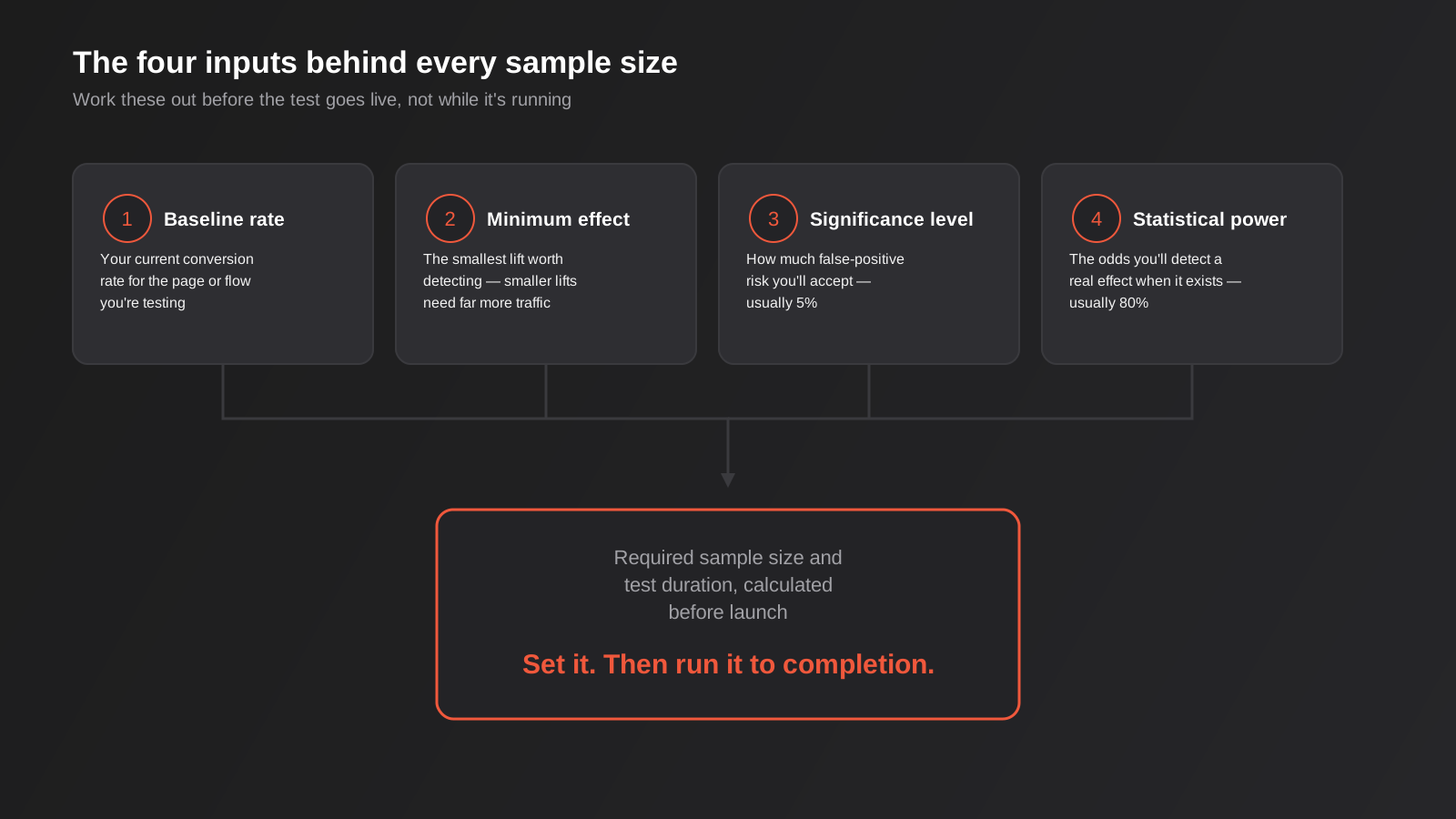
This is the step almost everyone skips, and it’s the one that separates a test with a real answer from a test that just runs for “a couple of weeks and see.” Before you launch anything, work out four numbers.
1. Your baseline conversion rate
Pull the current conversion rate for the exact page, form or flow you’re testing, over a period long enough to smooth out day-of-week noise — four to eight weeks is usually enough for most SMB traffic levels. This is your starting point, not an industry benchmark.
2. The minimum detectable effect (MDE)
Decide the smallest lift that would actually be worth acting on. Detecting a jump from 2% to 2.05% conversion needs a huge amount of traffic; detecting a jump from 2% to 2.6% needs far less. Be honest about what size of change is realistic for the element you’re testing — a new hero image rarely moves conversion by 30%, no matter how good it looks in the mockup.
3. Your significance level
This is the false-positive risk you’re willing to accept — how often you’re prepared to call a result a “win” when it’s actually noise. The standard is 5% (95% confidence). Lowering it to reduce false positives further means you need more traffic to reach it.
4. Statistical power
Power is the flip side of significance: the probability that your test will actually detect a real effect, if one exists, rather than missing it. The standard is 80%. Lower power means you might run a test on a genuinely better variant and still walk away with an inconclusive result.
Feed those four numbers into a sample size calculator (most testing platforms have one built in, and there are free standalone versions online) and it will tell you how many visitors per variant you need, and roughly how many weeks that will take given your current traffic. If that number is twelve weeks and your business can’t wait twelve weeks, that’s useful information too — it tells you this particular test isn’t right for this page right now, rather than encouraging you to just wing it.
The single most common way A/B tests get ruined: peeking
“Peeking” is checking your test results before you’ve hit the planned sample size, and stopping the moment you see a result you like. It feels harmless — you’re just keeping an eye on things — but it’s the single most common reason A/B test results don’t replicate in the real world.
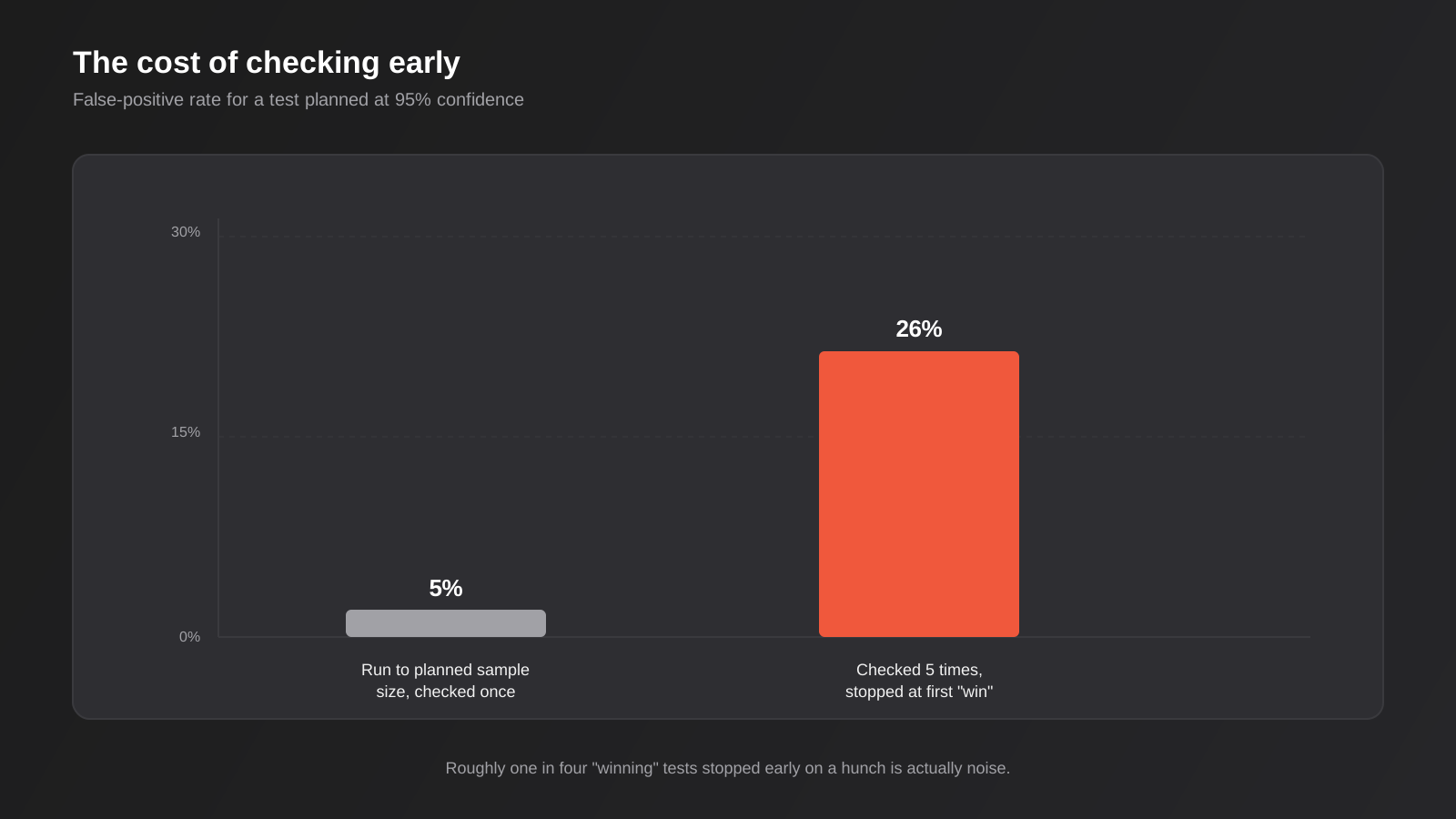
Here’s why it matters. A test planned to run to a fixed sample size at 95% confidence has, by definition, a 5% chance of showing a false positive at that endpoint. But if you check the results multiple times along the way and stop as soon as you see significance, you’re giving randomness multiple chances to produce a fluke result — and taking the first one that looks good. Check five times during a test and your real false-positive rate climbs to roughly 26%, not 5%. Check daily over a multi-week test and it climbs further still.
This is why the discipline matters more than the tooling. Set your sample size and duration before launch, watch the test for bugs and broken tracking if you like, but don’t make a ship/kill decision until you hit the number you calculated. If you genuinely need to look at interim data for business reasons, use a testing platform with a proper sequential testing method built in, which is designed to let you check early without inflating the false-positive rate — that’s different from eyeballing a dashboard and calling it when it looks good.
Deciding what to test first
Most sites have more test ideas than traffic to run them. A simple prioritisation pass saves you from spending your limited sample size on low-value changes.
Weight ideas by potential impact, not ease of implementation
Button colour and copy tweaks are popular because they’re quick to build, not because they tend to move the needle. Bigger structural changes — simplifying a checkout from four steps to two, removing a form field that’s causing drop-off, restructuring a pricing page — take longer to build but generally produce bigger, more reliable lifts. If you’re going to spend weeks of traffic on a test, spend it on something with real upside.
Start from data, not opinion
Session recordings, scroll depth, form analytics and support tickets tell you where people are actually getting stuck. If your analytics show 60% of users abandon a form at the phone number field, that’s a stronger test candidate than a hunch about your hero image. Accurate underlying data matters here too — if your tracking setup has gaps, you’ll prioritise the wrong things. Our piece on why conversion tracking data is often wrong covers the consent mode and server-side tracking issues that quietly distort this kind of analysis for a lot of Australian sites right now.
Test high-traffic pages first
A test on your homepage or primary product category page will reach a valid sample size in a fraction of the time a test on a deep, low-traffic page will. If you’re building a testing habit for the first time, start where the traffic already is.
A/B testing when you don’t have enterprise-level traffic
This is the reality for most of our clients: a few thousand monthly visitors, not a few hundred thousand. A standard A/B test at 95% confidence on a 2% baseline conversion rate trying to detect a realistic lift can easily need tens of thousands of visitors per variant. If that’s not your traffic, you have a few genuine options — not “give up on testing.” This comes up constantly for online stores specifically, where product and category pages split traffic even thinner; our ecommerce CRO guide covers store-specific tactics worth trying alongside, or instead of, a formal split test.
Bayesian testing methods
Where standard (“frequentist”) testing gives you a binary significant/not-significant answer at a fixed sample size, Bayesian methods report a continuously updating probability — for example, “Variant B currently has an 82% chance of beating A.” This lets you make a more informed judgement call with a smaller sample and read the trend as it develops, rather than waiting for a threshold that a low-traffic site might not hit for months. Several mid-market testing platforms (VWO and Convert among them) offer Bayesian analysis as a built-in option, which is worth checking for if your traffic is limited.
Test bigger changes, less often
On low traffic, running four small simultaneous tests just splits your sample four ways and guarantees none of them reach a reliable conclusion. Run one test at a time, and make it a change bold enough that if there’s a real effect, it’s a large one — large effects need less data to detect than small ones.
Use qualitative methods alongside testing
Session recordings, five-second tests, user interviews and “painted door” tests (where you measure clicks on something that doesn’t fully exist yet, to gauge interest before building it) all give you real signal without needing statistical significance. They won’t replace a proper split test, but they’re a legitimate way to build evidence and narrow down which ideas are worth spending your limited test traffic on.
Extend the test window, within reason
Running a test for six or eight weeks instead of two is often the honest answer for a lower-traffic site, provided nothing else about the page or your traffic mix is changing meaningfully during that window (a site-wide promotion halfway through a test, for instance, will contaminate the result).
Choosing an A/B testing tool
Google retired its dedicated free testing tool some years back, which pushed most businesses toward third-party platforms. The right choice depends mostly on your traffic level and technical resourcing, not on which tool has the most features.
Native platform experiments (GA4, Shopify, and similar)
GA4’s own experimentation features are limited compared with a dedicated platform — useful for very simple splits if you’re already deep in the GA4 ecosystem, but thin on statistical controls like proper sequential testing, and not built for visual, no-code variant creation. Shopify and some other platforms offer similarly basic native A/B testing for things like product pages. These are worth using for a quick, low-stakes check, but we wouldn’t build an ongoing testing programme around them once you’re running more than the occasional simple test.
Visual editor platforms (VWO, Convert, similar)
These let non-technical team members build and launch tests through a visual editor after a single script is added to the site. They’re a reasonable fit for most SMB and mid-market sites, generally include Bayesian statistics options, and integrate with GA4 for reporting. The tradeoff is that heavily visual-editor-built variants can introduce a brief “flicker” of the original page before the variant loads, which needs to be configured against properly or it will quietly bias your results toward the control.
Enterprise platforms (Optimizely and similar)
Built for large-scale, high-traffic testing programs with dedicated CRO teams. Pricing reflects that scale and generally isn’t a sensible fit for a business running a handful of tests a quarter.
Custom, developer-built tests
For more structural tests — a genuinely different checkout flow, a restructured page template — a developer-implemented test (server-side variant logic, proper randomisation, clean event tracking into GA4) often outperforms a visual-editor tool, because it avoids flicker entirely and can handle changes a drag-and-drop editor can’t. This is a heavier lift to set up, but for a test you’re planning to run for a month or two on a high-value page, it’s usually worth it. It’s the kind of work that sits alongside broader conversion rate optimisation work rather than a quick add-on.
Running the test without quietly sabotaging it
QA both variants properly
Test both versions across the browsers and devices your actual audience uses before launch, not just in your own browser. A broken variant on mobile Safari will tank your numbers and you’ll misread it as a losing idea rather than a bug.
Pick one primary metric before you start
Decide what “winning” means before the test goes live, and check that metric when the test concludes. If you track ten metrics and one happens to be significant, that’s very likely chance, not signal — the more metrics you check, the higher the odds that at least one looks significant purely by coincidence. This is the same underlying problem as peeking, just applied across metrics instead of across time: cast a wide enough net and something will look like a win eventually, whether or not it actually is one. Track secondary metrics for context if you like, but make the ship/kill call on the one you nominated up front, and treat any other metric that happens to move as a hypothesis for a future test, not evidence in this one.
Watch for external noise
A paid campaign launch, a press mention, a public holiday long weekend, or a site-wide sale running mid-test can all distort results in ways that have nothing to do with your variant. Note anything unusual that happens during the test window so you can sanity-check the result afterward.
Don’t re-run a losing test hoping for a different answer
Re-running the identical test purely because the first result was disappointing, without changing the hypothesis, is a form of the same statistical problem as peeking — you’re giving chance another roll of the dice until it agrees with you.
Reading the result and deciding what to do next
Once a test reaches its planned sample size, there are really only three honest outcomes, and it’s worth deciding in advance how you’ll handle each.
A clear, significant winner: ship it, and document what you learned about your audience, not just the fact that “the orange button won.” The insight behind the result is more reusable than the specific change.
A clear, significant loser: kill the variant, but treat that as useful information too. A confidently rejected hypothesis narrows down what to try next.
Inconclusive: the most common outcome, and the one people struggle to sit with. It doesn’t mean the variant definitely doesn’t work — it means you don’t have enough evidence either way. Don’t round an inconclusive result up to a win because you liked the idea. Either extend the test if you have a genuine reason to believe it’s close, or park it and test something else with more potential.
If you’re running enough tests over time, it’s worth checking segment-level results too — a variant that’s flat overall but performs clearly better for mobile users or a specific traffic source is a real, actionable finding, not something to discount because the aggregate number wasn’t exciting.
Building a testing programme, not just running one test
A single well-run test is useful. A testing programme, run consistently over a year or two, is what actually compounds into a meaningfully better-converting website. The difference between the two is mostly process, not tooling.
Keep a test log
Record every test you run, win, lose or inconclusive: the hypothesis, the change, the primary metric, the sample size and duration, and the result. This does two things. First, it stops you re-testing the same idea eighteen months later because nobody remembers it was already tried. Second, and more valuable long-term, it starts to reveal patterns about your specific audience — maybe pricing transparency consistently wins on your site, or social proof placement consistently doesn’t move the number the way you’d expect. Those patterns are worth more than any individual test result, because they inform every future hypothesis you write.
Set a cadence that matches your actual traffic
A business with strong traffic to a handful of core pages might reasonably run a new test every few weeks. A business with modest traffic spread across many pages might only get two or three properly powered tests done in a year, and that’s fine — it’s still a real testing programme, and it will still outperform ad hoc changes made on opinion. The mistake is setting an ambitious cadence that your traffic can’t actually support, which pushes you back toward stopping tests early just to keep the schedule moving.
Connect results back to reporting
Testing results are only as useful as the reporting that surfaces them to the people making decisions. If your test log lives in a spreadsheet nobody opens, the learnings die there. Pairing a testing programme with proper automated reporting means wins get surfaced, documented and actually acted on elsewhere on the site, rather than staying a one-off change to a single page.
Common mistakes
- Stopping a test the moment it looks significant instead of running to the pre-calculated sample size
- Running a test with no sample size calculation at all, then arguing about whether two weeks was “long enough”
- Testing five things at once on a low-traffic page, splitting the sample so thin that none of them reach a real answer
- Switching the primary success metric after the test has already started because a different metric looks better
- Ignoring flicker or loading issues in a visual-editor test that quietly bias results toward the original page
- Treating an inconclusive result as a loss (or a win) instead of what it actually is: not enough evidence yet
- Building tests around internal opinions or competitor copying instead of real behavioural data from the site
- Letting a site-wide promotion, campaign launch or algorithm-driven traffic spike run through the middle of a test unnoted
Frequently Asked Questions
How long should an A/B test run?
Long enough to hit the sample size your calculation produced, not a fixed number of days. As a rough floor, most tests need at least one to two full business cycles (commonly two weeks) to average out day-of-week and pay-cycle effects, even on higher-traffic sites where the sample size threshold is reached faster. On lower-traffic sites, four to eight weeks is common. Let the sample size number decide, and use the calendar as a sanity check, not the other way around.
How much traffic do I need to run a valid A/B test?
It depends heavily on your baseline conversion rate and the size of the lift you’re trying to detect, which is exactly why a sample size calculation matters more than a rule of thumb. As a general guide, most standard tests need at least a few hundred conversions per variant (not just visits) to detect a moderate lift reliably. If your page doesn’t generate that many conversions in a reasonable window, look at Bayesian methods, bigger test changes, or qualitative alternatives instead of forcing a standard test.
Can I test more than two variants at once?
Yes — that’s usually called an A/B/n test. The tradeoff is that each additional variant splits your traffic further, which means you need proportionally more total visitors to reach the same statistical confidence on each comparison. On a lower-traffic site, a straight two-way test will almost always get you to a usable answer faster than a four-way test.
Is Bayesian or frequentist testing better?
Neither is universally “better” — they answer slightly different questions. Frequentist testing (the traditional approach) gives a clear-cut significant/not-significant answer once you hit a pre-set sample size, which suits businesses with enough traffic to get there in a reasonable timeframe. Bayesian testing gives you a continuously updating probability of one variant beating the other, which tends to suit lower-traffic sites and situations where you want to monitor progress without the statistical penalty of frequentist peeking.
What should I test first on a small business website?
Start with the highest-traffic page in your primary conversion path, and prioritise the change with the biggest potential impact over the easiest one to build — checkout friction, form length and pricing page clarity tend to outperform button colours and headline tweaks. Pulling this from session recordings and funnel drop-off data, rather than internal opinion, gives you a much stronger starting hypothesis.
Do I need a dedicated tool, or can I test manually?
For anything beyond a very simple split, a dedicated tool (or a developer-built test with proper randomisation and event tracking) is worth it. Manually alternating a page between two versions on a schedule, or eyeballing before/after numbers, doesn’t give you random assignment or a real sample size calculation, and the result usually isn’t trustworthy enough to act on with any confidence.
What’s the difference between A/B testing and multivariate testing?
An A/B test compares two (or more) complete, distinct versions of a page against each other. A multivariate test changes several elements independently within the same page — say, headline, image and button copy all at once — and measures every combination to see which individual elements are driving the result, and how they interact. Multivariate testing can tell you more about which specific element matters, but it needs substantially more traffic than a straight A/B test, because the sample splits across every combination rather than just two variants. For most Australian SMB traffic levels, a series of sequential A/B tests will get you a usable answer far faster than one multivariate test.
Where to start
If you’re not currently testing at all, the honest first step usually isn’t buying a testing platform — it’s checking whether your tracking is accurate enough to trust the numbers a test would produce, and picking one high-traffic page with a clear, data-backed hypothesis. Get that right and even a handful of well-run tests a year will tell you more than a dozen rushed ones ever will.
If you’d like a second opinion on whether a page or flow is worth testing, whether your current setup can support a reliable test, or how to fit testing into a broader conversion rate optimisation plan, we’re happy to have that conversation.
Keep reading
Related posts
Best Analytics and Reporting Tools After GA4 for Australian Businesses (2026): 6 Compared
Six analytics and reporting tools to use alongside or instead of GA4, compared for Australian businesses on cost, privacy, data location and…
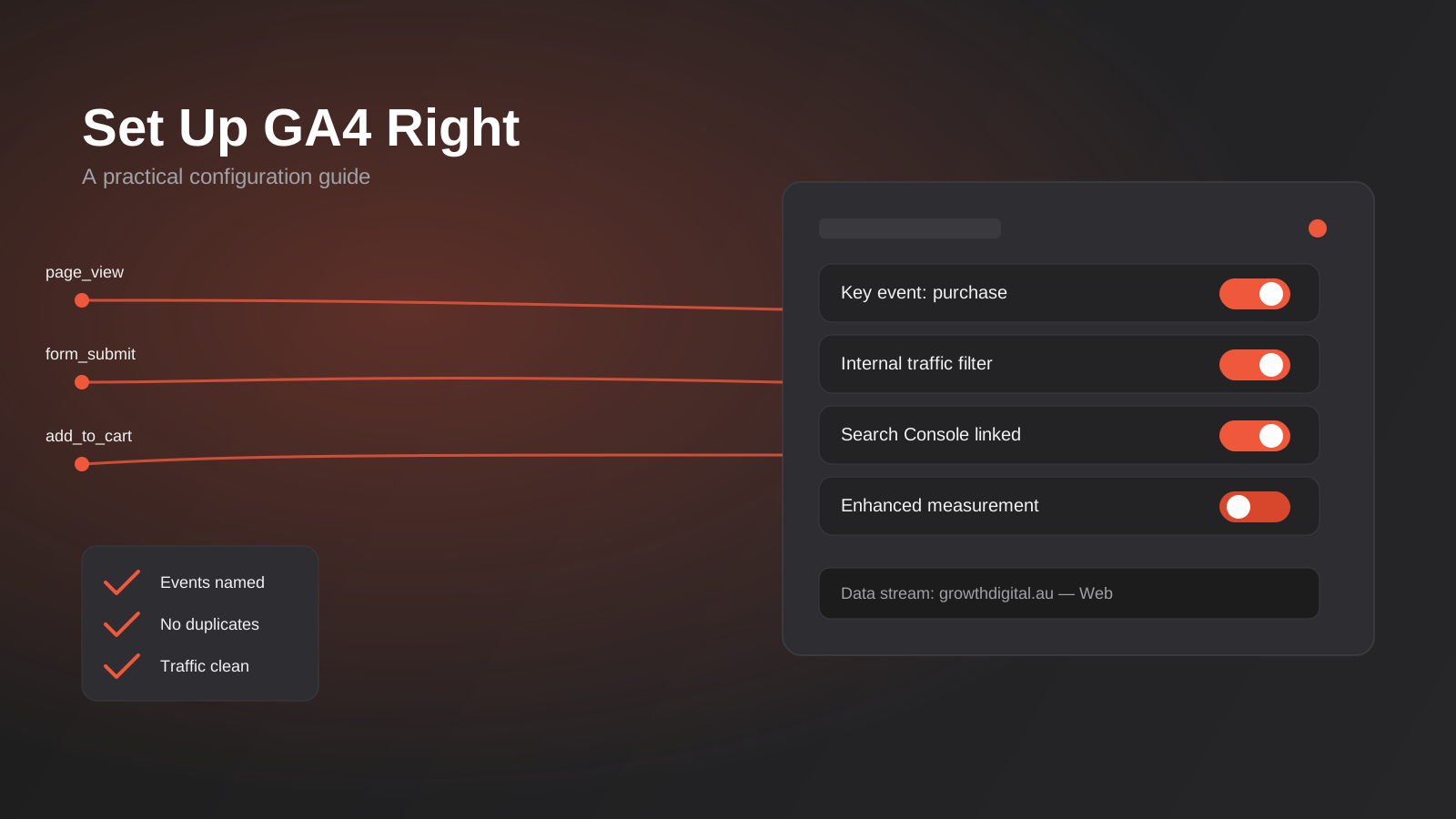
Google Analytics 4 Setup: A Practical Configuration Guide for Australian Businesses (2026)
A practical GA4 setup guide for Australian businesses: events, key events, filters and the mistakes that quietly corrupt your data.
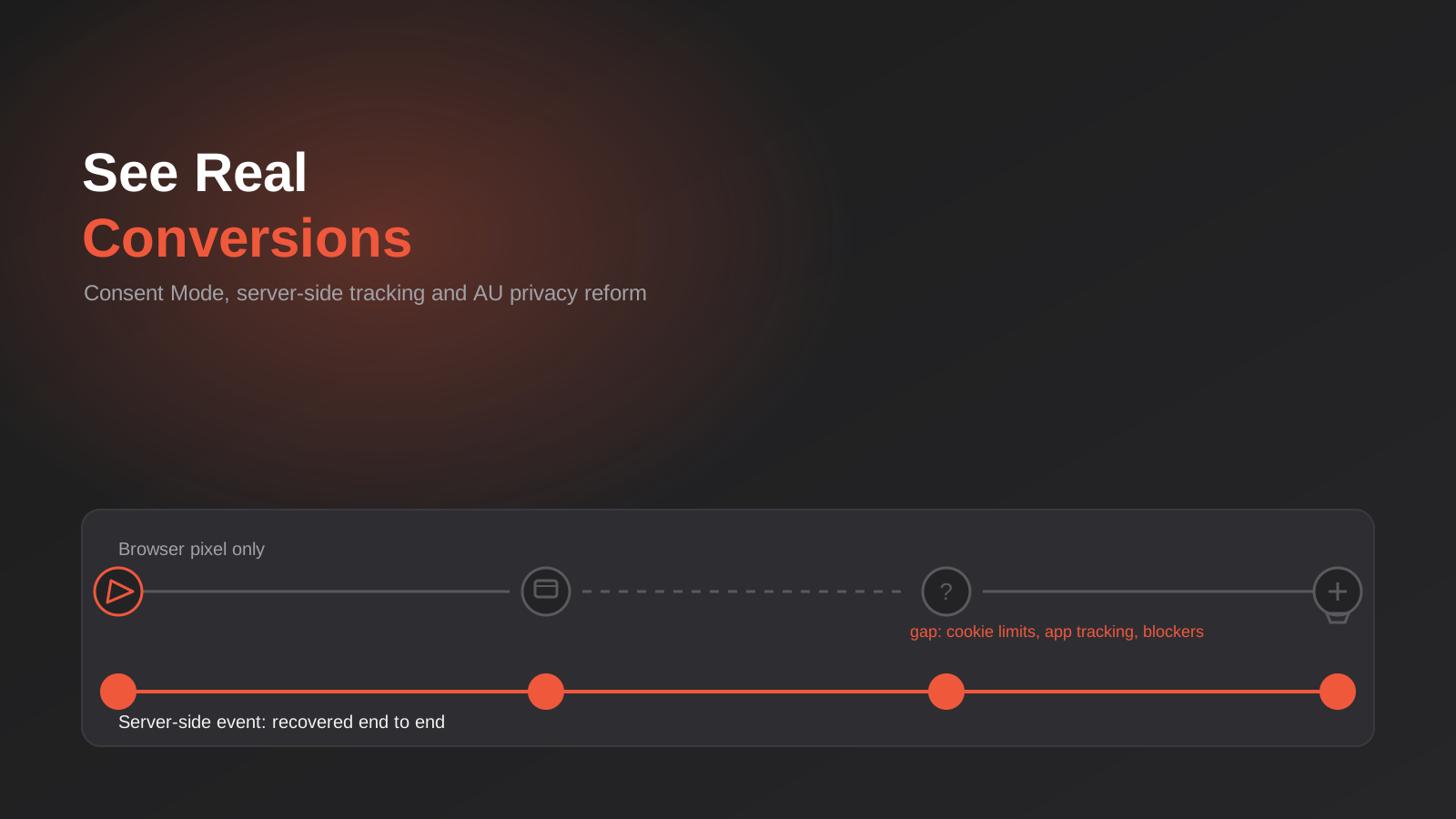
Why Your Conversion Tracking Data Is Wrong: Consent Mode, Server-Side Tracking and Australia’s 2026 Privacy Reform
Why Google Ads and Meta conversions don't match real sales: Consent Mode v2, server-side tracking and Australia's 2026 Privacy Act reform, explained.
Got a project you'd like to talk through?
Tell us what you're working on — we'll come back with a plan.
