
Website Maintenance Plans in Australia: What They Actually Cover (2026)
 Jignesh Vagadiya
11/09/2026
20 min read
Jignesh Vagadiya
11/09/2026
20 min read
Most website maintenance plans get sold on launch day and cancelled about fourteen months later, right around the time someone finally asks “hang on, what are we actually paying for?” It’s a fair question. Nobody can see a backup running. Nobody notices a plugin quietly getting patched at 2am. The value of maintenance is almost entirely invisible — until the month it isn’t, and you’re staring at a defaced homepage or a site that’s been down since Tuesday and nobody noticed until a client mentioned it.
We’ve inherited a lot of neglected websites over the years. The pattern is always the same: a business spends real money on a site, it launches looking sharp, and then it sits there collecting version debt while everyone’s attention moves on to the next thing. Eighteen months later the contact form silently stopped sending emails, three plugins are two major versions behind, nobody remembers the hosting login, and the “quick five-minute fix” turns into a half-day forensic exercise. None of that had to happen. It’s the difference between a car that gets serviced and one that gets driven until something seizes.
This is a practical look at what a website maintenance plan should actually include, what realistic pricing looks like in Australia, and — more usefully — how to work out whether you need a formal care plan, an in-house person keeping half an eye on things, or whether the site itself has aged past the point where maintenance is the right answer at all.
What “Website Maintenance” Actually Means
Ask ten business owners what their website maintenance covers and you’ll get ten different answers, most of them wrong. The term gets used loosely enough that it’s worth being precise about what it isn’t before we get to what it is.
Hosting isn’t maintenance
Hosting is infrastructure — the server your site lives on. A decent host keeps the lights on, gives you reasonable uptime, and might throw in a basic firewall. What it almost never does is log into your WordPress dashboard and check whether your forms still submit, whether a plugin update just broke your checkout page, or whether last night’s backup actually completed instead of silently failing. Plenty of businesses pay for premium managed hosting and assume that’s their maintenance sorted. It isn’t. Hosting keeps the server running; maintenance keeps the site itself healthy.
A plugin update isn’t a maintenance plan
The other common mix-up is treating maintenance as “someone clicks update occasionally.” Updating plugins without testing them afterwards is arguably riskier than not updating at all — we’ve seen a single WooCommerce extension update knock out a checkout flow for four days because nobody checked the site after applying it. A real maintenance process treats updates as a change to be tested, not a box to tick. That distinction is the whole ballgame, and it’s the bit that gets skipped when maintenance is handled reactively rather than as an actual process.
What Should Actually Be Inside a Maintenance Plan
Strip away the marketing language on most agency pricing pages and a genuine maintenance plan covers five things. If a plan you’re being quoted doesn’t clearly cover most of these, you’re paying for something thinner than it sounds.
Security and update management
This is the core of it. Core software, themes and plugins all get security patches on their own release schedules, and a meaningful chunk of website compromises trace back to something that was sitting unpatched for months, not to some sophisticated attack. A proper process means updates get applied on a set cadence, in a staging environment first if the site is complex enough to warrant it, with someone actually checking the site still works afterwards rather than assuming it does. It also means a malware scan running regularly and someone who knows what to do if one ever comes back positive.
Backups and disaster recovery
Everyone says they have backups. Far fewer have ever tried to restore one. A backup that’s never been test-restored is a backup you’re hoping works, not one you know works. This part of a maintenance plan should cover automated daily (or at minimum weekly) backups stored somewhere other than the same server as the live site, a retention window of several weeks to a few months, and a documented restore process that’s actually been exercised at least once. If your current setup can’t answer “how would we get the site back if the server disappeared tonight,” that’s the gap to close first.
Uptime and performance monitoring
A site that goes down at 11pm on a Sunday and comes back up on its own by 6am still cost you nine hours of visitors, leads and potential sales — and if nobody’s watching, you’ll never even know it happened. Uptime monitoring pings the site every few minutes and flags outages immediately rather than waiting for a customer to mention the site’s broken. Performance monitoring is the slower-moving cousin: tracking page speed and Core Web Vitals over time so a site that was fast at launch doesn’t quietly degrade as more plugins, images and tracking scripts get bolted on.
Small content edits and support hours
Most plans bundle in a modest allowance of content changes — updating a price, swapping a team photo, fixing a typo, adding an event date. It’s rarely unlimited, and it shouldn’t be treated as a design retainer, but it removes the friction of either learning WordPress yourself for a five-minute task or paying an hourly rate every time something small needs changing.
Reporting — what you should actually be told each month
A maintenance report that just says “all updates applied, no issues” is barely worth reading. A useful one tells you what was updated and why, flags anything that needed manual attention, confirms backups ran and (periodically) were tested, and notes uptime and any performance shifts worth knowing about. If you’ve never actually read your maintenance report, it’s worth pulling up the last one and checking whether it tells you anything at all.

What Website Maintenance Costs in Australia
Pricing varies with site complexity, but the ranges are fairly consistent across the market, and it’s worth knowing them so you can tell a fairly scoped quote from one that’s been stripped down to look cheap.
Basic care for brochure sites
A straightforward brochure or small business site — a handful of pages, no ecommerce, low complexity — typically sits at the lower end. At this tier you should expect core update management, backups, uptime monitoring and a small content-edit allowance. What you shouldn’t expect is proactive performance work or fast turnaround on anything beyond minor edits.
Standard plans for growing businesses
Sites with more moving parts — several plugins, integrations, a booking system, more regular content changes — sit in the middle tier. This is usually where staged updates (tested before going live, not applied directly to production), priority response times, a larger content-edit allowance and a periodic performance review start showing up.
Ecommerce and complex builds
Shopify and WooCommerce stores, sites with custom integrations, or anything handling payments sit at the top end, and reasonably so. Downtime or a broken checkout costs real revenue in real time, so these plans typically include faster response SLAs, closer monitoring of the checkout and payment flow specifically, and more careful update testing given how easily a plugin update can knock out a cart or a payment gateway.
One thing worth flagging: the cheapest plan you can find is rarely the cheapest plan overall. A $40-a-month plan that skips update testing, doesn’t verify backups, and takes three days to respond to an outage isn’t actually less risk than not having a plan — it’s a false sense of security with a monthly invoice attached.
What actually drives the price up or down
The headline tier matters less than the specifics underneath it, and a few factors move the price more than the base plan itself. The number of plugins and third-party integrations is the biggest one — each one is a piece of software with its own release schedule and its own chance of conflicting with something else, so a site running thirty plugins genuinely takes longer to maintain properly than one running eight. Whether the site processes payments changes the risk profile and therefore the response-time commitment a provider is willing to offer. How much content changes month to month affects the edit allowance you actually need rather than the one that sounds generous on a sales page. And whether the site has any custom-coded functionality — rather than being built entirely from off-the-shelf plugins and themes — usually pushes pricing up, because custom code needs someone who can actually read it, not just someone who knows how to click “update” in a dashboard.
What Maintenance Looks Like on Different Platforms
“Website maintenance” isn’t one uniform task regardless of what the site is built on. The platform changes what actually needs watching, and it’s worth knowing the difference so you can tell whether a provider actually understands your specific setup or is running the same generic checklist across every client regardless of platform.
WordPress
WordPress is the platform where maintenance matters most, precisely because of what makes it powerful — an enormous ecosystem of plugins built by thousands of different developers, all updating on their own schedules, all capable of conflicting with each other. Core WordPress itself is generally stable and well-maintained, but the average WordPress site is really a stack of a dozen-plus separate pieces of software glued together, and that’s where the real maintenance burden sits. This is also the platform where staging-first update testing earns its keep the most, because the failure modes — a plugin conflict breaking a page layout, a PHP version bump knocking out an old plugin entirely — are common enough to plan around rather than treat as rare edge cases.
Shopify and hosted ecommerce platforms
Shopify handles core platform security and infrastructure itself, which removes a chunk of the traditional maintenance burden — you’re not patching core software the way you would on WordPress. What still needs active management is the theme, any custom code in it, installed apps (which behave a lot like plugins and can just as easily conflict with each other or slow the store down), and keeping an eye on checkout and payment flows specifically, since that’s where a broken app update costs you actual sales in real time rather than just looking untidy.
Custom-built sites and web apps
Custom-built sites and web applications don’t have the plugin-update treadmill in the same way, but they trade it for dependency management — the underlying frameworks, libraries and packages the application is built on still need updating, and security patches for those still need applying. The difference is that this work genuinely requires a developer who understands the codebase, not a general maintenance technician working through a standard checklist. If your site falls into this category, ask a prospective provider directly whether they have someone who can actually read and safely modify your specific stack, because “we do WordPress maintenance” doesn’t automatically transfer.
DIY, In-House, or a Care Plan — Which Actually Makes Sense
Not every business needs to outsource this. The honest answer depends on how much the site matters to revenue, how technical anyone on the team is, and how much time they actually have — not how much time they think they’ll find.
When DIY genuinely works
If the site is simple, doesn’t process payments, and someone on the team is comfortable in a WordPress dashboard and disciplined enough to actually run through updates on a schedule rather than “when I remember,” DIY can be perfectly fine. The failure mode isn’t DIY itself — it’s DIY that only happens when someone has a spare hour, which in practice means it happens roughly never.
When an in-house resource makes sense
Larger organisations with a marketing team member or internal developer who already touches the site regularly can fold maintenance into that role, provided it’s an explicit, scheduled responsibility rather than something squeezed in between everything else. The risk here is coverage — what happens when that person is on leave and the site goes down.
When a care plan is the better call
For anything revenue-generating, anything nobody in the business fully understands technically, or any site where downtime has a real cost attached, a managed care plan earns its keep. You’re not just paying for the work getting done — you’re paying for it getting done on a schedule, by someone who does this across dozens of sites and recognises a problem pattern before it becomes an outage, with accountability if something does go wrong.
A hybrid approach is common too
Plenty of businesses land somewhere in between — an internal team member handles day-to-day content edits because they know the brand and can turn things around fast, while the technical side (updates, backups, security, monitoring) sits with a specialist provider who has the depth to actually diagnose problems properly. This tends to be the most cost-effective setup for mid-sized businesses: you’re not paying agency rates for a five-minute text change, and you’re not asking a marketing coordinator to troubleshoot a plugin conflict at 4pm on a Friday.

What a Good Maintenance Provider Does That a Bad One Skips
Maintenance is one of those services where the difference between good and bad is almost entirely invisible until something goes wrong, which makes it genuinely hard to evaluate from a sales page. A few practical questions cut through most of the noise.
Ask what happens when an update breaks something
This is the single most revealing question you can ask a prospective provider. A good answer involves staging environments, a rollback process, and a clear description of who gets notified and how quickly. A vague answer — “that basically never happens” or “we’d just fix it” — usually means there’s no actual process, just good luck so far.
Ask to see a sample report
A provider who’s proud of their reporting will show you one without hesitation. If what comes back is a single line saying “all good, no issues,” that tells you plenty about how much visibility you’ll actually get once you’re a paying client rather than a prospect.
Ask about response time commitments in writing
“We’ll get to it quickly” isn’t a commitment, it’s a hope. A properly run plan has an actual response-time figure attached to it, ideally faster for a full outage than for a minor content edit, and ideally written down somewhere rather than promised verbally during the sales call.
Ask who actually does the work
Some maintenance is outsourced offshore to generalists working through a checklist across hundreds of unrelated sites. That’s not automatically bad, but it’s a different service to a small local team that actually knows your specific build, and the price difference between the two should reflect that rather than being marketed as identical.
Signs Your Site Needs More Than Maintenance
Maintenance keeps a healthy site healthy. It can’t fix a site that’s fundamentally past its use-by date, and it’s worth being honest about the difference before you pour another year of care-plan invoices into something that needs to be rebuilt.
A site is usually past the point of maintenance alone when updates keep breaking things because the underlying theme or page builder is old and poorly supported, when every small change takes disproportionately long because the codebase has become a patchwork of past fixes, when it’s on a platform that’s been effectively abandoned by its developers, or when performance issues trace back to fundamental architecture rather than anything a plugin update could solve. At that point the conversation shifts from “keep this running” to “replace it properly” — and if that includes moving platforms entirely, it’s worth working from a proper platform migration checklist so you don’t lose search rankings in the process. If you’re not sure whether your current agency relationship is the right one to handle that conversation, we’ve written a separate, more detailed guide on how to choose a web design agency that covers exactly what to look for.
A useful gut check: if you’re totalling up what the last twelve months of “quick fixes” and emergency call-outs have actually cost, and that figure is edging toward what a properly scoped rebuild would cost, you’re not really saving money by patching things along — you’re just paying for the rebuild in smaller, more frustrating instalments. Worth doing that sum honestly before signing another year of maintenance on a site that’s already fighting you.
How Maintenance Connects to SEO and Conversion
Maintenance and SEO get treated as separate line items, but a neglected site actively works against your search rankings and your conversion rate, quietly, over time. Page speed is a ranking factor and a conversion factor simultaneously — a site that’s slowed down because of accumulated plugin bloat is losing on both fronts at once. Broken forms and dead links erode trust signals and directly cost leads; a form that’s been silently failing for six weeks is six weeks of enquiries that never reached anyone. Security warnings in a browser bar send visitors straight back to the search results. None of this is exotic. It’s the accumulation of small, unattended technical debt showing up exactly where it hurts most.
If your maintenance provider isn’t at least glancing at these things — page speed trends, broken links, form functionality — you’re getting the security half of maintenance without the half that protects your marketing spend. For a deeper look at the technical side of this, our guide to optimising a WordPress site for SEO covers the crossover between technical health and search performance in more detail than fits here.
There’s also a compounding effect worth understanding. Search engines revisit and re-crawl sites on their own schedule, and a site that keeps throwing errors, loading slowly or returning broken pages during those crawls can lose crawl priority over time — it’s not an instant penalty, but a gradual erosion that’s genuinely hard to notice until rankings have already slipped. By the time it shows up in your traffic numbers, you’re often looking at months of accumulated neglect rather than a single fixable problem, which is exactly why treating maintenance and SEO as connected rather than separate budgets tends to pay off.
Common Mistakes We See With Website Maintenance
- Treating hosting as maintenance. Premium hosting is a good foundation, but it doesn’t test updates, monitor forms, or verify backups actually restore.
- Never test-restoring a backup. A backup you’ve never restored is an assumption, not a safety net. Test it at least once so you know the process actually works under pressure.
- Applying updates straight to the live site. Plugin and theme updates occasionally conflict with each other. Testing on staging first catches that before your customers do.
- Choosing a plan purely on price. The cheapest plan on the market is usually cheap because something’s missing — often the update testing or the response-time commitment that actually matters when something breaks.
- Not reading the maintenance reports. If you’re paying for reporting, actually look at it. It’s the only visibility you have into whether the work is genuinely happening.
- Confusing a content-edit allowance with a design retainer. Most plans cover small edits, not new pages, redesign work or campaign landing pages. Know where that line sits before you need something urgently.
- Keeping a dead plugin “just in case.” Deactivated, unmaintained plugins are still a security surface. If it’s not being used, remove it rather than leaving it dormant.
- Waiting for a hack before taking maintenance seriously. Recovery after a compromise almost always costs more — in money, downtime and reputation — than a year of proper maintenance would have.
- Not knowing who has access. Old contractor logins, former staff accounts and unused admin users left active are one of the more common ways sites get compromised. Review access at least yearly and remove anything that isn’t actively needed.
- Assuming maintenance covers content strategy. A care plan keeps the site running and current in a technical sense; it isn’t the same as someone actively improving your SEO, writing new content or running conversion tests. Those are related but separate services, and conflating them leads to disappointment on both sides.
Frequently Asked Questions
Do I really need a maintenance plan if my site is small and simple?
If the site has no ecommerce, no logins and no complex integrations, and someone on your team is genuinely willing to check it on a schedule, you can manage without a formal plan. The risk isn’t complexity, it’s neglect — a simple site left completely untouched for two years is still exposed to the same outdated-plugin vulnerabilities as a complex one.
What’s the difference between website hosting and website maintenance?
Hosting is the server infrastructure your site runs on. Maintenance is the ongoing human and process work of keeping the software on that server updated, backed up, monitored and functioning correctly. You can have excellent hosting and a completely neglected site sitting on top of it.
How much should I budget for website maintenance in Australia?
It depends heavily on site complexity. A simple brochure site sits at the lower end of the market, a business site with more moving parts and integrations sits in the middle, and ecommerce or custom-integrated sites sit at the top given the revenue risk attached to downtime. Treat any quote that’s dramatically below market range with some scepticism about what’s actually included.
Can maintenance fix a slow or outdated website?
Maintenance can meaningfully improve performance — removing bloat, optimising images, keeping software current — but it can’t fix a fundamentally outdated theme, a page builder that’s been abandoned by its developer, or an architecture that was never built for what the site does today. In those cases you’re looking at a rebuild or migration, not an ongoing care plan.
What happens if I skip maintenance and my site gets hacked?
Recovery typically involves identifying and removing the malicious code, restoring from a clean backup if one exists, patching whatever vulnerability let the attacker in, and dealing with any fallout — search engines flagging the site, hosting providers suspending it, or customer trust taking a hit. It’s almost always more expensive, stressful and time-consuming than the maintenance that would have prevented it.
Should maintenance be with the same agency that built my site?
Not necessarily, but there are real advantages to it — whoever built the site already understands its structure, its customisations and its quirks, which usually means faster diagnosis when something goes wrong. If you go elsewhere, make sure whoever takes it on actually audits the site properly first rather than maintaining it blind.
Where to Start
If you’ve read this far wondering what your current setup actually covers, that’s usually the tell that it’s worth finding out properly rather than guessing. Pull up your last invoice, work out what you’re actually being given for it against the list above, and see where the gaps are. If there isn’t a plan in place at all yet, start by being honest about how much the site actually matters to the business — a lead-generation site or an online store carries very different risk to a static digital brochure nobody’s updated since launch.
We run website care and support for a range of Australian businesses, from simple brochure sites through to ecommerce stores with custom integrations, and we’re always happy to have an honest conversation about what your specific site actually needs rather than selling you the plan that’s easiest to package. If you want a straightforward view of what that looks like cost-wise, our pricing page lays out real figures rather than “get in touch for a quote,” and if the maintenance conversation has turned into more of a rebuild conversation, our website development team is a good next place to start.
Keep reading
Related posts
Best Website Hosting for Australian Businesses (2026): 6 Options Compared
We compare six hosts Australian businesses actually use in 2026 — real drawbacks, data centre locations and pricing traps included.
Website Redesign Without Losing Rankings or Revenue: A 2026 Guide for Australian Businesses
How to redesign your website without losing SEO rankings or leads: the audit, redirect map, QA and 90-day process Australian businesses need.
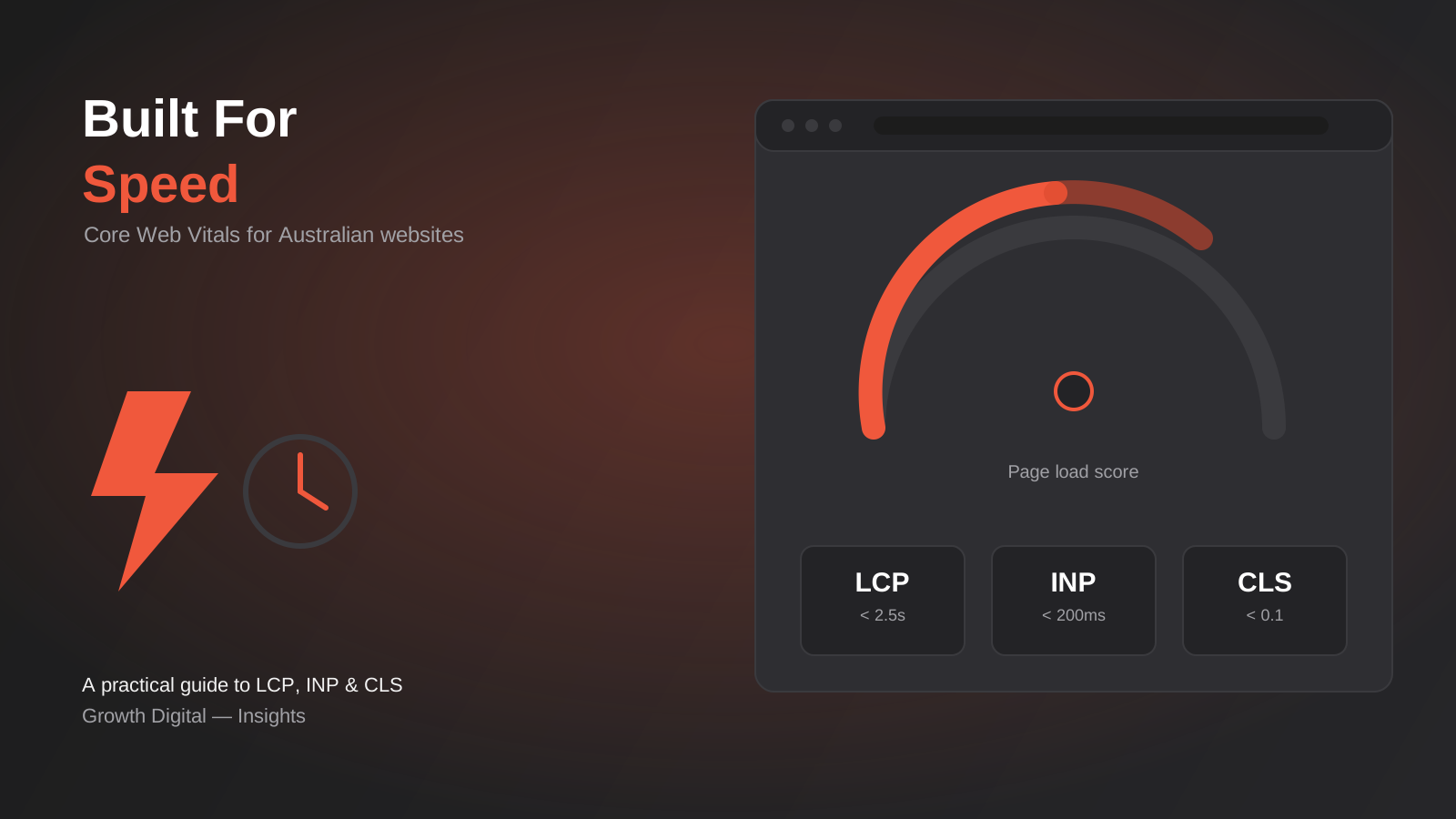
Core Web Vitals in 2026: A Practical Guide to LCP, INP & CLS for Australian Websites
A practical guide to Core Web Vitals for Australian businesses: what LCP, INP and CLS measure, how to test them properly, and…
Got a project you'd like to talk through?
Tell us what you're working on — we'll come back with a plan.
