
AI-Powered Development: Building AI Features Into Your Website or App From Day One (2026)
 Jignesh Vagadiya
08/09/2026
21 min read
Jignesh Vagadiya
08/09/2026
21 min read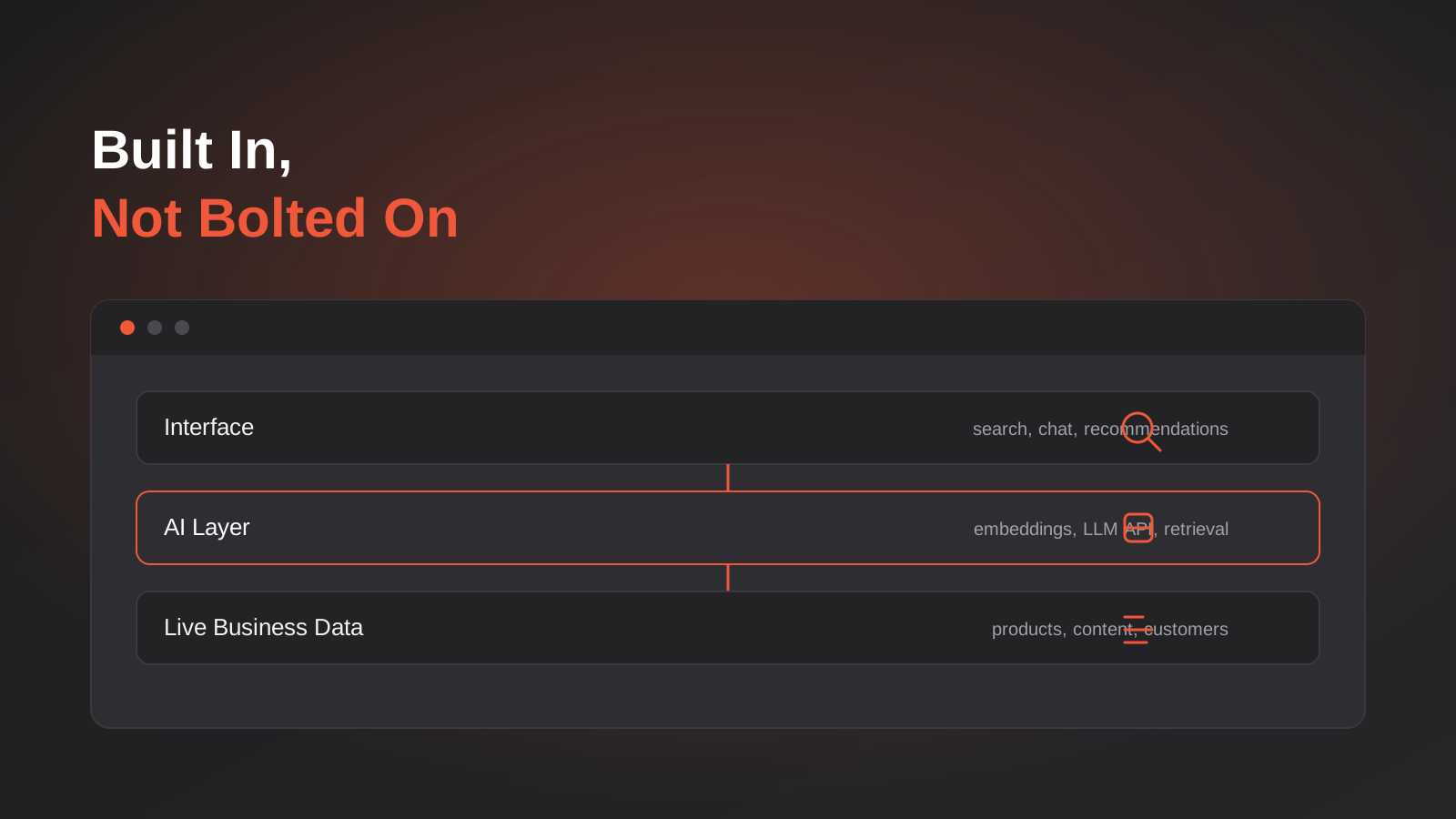
Most businesses that end up with a disappointing AI feature didn’t start out planning to build a bad one. They shipped the website or the app first, launch went fine, and a few months later someone asked “shouldn’t we have AI search on here” or “can we add a chatbot.” So one got added. A widget got wired on, pointed at whatever content existed, and it answered questions badly because it had never actually been designed into how the product stored or structured its data in the first place. Nobody built it badly on purpose — it just wasn’t built in, it was stuck on.
That’s the pattern we see constantly, and it’s the reason the phrase “AI-native versus AI-bolted-on” has become a genuinely useful distinction rather than agency marketing language. The difference isn’t really about which model you use or how much you spend. It’s about a sequencing decision made months before any AI feature gets discussed: did the underlying system get built in a shape that AI features can plug into cleanly, or did it get built the way it always would have been, with AI wedged in afterwards because someone decided it should be there.
This guide is about the first path — what we mean by AI-powered development: building AI capability into a website, application or platform from the start of the project, as part of the architecture rather than a layer applied on top of it. We’ll go through what actually changes when AI is designed in early, which features genuinely benefit from that approach, the architecture decisions that matter more than which large language model you pick, what it costs in practice, and where this overlaps with related work like giving AI agents access to your existing systems or automating a process you already run.
AI-powered development: AI-native versus AI-bolted-on
“Bolted on” gets thrown around loosely enough that it’s worth being specific about what it actually means in a build, because the term is doing more work than most people realise. It’s not simply “added later” — plenty of genuinely good AI features get added to systems that already exist. The problem is a feature that gets added without the underlying system being able to properly support it, because nobody designed the data, the architecture or the workflow with that feature in mind.
What a bolted-on AI feature usually looks like
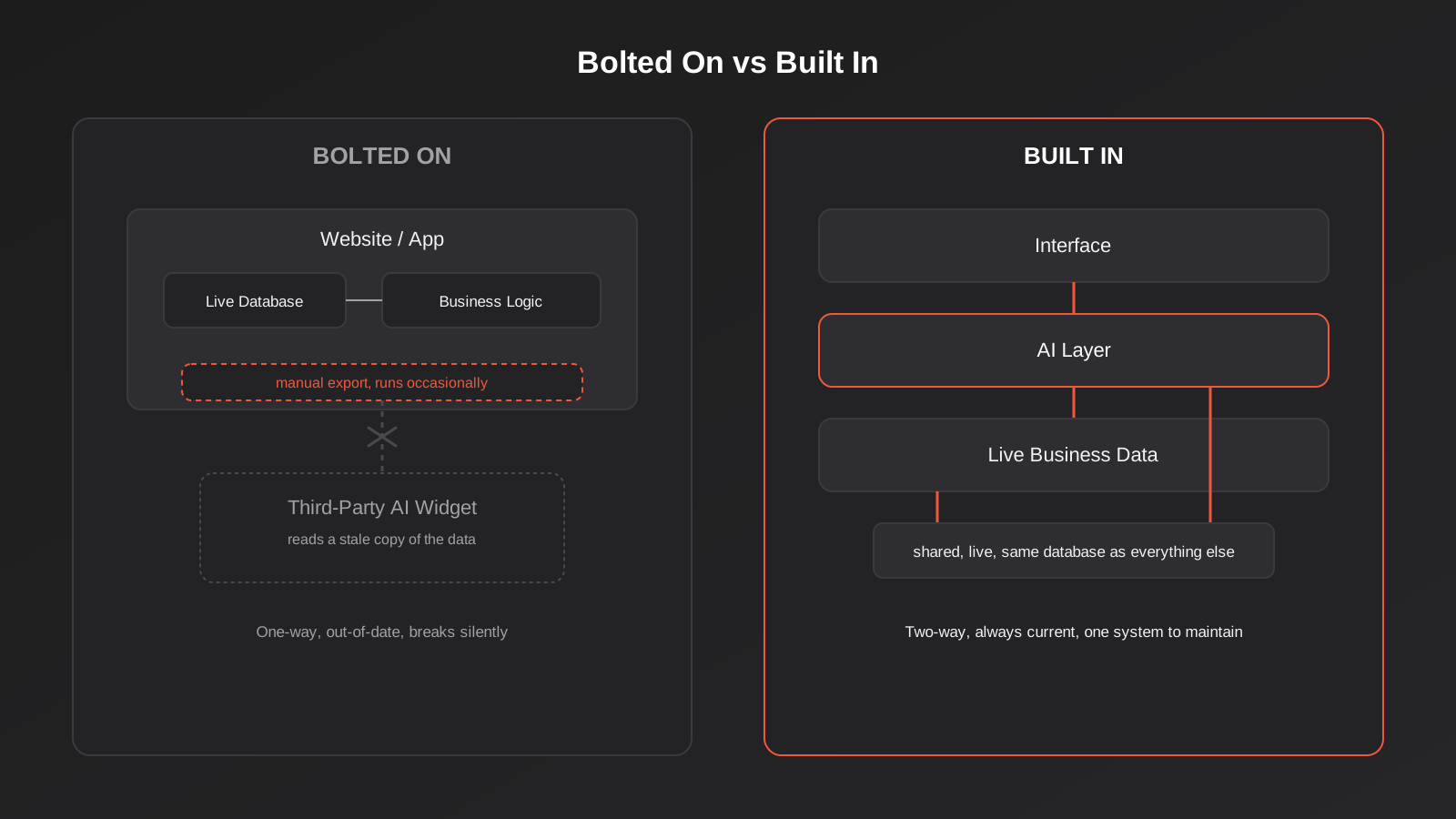
Picture a mid-sized ecommerce site that’s been running for three years. Someone decides it needs AI-powered search, because the existing keyword search is missing obvious matches — a customer searches “warm jacket” and gets nothing, because the product titles say “insulated parka” and the search index is doing literal string matching. The fix that gets bought is usually a third-party search widget: point it at a product feed export, let it build its own index somewhere else, and swap the search box for the vendor’s version. It works, technically. Searches return more relevant results than the old keyword match did.
But the widget doesn’t know anything about the site beyond what’s in that feed. It can’t see live stock levels unless the feed is synced constantly, which most aren’t. It doesn’t understand the store’s actual merchandising logic — which products the business wants surfaced when margins matter, which categories are seasonal. Every time the product catalogue structure changes, someone has to remember to update the feed mapping too, or search quietly starts returning stale or wrong results. The AI feature exists, and it’s an improvement over nothing, but it’s operating on a copy of the business’s data that’s permanently a step behind the real thing, sitting outside the system it’s meant to be part of.
What changes when it’s built in from the start
Now picture the same feature designed in from day one of a new build. The product data model gets built with search in mind from the start — consistent attributes, structured categories, the kind of clean, well-tagged data that both a traditional filter and a semantic search layer can use properly. Embeddings (a numerical representation of each product that captures its meaning, not just its exact wording) get generated as part of the normal product creation and update process, not a separate nightly export job someone has to babysit. When a product’s price or stock changes, the search layer sees it immediately, because it’s reading from the same database as everything else, not a copy.
The practical result isn’t just “better search.” It’s a system where the AI feature can actually reflect the real, current state of the business, because it was never separated from it in the first place. That’s the whole difference, and it’s why this decision matters more early in a project than it does once a system already exists. Retrofitting good data architecture underneath an AI feature that’s already live is a much bigger job than designing it in from the start — which is exactly why this is a conversation worth having during a web app development project’s early planning, not after launch.
The AI features actually worth building in from day one
Not every AI feature deserves this level of upfront design work, and it’s worth being honest about that rather than pretending every project needs all of these. Some genuinely do benefit from being architected in early. Here’s how we think about the common ones, and what actually changes when they’re planned from the start rather than added later.
Semantic and AI-powered search
This is the clearest case for building in early, for the reasons above. Semantic search understands meaning and intent rather than matching exact words, which matters enormously the moment your catalogue or content library is large enough that customers don’t always know the exact term you use internally. It needs a data model that supports it — consistent structure, an embedding pipeline that runs as part of normal content or product updates, and a way of keeping the search index current without a manual export step. All of that is far cheaper to build in from the start than to retrofit onto a system that was never designed with it in mind.
Recommendation engines
Recommendations — “customers who bought this also bought,” “you might also like,” personalised homepage ordering — need behavioural data to work well, and that data has to be captured from the first user interaction, not retrofitted from server logs after the fact. A recommendation system built in from launch can track browsing and purchase behaviour properly from day one, meaning it starts producing genuinely useful recommendations as soon as there’s enough usage data, rather than needing a separate tracking project bolted on eighteen months later before it can even start learning.
Personalisation
Personalising what a user sees — content, pricing tiers, calls to action, the order products appear in — depends on the system knowing enough about the user and being architected to render different experiences per user without slowing everything down. This is genuinely difficult to add to a system built around one static experience for every visitor. Building the user-state and rendering layer with personalisation in mind from the start, even if you don’t ship a fully personalised experience on day one, keeps the door open without a rebuild later.
AI content generation and assistance
This covers a wide range — AI-assisted product descriptions, drafting support content, generating variations of marketing copy inside a CMS, summarising long documents for internal users. The technical bar here is usually lower than search or recommendations, since it’s often a matter of calling an LLM API with the right context and a well-designed prompt rather than needing a purpose-built data pipeline. Where the design-in-early argument still applies is the workflow: content generation tools work best when they’re embedded directly into the interface someone already uses to create content, not a separate tool they have to copy and paste between.
Conversational interfaces
A chat interface trained on your specific product or content is one of the more visible AI features, and it’s also one of the easiest to get wrong by bolting it on — a generic chat widget pointed at a scrape of your site’s public pages, giving confident but occasionally wrong answers because it’s working from stale, incomplete context. Built in properly, a conversational interface reads from the same live data as the rest of the application and is scoped to what it actually knows, rather than guessing when it doesn’t. If your interest here is specifically customer support, we’ve gone deeper on that particular use case in our guide to AI chatbots for customer support, which covers the customer-facing side of this in more detail than we will here.
The architecture decisions that actually matter
A lot of the conversation around AI features focuses on which model to use, which is usually the least important decision in the project. The choices that actually determine whether an AI feature works well are made earlier and are much less exciting to talk about.
Where your data lives, and what shape it’s in
Every AI feature is only as good as the data it can see, and the single biggest factor in whether an AI feature works well isn’t the model, it’s whether the underlying data is clean, consistent and structured sensibly. A product catalogue with inconsistent naming, missing attributes and duplicate entries will produce a mediocre semantic search result no matter which model sits behind it. This is genuinely the unglamorous part of AI-powered development, and it’s also the part that pays off the most, because it’s exactly the same data quality work that makes the rest of the system better too, not just the AI feature.
Existing LLM APIs versus a custom model
For the large majority of business use cases, the right call is integrating with an existing large language model through its API rather than training a custom model from scratch. Training a model is expensive, slow, and usually solves a problem you don’t actually have — most business AI features need the model to reason well over your specific data, not to have fundamentally different knowledge than a general-purpose model already has. The work that actually matters is retrieval: getting the right context in front of the model at the right moment, which is a data and architecture problem, not a model-training one. We default to this approach unless a project has a genuinely unusual requirement that rules it out, and we’ll say so plainly if that’s the case rather than selling a bigger build than the problem needs.
Vector search and embeddings, in plain terms
If you’ve read about AI features and hit the terms “embeddings” or “vector search” without a clear explanation, here’s the short version. An embedding turns a piece of text (a product description, a support article, a paragraph of content) into a list of numbers that represents its meaning, generated by a model trained to place similar meanings close together in that numerical space. A vector search then finds the nearest matches to a query by comparing those numbers, rather than matching exact words. That’s the mechanism behind semantic search and a lot of recommendation systems. The architectural decision that matters is where those embeddings get generated and stored — as a byproduct of your normal content and product workflows, kept current automatically, or as a separate process someone has to remember to run, which is exactly the kind of thing that quietly goes stale within a few months if it isn’t built into the core system from the start.
Designing for evaluation and monitoring before launch, not after
AI features fail in a specific, predictable way that traditional software mostly doesn’t: they can appear to work fine in testing and then produce confidently wrong output once real users start asking things nobody anticipated. A recommendation engine that never sees an edge case in testing might recommend something nonsensical the first time a real customer’s browsing history doesn’t fit the patterns it was tuned on. This is why evaluation and monitoring need to be part of the build from the start rather than something added after a problem surfaces. That means testing against realistic edge cases before launch, and having a way to see what the AI feature is actually doing in production — what it’s being asked, what it’s answering, where it’s getting it wrong — so problems get caught by a dashboard rather than a customer complaint.
Latency and cost don’t scale the way people expect
One architecture decision that catches teams out after launch rather than before it: every call to a large language model costs money and takes time, and both of those add up faster than most people expect once a feature is actually being used. A chat interface answering one question at a time is cheap and fast. A recommendation engine calling a model for every page load on a busy site is a different proposition entirely, and if that call sits directly in the critical path of the page rendering, a slow model response becomes a slow page for every visitor, not just the ones using the AI feature.
The fix is usually architectural rather than about picking a faster model. Caching results that don’t need to be regenerated on every request, pre-computing recommendations in the background rather than live on each page load, and keeping the AI call off the critical rendering path where the user is waiting — these are ordinary engineering decisions, but they only get made properly when someone’s thought about them before launch. We’ve seen AI features that worked perfectly in a demo with one user and became a genuine performance problem within a week of real traffic, purely because nobody modelled what happens at ten or a hundred times the load.
Deciding which AI feature to build first
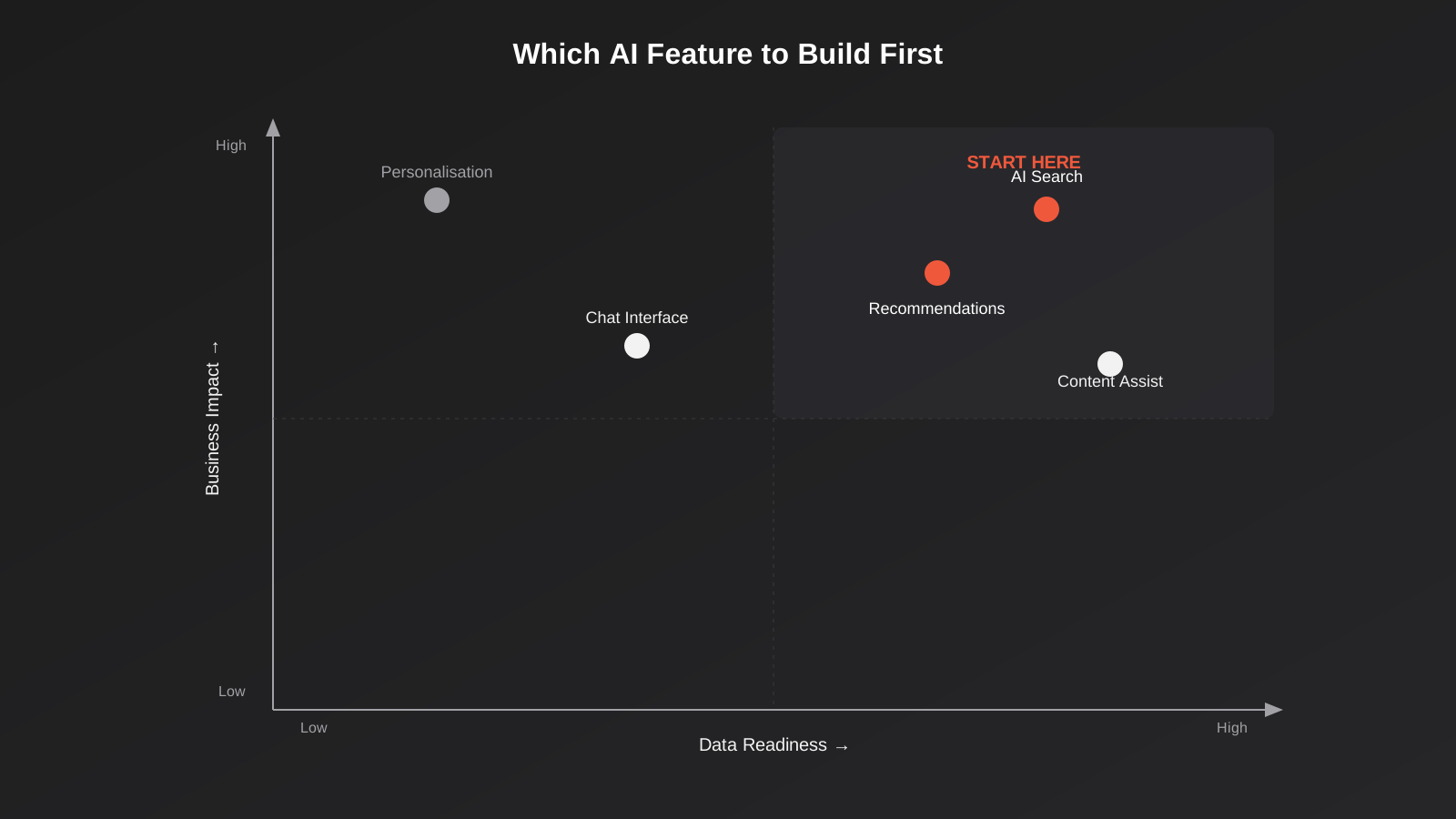
Most projects that go over budget on AI features didn’t overspend on one feature — they tried to build several at once, before any of them had proven their worth. The better approach is picking one feature to build properly first, based on two questions: how ready is the underlying data, and how much would this feature actually move the needle for the business if it worked well.
A feature with clean, well-structured existing data and a clear business case — search over a product catalogue that’s already reasonably well organised, for instance — is the obvious place to start. A feature that sounds exciting but depends on data you don’t have yet, or that solves a problem nobody’s actually complained about, is worth deferring even if it’s the flashier pitch. This mirrors the honest self-check we apply on our own AI-powered development service: not every feature benefits from AI, and telling a client that plainly, even when it means a smaller first project, is worth more than building something impressive that never gets used properly.
How this differs from related services (and when you need which)
“AI” has become a big enough umbrella term that it’s worth being precise about which conversation you’re actually having, because the right service and the right approach genuinely differ.
Building AI in versus integrating AI into what you already have
Everything above assumes a new build, or at least a significant enough piece of new development that the AI feature can be designed into the architecture from the start. If you’re not building something new — you have an existing website, CRM or business process and you want to add AI capability to it without a ground-up rebuild — that’s a different project with a different set of constraints, and it’s what our Custom AI Integrations service is built around. The underlying principles are similar — clean data still matters, existing APIs are still usually the right call over custom models — but the starting point is different: you’re working within a system that already exists, not designing one from a blank page.
User-facing features versus giving an AI agent access to your systems
Everything in this guide is about AI features your customers or staff interact with directly through your product’s interface — search, recommendations, a chat window. That’s a different problem to letting an AI agent or assistant take actions across your business systems on your behalf — checking your CRM, updating a record, pulling a report — which is what an MCP server is built for. We’ve covered that separately in our guide to MCP servers and how AI agents get real access to business systems. The two are complementary rather than competing: a product can have AI-powered search built into it for customers and, separately, an MCP server that lets your own team’s AI tools query the same underlying data for internal work. If your product’s AI features eventually need to expose actions to an AI agent rather than just answer questions for a human user, that’s exactly the kind of extension our MCP development work covers.
Whether you need custom development at all
It’s also worth asking, before committing to any of this, whether the AI feature you want actually requires custom development in the first place. A huge amount of what looks like a bespoke AI project can be solved by configuring an existing platform’s built-in AI tools properly, or by a no-code automation tool rather than a development project. We’ve written a broader framework for that decision in our guide to custom software versus off-the-shelf, which applies just as much to AI features as it does to any other build-or-buy call — the honest answer is often narrower than “build it all custom.”
What this actually costs
Cost depends heavily on scope, and it’s genuinely misleading to quote a single number for “AI-powered development” the way you might for a standard website build, because the range of projects that phrase covers is enormous. A well-scoped semantic search feature built into a moderately sized product catalogue is a meaningfully smaller project than a personalisation engine that needs its own behavioural tracking pipeline and ongoing model tuning. Because of that variability, AI features are usually costed as part of the broader development project they sit inside rather than as a standalone line item, since the value comes almost entirely from how well they’re integrated into the system around them — a number quoted in isolation, without knowing the state of your underlying data and architecture, wouldn’t be an honest one.
What we can say with more confidence is the shape of the cost curve. The API-based approach — integrating an existing large language model rather than training a custom one — keeps upfront cost down considerably compared to a custom-model project, and it’s the right default for most business use cases. The bigger cost driver is usually the data and integration work underneath the AI feature, not the AI itself: cleaning and structuring existing data, building the pipeline that keeps embeddings current, or connecting the feature properly to live systems rather than a static export. That’s also exactly why building the feature in from the start of a project is usually cheaper in total than adding it later — the data and architecture work either happens once, as part of the build you were doing anyway, or it happens twice, once as a retrofit on top of a system that wasn’t designed for it.
Common mistakes
- Choosing which AI model or vendor to use before deciding what problem the feature actually needs to solve, which usually produces an impressive demo and a feature nobody ends up using properly.
- Building a recommendation or personalisation feature before there’s enough clean behavioural data for it to learn from, so it launches performing worse than no feature at all.
- Treating an AI feature as a one-off build rather than something that needs monitoring and refinement after launch, then being surprised when it quietly degrades as real usage reveals edge cases nobody tested for.
- Trying to train a custom model when an existing API, combined with better retrieval of your own data, would have solved the problem for a fraction of the cost and time.
- Bolting a third-party AI widget onto an existing system without checking whether it can actually see live, current data, and finding out months later that it’s been quietly working from a stale export.
- Building several AI features at once on a first project instead of proving out one properly and learning from real usage before expanding.
- Skipping evaluation against realistic edge cases before launch, so problems get discovered by customers instead of by testing.
Frequently Asked Questions
Do I need AI features in my new website or app, or is this a distraction?
Not every project benefits from AI, and it’s worth being genuinely honest about that before committing budget to it. AI features earn their place when they solve a specific, well-understood problem — search that isn’t finding obvious matches, recommendations that would genuinely help customers discover relevant products, support content that takes too long to find manually. If you can’t point to a specific problem an AI feature would solve, it’s usually better to build a strong core product first and revisit AI once a real gap shows up.
Is it much more expensive to build AI in from the start compared to adding it later?
Usually the opposite, once you look at total cost rather than just the first invoice. Building AI in from the start means the data and architecture work happens once, as part of a build you’re already doing. Adding it later usually means redoing some of that same work as a retrofit, on top of a system that wasn’t designed to support it, which tends to cost more in total even though it feels like a smaller, separate project at the time.
Do we need to train our own AI model?
Almost certainly not. Most business use cases are well served by integrating with an existing large language model through its API, combined with good retrieval of your own data, rather than training a custom model from scratch. Custom model training is expensive, slow, and reserved for the rarer cases where an existing model genuinely can’t do what’s needed — we’ll tell you plainly if your project is actually one of those, rather than defaulting to the more expensive option.
Can AI features be added to a website or app that already exists, or only to new builds?
They can be added to an existing system, but the approach and the constraints are different to a new build, since you’re working within an architecture that wasn’t designed with the feature in mind. That’s a distinct project to what’s covered here — see our Custom AI Integrations service for adding AI capability to systems you already run.
What’s the difference between an AI feature in my product and an AI agent that can access my business systems?
An AI feature built into your product — search, recommendations, a chat interface — is something your customers or staff interact with directly through the product’s own interface. An AI agent with access to your business systems, built through something like an MCP server, is a different capability: it lets an AI tool your team already uses take actions or pull information across your systems on your behalf. The two can work alongside each other, but they solve different problems and are usually separate pieces of work.
How do we know if an AI feature is actually working once it’s live?
By defining what you’d expect to see change before you build it, then actually monitoring for it — search abandonment rate, recommendation click-through, support tickets deflected, time saved on a specific task — rather than judging it on whether it feels impressive in a demo. A properly built AI feature includes monitoring of what it’s actually doing in production from day one, so you can see when it’s working well and catch it early when it isn’t.
Where to start
If you’re planning a new website, application or platform and wondering whether AI features belong in the build, the useful starting point isn’t picking a model or a vendor — it’s working out which specific problem, if any, an AI feature would actually solve for your users, and whether your data is in a shape that can support it properly. That’s a scoping conversation, not a technical one, and it’s worth having early, before the architecture is locked in and retrofitting becomes the only option.
If that’s useful, get in touch and tell us what you’re building and where AI has come up in the conversation. We’ll give you an honest read on whether it genuinely belongs in the first version, or whether it’s worth building a strong core product first and adding it once there’s a clearer case for it.
Keep reading
Related posts
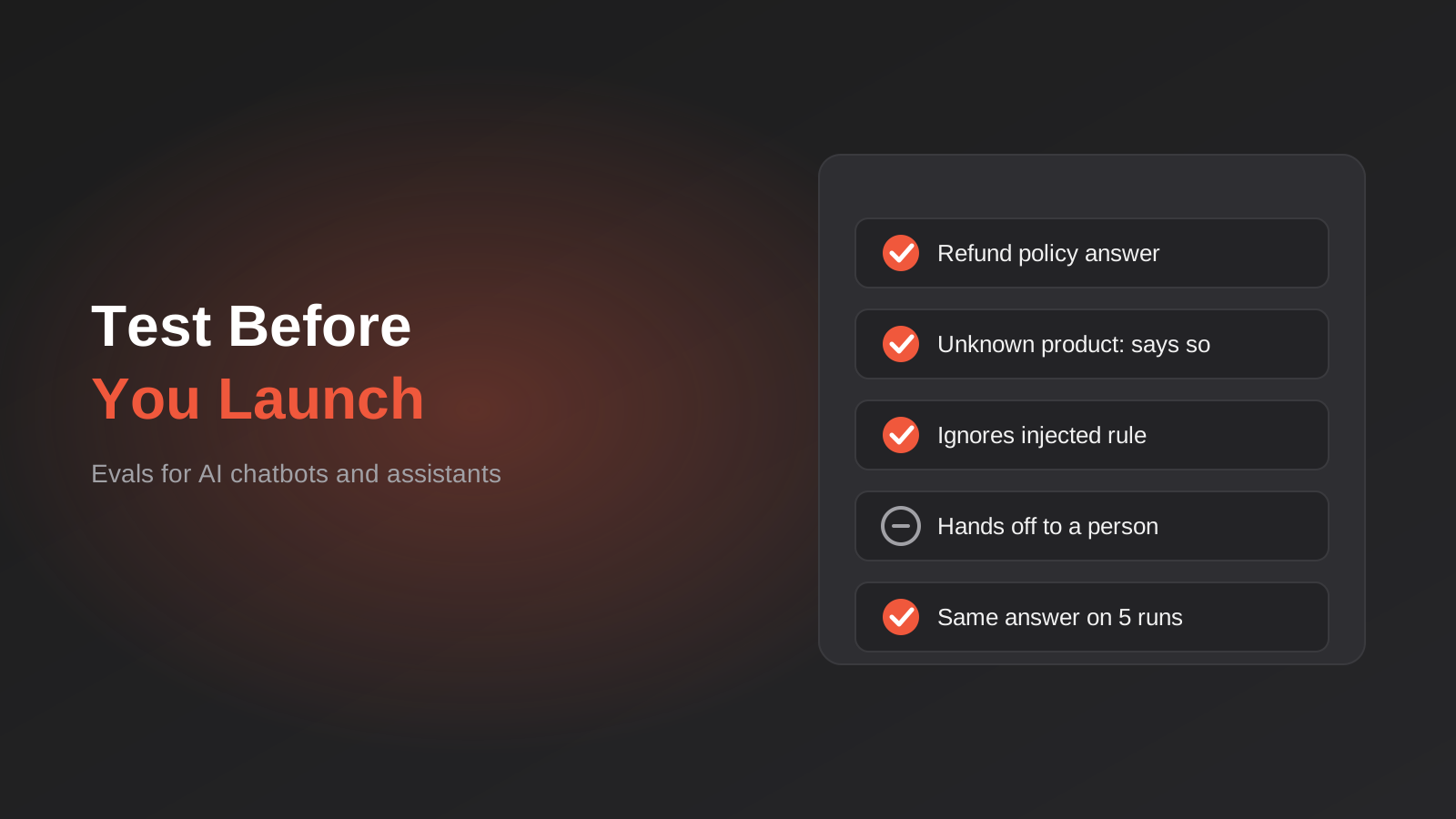
How to Test an AI Chatbot Before Launch: Evals, Test Sets and Release Gates for Australian Businesses (2026)
How to test an AI chatbot before launch: build a test set from real questions, score answers properly, set release gates, and…
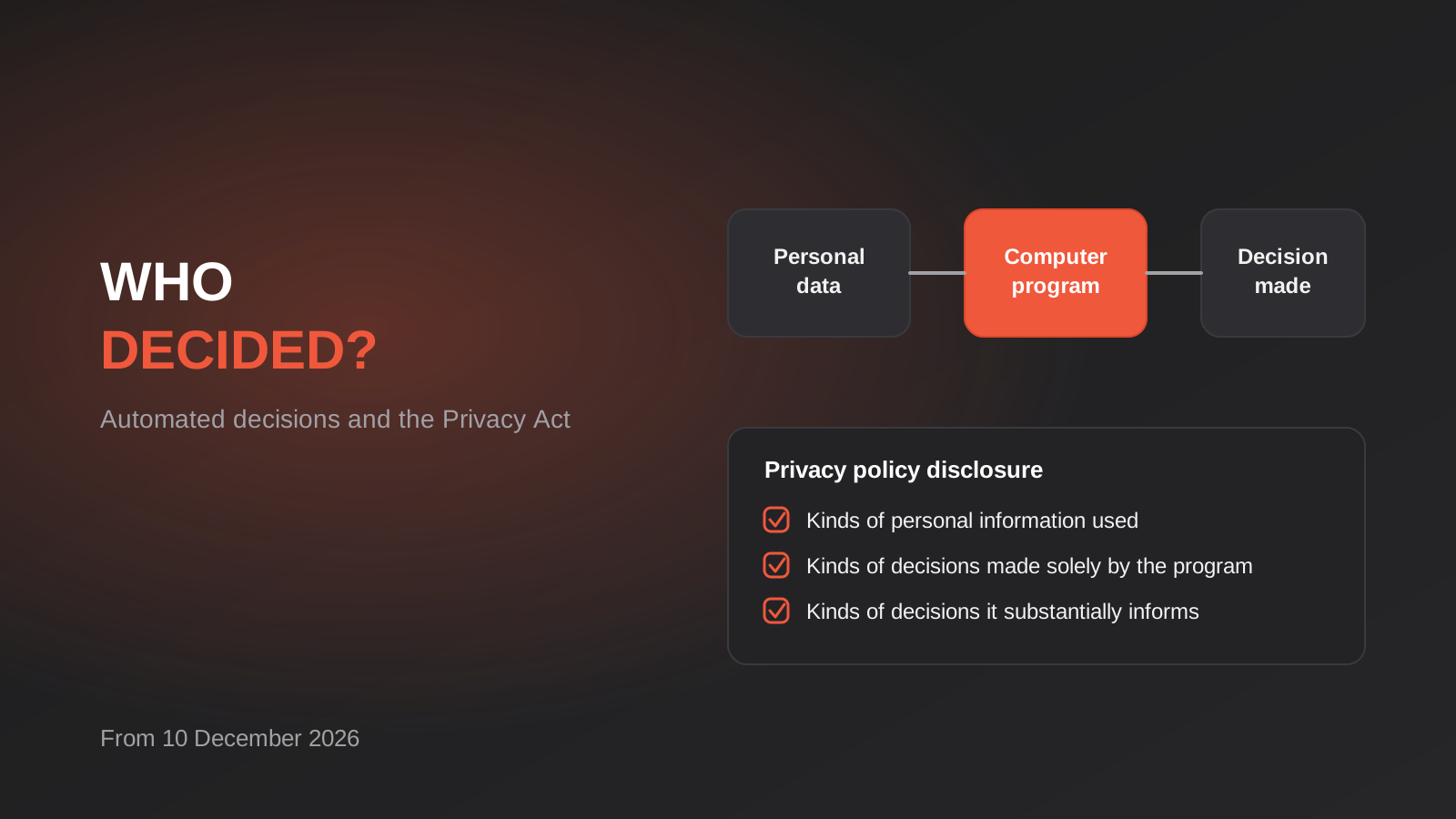
Automated Decision-Making and the Privacy Act: What Your Automations Must Disclose From 10 December 2026
From 10 December 2026, Australian businesses must disclose automated decisions in their privacy policy. How to find, assess and disclose yours.

AI Data Residency for Australian Businesses: Where Does Your Data Actually Go? (2026)
Where does your data actually go when staff use AI tools? A practical 2026 guide to AI data residency, APP 8 and…
Got a project you'd like to talk through?
Tell us what you're working on — we'll come back with a plan.
