
AI Agents vs Automation: How to Know Which One Your Business Actually Needs (2026)
 Jignesh Vagadiya
17/09/2026
21 min read
Jignesh Vagadiya
17/09/2026
21 min read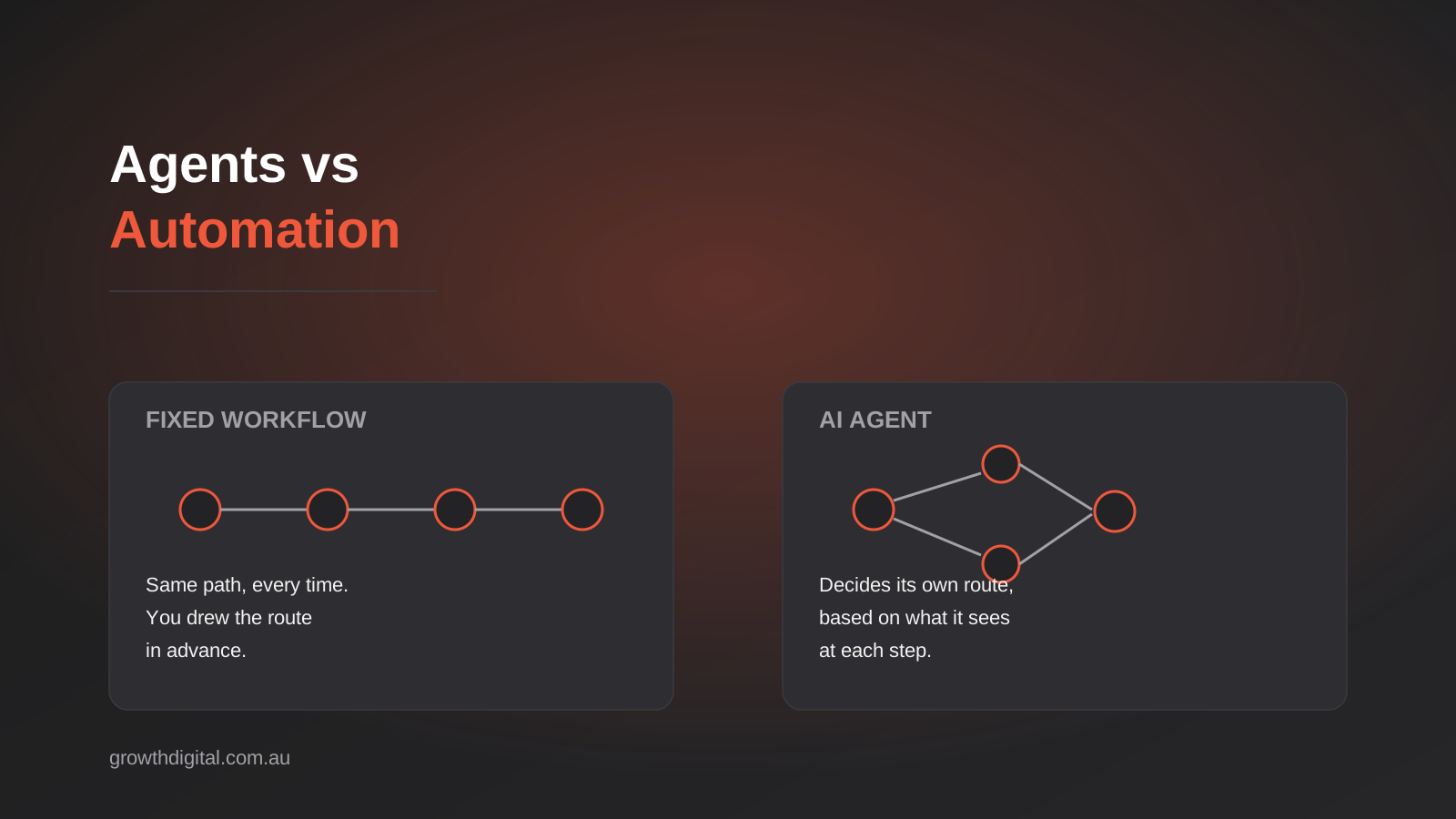
A client asked us last month whether they needed “an AI agent” to handle their inbound quote requests. What they actually had was forty emails a week, mostly straightforward, that a simple workflow could route and pre-fill in about a day of setup. What they thought they needed was something that sounded a lot more sophisticated than the problem required. We see this conversation constantly at the moment, and it runs in both directions — businesses reaching for “agentic AI” when a Zapier flow would do the job for a tenth of the cost, and businesses stuck bolting rule after rule onto a workflow tool that was never going to handle the judgment calls their process actually needs.
The terms get used almost interchangeably in marketing copy, which doesn’t help. “Automation” and “AI agent” get treated as points on the same scale, when they’re actually different kinds of system solving different kinds of problem. One follows a fixed path you designed in advance. The other decides its own path, in real time, based on what it’s looking at. Knowing which one your business needs — and being honest about when the answer is neither — is the difference between a project that pays for itself in three months and one that becomes an ongoing headache nobody wants to own.
This is a decision guide, not a sales pitch for agents. We build both kinds of systems for Australian businesses, and most of the time the right answer is still the boring one: a well-built workflow. But there’s a growing category of problem where fixed rules genuinely break down, and that’s worth understanding properly before you spend money finding out the hard way.
AI Agents vs Automation: What’s Actually Different
Strip away the branding and the distinction is mechanical, not philosophical. It comes down to who decides what happens next.
Fixed workflows: the if-this-then-that model
Tools like Zapier, Make and n8n run on a graph you build ahead of time. A new row appears in a spreadsheet, so send an email. An invoice arrives with a due date more than 30 days out, so route it to a specific folder. Every possible path through the workflow exists because you drew it. If an input doesn’t match a condition you anticipated, the workflow either does nothing, throws an error, or falls through to a default branch you set up as a catch-all. Nothing in the system is deciding anything — it’s executing a decision you already made, over and over, exactly the same way each time. That’s the whole appeal. It’s predictable, auditable, and cheap to run. We’ve written before about how to pick between Zapier, Make and n8n for exactly this kind of build, and for a large share of business processes, this is still the correct and complete answer.
What makes a system “agentic”
An AI agent flips that model. Instead of following a graph you built, it’s given a goal, a set of tools it’s allowed to use, and enough context to reason about which tool to use next — and it makes that call itself, at runtime, based on what it’s actually looking at. Ask an agent to “process this supplier invoice” and it might read the PDF, decide the line items don’t match the purchase order closely enough to auto-approve, pull up the original PO from your ERP to compare, flag the discrepancy with a note explaining what’s off, and route it to the right person — without any of those specific steps being hardcoded in advance. The next invoice might follow a completely different path through the same tools, because the agent is responding to what’s actually in front of it rather than executing a script.
This is the part that’s genuinely new, not just rebranded automation. A workflow tool has no model of “close enough.” An agent, built on a large language model, can hold something like judgment — it can notice that a supplier’s name is spelled slightly differently across two systems and reasonably infer they’re the same entity, where a rules engine would need that exact mapping specified in advance or it fails silently.
Where RPA sits in between
Robotic process automation sits closer to the fixed-workflow end than people expect, even though it gets marketed alongside AI. Traditional RPA scripts mimic clicks and keystrokes through a fixed sequence — useful for legacy systems with no API, but just as brittle as any other rules-based tool the moment a screen layout changes or an input falls outside what the script expects. Modern RPA platforms are increasingly wrapping in AI components for document reading and classification, which blurs the line, but the underlying execution is still a predetermined sequence. It’s worth knowing this distinction because vendors selling RPA will sometimes use “intelligent automation” language that implies agentic reasoning the product doesn’t actually have.
The Real Spectrum, Not a Binary Choice
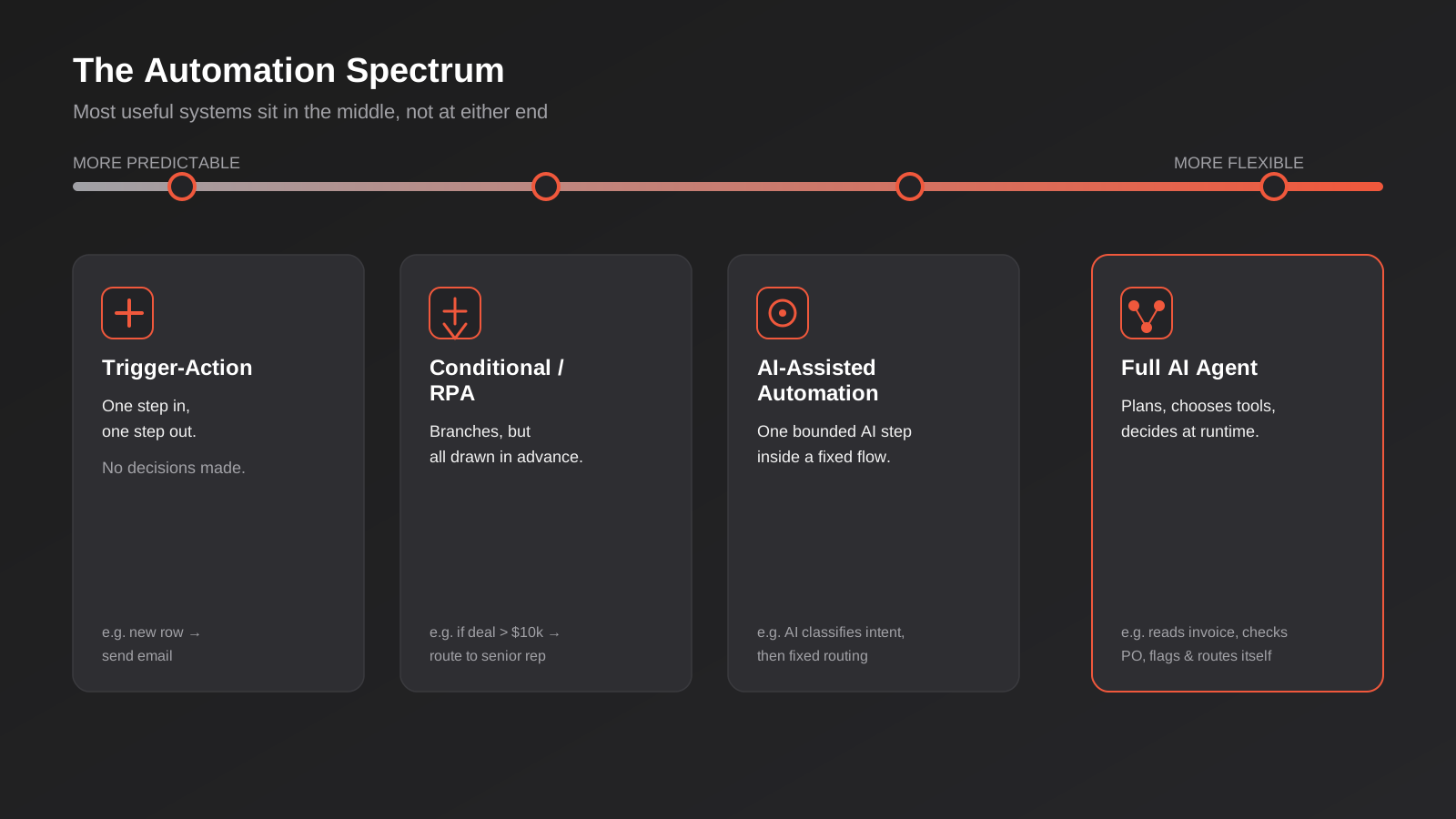
It’s tempting to frame this as automation versus agents, pick one. In practice it’s closer to a spectrum, and most useful business systems sit somewhere in the middle rather than at either extreme.
At one end you’ve got simple trigger-action flows: this happens, so do that. One step in, one step out, zero decision-making. Next along, conditional workflows add branching logic — if the deal value is over $10,000, route to the senior rep; otherwise, assign round-robin. Still entirely rules-based, just with more branches drawn in advance. RPA sits near there too, automating a fixed sequence of UI interactions. Then you get into what’s sometimes called “AI-assisted automation” — a workflow that calls an AI model for one specific, bounded task inside an otherwise fixed sequence, like using a language model to classify an email’s intent before routing it down one of three predetermined paths. This is genuinely useful and genuinely common, and it isn’t a full agent, because the model’s job is narrow and the paths afterward are still fixed.
Full agentic systems sit at the far end: the model isn’t just classifying one input, it’s planning a multi-step sequence, choosing which tools to call, evaluating the results, and deciding what to do next based on that evaluation — potentially looping, backtracking, or asking a human for clarification before continuing. Most businesses that think they need “an AI agent” are actually better served by something in the middle of this spectrum: a mostly-fixed workflow with one or two AI-assisted decision points bolted on. That’s cheaper to build, easier to test, and dramatically easier to debug when something goes wrong, because you can isolate the one part of the system that’s non-deterministic instead of the whole thing.
Where AI Agents Genuinely Help Australian Businesses
The honest cases for a real agentic build are narrower than the marketing suggests, but they’re real. The common thread across all of them is ambiguity that a fixed rule set can’t absorb.
Handling messy, unstructured inputs
Customer emails, support tickets, supplier invoices and inbound leads rarely arrive in a clean, predictable format. A workflow tool can extract data from a field that’s always in the same place. It can’t reliably interpret “the blue one from the order last month, not this month’s” or reconcile a supplier invoice where the line-item descriptions don’t quite match the purchase order wording. An agent with access to your order history and a reasonable amount of context can make that judgment call, flag its confidence level, and either act or escalate. This is genuinely where a lot of the manual triage time in small and mid-sized businesses goes, and it’s a legitimate agent use case.
Multi-step tasks that need judgment at each step
Lead qualification is a good example. A fixed workflow can score a lead on a handful of firmographic fields. An agent can read the actual enquiry text, cross-reference it against your CRM for prior contact history, check whether the company matches your ideal customer profile in ways that aren’t reducible to a single field, draft a tailored first response, and only then decide whether to route it straight to a rep or nurture it further. Each of those steps involves a judgment call that would otherwise need a person. If you’re building this kind of workflow into a CRM, our CRM and sales automation work often starts exactly here — scoping which parts of the qualification process genuinely need agentic reasoning and which parts are still simple enough to leave as fixed rules.
Exception handling that used to need a person watching the queue
Every business has a version of “someone checks this manually because it’s too inconsistent to automate properly.” Reconciling payment references against invoices when customers pay the wrong amount or reference the wrong invoice number. Matching returned stock against the original order when the SKU on the return doesn’t quite match what was shipped. Triaging a support queue where “urgent” means different things depending on who’s asking. These are precisely the tasks that resisted automation for years because they need contextual judgment, not because they’re technically complex. They’re also usually low-volume enough, relative to the judgment required, that they’ve never justified custom software — which is exactly the gap agents are starting to fill.
Where Agents Are the Wrong Tool
This is the part vendors selling agent platforms tend to gloss over, and it matters at least as much as the cases where agents help.
When you need the same output every single time
If a process has to behave identically on the thousandth run as it did on the first — payroll calculations, tax withholding, compliance filings — you want deterministic code, not a model reasoning its way to an answer. Language models are probabilistic. Even a well-guardrailed agent can produce a slightly different output from the same input on different runs, and for anything with a single correct answer, that variability is a liability, not a feature. This is squarely fixed-workflow or plain application logic territory, and no amount of prompting improves on that.
Compliance-sensitive and financial-transaction contexts
Letting an agent autonomously initiate a bank transfer, alter a customer’s account permissions, or make a final call on a credit decision is a different risk category to letting it draft a suggested response for a person to approve. The failure mode isn’t “the automation stalled and someone has to fix it” — it’s “money moved, or a decision was made, that shouldn’t have been.” Anywhere real financial or legal consequences follow directly and irreversibly from the agent’s own action, the agent’s role should be to prepare and recommend, with a human making the final call, not to execute unsupervised.
When your underlying data isn’t clean enough yet
Agents reason over the data and systems you give them access to. If your CRM has three different spellings of the same company, your product catalogue has inconsistent SKUs, or your inventory numbers are routinely a week out of date, an agent won’t fix that — it’ll confidently produce wrong answers built on top of it, which is often worse than a human noticing the mess and stopping. We’ve seen more agent projects fail on data quality than on anything to do with the model itself. If that’s where you are, the more useful first project is often the unglamorous one: getting your systems talking to each other properly through solid ERP integration or clean CRM data hygiene, before layering reasoning on top.
Building in Guardrails: How to Deploy an Agent Without Losing Control
If you’ve concluded you do have a genuine agent use case, the build quality lives almost entirely in the guardrails, not the prompt. This is the part that separates a well-run agentic system from the ones that end up in a “why did it do that” postmortem.
Confidence thresholds and human-in-the-loop routing
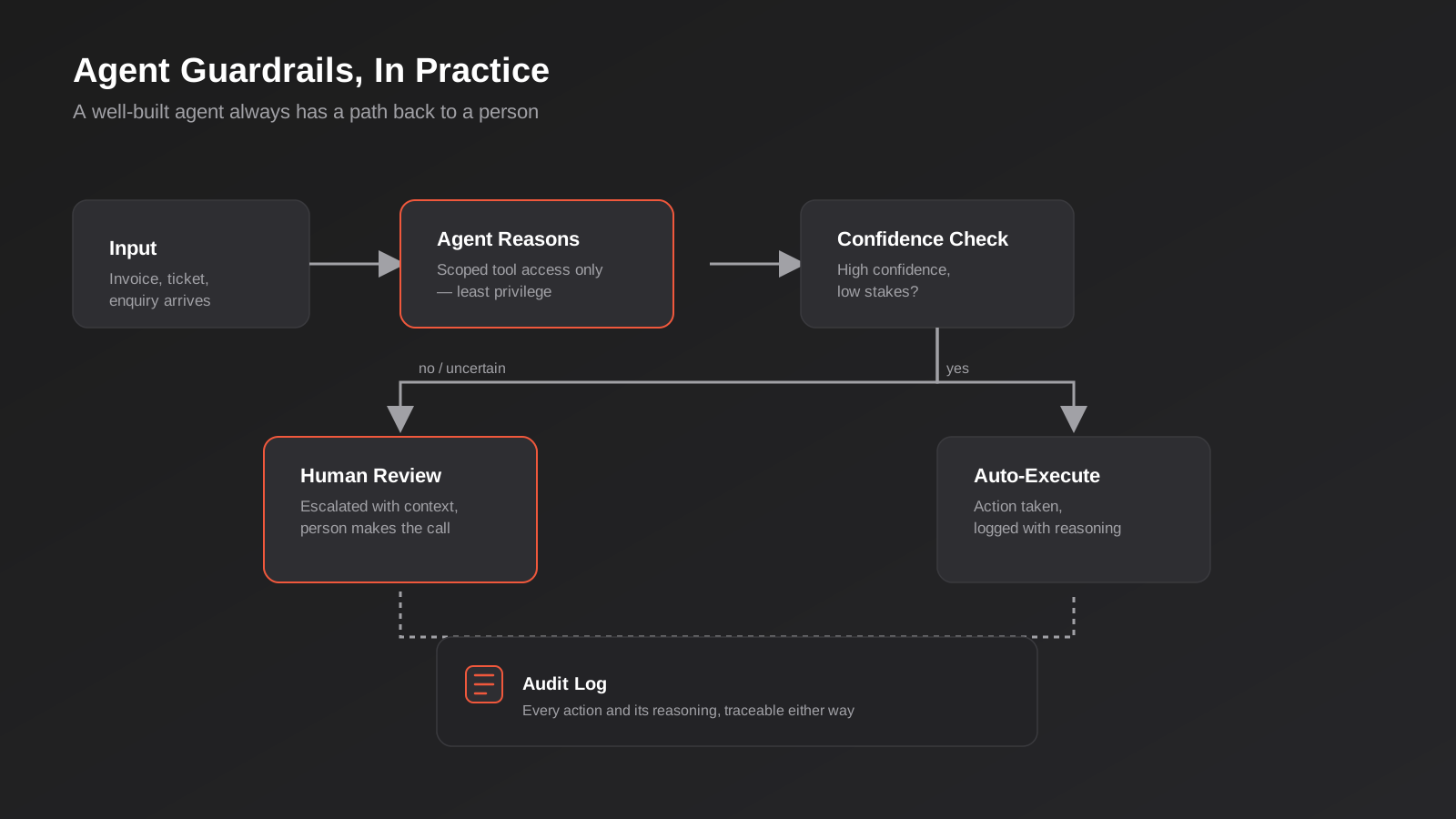
The single most useful control is a confidence gate. The agent takes an action automatically when it’s highly confident and the stakes are low; anything below the threshold, or anything above a defined stakes level regardless of confidence, gets routed to a person for review before it executes. This sounds simple and it is — the discipline is in actually setting the thresholds conservatively at launch and only loosening them once you’ve got a track record to justify it, rather than the other way around.
Scoped tool access
An agent should only ever be given access to the specific tools and data it needs for its job, with the narrowest permissions that let it function. An invoice-processing agent doesn’t need write access to your CRM’s contact records. A support-triage agent doesn’t need the ability to issue refunds. This is standard least-privilege thinking applied to a new kind of actor, and it’s the single most effective way to limit the blast radius when an agent does something you didn’t expect — which, at some point, it will.
Audit logs and explainability
Every action an agent takes, and the reasoning that led to it, needs to be logged somewhere a person can review it after the fact. Not just “invoice #4521 approved” but why — which fields it checked, what it compared against, what its confidence was. Without this, debugging a wrong decision means guessing, and demonstrating to a customer, regulator or your own management that the system behaved reasonably becomes impossible.
A defined fallback and escalation path
Agents should fail safely, defaulting to “ask a human” rather than “guess and proceed” when they hit something genuinely outside their scope. This needs to be designed in deliberately — an agent given an open-ended goal and no instruction to stop and ask will generally keep trying to complete the task by whatever means its tools allow, which is rarely what you want when it’s stuck.
How Agents Actually Connect to Your Systems
None of this works if the agent can’t reliably read from and act on your actual business systems — your CRM, your ERP, your inventory platform, your accounting software. Historically, giving an AI model that kind of access meant writing a custom integration for every single system, which is exactly the kind of brittle, one-off engineering work that made “give our AI real tool access” expensive and slow to build.
The Model Context Protocol, or MCP, has become the standard way to solve this more cleanly. In short, it’s a common interface that lets an AI agent discover what tools and data a system exposes and call them in a structured, predictable way, rather than every integration being bespoke. We’ve gone into the mechanics properly in our guide to what an MCP server actually is and how it differs from Zapier-style automation, which is worth reading if you’re evaluating a genuine agent build, because the protocol layer is what makes scoped tool access and clean audit trails practically achievable rather than a custom engineering project every time. If you’re building this kind of connective layer for your own systems, that’s the specific work our MCP development service covers.
The Privacy Act Angle Australian Businesses Can’t Ignore
There’s a regulatory dimension to this that’s specific to Australia and directly relevant if you’re planning to let an agent make or substantially influence decisions that affect real people — approving or declining something, prioritising one customer over another, or altering an account. Amendments to the Privacy Act due to take effect in December 2026 introduce new transparency obligations for organisations that use computer programs, including AI systems, to make or substantially assist decisions that could significantly affect individuals. Broadly, the direction of travel is that businesses need to be able to explain, in their privacy policy, what kinds of personal information feed into that decision-making, and individuals need a practical path to seek human review of an automated decision that affects them.
This matters for agent design in a very concrete way: if your agent is making or heavily influencing decisions about customers — credit, eligibility, pricing, account changes — you need the audit logging and human-review pathway discussed above not just as good engineering practice, but as something you may be legally expected to demonstrate. We’re not lawyers and this isn’t legal advice; if you’re building an agent that touches decisions like these, it’s worth a proper conversation with someone who specialises in privacy compliance before you go live, not after. What we can tell you from the engineering side is that the guardrails good agent design already calls for — logging, explainability, a genuine human-review path — line up closely with what’s being asked for on the compliance side, which is one more reason not to skip them to save time.
Cost and Complexity: Why “Agentic” Isn’t Always Worth It
There’s a real cost difference between the two approaches that’s easy to underestimate before you’ve built one of each. A fixed workflow runs the same lightweight operation every time, costs are predictable, and testing means checking each branch you built behaves as expected. An agent calls a language model, sometimes multiple times per task as it reasons through steps, and every one of those calls costs money and adds latency. Testing an agent means testing behaviour across a much wider range of inputs than you can fully enumerate in advance, because the whole point is that it handles cases you didn’t explicitly plan for — which also means you can’t be completely certain how it’ll handle every case until it’s seen a lot of real traffic.
None of that makes agents not worth building. It means the calculation is different, and it’s worth doing properly before committing. If a task happens twenty times a day and a person spends two minutes on each one, that’s a real cost worth solving, but a fixed workflow probably solves it for a fraction of the ongoing cost of an agent, if the task is consistent enough to write rules for. Agents earn their higher running cost specifically where the judgment-call nature of the task means a fixed workflow would fail regularly enough to erase the savings in errors and rework, so it’s worth putting real numbers against both sides of that calculation before committing rather than guessing.
A Practical Decision Framework
When a client asks us whether a process needs an agent, we work through roughly this sequence before quoting anything.
First, can you actually write down every input variation this process needs to handle, and a rule for each one, without the list becoming unmanageable? If yes, build a fixed workflow — it’ll be cheaper, faster to ship and easier to maintain. Second, does the process involve reading unstructured text or messy data and making a judgment call that would currently need a person to look at it? That’s the strongest signal an agent, or at least an AI-assisted step inside a workflow, is worth considering. Third, what happens if it gets something wrong — is that a minor, easily-corrected inconvenience, or a financial, legal or customer-trust problem? The lower the cost of an occasional mistake, the more comfortable you can be giving an agent more autonomy; the higher that cost, the more the agent’s role should shrink to “recommend” rather than “execute.” Fourth, is your underlying data clean and connected enough for an agent to reason over accurately? If not, that’s this quarter’s actual project, agent or not.
Most businesses that go through this honestly end up with a mix: a handful of genuinely agentic processes handling the messy, judgment-heavy work, sitting alongside a larger number of straightforward fixed workflows doing the predictable, high-volume stuff. That mix, not an all-or-nothing bet on one approach, is usually the right answer.
Common Mistakes We See
- Reaching for an agent by default because it sounds more advanced, when a fixed workflow would solve the same problem for a fraction of the cost and with far less to go wrong.
- Giving an agent broad system access “to be safe” instead of the narrowest permissions it actually needs, which turns a small mistake into a much bigger one.
- Launching without a confidence threshold or escalation path, so the agent either acts on everything or nothing, with no middle ground for the cases it’s genuinely unsure about.
- Skipping audit logging because it feels like extra work, then having no way to explain a wrong decision to a customer, a manager, or a regulator after the fact.
- Trying to build an agent on top of messy, disconnected or inconsistent data and being surprised when it produces confidently wrong answers.
- Treating “agentic” as a one-off project rather than a system that needs ongoing monitoring as your processes, data and volumes change.
- Assuming an agent removes the need for a human entirely, rather than changing what the human’s job in that process actually is.
Frequently Asked Questions
Is an AI agent just a more advanced chatbot?
No. A chatbot is generally built to hold a conversation and answer questions, drawing on a knowledge base or a set of pre-written responses. An agent is built to take multi-step action — calling tools, checking systems, making decisions and executing them — with or without a conversational interface at all. Plenty of agents never show a chat window to anyone; they run in the background against a queue of tasks. Conversely, plenty of chatbots don’t do any real agentic reasoning — they answer questions and hand off to a person for anything requiring action.
How much does it cost to build an AI agent versus a workflow automation?
A fixed workflow through a tool like Zapier, Make or n8n is typically the cheaper build, often achievable in days for a well-scoped process, with ongoing costs limited mostly to the platform subscription. A genuine agentic system costs more to build because it needs proper guardrails, testing across a wide range of inputs, and integration work to give it safe, scoped access to your systems, and it carries an ongoing per-run cost from the underlying AI model that a fixed workflow doesn’t have. Exact figures depend heavily on scope, so it’s worth getting a proper quote rather than assuming either option based on a rule of thumb.
Can we start with automation and add agentic capability later?
Yes, and this is often the sensible path. Build the fixed workflow for the predictable, high-volume parts of a process first, and identify the specific step where judgment or unstructured input is causing the most manual work. That step is usually where it makes sense to bolt on an AI-assisted decision point, and later a fuller agentic capability if the volume and complexity justify it. This avoids the common mistake of trying to make an entire process agentic when only one part of it actually needs to be.
What happens when an AI agent gets something wrong?
That depends entirely on how it was built. A well-guardrailed agent operating within a low confidence threshold or high-stakes boundary should route the uncertain case to a person rather than guess, and every action it does take should be logged with its reasoning so the mistake can be traced and corrected. A poorly guardrailed agent given broad permissions and no escalation path can compound a wrong judgment into a much bigger problem before anyone notices. This is precisely why the guardrail design matters more than the underlying model choice.
Do AI agents replace staff?
In our experience, agents most commonly change what a role spends time on rather than eliminating it outright. Someone who used to spend hours a week manually triaging a support queue or reconciling invoices typically shifts to reviewing the cases the agent flagged as uncertain, handling genuine exceptions, and improving the system over time. Businesses that treat an agent project purely as a headcount reduction exercise tend to under-invest in the guardrails and monitoring that make the system trustworthy in the first place.
Does an AI agent need access to our whole business system to be useful?
No, and it shouldn’t have it. A well-scoped agent is given the narrowest set of tools and data access needed for its specific job — read access to the records it needs to check, and write access only to the specific fields or actions it’s meant to perform. Broad, unscoped access increases risk without adding capability the agent actually needs, and it’s one of the most common design mistakes in early agent projects.
Where to Start
If you’re weighing this up for your own business, the honest first step usually isn’t picking a technology — it’s mapping the specific process you’re trying to fix and being clear-eyed about where the actual friction sits. Sometimes that conversation ends with a fixed workflow that ships in a week. Sometimes it uncovers a genuine case for agentic reasoning, and sometimes it surfaces a data or systems problem that needs solving before either option is worth building. We’re happy to have that conversation honestly, including telling you when the answer is simpler and cheaper than what you came in asking for. If you want to talk through where your business actually sits on this spectrum, get in touch and we’ll walk through it properly.
Keep reading
Related posts
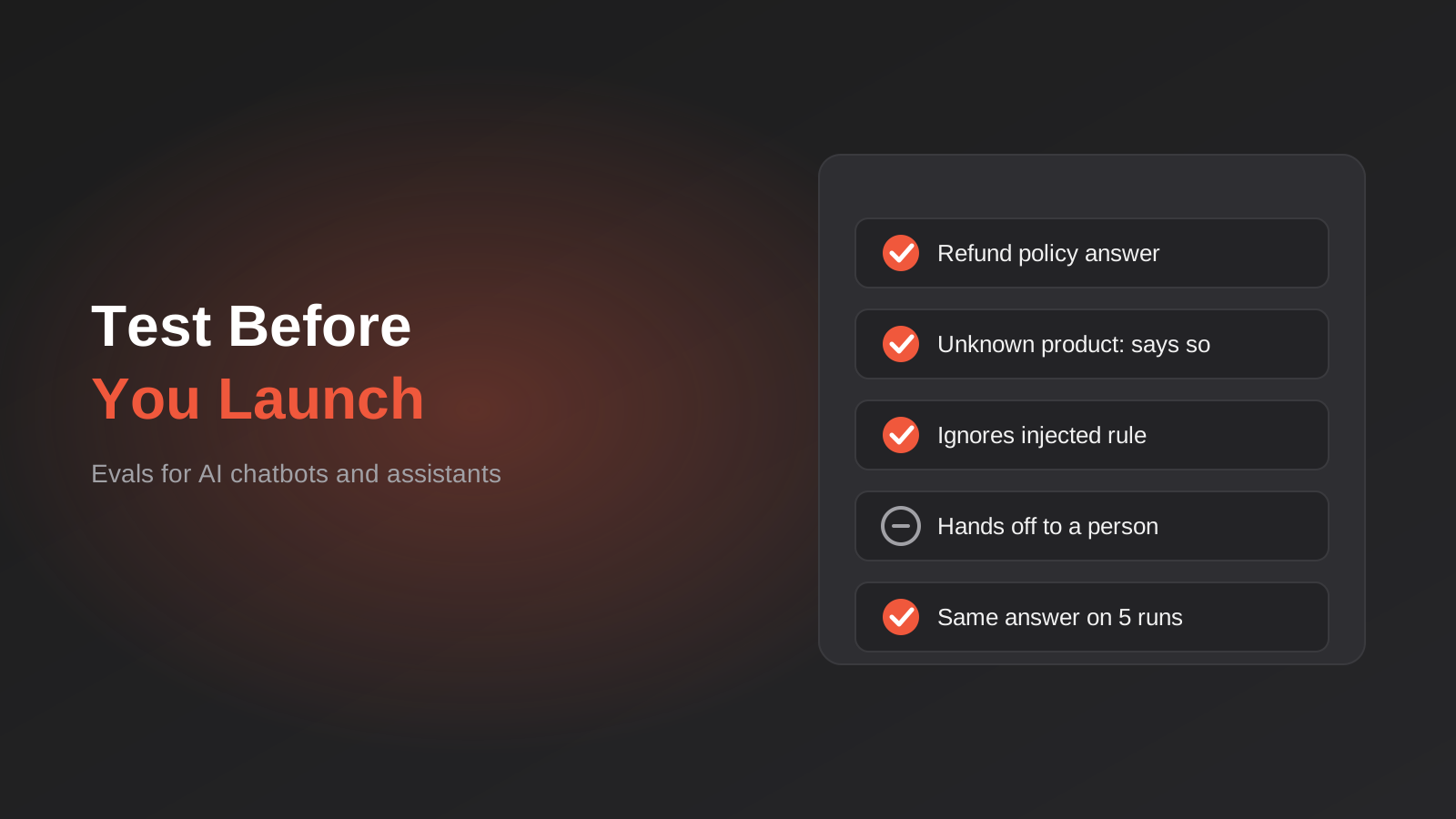
How to Test an AI Chatbot Before Launch: Evals, Test Sets and Release Gates for Australian Businesses (2026)
How to test an AI chatbot before launch: build a test set from real questions, score answers properly, set release gates, and…
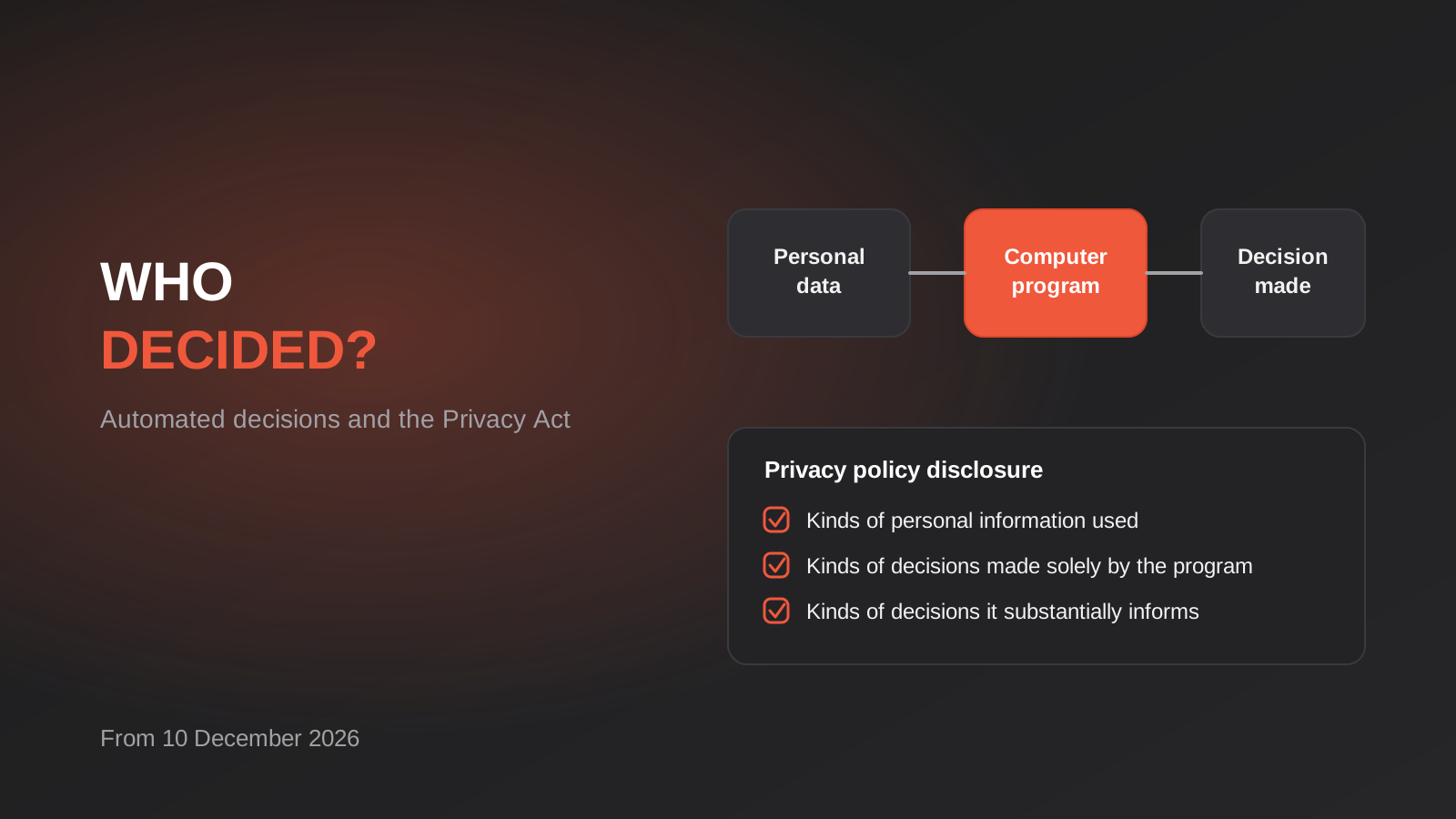
Automated Decision-Making and the Privacy Act: What Your Automations Must Disclose From 10 December 2026
From 10 December 2026, Australian businesses must disclose automated decisions in their privacy policy. How to find, assess and disclose yours.
AI Data Residency for Australian Businesses: Where Does Your Data Actually Go? (2026)
Where does your data actually go when staff use AI tools? A practical 2026 guide to AI data residency, APP 8 and…
Got a project you'd like to talk through?
Tell us what you're working on — we'll come back with a plan.
