
Shadow AI: Managing Unapproved AI Use in Australian Businesses (2026)
 Jignesh Vagadiya
06/10/2026
21 min read
Jignesh Vagadiya
06/10/2026
21 min read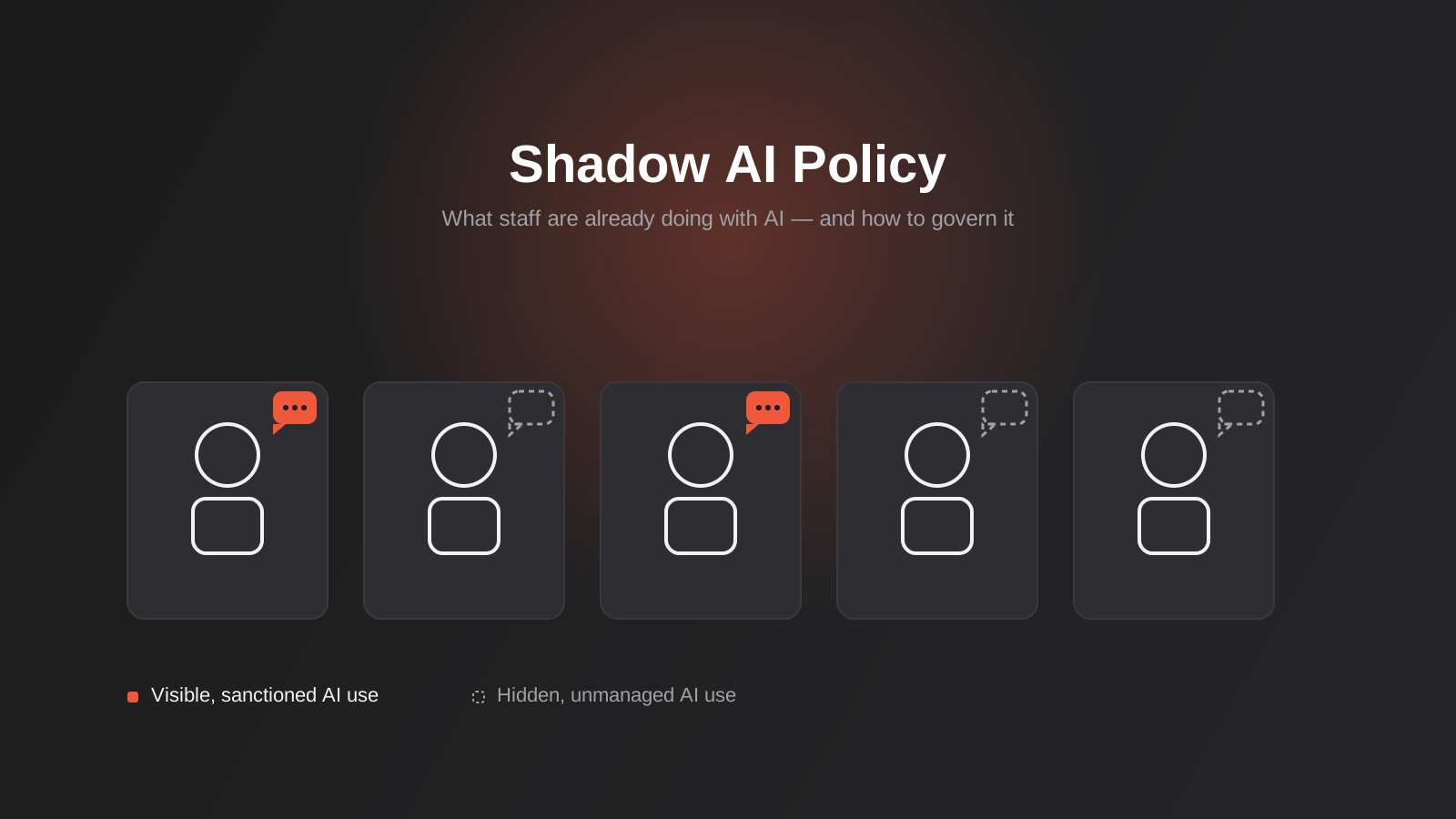
Walk through most Australian offices right now and you’ll find AI being used in places no one approved, by people who never asked. The account manager pasting a client brief into ChatGPT to tighten up the wording. The ops coordinator uploading a spreadsheet of supplier pricing to get a quick summary. The junior developer running production code through an AI assistant to debug it. None of it shows up on a risk register anywhere, because nobody told IT, nobody told the owner, and in most cases nobody thought there was anything to tell.
This is shadow AI — the generative AI equivalent of the shadow IT problem that’s been quietly running through Australian businesses for two decades, except faster, harder to see, and attached to tools that happily absorb whatever you paste into them. We’ve built AI-powered features and internal tools for clients across a range of industries, and the pattern is consistent: adoption on the ground is months, sometimes years, ahead of any policy covering it. Staff aren’t being reckless. They’re solving real problems with the best tool they can find, and in the absence of a sanctioned option, that tool is whatever’s free and open in a browser tab.
This post is about closing that gap without pretending AI isn’t already in the building. We’ll look at what shadow AI actually looks like inside a business, where the real exposure sits, and how to build a shadow AI policy staff will actually follow rather than quietly ignore. If you’re further along and already building AI into your own systems, our guide to AI agent security covers the adjacent problem of agents acting on your systems directly — this post is about the much more common, much less discussed problem of people using AI on your data.
What Shadow AI Actually Looks Like Inside a Business
Shadow AI isn’t one thing. It ranges from completely harmless to genuinely dangerous, and the line between them is almost always the data involved, not the tool.
The Tools People Reach For
In practice it’s a short list: a free or personal ChatGPT account, Google’s Gemini, Microsoft Copilot running outside the business’s managed tenancy, Claude, and a long tail of AI-powered browser extensions, note-taking apps and “AI meeting assistant” tools that quietly join video calls and transcribe everything said in them. Increasingly it also includes AI coding assistants wired into a developer’s editor, and AI features bundled into tools staff already use — Grammarly, Notion, Canva, CRM plug-ins — that got an AI button added in an update nobody read the release notes for.
None of these tools are inherently a problem. The problem is that most of them were designed for individual, personal use, and the business has no visibility into what’s been typed into them, no contract governing what happens to that data, and in several well-known cases, a default setting that uses submitted content to train the underlying model.
Why It’s Not Malicious
It’s worth saying plainly: shadow AI almost never comes from bad intent. It comes from a gap. Staff have a task, a public AI tool does it well, and there’s no approved alternative and no clear rule against it. Surveys of Australian workplaces over the past couple of years have told a fairly consistent story — a large share of employees are using generative AI at work, most of them without telling their employer, and only a small minority of organisations have a written policy covering it at all. That gap between adoption and governance is the whole problem. Banning the behaviour without closing the gap just pushes it further out of sight, which we’ll come back to.
The Real Risks of Unmanaged AI Use
It’s tempting to treat this as an abstract compliance worry. It isn’t. The risks are specific, and most businesses are carrying more than one of them right now without knowing it.
Data Leakage and Confidentiality
This is the big one. Once information is pasted into a public AI tool, the business loses control of it. Depending on the tool and its settings, that content might be retained, might be used to improve the model, and might be reviewed by human trainers as part of quality processes. For a business bound by a confidentiality clause with a client, a non-disclosure agreement with a supplier, or basic duty-of-care obligations to its own staff, that loss of control is a breach waiting to be discovered — usually by the other party, not by the business itself.
It’s rarely a dramatic leak of a whole database. It’s a contract pasted in for a quick summary, a customer list uploaded to find duplicates, a disciplinary letter drafted with help from a tool that now has a copy of an employee’s personal situation sitting on a server outside Australia.
Australian Privacy Act and Compliance Exposure
Under the Australian Privacy Principles, a business that holds personal information is responsible for how it’s handled, including when an employee moves it somewhere else without authorisation. Pasting a client’s name, contact details, health information or financial data into a public AI tool can constitute a disclosure of personal information to a third party — one the business didn’t intend, didn’t document, and likely can’t fully undo. For regulated sectors (health, legal, financial services, anything touching government data), this isn’t a theoretical risk; it’s the kind of thing that turns up in a breach notification assessment after the fact, when someone is trying to work out what happened and where the data went.
This is also where it connects to broader data-handling obligations the business already has around its other systems — controlled, logged, contracted data movement between core platforms is the opposite of what happens when the same data gets pasted into a chat window.
Vendor Data-Handling Terms Actually Matter
Not all AI tools handle data the same way, and the differences usually sit in terms most staff never read. Free consumer tiers, almost across the board, reserve the right to use submitted content to improve their models unless you explicitly opt out in account settings — and an individual staff member signing up with a personal email has no reason to go looking for that toggle. Paid enterprise or business tiers of the same products typically come with a data processing agreement, a contractual no-training commitment, and sometimes a choice of hosting region. That gap between the free and paid tier of the exact same tool is, in practice, the gap between “fine for internal drafting” and “not something a confidentiality clause survives.” It’s worth actually reading the current terms for whatever tool ends up approved, rather than assuming enterprise branding automatically means enterprise-grade data handling — vendors change these terms more often than anyone reviews them.
Hallucinated Output Making It Into Client Work
The second risk is quieter but just as costly: AI tools produce confident, plausible, sometimes completely wrong output, and staff under time pressure don’t always catch it. A fabricated statistic in a proposal. A misstated clause in a summarised contract. A chatbot transcript used as the basis for client advice that was never actually checked against the real policy. None of this requires any data to leave the business to cause damage — it just requires someone to trust the output a little more than they should have.
Shadow Integrations
The newest and least understood version of this risk is staff connecting AI tools to real business systems themselves, outside any review process. A browser extension that’s granted access to read a Gmail inbox. A Zapier or Make automation someone built on a personal account that pulls live CRM records into an AI summarisation step. A free trial of an AI tool that asked for calendar or file-storage permissions and got them, because the sign-up flow made it the path of least resistance.
This matters because it blurs into automation and integration territory that should go through the same scrutiny as any other system connection. We’ve written separately about what that scrutiny should look like once AI is deliberately given access to business systems, covering the technical controls (least privilege, approval gates, audit trails) that apply once you’re past the policy stage and into actually building something. The policy covered here is what stops those integrations from happening informally in the first place.
Why Banning AI Doesn’t Work
The instinctive response, once a business clocks the risk, is to block the obvious tools at the network level and send out a memo saying AI use is prohibited. It feels decisive. It doesn’t work, for a few concrete reasons.
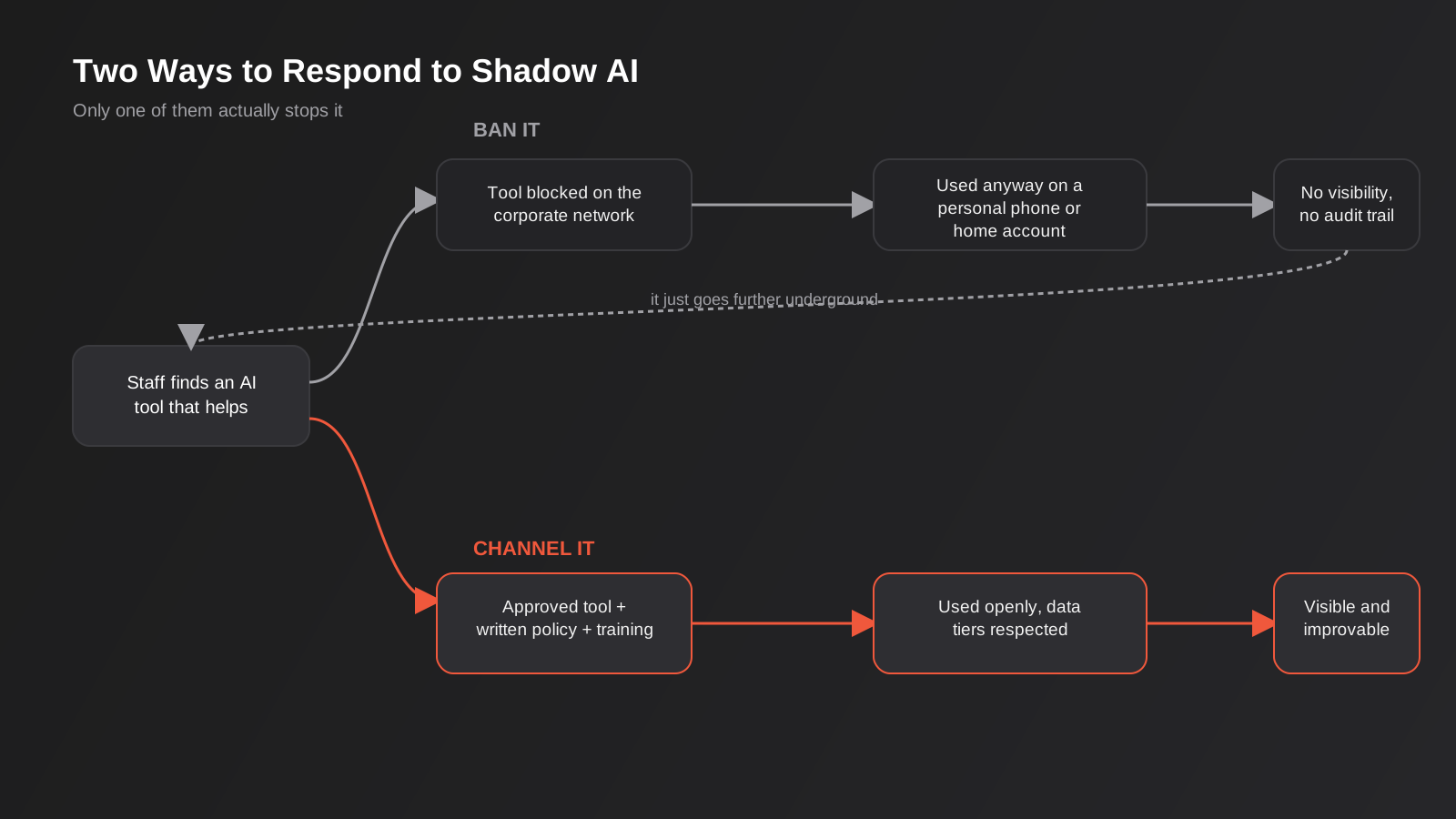
First, you can block a website on the office network and achieve nothing, because almost everyone doing this is doing it from a phone, a personal laptop, or a home connection on the same device they use for work email. Second, banning a category of tool without offering a replacement doesn’t remove the underlying task — it just means staff solve it with less supervision and less awareness of what’s sensitive, because now they’re doing it covertly instead of in the open where a colleague might flag a concern. Third, and most corrosively, a ban that everyone quietly ignores teaches staff that policy in this business is theatre, which erodes compliance on everything else too.
None of this means “no rules.” It means the rules have to acknowledge that AI use is already happening, give people a legitimate way to keep doing the useful parts of it, and draw a clear, enforceable line around the parts that actually cause harm.
Building an AI Usage Policy That Staff Will Actually Follow
A policy that gets ignored is worse than no policy, because it creates a false sense that the risk is handled. The policies that hold up share a few traits.
Start With What’s Already Happening
Before writing anything, find out what staff are actually using. This doesn’t need to be an interrogation — a short, genuinely blame-free survey (“what AI tools have you used for work in the last month, for what”) usually gets honest answers if people believe the point is to help rather than catch them out. Pair it with a look at expense claims for AI subscriptions and, if you have the visibility, network or SaaS-usage logs. You’re building a real picture of current behaviour, not drafting a policy for the business you wish you had.
Tier Data Before You Tier Tools
The single most useful thing a policy can do is separate “what tool” from “what data,” because the data is where the actual risk lives. A workable structure usually has three or four tiers: public information (marketing copy, published content — low risk almost anywhere), internal information (process notes, internal drafts — fine for approved enterprise tools, not for free consumer accounts), confidential information (contracts, financials, unreleased plans — approved tools only, often with redaction first), and client or regulated data (personal information, health data, anything covered by a specific compliance obligation — the strictest tier, typically limited to tools with a specific contractual and technical guarantee around data handling, or kept out of AI tools entirely).
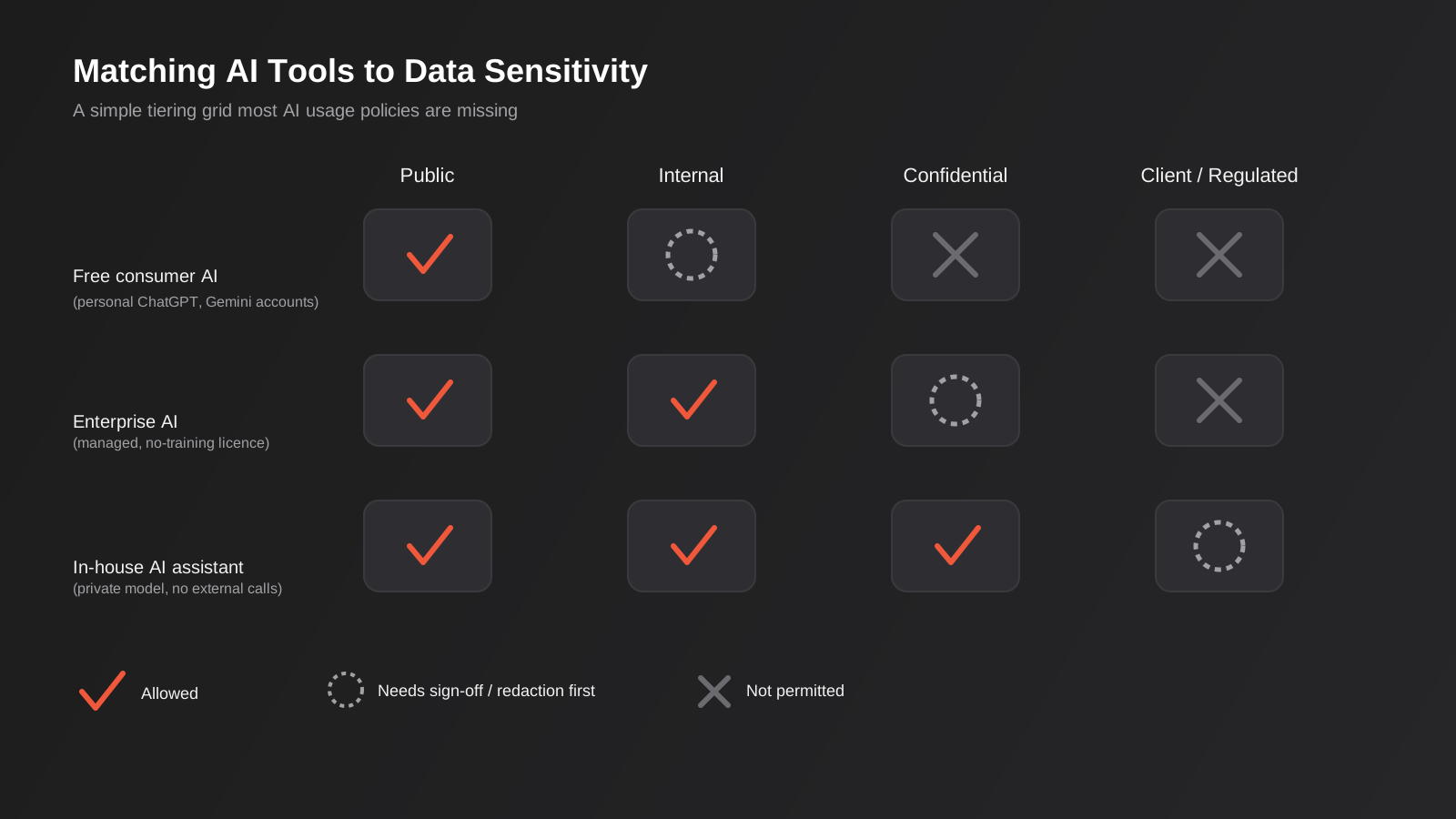
This framing also makes the policy far easier to actually apply day to day. Staff don’t need to memorise a list of forbidden apps — they need to recognise what kind of data they’re holding and know which tier it sits in. That’s a much smaller cognitive load, and it survives the next new AI tool launching next month, which a tool-specific policy never does.
Approval Paths Instead of Blanket Bans
For anything above the “public” tier, give staff a fast, specific way to get a new tool approved rather than a flat no. A one-page form or a quick message to whoever owns the policy, with a turnaround measured in a day or two, beats a six-week procurement process every time — a slow approval path just drives people back underground. The goal is to be the easiest path to get the job done safely, not the hardest. A workable version of this is three questions: what’s the tool, what tier of data would it touch, and what’s the task. Most requests can be answered same-day once someone actually owns answering them.
Who Actually Owns This
Every policy we’ve seen fail had the same root cause: nobody specific owned it. It sat with “IT” in theory, which in a lot of growing Australian businesses means a part-time contractor or an owner wearing six hats, and in practice meant nobody answered approval requests, nobody updated the tiering when a new tool launched, and nobody noticed when the policy quietly drifted out of date. One named person — not a team, not a title, an actual person — should own the policy, field approval requests, and be accountable for reviewing it at least annually. In a small business that’s often the owner. In a growing business it’s usually whoever already owns IT or operations decisions, with a light legal review of the written policy itself rather than of every individual tool request. The point isn’t seniority; it’s that someone can be asked “can I use this?” and actually knows the answer or knows how to get one quickly.
Training Beats Rules on Their Own
A policy document that sits in a shared drive changes nothing. A short, practical session — twenty minutes, real examples from the business’s own work, not generic slideware — that walks through what’s fine, what needs a tier check first, and what’s off-limits, does far more. Repeat it for new starters and refresh it yearly, because both the tools and the risks keep moving. If your team is distributed or this needs to run without you in the room every time, this is also exactly the kind of recurring internal process that’s worth automating the reminders and refreshers for, rather than relying on someone remembering to schedule it.
Giving Staff a Sanctioned Alternative
Policy alone addresses behaviour. It doesn’t address the reason the behaviour exists in the first place — a real task that a public AI tool happens to solve well. The most durable fix is giving staff an approved tool that does the same job without the same exposure.
For a lot of businesses that’s as simple as moving to a managed, enterprise-tier subscription of the tool people already like, with data retention and training settings locked down and tied to the business’s own account rather than individual personal logins. For businesses with more specific needs — summarising internal documents, answering policy questions, drafting against house style and real company knowledge — a purpose-built internal AI assistant closes the gap more completely, because it’s scoped to the business’s own information from the start rather than bolted onto a general-purpose chat tool. We cover how that’s built, including the retrieval and privacy side of it, in our guide to internal AI assistants for Australian businesses.
If the need goes further than an assistant that answers questions — genuinely connecting AI to the systems a team already runs on, like a CRM or project tool — that’s a scoped development project in its own right, and it’s worth treating it as one rather than as a side effect of someone’s personal AI subscription. Our AI-powered development work and custom AI integrations service both start from exactly this point: a real task staff are already trying to solve with AI, built properly instead of informally.
Where AI Agents and Automations Fit a Different Risk Category
It’s worth being precise about where shadow AI policy ends and a separate problem begins. Everything above is about people using AI tools on data they can already see and already have legitimate access to — the risk is where that data ends up, not whether they were allowed to look at it. A different, generally higher-stakes category starts once AI is given the ability to act: sending emails, updating records, approving transactions, moving money, triggering workflows without a human checking each step.
That category needs its own controls — scoped permissions, approval gates on anything irreversible, a full audit trail of what the AI did and why — which we’ve detailed in our AI agent security guide. It’s also the territory covered by the Model Context Protocol standard, which is quickly becoming the standard way AI agents get structured, permissioned access to business systems rather than loose, ad hoc API access cobbled together by whoever got there first. If staff or developers are already experimenting with connecting AI agents to internal tools on their own initiative, that’s a strong signal it’s time for a proper, governed implementation rather than another unofficial integration quietly running in the background — our MCP development work is built around exactly that transition, from ad hoc access to something deliberately scoped and auditable.
Monitoring and Enforcement Without Becoming the AI Police
Once the policy and the sanctioned tooling exist, the remaining job is making sure the gap between the two stays closed, without turning the business into a surveillance operation that damages trust more than any AI tool could.
Practical, proportionate steps that tend to work: a lightweight register of AI tools in active use, reviewed every quarter rather than policed daily; DNS or network-level visibility into which AI domains staff are reaching, used to spot drift rather than to catch individuals; a simple, genuinely safe way to report “I think I used the wrong tool for this” after the fact, with a default response of fixing the gap rather than disciplining the person who flagged it; and spot checks folded into existing processes — a client-file review, a new starter’s first-month check-in — rather than a dedicated AI audit that signals distrust. The aim is a policy staff feel is there to protect them and the business together, not one they’re trying to avoid being caught breaking.
Worth building in from the start: a review trigger tied to events, not just the calendar. A new AI feature landing in a core piece of software the business runs on, a new client contract with stricter confidentiality terms, or the business moving into a more regulated industry are all good reasons to revisit the tiering and the approved tool list outside the usual annual cycle. Policies that only get reviewed once a year tend to lag a genuinely fast-moving category of tools by most of that year.
Common Mistakes
- Writing a policy before finding out what staff are actually using, so it addresses a version of the business that doesn’t exist.
- Banning specific named tools instead of tiering data, which means the policy is obsolete the week a new AI product launches.
- Treating the policy as an IT document when it needs sign-off and visible support from leadership, legal and HR as well.
- Rolling out a policy with no training, so staff never actually read it and fall back on habit.
- Making the approval process for a new tool slower than just using an unapproved one quietly, which guarantees people keep doing the latter.
- Assuming free and paid consumer AI tiers have the same data handling terms — they often don’t, and the free tier is usually the one used to train the model.
- Ignoring AI features quietly added to existing software (CRMs, note-taking apps, browser extensions) because the policy was written with only standalone chat tools in mind.
- Covering public AI tools in detail while leaving staff-built automations and integrations — the shadow integration problem — completely unaddressed.
Frequently Asked Questions
Is shadow AI actually illegal in Australia?
Using an AI tool isn’t illegal by itself. What creates legal exposure is what gets put into it. If an employee pastes personal information, health data or confidential client material into a public AI tool without authorisation, that can breach the Australian Privacy Principles, a client contract’s confidentiality terms, or both — and the business carries that liability even though it was an individual staff member’s action, not a company decision.
Should we just block ChatGPT and similar tools on the office network?
Blocking a site on the corporate network stops almost nothing in practice, because most shadow AI use happens on personal phones and home connections rather than the managed network. It also removes your visibility into the behaviour instead of addressing it. A policy paired with an approved alternative consistently works better than a block.
What’s the difference between this and the AI agent security problem?
Shadow AI policy covers people using AI tools on data they already have legitimate access to — the risk is where that information ends up. AI agent security covers a different situation: AI given the ability to act on business systems directly, sending messages, updating records or triggering workflows. The second category needs technical controls like scoped permissions and approval gates, which we cover separately, on top of — not instead of — a usage policy.
Do small businesses really need a formal AI policy, or is that overkill for a team of five?
The size of the policy should match the size of the business, but the need doesn’t disappear just because the team is small. A five-person business handling client financial data or health information carries the same Privacy Act obligations as a five-hundred-person one. For a small team, this can genuinely be a single page: which data tiers exist, which tools are approved for each, and who to ask about a new one.
How do we find out what AI tools staff are already using without it feeling like an investigation?
A short, clearly blame-free survey asking what AI tools people have used for work and for what, framed as “we want to support what’s working, not catch anyone out,” usually gets honest answers. Pairing it with a look at expense claims for AI subscriptions and any SaaS or network usage visibility you already have rounds out the picture without singling anyone out.
What should happen if we find out someone has already put sensitive data into a public AI tool?
Treat it the way you’d treat any other data handling incident: assess what was disclosed, check whether it triggers a notifiable breach assessment under the Privacy Act, and fix the process gap that allowed it rather than only disciplining the individual. If the response to a disclosed mistake is punitive, the next person who makes one simply won’t tell you, which is a worse outcome for everyone. Document what happened and what changed as a result — that record is also what you’d point to if a regulator or a client ever asked how the business responds to this kind of incident.
How is this different from a general acceptable use policy for computers and the internet?
A general IT or internet usage policy usually assumes a human is reading what they access and typing what they choose to. AI tools break that assumption in two ways: the tool can retain and reuse whatever is submitted long after the session ends, and the output can be wrong in ways that look confident rather than obviously broken. A usage policy for AI needs to cover data handling and output verification specifically — a generic acceptable use policy written before generative AI existed usually doesn’t, even if it technically mentions “software tools.”
Where to Start
The businesses that handle this well don’t start with a ban or a thick policy document. They start by finding out, honestly, what staff are already doing with AI and why, then build a simple, data-tiered policy around that reality, backed by at least one sanctioned tool that makes the safe path the easy path. Everything else — training, monitoring, the harder technical controls around AI agents acting on real systems — builds on top of that foundation.
If you’re trying to work out where your own business sits on this — whether that’s drafting a usage policy, scoping a proper internal AI assistant, or reviewing an AI integration someone’s already quietly built — we’re happy to talk it through. No pitch, just a practical look at what’s actually going on and what’s worth fixing first.
Keep reading
Related posts
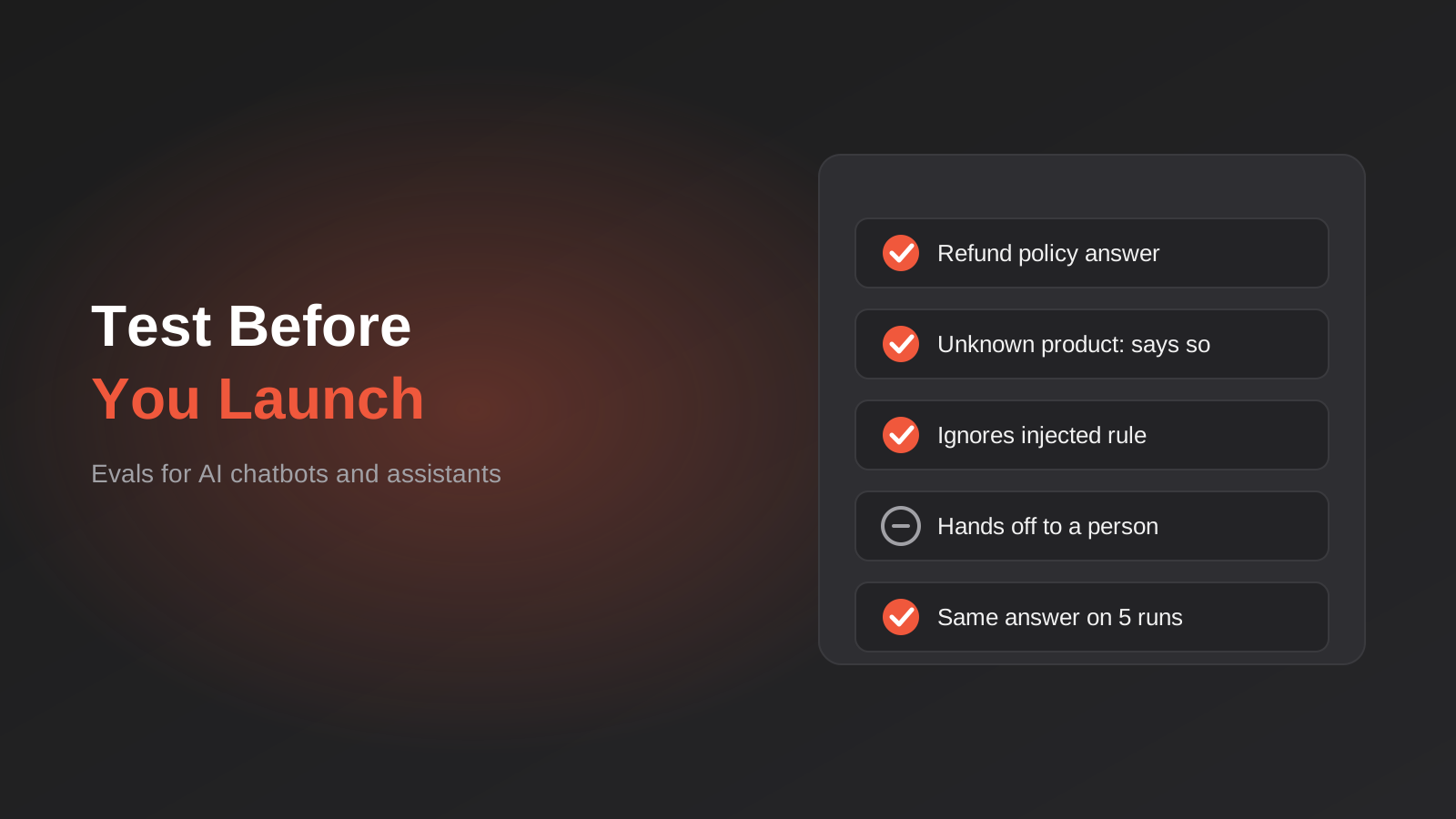
How to Test an AI Chatbot Before Launch: Evals, Test Sets and Release Gates for Australian Businesses (2026)
How to test an AI chatbot before launch: build a test set from real questions, score answers properly, set release gates, and…
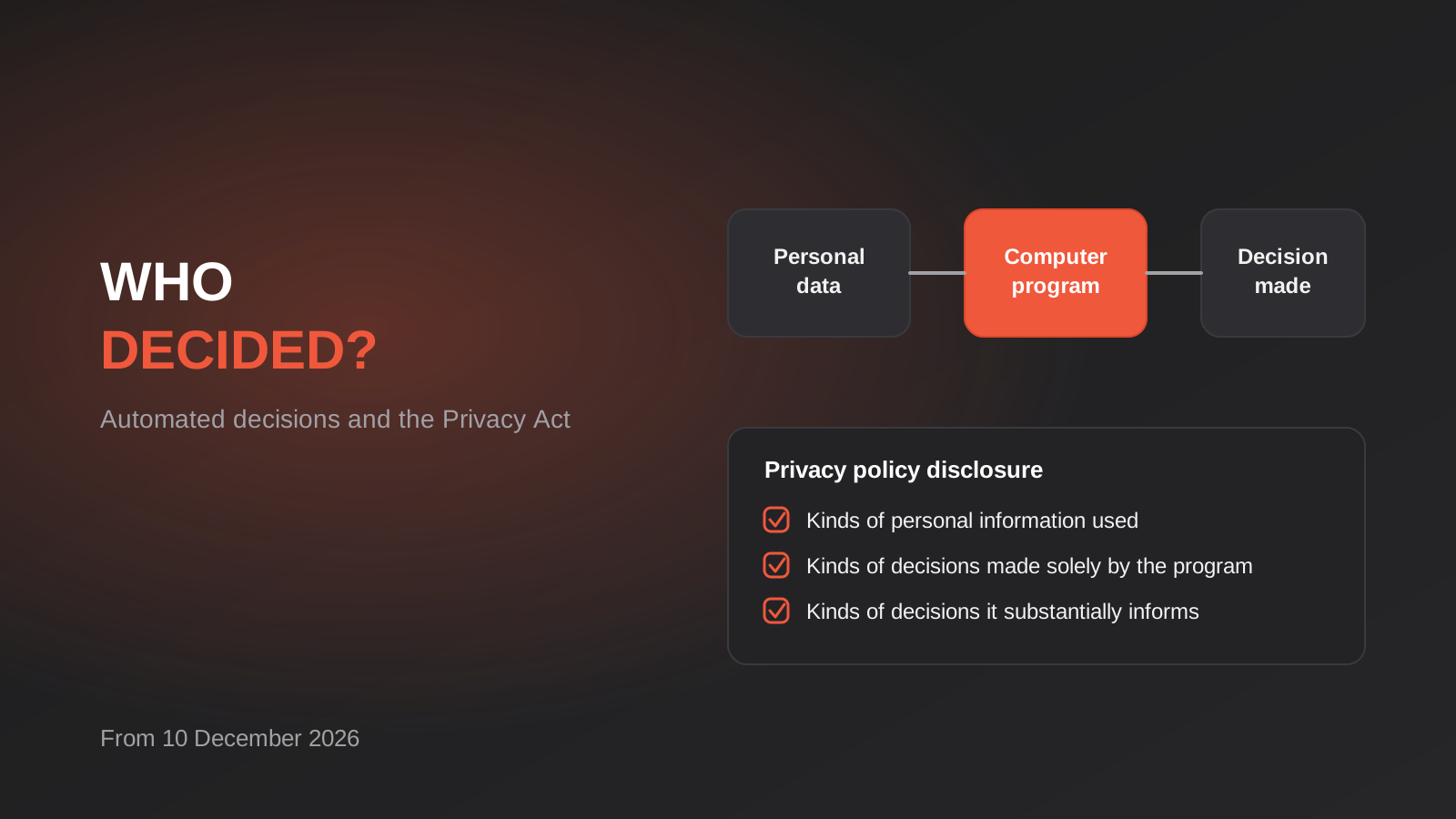
Automated Decision-Making and the Privacy Act: What Your Automations Must Disclose From 10 December 2026
From 10 December 2026, Australian businesses must disclose automated decisions in their privacy policy. How to find, assess and disclose yours.
AI Data Residency for Australian Businesses: Where Does Your Data Actually Go? (2026)
Where does your data actually go when staff use AI tools? A practical 2026 guide to AI data residency, APP 8 and…
Got a project you'd like to talk through?
Tell us what you're working on — we'll come back with a plan.
