
Landing Page Design vs Development: What’s the Difference (and Which Do You Need)?
 Jignesh Vagadiya
02/09/2026
21 min read
Jignesh Vagadiya
02/09/2026
21 min read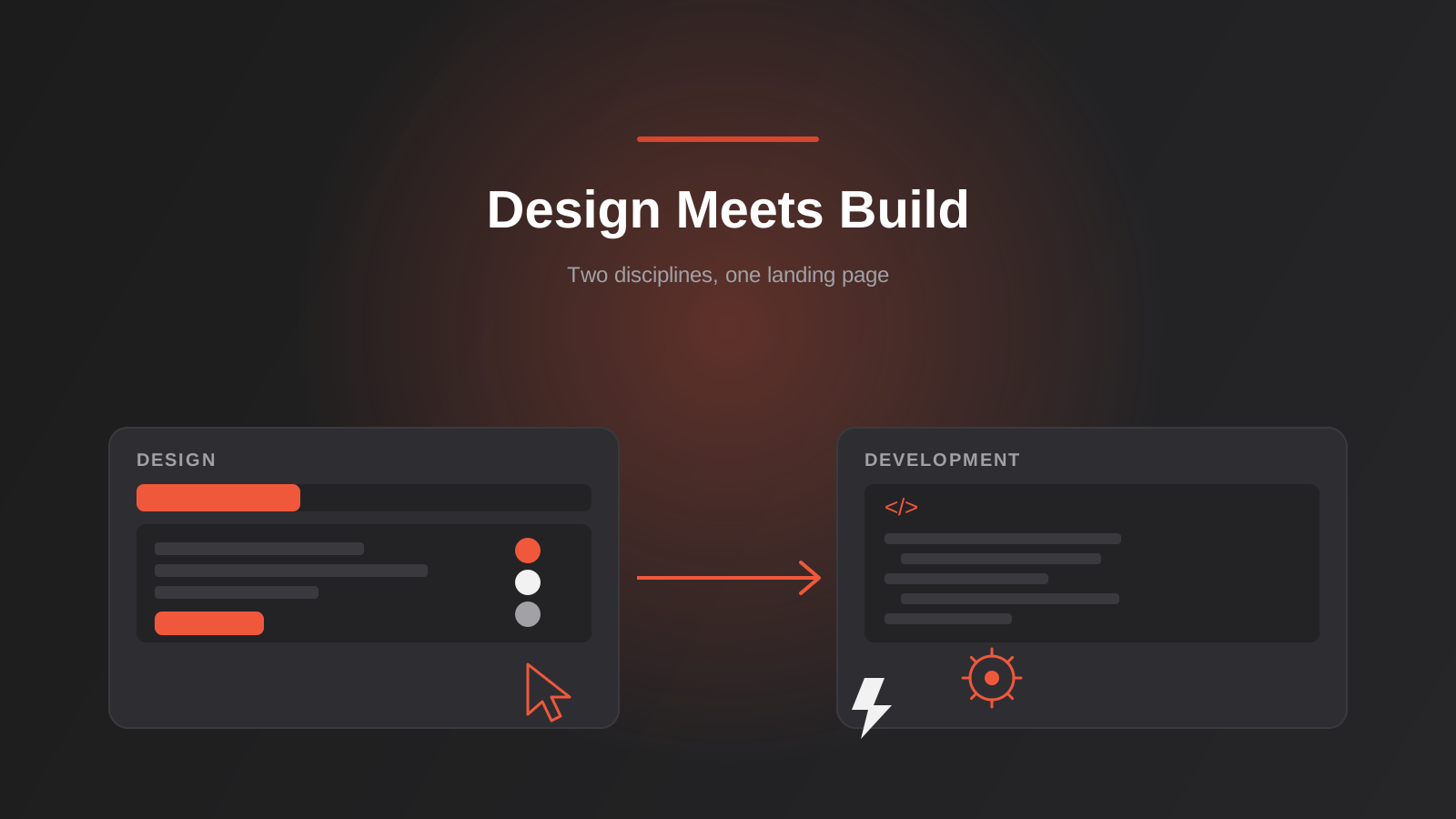
A client asked us for “a landing page” last month and, about twenty minutes into the call, it became clear that three different people in the room meant three different things by it. Their marketing manager wanted a striking new visual design, something that finally looked like the brand they’d spent a year building. Their operations lead wanted it wired into HubSpot correctly, with the right fields mapping to the right pipeline stage. Their founder wanted it live before Friday’s campaign launch. All three were asking for “a landing page.” None of them were describing the same piece of work.
This mix-up is common, and it’s not really anyone’s fault — the word does a lot of heavy lifting. “Landing page design” and “landing page development” get used interchangeably in briefs, quotes and Google searches, but they’re genuinely different jobs, done by different skill sets, with different deliverables and different failure modes. Conflating them is how businesses end up paying twice for the same work, or worse, launching a page that looks right and quietly loses leads because nobody actually built the tracking properly.
This guide breaks landing page design vs development down properly: what each one actually covers, how to work out whether you need one or both, what a template gets you versus a custom build, and how the two disciplines fit together in a real production process. If you’ve been quoted for one and are wondering why it doesn’t seem to include the other, this should clear it up.
What “landing page design” actually means
Landing page design covers everything that determines what a visitor sees and how they’re persuaded, before a single line of production code gets written. It’s strategic and visual work: figuring out the argument the page needs to make, then giving that argument a shape someone will actually read and act on.
In practice, that means working out the page’s single job — a form fill, a phone call, a purchase — and cutting everything that doesn’t serve it. It means planning the order the page makes its case in: what a visitor who’s never heard of you needs to see, and in what sequence, before they trust the offer enough to act. It covers the above-the-fold layout and visual hierarchy, where social proof gets placed, how objections get pre-empted, how a form is laid out to reduce friction, and where the call to action sits and how it’s worded. Our own landing page design work follows this structure — single-purpose layouts, objection handling, trust signals and form design treated as one connected process rather than separate tasks bolted together.
What design deliverables actually look like
When a landing page gets designed properly, the deliverable is a set of finished comps ready to hand to a developer: layout at desktop, tablet and mobile breakpoints, a small style guide covering buttons, form fields, colour and type, and usually a copy structure with a rationale for why each section exists. None of that is a working page yet. It’s the blueprint a builder works from — detailed enough that development shouldn’t need to guess at intent, but nothing on it actually loads in a browser.
The tools involved
Design work happens in tools like Figma, and occasionally in a hybrid tool like Webflow where design and light interactivity overlap. It doesn’t require touching a CMS, a codebase, or a hosting environment — it’s entirely possible, and common, to design a complete landing page without ever opening WordPress, Shopify or a code editor. That’s exactly why design and development can be, and often are, scoped and billed as separate pieces of work.
What “landing page development” actually means
Development is where the design becomes a real, working page — something a browser can render correctly, a visitor can submit a form through, and an ad platform can actually track. It’s the part that determines whether the page holds up once real traffic, and real ad spend, hits it.
That covers turning the design into markup, styling and functionality — whether that’s custom-coded, assembled inside a page builder, or built within a CMS like WordPress. It covers making the page responsive and correct across browsers and devices. It covers performance: image optimisation, lazy loading, minified assets, caching and CDN setup, all of which feed into Core Web Vitals scores that increasingly affect both user experience and ad quality scores. It covers wiring up conversion tracking properly — Google Ads and Meta pixels, GA4 events, server-side tracking where privacy changes have made client-side tracking unreliable. And it covers connecting the form to wherever leads actually need to land: a CRM, an email platform, a webhook, a Slack notification, or all four. Our landing page development work sits entirely in this layer — the build, the speed optimisation, the tracking and integrations, and the infrastructure behind genuine A/B testing.
Where development quietly makes or breaks a campaign
A design can be flawless and the page can still convert at half the rate it should if development is careless. This is where things fail silently. A form that submits successfully but never notifies anyone. A pixel that fires twice, quietly inflating conversion numbers an account manager later has to explain. A hero image that’s four megabytes and adds three seconds to load time on a mobile connection, which is exactly the environment most paid traffic arrives through. None of that shows up by looking at the page. It shows up three days later, when a lead calls asking why nobody followed up, or when a Google Ads rep asks why the reported conversion rate doesn’t match what’s actually landing in the CRM.
Where the confusion actually comes from
A few things reliably blur the line between these two jobs, and it’s worth naming them, because each one has a different fix, and misdiagnosing which one is causing the confusion in a given project usually means fixing the wrong process next time round.
The first is tooling. Platforms like Unbounce, Leadpages and Instapage market themselves as complete landing page builders — design and lightweight development bundled behind a drag-and-drop editor that produces working, if templated, code. That’s a legitimate approach for a lot of simple pages, and it’s a big part of why people expect “a landing page” to be one deliverable from one person. For straightforward offers, it often is.
The second is pricing habits. Plenty of studios bundle design and build into a single line item on a quote, because for a genuinely simple page, splitting the billing doesn’t add much clarity. That’s fine when the scope really is simple. It becomes a problem once complexity increases — a multi-step form, a CRM integration, a real testing programme — and neither side of the work was actually scoped or priced on its own terms.
The third is just the word itself. “Design” gets used loosely in everyday speech to mean something closer to “make” or “create,” which papers over a distinction that matters a great deal the moment a page needs proper tracking, a non-trivial integration, or genuine A/B testing infrastructure. Once you need any of those, the loose meaning stops being harmless.
There’s a fourth, less obvious cause worth naming too: most paid traffic today arrives on a phone, not a desktop. When the majority of a campaign’s visitors are on mobile, a landing page designed and reviewed only on a desktop monitor can look finished and still perform badly in the environment it actually needs to work in. That’s partly a design issue — layouts and forms designed mobile-first behave differently to desktop layouts squeezed down to fit a small screen — and partly a development issue, since mobile load speed and touch-target sizing are build concerns as much as visual ones. It’s one of the clearer examples of why the two disciplines have to stay coordinated even when they’re handled separately.
Landing page design vs development: do you need both, or just one?
The honest answer is “it depends on what you already have,” but that’s not a very useful sentence on its own, so here’s how we actually work through it with clients.
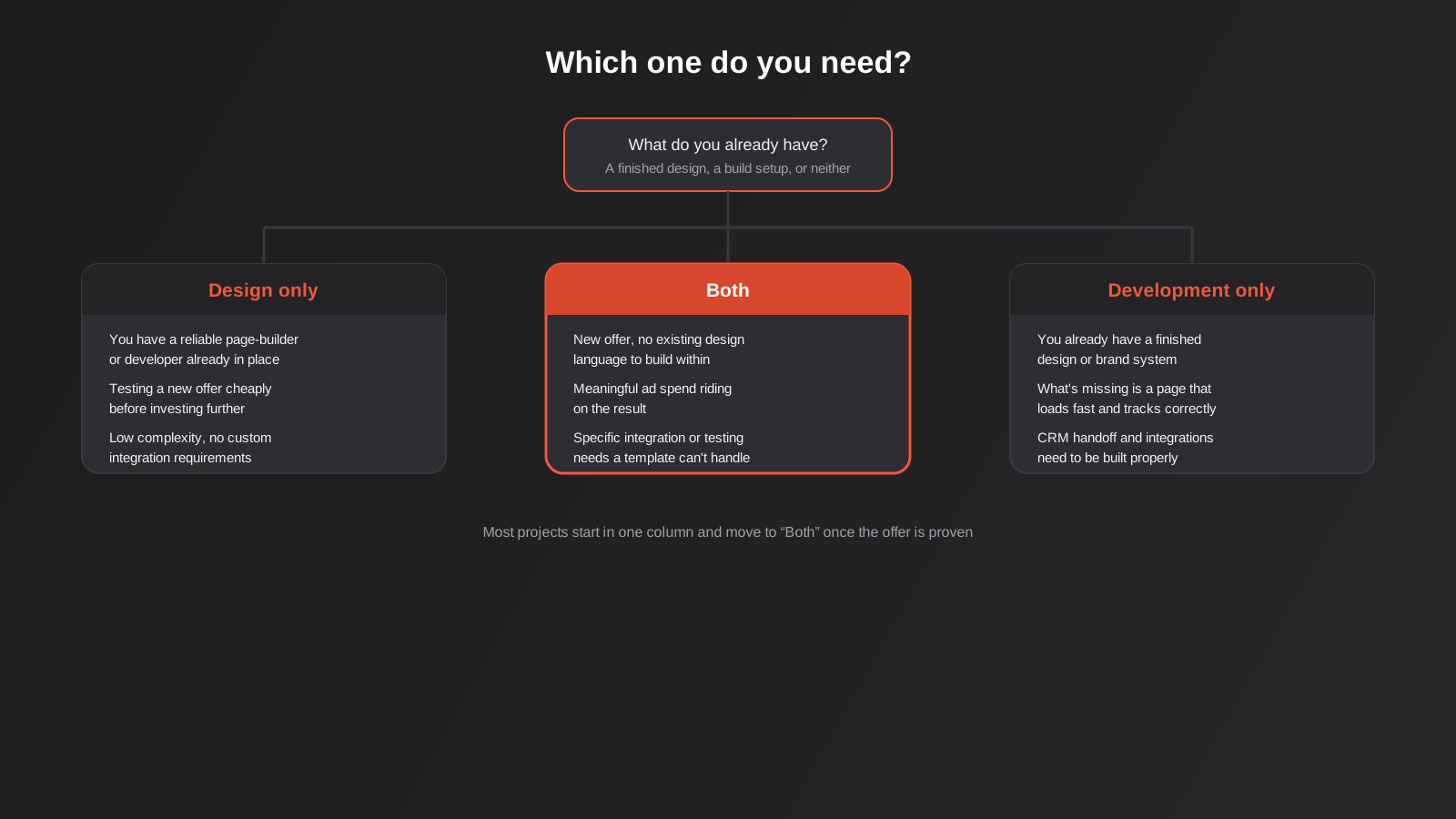
Design alone is usually enough if you already have a reliable page-builder setup — Elementor, Divi, Unbounce, or an existing WordPress theme with a flexible page builder built in — and a developer, internal or otherwise, who can implement a finished design without much hand-holding. It’s also the right call if you’re testing a new offer cheaply before committing budget to a custom build; a well-designed page inside an existing template system can validate demand long before it’s worth investing in bespoke development.
Development alone makes sense when you, or a designer or copywriter you’re working with, already have a finished design or a strong, documented brand system to build within. If the visual and structural thinking is done and what’s missing is a page that actually works — loads fast, tracks correctly, talks to your CRM — that’s a development-only project.
You need both when it’s a genuinely new offer with no existing design language to lean on, when there’s no reliable page-builder infrastructure already in place, when meaningful ad spend is riding on the result, or when the integration and testing requirements are specific enough that a template genuinely can’t handle them cleanly.
When a template and a page builder are genuinely enough
There’s a reasonable amount of research on this, and it’s worth taking seriously rather than assuming custom is always better. Well-built templates achieve solid average conversion rates at a fraction of the cost and time of a custom build — often launching in hours or days rather than weeks. For testing a new offer, running a low-stakes campaign, or validating demand before investing further, that speed and cost advantage usually outweighs the ceiling a template imposes on customisation.
When custom development earns its cost
Custom development tends to justify itself once a few conditions line up together: the offer is proven and reasonably high-value, there’s enough monthly traffic to make structured testing meaningful rather than statistically noisy, and the integration or tracking requirements go beyond what a page builder handles cleanly — multi-step qualification logic, server-side conversion tracking, a CRM handoff with conditional routing. Page speed is also a real factor: once you’re bidding against competitors running properly optimised pages, a slow templated page becomes a genuine competitive disadvantage, not just an inconvenience.
Template vs custom build: the real trade-offs
It helps to think of this as three rough tiers rather than a binary choice, because most businesses end up somewhere between the extremes.
At one end, a DIY page builder — something like Unbounce or Leadpages used directly, with a stock or lightly customised template — gets you live fastest and cheapest. The ceiling is real: limited custom interactivity, generic-feeling design unless someone with a good eye customises it heavily, and integrations restricted to whatever the platform natively supports. For a first test of an offer, that ceiling rarely matters.
In the middle, a designed page built inside an existing, flexible CMS setup — a WordPress site with a solid page builder, for instance — gets you a genuinely custom-looking result without a fully bespoke codebase. This is where a lot of small and mid-sized Australian businesses land, and reasonably so: it balances cost, speed and quality well once the offer is validated and worth a proper visual treatment.
At the other end, a fully custom-coded build gives you complete control over performance, interactivity and integration logic, with no page-builder overhead dragging down load times. It costs more and takes longer, and it’s genuinely wasted on a page that’s still being used to validate an unproven offer. It earns its cost once traffic, spend and integration complexity are all high enough that the page-builder tier starts showing real limits — slow load times under real traffic, tracking gaps, or a design the templates simply can’t express.
Ongoing ownership is worth factoring into that choice too, not just the upfront build. A page-builder page is usually easier for a marketing team to tweak independently afterwards — swapping an image, adjusting copy, testing a new headline — without needing a developer involved every time. A custom-coded page generally needs a developer for anything beyond content edits, which is a fair trade for the performance and flexibility gains, but worth planning for if your team wants to run frequent small changes without raising a ticket each time.
How a landing page actually gets made: the production process
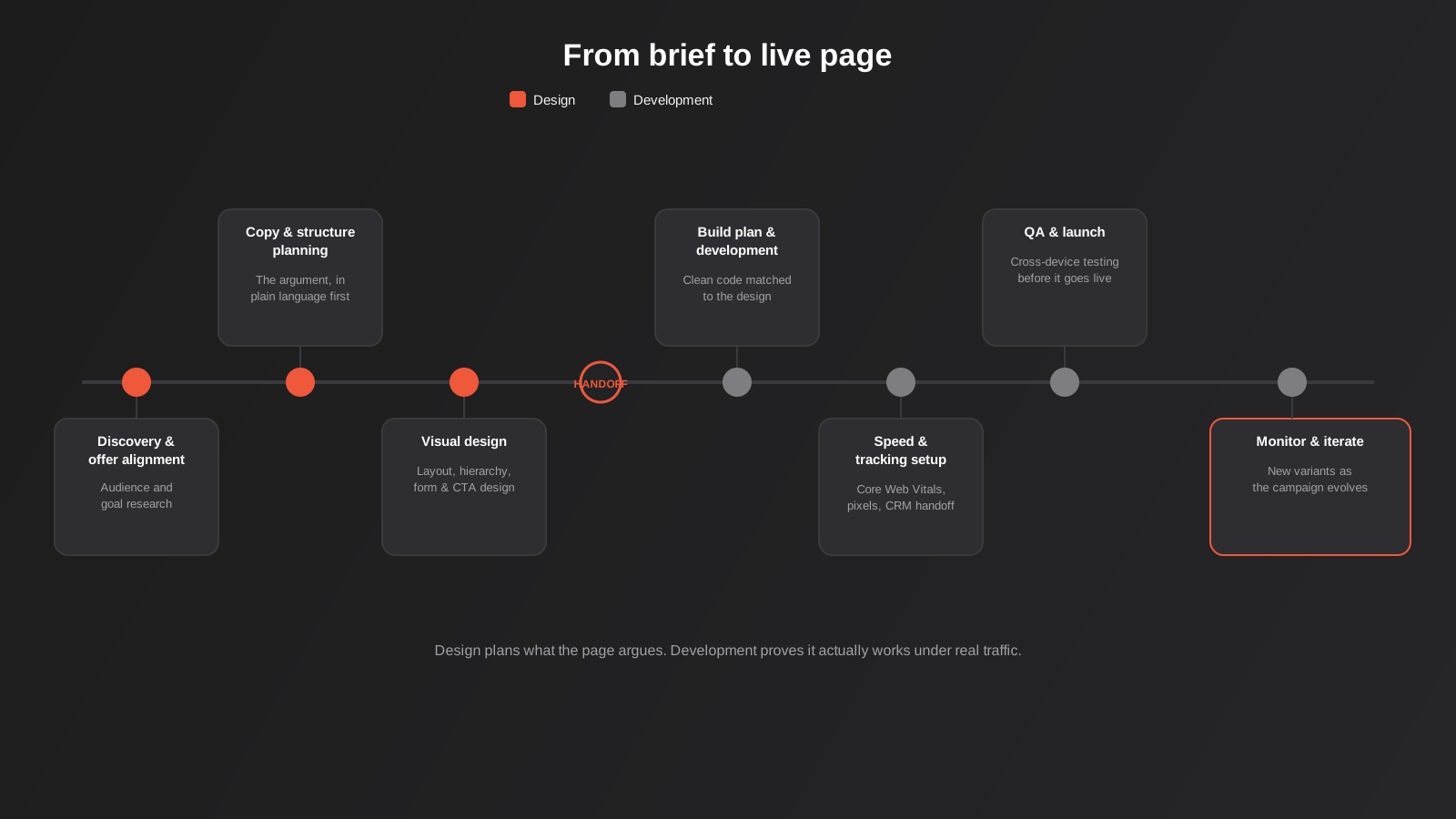
Understanding the full process makes it obvious why design and development are separate disciplines even when the same agency runs both, and why splitting them cleanly — with an explicit handoff point — tends to produce better pages than treating the whole thing as one undifferentiated task.
It starts with discovery and offer alignment: understanding the audience and what needs to be true for someone in that audience to convert on this specific page. From there, copy and structure get planned before any visual design starts — the argument gets mapped out in plain language first, so the visual design has something solid to express rather than trying to invent persuasion on the fly. Visual design follows: layout, hierarchy, imagery, form and CTA design, built around that structure. That’s the handoff point — the design gets planned for build, with every state and breakpoint covered, and passed to development along with a clear build plan covering code approach, tracking requirements and platform.
Development takes it from there: the actual build, matched closely to the design; speed optimisation against Core Web Vitals; tracking, form and CRM integration setup, tested before anything goes near real traffic; QA across devices and browsers; and launch. After launch, the work isn’t finished — performance gets monitored, and new variants get designed and built as the campaign evolves.
Skipping steps in this sequence is where most of the mistakes below actually originate. A page designed without the copy and structure planning step tends to look polished but argue its case poorly. A page built without a proper handoff plan tends to drift from the design in small but noticeable ways — spacing that’s slightly off, a form that behaves differently to how it was designed. The process exists because each step genuinely depends on the one before it, not because agencies enjoy adding stages to a project timeline.
This is also roughly the shape of an ongoing testing programme, not just a one-off launch. Once a page is live, the highest-value work often shifts toward conversion-focused iteration — using real visitor behaviour rather than opinion to decide what to change next. If that’s the stage you’re at with an existing page rather than starting from scratch, that’s a distinct piece of work in its own right, covered in more depth in our guide to conversion rate optimisation, and it’s also where our conversion-focused design service picks up — redesigning specific pages based on heatmap and session data rather than a fresh coat of paint.
What it costs, and how pricing usually breaks down
Cost is driven far more by complexity than by which half of the job you’re looking at. A single-offer page with a short form costs meaningfully less than a page built around a multi-step qualification form, or one designed with several A/B test variants from the outset. That’s true on both the design side and the development side — more states to design, more logic to build, more tracking to wire up and test.
It’s also worth asking, specifically, what a quote actually includes before comparing two agencies against each other. A design-only quote that doesn’t include development still needs a build budget somewhere, even if that line item lives with a different provider. A development-only quote assumes the design work is already done and paid for. And a bundled quote should make clear what happens if the scope changes mid-project — a form that needs an extra qualification step, or tracking requirements that turn out to be more involved than first described. We break these out clearly on our own pricing page, precisely because bundled, vague quotes are one of the more common ways this kind of project goes over budget without anyone quite noticing why.
One thing worth watching for specifically: a very low quote that bundles “design and development” for a genuinely complex page — multiple variants, several third-party integrations, custom tracking — is a reasonable signal that one side of the work is being under-scoped. Either the design is going to be a light pass over a stock template, or the development is going to skip proper QA and testing infrastructure to hit the price. Neither is necessarily dishonest, but it’s worth asking directly which corners are being cut before signing off, rather than finding out after the page is already live and underperforming.
Diagnosing an underperforming page: is it design or development?
A lot of businesses come to us with a landing page that isn’t converting and no clear idea which half of the job is actually at fault. That matters, because fixing the wrong half wastes money and doesn’t fix the problem. There’s a reasonably reliable way to work out which one you’re dealing with before commissioning either a redesign or a rebuild.
Start with the numbers a good analytics setup already gives you. If the page loads slowly, especially on mobile, or Core Web Vitals scores are poor in Google Search Console, that’s a development problem — no amount of better copy or layout fixes a page that’s losing visitors before it finishes loading. If form submissions are inconsistent, if conversion numbers in your ad platform don’t match what’s landing in your CRM, or if tracking events are missing or duplicated, that’s also development — the design might be doing its job perfectly and you’d never know, because the reporting is broken.
If the page loads fine, tracking is accurate, and forms submit reliably, but visitors are landing on the page and leaving within a few seconds without scrolling, that points toward design. A high bounce rate on a technically sound page usually means the headline isn’t landing, the offer isn’t clear fast enough, or there’s a mismatch between what the ad promised and what the page delivers. Heatmaps and session recordings are the fastest way to confirm this — if you can watch visitors scroll straight past your primary call to action without pausing, that’s a structural and visual problem, not a technical one.
The trickier case is a page that’s getting reasonable engagement — people scrolling, spending time, even reaching the form — but not completing it. That can be either side: a form with too many fields or confusing validation is a development and UX problem, while a form that feels like it’s asking for too much relative to the value on offer is a design and copy problem. This is usually where a proper conversion audit earns its cost, because guessing between the two from the outside is genuinely difficult without the underlying session data.
Common mistakes
- Jumping straight to visual design before the offer, audience and copy structure are actually settled — it produces a page that looks finished but hasn’t made its argument properly
- Treating a landing page like a mini homepage, with full site navigation and two or three competing calls to action instead of one clear job
- Sending paid traffic to a page before checking real mobile load speed, not just how it looks on a desktop monitor in the office
- Building several A/B test variants before there’s enough traffic to reach a statistically meaningful result, which just splits data too thin to learn anything
- Not connecting form submissions to somewhere a person will actually see them promptly — leads sitting unread in a plugin’s dashboard for four days
- Assuming a page builder can handle complex, conditional qualification logic without real development work behind it
- Redesigning an underperforming page based on internal opinion about what looks dated, rather than checking what visitor behaviour data actually shows
- Not agreeing upfront who owns tracking QA before launch, so nobody actually confirms conversion events fire correctly until the numbers already look wrong
Frequently Asked Questions
Do I need a separate designer and developer, or can one person do both?
Plenty of people are genuinely capable of both, especially on simpler pages built inside a page-builder platform. The distinction that matters isn’t whether it’s the same person or company — it’s whether both jobs are actually being done well, with the design properly planned before build starts and the development properly tested before launch, rather than one being rushed to protect the other.
How much does a landing page actually cost in Australia?
It depends heavily on complexity rather than which half of the work you’re pricing. A single-offer page with a short form sits well below a multi-step form with several tracked A/B variants and a CRM integration. Get a proper scope against your actual offer and traffic rather than comparing headline day-rates between providers.
Can I start with a template and get it custom-built later if it works?
Yes, and it’s often the sensible order of operations. Validating an offer on a template-based page first, then investing in a custom build once you know it converts and the traffic volume justifies the extra cost, avoids spending custom-development budget on an offer that hasn’t been proven yet.
How long does it take to design and build a landing page from scratch?
A single page usually takes one to two weeks from brief to a launch-ready design, and roughly another week to build, test and launch once the design is finished. Multi-variant projects, or ones with more involved integrations, generally take longer on both sides.
Will a custom-built landing page actually help my Google Ads or Meta Ads performance?
Indirectly, yes, and sometimes quite significantly. Both platforms weigh page experience and load speed as part of their ad quality and relevance scoring, and a page that loads fast with correctly firing tracking gives both the platform and your own reporting an accurate picture of what’s actually working.
What’s the real difference between a landing page and a normal website page?
A normal website page usually serves several goals at once and includes navigation pointing visitors elsewhere on the site. A landing page strips that back deliberately, removing distractions so the only real option left is the one action the page was built for — which is exactly why it needs to be designed and built as its own thing, not treated as a slightly trimmed-down homepage.
My landing page looks great but isn’t converting — where do I even start?
Start with the technical side before touching the design: confirm the page actually loads quickly on mobile and that tracking and form submissions are accurate. Those are quick to check and rule out. If everything checks out technically and visitors still aren’t converting, heatmaps and session recordings will usually show you exactly where they’re losing interest, which is far more reliable than guessing at a redesign.
Where to start
If you’re not sure yet which side of this you actually need, that’s a perfectly reasonable place to start a conversation from — it’s usually clearer once we understand what you already have in place, what the offer is, and how much is riding on the page performing well from day one. If you’re earlier in the process and still weighing up who should do this work at all, our guide on how to choose a web design agency covers the questions worth asking before you commit to anyone.
And if you already know roughly what you need — a design ready to hand off, a build from a finished design, or the whole thing from a blank page — tell us where you’re starting from and what the traffic source is, and we’ll tell you honestly whether a template gets you there or whether it’s worth investing in something built from scratch.
Keep reading
Related posts
Best Website Hosting for Australian Businesses (2026): 6 Options Compared
We compare six hosts Australian businesses actually use in 2026 — real drawbacks, data centre locations and pricing traps included.
Website Redesign Without Losing Rankings or Revenue: A 2026 Guide for Australian Businesses
How to redesign your website without losing SEO rankings or leads: the audit, redirect map, QA and 90-day process Australian businesses need.
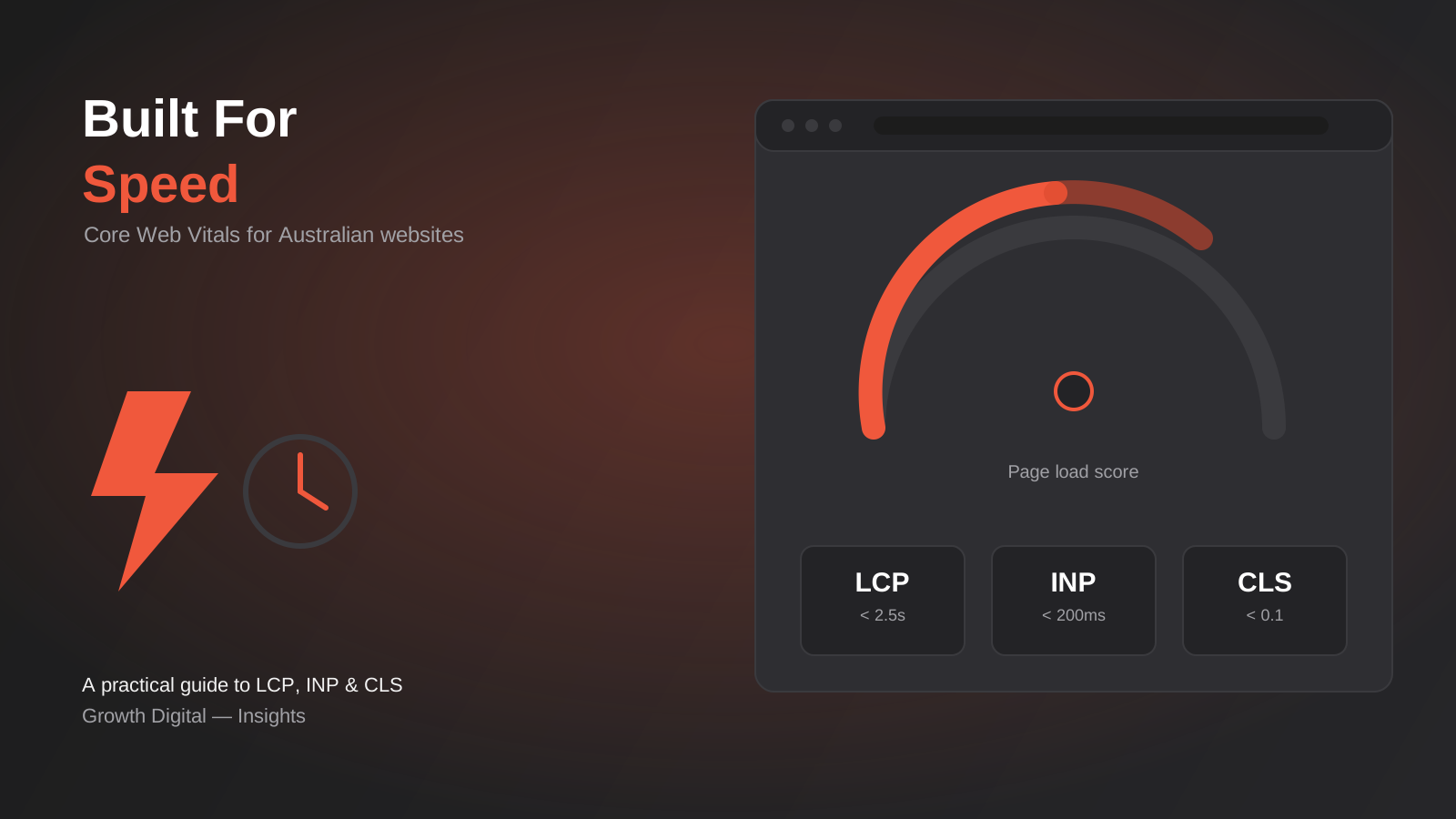
Core Web Vitals in 2026: A Practical Guide to LCP, INP & CLS for Australian Websites
A practical guide to Core Web Vitals for Australian businesses: what LCP, INP and CLS measure, how to test them properly, and…
Got a project you'd like to talk through?
Tell us what you're working on — we'll come back with a plan.
