
Google Ad Grants for Australian Non-Profits: Eligibility, Application and the Rules That Keep It Alive (2026)
 Jignesh Vagadiya
12/10/2026
21 min read
Jignesh Vagadiya
12/10/2026
21 min read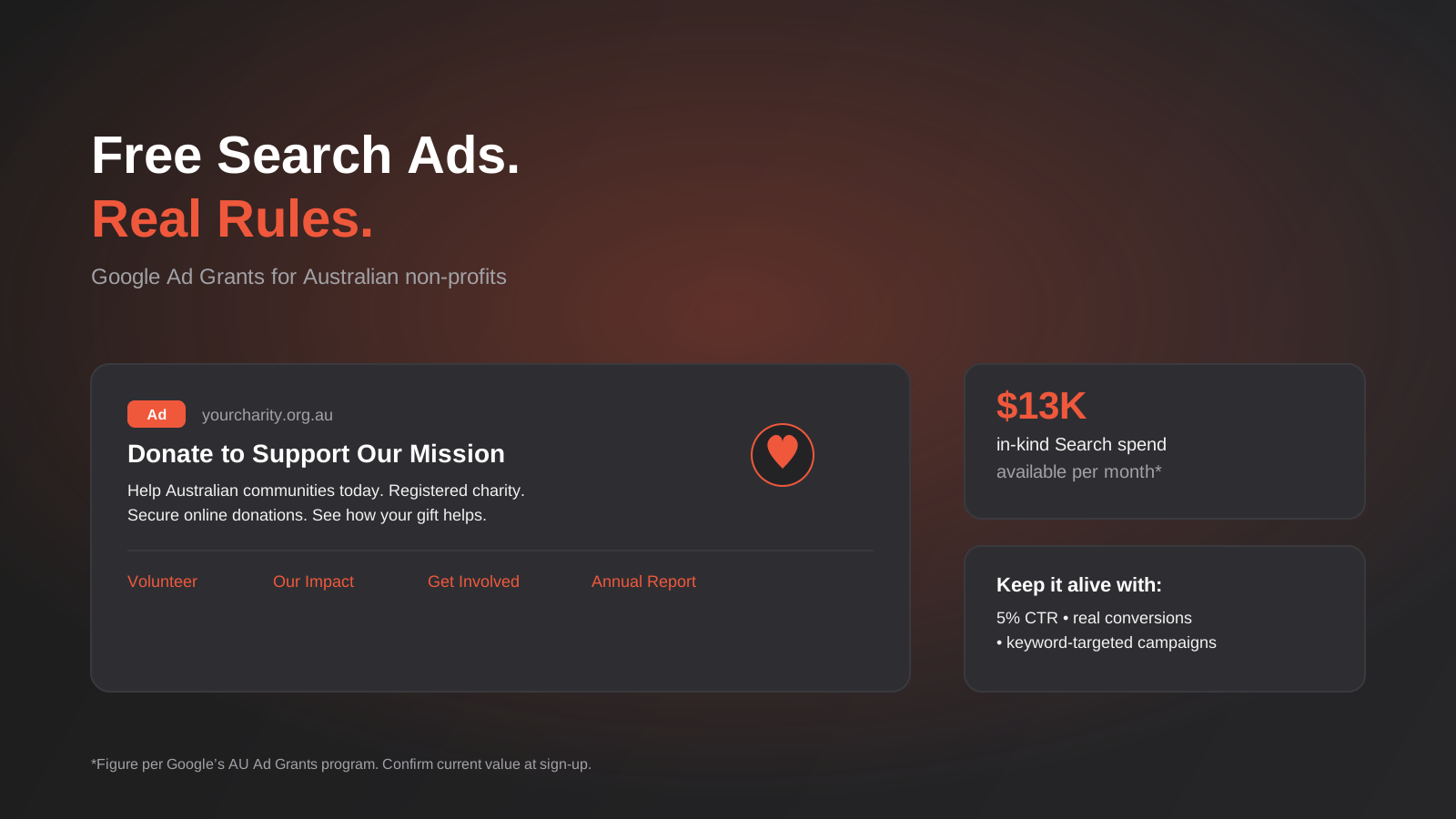
Most of the charities and not-for-profits we talk to have never run a single paid ad, and most assume that’s simply out of reach on a tight budget. Then someone mentions that Google gives eligible non-profits in Australia thousands of dollars a month in free Search advertising, and the conversation changes fast. The catch is that almost nobody explains what that money actually requires in return — and the accounts that get suspended after six months are usually the ones that treated the grant as a free lunch rather than a Google Ads account with its own, stricter rulebook.
Google Ad Grants Australia is real, substantial, and genuinely achievable for a large share of Australian charities and income-tax-exempt not-for-profits. It is also one of the most misunderstood programs we come across, because the people writing about it online are often repeating US figures, outdated validation steps, or compliance rules that have shifted since they last checked. We’ve pulled this guide together from Google’s own program pages and cross-checked the parts that keep moving — the exact grant value, the validation partner, and the 2026 conversion tracking requirement — so you’re not planning an account around someone else’s stale blog post.
This is written for the person at an Australian charity, foundation or association who’s been handed “look into Google Ads grants” as a task, with no marketing background and no idea where to start. We’ll cover who actually qualifies, how the application and validation process works, the rules that keep an account funded month to month, and how to build out campaigns that do something more useful than sit there collecting free impressions.
What Google Ad Grants actually is
Google Ad Grants is an in-kind advertising program, run separately from standard Google Ads campaigns, that gives eligible non-profits a monthly allowance of free Search advertising. On Google’s Australian program page, that allowance is listed as AU$13,000 per month in in-kind Search spend, with no rollover between months and no minimum spend requirement. You’ll see US$10,000/month quoted constantly across agency blogs and older guides — that’s the long-standing global figure, and it may still be the number some regions see, but treat Google’s own current Australian page as the one to check before you build a budget around it.
The money shows up as a separate Google Ads account, linked to your organisation’s Google for Nonprofits profile, that runs on Search campaigns only. It isn’t cash, it can’t be transferred, and it disappears at the end of the month if it isn’t used — there’s no banking it for a bigger push later. Functionally it behaves like a normal Google Ads account with a credit line that resets monthly, governed by its own, considerably stricter policy set than a standard paid account.
Why it isn’t just “free Google Ads”
This is the part that trips people up. A commercial Google Ads account can run Search, Shopping, Display, Video and Performance Max campaigns, bid however aggressively it wants, and point ads at almost any landing page that complies with Google’s general ads policies. A Grant account can only run keyword-targeted Search campaigns, is capped on cost-per-click unless it’s using specific Smart Bidding strategies, has to clear a 5% click-through rate every month, and has to point at a website that meets Google’s nonprofit website policy. If you’ve read our guide to maximising Google Ads ROI, most of the bidding and account-structure advice in there assumes you’re optimising a paid account toward profit. A Grant account is optimising toward a different thing entirely: staying compliant while still being useful, because the moment it stops being useful to Google’s users, Google stops funding it.
Google Ad Grants Australia: who’s actually eligible
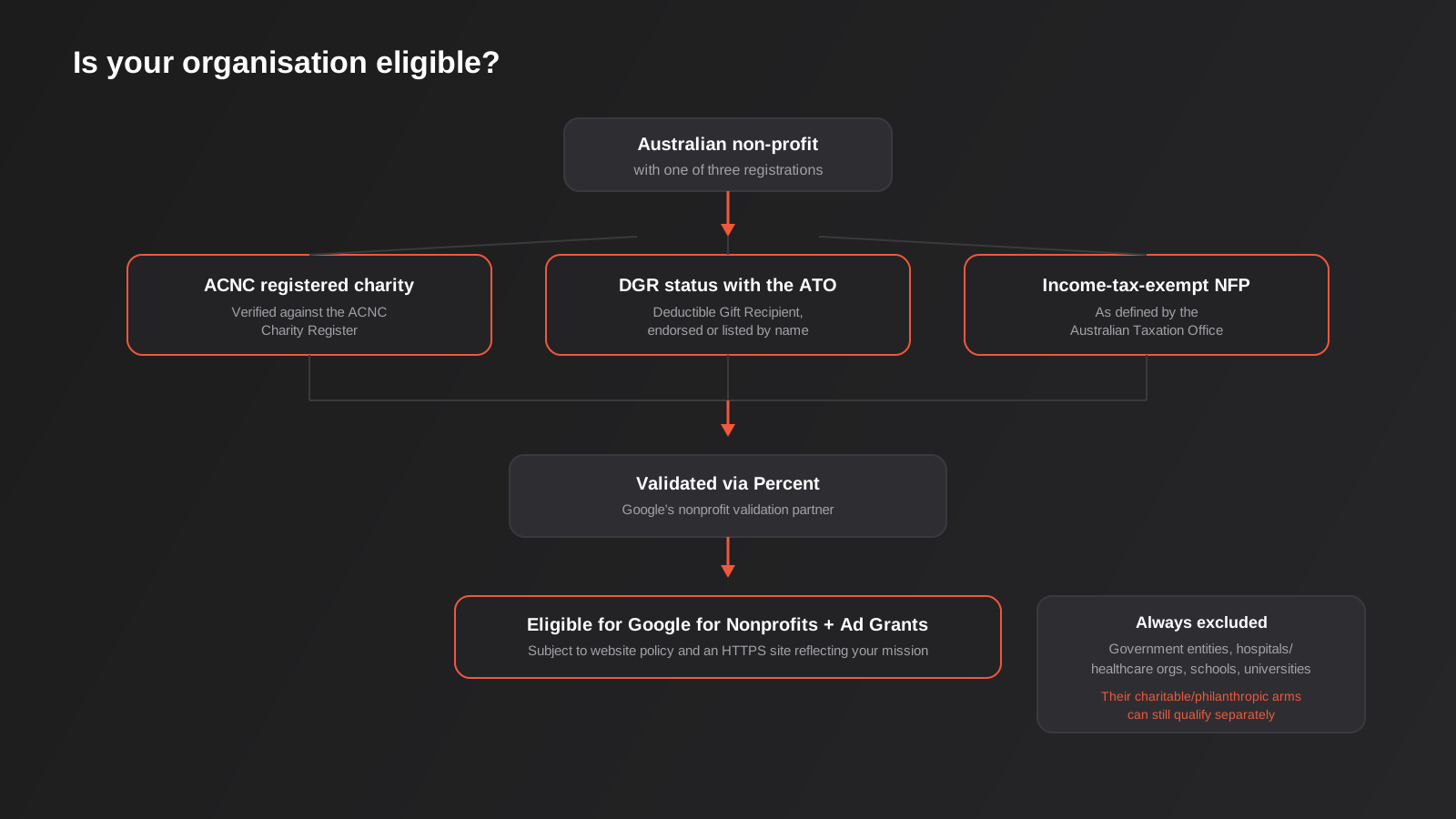
Google’s eligibility page sets out three routes into the program for an Australian organisation. You need to meet one of the following:
- Registered as a charity with the Australian Charities and Not-for-profits Commission (ACNC)
- Holding Deductible Gift Recipient (DGR) status, endorsed by the ATO or listed by name in tax law
- An income-tax-exempt not-for-profit organisation as defined by the Australian Taxation Office
Any one of those three is enough on its own — you don’t need DGR status and ACNC registration both, and plenty of eligible organisations only have one. Where things get more specific is the list of organisation types Google excludes outright, regardless of registration status: government entities and organisations, hospitals and healthcare organisations, and schools, childcare centres, academic institutions and universities. If that sounds like it rules out a hospital foundation or a university scholarship fund, read the exception carefully: a charitable or philanthropic arm or foundation connected to a hospital or university is treated separately from the parent institution and can still qualify, provided it holds its own charity or NFP status. A hospital itself can’t get a Grant account; the hospital’s fundraising foundation generally can.
The website policy you’ll need to clear
Eligibility isn’t only about your registration paperwork. Google also requires your website to reflect your stated mission, run on HTTPS, and otherwise comply with the Ad Grants website policy — no mixing commercial and non-profit activity on the same domain in a way that blurs which one the ads are promoting, no sites that exist mainly to generate ad revenue themselves, and a baseline standard of functioning navigation and real content. If your organisation’s website was built years ago on a platform nobody maintains anymore, or it’s still on HTTP, that’s worth fixing before you apply rather than discovering it as a rejection reason afterwards. We cover the practical side of getting a non-profit site into shape — structure, trust content, HTTPS and hosting — in our broader website development work, and it’s usually a smaller fix than organisations expect.
How the application and validation process works
The sequence is straightforward on paper, even if the middle step takes longer than people expect.
Step 1: Sign up for Google for Nonprofits
Ad Grants sits inside the broader Google for Nonprofits program, which also unlocks Google Workspace at no cost and YouTube Nonprofit Program features. You start at Google’s nonprofit portal, confirm your organisation details, and request an account. You’ll need your ABN and the registration details for whichever of the three eligibility routes applies to you.
Step 2: Get validated
Google doesn’t take your word for your charity status — it runs every application through a validation partner. In Australia that validation is currently handled by Percent (formerly known as Goodstack), which checks your organisation against the ACNC Charity Register and relevant ATO records. Older guides still reference TechSoup and its Australian representative, Connecting Up, as the validation route; that was accurate for years and some legacy documentation still points there, so if you hit a dead end on one path it’s worth checking whether Google has redirected you to the other. Either way, this step is where most of the waiting happens — Google’s own guidance puts typical review at 2–14 working days, though validation partner queues can push that out further.
Step 3: Apply for the Ad Grant specifically
Once your Google for Nonprofits account is verified, Ad Grants is one of the products you activate from inside that account, rather than a separate application from scratch. You’ll create (or link) a Google Ads account, and because this is a grant rather than a paid account, you won’t be asked for billing details on the Grant account itself.
Step 4: Build a compliant account before Google checks back
New accounts generally get a grace period — commonly cited at around 90 days — to get the account structure, keyword policy and conversion tracking up to the program’s standard before enforcement kicks in properly. Don’t treat that grace period as time to delay; treat it as the window to get the structure right once, because retrofitting a sprawling, non-compliant account later is far more painful than building it properly from day one.
The rules that keep the grant alive
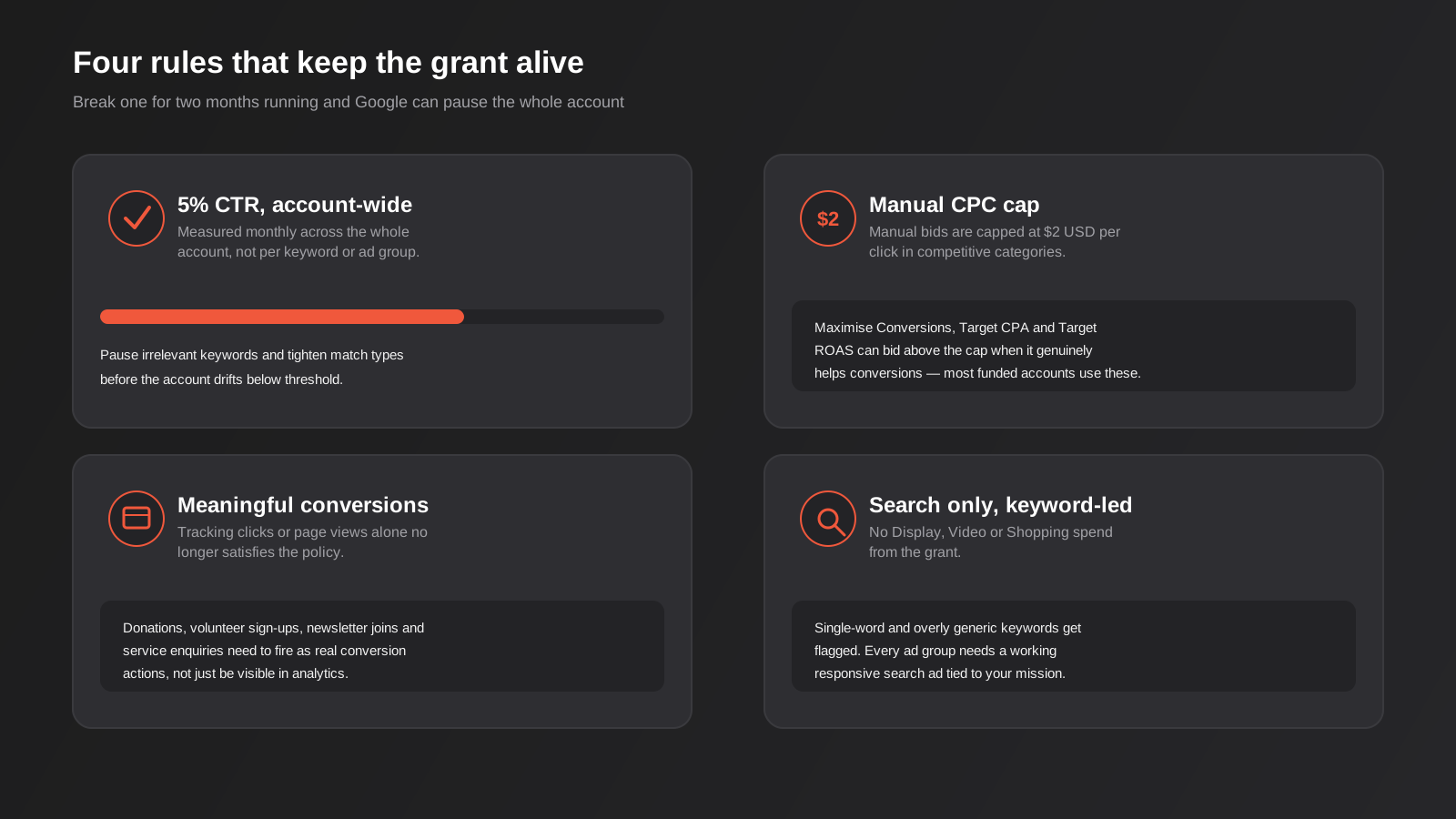
This is the section most explainers skip past, and it’s the one that actually matters once you’re in the program. A Grant account isn’t a one-time approval — it’s a monthly recheck against a handful of hard rules, and falling foul of them for two consecutive months is the most common reason accounts get paused.
The 5% click-through rate rule
Your account needs to maintain at least a 5% click-through rate, measured at the account level across a rolling month — not per keyword, not per ad group, but across everything running. This exists because Google doesn’t want free ads cluttering search results with low-relevance clutter that nobody clicks. In practice it means broad, vague keyword lists are a liability: a huge list of loosely related terms will drag your account average down even if your best campaigns are performing well. The fix is the opposite of what feels intuitive for a “free” account — resist the urge to bid on everything remotely related to your mission, and instead run a smaller, tightly matched keyword list that people searching with real intent will actually click.
The $2 manual CPC cap — and how Smart Bidding gets around it
Manual CPC bids in a Grant account are capped at $2 USD per click. In plenty of competitive categories — and “donate,” “volunteer” and anything NDIS-adjacent are more competitive than you’d expect — that cap would make you uncompetitive against commercial advertisers paying far more per click. The workaround Google itself builds into the program is Smart Bidding: strategies like Maximise Conversions, Target CPA and Target ROAS are allowed to bid above the $2 cap when the algorithm judges it’ll genuinely help conversions. Most Grant accounts that are actually getting traffic are running on one of these strategies rather than manual bidding, precisely because of this exception. The trade-off is that Smart Bidding needs a reasonable volume of conversion data to optimise well — an account with almost no tracked conversions will bid close to randomly, which is one more reason the next rule matters so much.
Meaningful conversion tracking, not just clicks
Google tightened this requirement in 2026: tracking page views or clicks alone no longer satisfies the policy. Your account needs conversion actions that represent something a user actually did — completed a donation, submitted a volunteer enquiry, booked a service, signed up to a newsletter with a genuine email address — not just “landed on the thank-you page.” If your analytics setup still treats a pageview as the finish line, this is worth fixing before it becomes a compliance problem. We’ve written in more depth about why conversion tracking quietly breaks on plenty of Australian sites — consent mode changes, server-side tracking gaps, and the privacy reform landscape — in our guide to conversion tracking accuracy, and most of that applies directly here.
Keyword-targeted Search campaigns only
The grant funds Search campaigns built on keyword targeting. No Display Network, no Video, no Shopping, no Performance Max. Google also restricts single-word keywords and overly generic terms that don’t tie clearly to your mission — a disability support charity bidding on the single word “help” is the kind of thing that gets an account flagged. Every ad group also needs at least one working responsive search ad; an ad group with no active ad, or ads that have stopped serving, is treated as unused weight dragging on account quality.
Building an account that actually does something useful
Passing compliance checks is the floor, not the goal. A Grant account that stays technically compliant but drives no donations, no volunteers and no service enquiries is a wasted allowance. Here’s how we’d structure one from scratch for a typical Australian charity.
Start with a narrow, high-intent keyword list
Resist building the account around your organisation’s name and broad mission terms first. Start with the searches that signal someone is about to take a specific action: “donate to [cause] charity Australia,” “how to volunteer [location],” “[service] support near me,” the names of specific programs you run. These convert better and protect your click-through rate, because people searching them are closer to ready than someone typing your cause area into Google out of general curiosity. Branded search (your organisation’s own name) is usually worth including too — it’s cheap to rank for organically as well, but a branded campaign tends to post strong CTR and helps the account average.
Map campaigns to the actions you actually want
Most non-profits have at least three distinct “conversions” worth separating into their own campaigns rather than lumping into one: donations, volunteering or getting involved, and direct service enquiries (if you run programs people access directly). Each has a different search intent, a different landing page, and arguably a different value to the organisation, and Smart Bidding performs better when campaigns aren’t mixing fundamentally different user intents under one goal.
Send traffic to pages built to convert, not just inform
A donation ad that lands on your homepage, with the donate button three clicks away, will underperform badly against one that lands on a page built specifically to take a donation — clear ask, visible payment options, minimal distraction. The same logic applies to volunteer and enquiry pages. This is standard conversion design, and if you haven’t looked at how your pages are structured for this specifically, our work on conversion-focused design covers the same principles whether the organisation is commercial or not-for-profit — the psychology of getting someone to complete an action doesn’t change much based on tax status.
Report on what the board actually cares about
Clicks and impressions mean very little to a board or a funding committee. What they want to know is how many donations, volunteer sign-ups or service enquiries came through, what that would have cost at commercial rates, and whether the grant is still compliant and secure. Building a simple monthly reporting view — conversions by campaign, cost-per-conversion against the $2 cap, and current CTR against the 5% threshold — turns the account from a black box into something you can defend at a committee meeting. We walk through building exactly this kind of reporting view, with the same logic applied to a standard paid account, in our Google Ads reporting guide.
Negative keywords matter more here than in a paid account
In a standard paid account, a few wasted clicks from loosely related searches are an annoyance that shows up as a slightly higher cost-per-conversion. In a Grant account, every one of those clicks is pulling your account-wide click-through rate down toward the 5% line, and because the cap is measured across everything you’re running, a handful of broad keywords can drag down campaigns that would otherwise be performing well on their own. Building a solid negative keyword list from day one — excluding job-seeker searches if you’re not hiring, excluding “free” and “jobs” variants that don’t match what the ad promises, excluding other charities’ names if you don’t want to be mistaken for them — does more for account health than almost anything else in the first month.
Use sitelinks and callouts to lift CTR without changing targeting
Ad extensions — sitelinks pointing to “Our Impact,” “Volunteer,” “Annual Report,” or specific programs, plus callout extensions highlighting things like “Registered Charity” or “Tax-Deductible Donations” — take up more space in the search result and tend to lift click-through rate without touching your keyword list at all. For an account walking a tightrope around the 5% threshold, extensions are one of the lowest-effort, highest-return levers available, and they cost nothing extra to add.
Keeping the account healthy month to month
The application process gets most of the attention in how-to guides, but the harder part for most organisations is the ongoing upkeep. A Grant account isn’t a “set up once” asset — it’s closer to a small recurring commitment, and underestimating that is how accounts drift into non-compliance quietly, over several months, until a warning email lands.
A realistic monthly checklist
Whoever owns the account — a staff member, a volunteer with some digital experience, or an agency on a light retainer — should be running through the same handful of checks every month:
- Check account-wide CTR against the 5% threshold, and if it’s close, pause or tighten the lowest-performing keywords immediately rather than waiting for a second bad month
- Review the search terms report for anything irrelevant that’s sneaking through and add it to the negative keyword list
- Confirm conversion tracking is still firing correctly — a broken donation form or a CRM integration that silently stopped passing data back will not show up unless someone actually checks
- Check for any disapproved ads or paused campaigns sitting idle, since an ad group with no active ad is dead weight on the account
- Glance at Google’s My Client Center or account notifications for policy messages, which are easy to miss if nobody’s specifically looking for them
Who should actually run it
Smaller charities often default to having a volunteer or a marketing-adjacent staff member manage the account part-time, which works fine as long as that person has genuine visibility into Google Ads and isn’t just logging in once a quarter. The risk with that model isn’t competence, it’s continuity — volunteers move on, staff change roles, and a Grant account with no clear owner for a few months is exactly how CTR quietly slides and conversion tracking quietly breaks. Larger non-profits, or ones running the grant alongside a broader digital strategy, more often hand it to whoever manages their wider Google Ads and marketing activity, paid or otherwise, so it’s checked on the same cadence as everything else rather than sitting in its own silo.
What realistic results look like
It’s worth setting expectations honestly. A Grant account built around narrow, high-intent keywords and a reasonable branded search presence will usually clear the CTR threshold within the first month or two, particularly once negative keywords and extensions are in place. Conversion volume takes longer to build, especially while Smart Bidding is still learning from limited data, and a charity with low existing search demand for its specific cause won’t suddenly generate volume that doesn’t exist in the market. The honest framing for a board or committee is that the grant removes the cost barrier to testing Search advertising, not the effort barrier to running it well — the $13,000 monthly allowance is only valuable in proportion to how much thought goes into what it’s actually trying to achieve.
Common mistakes we see with Grant accounts
- Treating it as free and unlimited. Organisations build enormous keyword lists to “use the whole budget,” tank their click-through rate, and end up with a warning inside the first quarter.
- Letting the account sit untouched after setup. A Grant account with no one checking in monthly drifts — disapproved ads, expired promotions, keywords that quietly stopped being relevant — and nobody notices until a compliance email arrives.
- Tracking pageviews and calling it done. Under the 2026 meaningful-conversion requirement, a “thank you page viewed” conversion action isn’t enough on its own, and accounts still running on this setup are exposed.
- Sending every ad to the homepage. It’s the single biggest reason Grant accounts generate traffic but not donations or sign-ups.
- Assuming TechSoup is still the only validation route. Applications stall when organisations chase an outdated verification path instead of checking what Google currently points to.
- Ignoring the website policy until rejection. An old, HTTP-only, or clearly outdated site is a predictable rejection reason, not a surprise one.
- Running it with no one accountable. Someone on staff or on a volunteer committee needs clear ownership of the account, even if it’s checked monthly rather than daily.
Frequently Asked Questions
How much is the Google Ad Grant actually worth?
Google’s Australian program page lists it as AU$13,000 per month in in-kind Search advertising, with no spend requirement and no rollover to the next month. You’ll see the figure US$10,000/month quoted widely across older and international guides — that’s the long-running global number, so confirm the current figure for your account at sign-up rather than assuming either number is fixed.
Can a school, hospital or government-funded program apply?
Not directly — government entities, hospitals and healthcare organisations, and schools, childcare centres and universities are excluded from the program outright. Their associated charitable or philanthropic arms and foundations can still apply and qualify separately, provided that arm holds its own ACNC, DGR or income-tax-exempt NFP status.
Do we need DGR status to qualify?
No. DGR status is one of three separate routes to eligibility, alongside ACNC charity registration and income-tax-exempt not-for-profit status as defined by the ATO. You only need to satisfy one of the three, not all of them.
What happens if our click-through rate drops below 5%?
A single month below the 5% account-wide threshold typically triggers a warning rather than immediate suspension. Missing it for two consecutive months is the point at which Google has historically deactivated non-compliant accounts, which is why it’s worth treating a single bad month as an active signal to prune underperforming keywords straight away rather than something to monitor passively.
Can we run Display or YouTube ads with the grant?
No. The Ad Grants program funds keyword-targeted Search campaigns only. YouTube’s nonprofit program exists separately under the broader Google for Nonprofits umbrella and offers its own benefits, but it isn’t funded through the same Search advertising allowance.
How long does it take to get approved?
Google’s general guidance for Google for Nonprofits verification is around 2 to 14 working days, though validation partner queues can extend that in practice. Budget several weeks from first application to a live, spending Grant account once you include the subsequent Ad Grants activation and initial account build.
Can we use the grant to promote a one-off fundraising event?
Yes, as long as the campaign is still built on keyword-targeted Search ads pointing to a compliant landing page, and it doesn’t become the account’s only activity in a way that leaves the rest of the account stale. A dedicated campaign for an event, sitting alongside your ongoing donation and volunteer campaigns, is a reasonable use of the allowance — just budget time to pause or archive it once the event has passed so it isn’t quietly serving against outdated dates for months afterward.
Is it worth paying an agency to manage a free grant?
It depends on whether anyone in-house has the time and the Google Ads familiarity to run the monthly checklist properly. A $13,000 monthly allowance left to drift toward non-compliance is worth less than a smaller, well-managed account, so the real comparison isn’t “free versus paid” — it’s whether the organisation’s current capacity can actually sustain the ongoing management the program expects.
Where to start
If your organisation ticks one of the three eligibility boxes and has a reasonably current website, Google Ad Grants is genuinely worth pursuing — it’s real advertising value that most commercial organisations would be paying for outright, and for a charity running on tight margins that’s hard to pass up. The honest caveat is that it takes real setup work to do properly: a website that meets the policy bar, a keyword list disciplined enough to hold a 5% CTR, conversion tracking that actually reflects donations and enquiries rather than pageviews, and someone checking in on the account monthly so a quiet policy drift doesn’t turn into a suspended account six months in.
We work with Australian non-profits on exactly this — getting a Grant account properly structured from the start, building the website and conversion tracking it needs to stay compliant, and setting up reporting that actually means something to a board. If you’re weighing up whether it’s worth the effort for your organisation, or you’ve already got a Grant account that’s underperforming or at risk of a compliance warning, we’re happy to have a conversation about where it stands and what it would take to fix.
Keep reading
Related posts
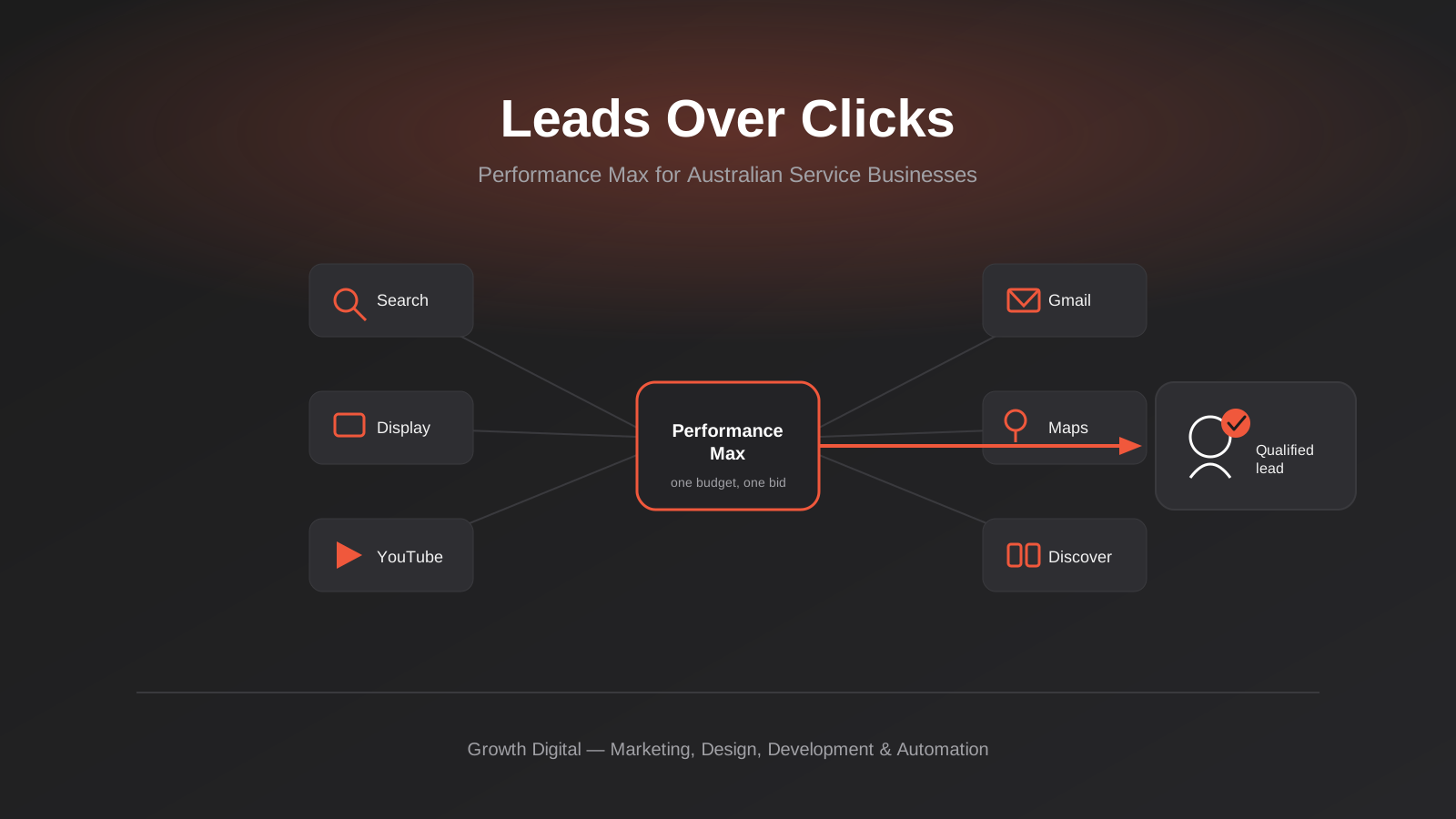
Performance Max for Lead Generation: A 2026 Guide for Australian Service Businesses
Performance Max for lead gen needs different conversion tracking and asset groups than ecommerce PMax. How Australian service businesses should set it…
Microsoft Advertising (Bing Ads) for Australian Businesses: Cost, LinkedIn Profile Targeting and the Google Ads Import Trap (2026)
What Microsoft Advertising actually costs in Australia, how LinkedIn profile targeting works for B2B, and what breaks when you import from Google…
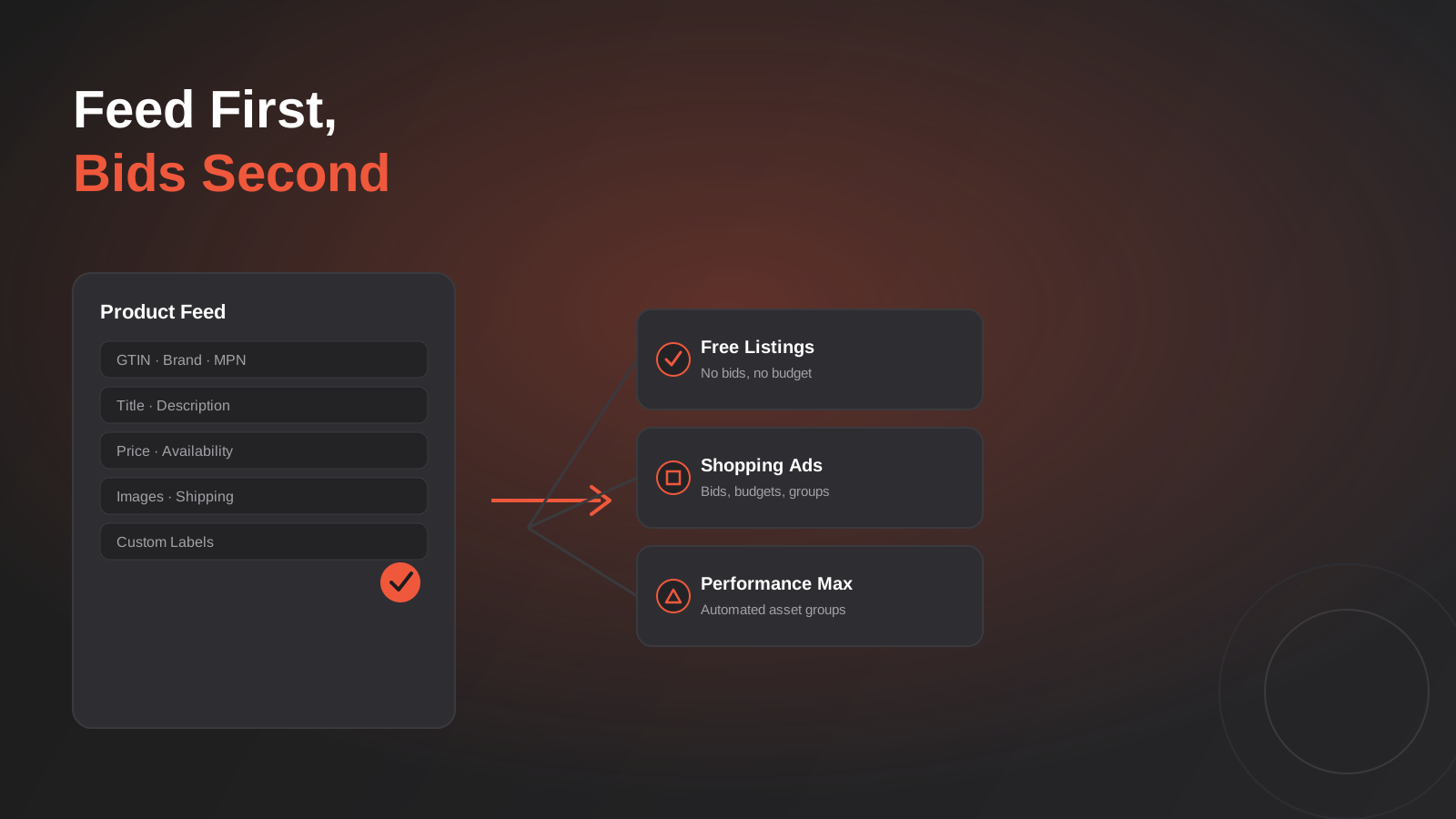
Google Merchant Center Feed Optimisation: Why Australian Shopping Ads Get Disapproved (2026 Guide)
A practical guide to Google Merchant Center feed optimisation: GTINs, disapprovals, free listings vs Shopping ads, and Australian-specific traps.
Got a project you'd like to talk through?
Tell us what you're working on — we'll come back with a plan.
