
Facebook Ads for Ecommerce Stores: Catalog Ads, Retargeting and ROAS That Works (2026)
 Jignesh Vagadiya
20/08/2026
21 min read
Jignesh Vagadiya
20/08/2026
21 min read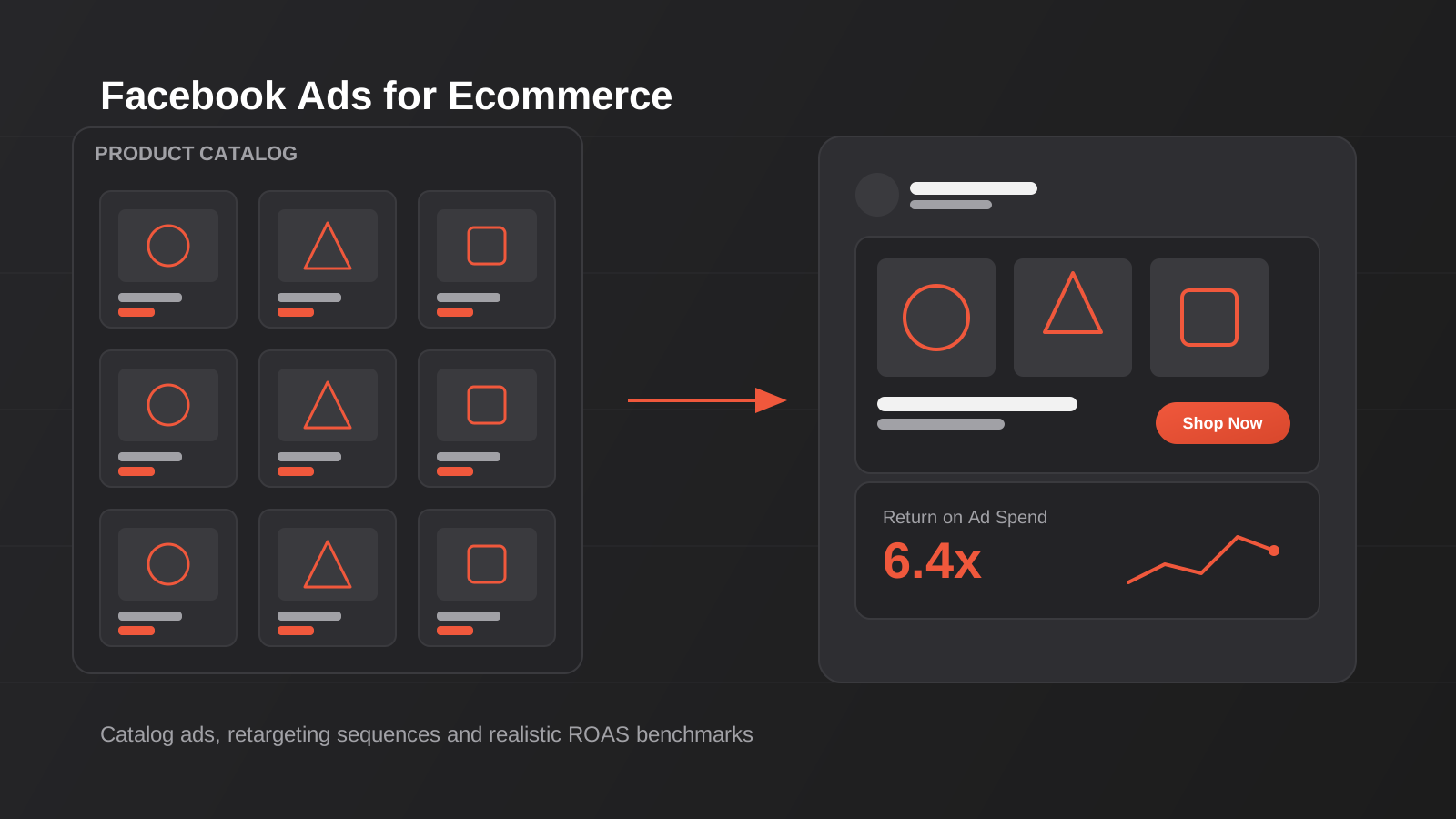
If you’ve read our general guide to Facebook Ads campaign strategy, you’ll already know the fundamentals — campaign structure, audience layering, creative testing, budget pacing. Those principles hold for any business running Meta Ads. Ecommerce stores, though, have access to a different toolkit entirely, and most Australian store owners are only using about a third of it. Dynamic catalog ads, retargeting sequences built off actual purchase behaviour, and audiences built from customer value data can outperform standard prospecting campaigns two or three times over on return on ad spend — but only if the plumbing underneath them is set up properly. That plumbing is almost always the product feed, and it’s the single most under-invested part of ecommerce Facebook advertising we see when we audit new client accounts. This guide is the ecommerce-specific companion to our general campaign guide — we’re not going to re-explain campaign structure or bidding basics here. Instead we’re covering what’s actually different when you’re selling physical products through a catalog: how catalog ads work, how to build a feed that doesn’t quietly sabotage your results, the retargeting sequences that recover abandoned carts, cross-sell audiences built from purchase history, the creative formats that convert for product-based businesses, and what a realistic ROAS actually looks like once you factor in your margin and average order value.
Why ecommerce Facebook ads are a different game
A standard Meta Ads campaign shows one ad, or a handful of ad variations, to an audience you’ve defined. A catalog campaign does something structurally different: it connects to a live feed of every product you sell and shows each person the specific products most likely to convert them, pulled dynamically from that feed at the moment the ad serves. Same campaign, same budget, but every person who sees it can see a completely different set of products. That’s the entire point of catalog advertising, and it’s why it exists as its own campaign objective rather than a targeting option bolted onto standard campaigns.
Advantage+ catalog campaigns explained
Meta’s current catalog sales tooling sits under the Advantage+ umbrella, and in practice it does most of the audience and placement decisioning for you. You feed it your product catalog, set a broad targeting shell (often just age, location and exclusions rather than detailed interest stacks), and the algorithm decides which products to show to which person based on browse history, purchase signals and lookalike behaviour drawn from your pixel and Conversions API data. This is a genuine shift from the manual audience-building approach we cover in the general guide — with catalog campaigns, your job moves from “who do I target” to “is my product data good enough for the algorithm to work with.” That reframing trips a lot of store owners up, because it means the highest-leverage work happens in your product feed, not in Ads Manager.
When catalog ads beat standard campaigns — and when they don’t
Catalog ads are built for stores with enough SKUs and enough purchase data to make dynamic personalisation worthwhile. If you sell fifteen products, the “dynamic” advantage is minimal — a well-made standard carousel or collection ad showing your bestsellers will likely outperform a catalog campaign because there isn’t enough product variety for the algorithm to differentiate between shoppers. Catalog campaigns earn their keep once you’re running fifty-plus SKUs, have reasonable product-level traffic history, and want to run retargeting at scale without manually building a new ad for every product. For newer stores or narrow catalogues, we typically recommend running standard conversion campaigns first — the strategy and creative principles in our general Facebook Ads guide — and layering catalog retargeting in once there’s enough pixel data to make it worthwhile.

Product feed setup: the single biggest lever most stores get wrong
We say this to almost every ecommerce client in the first strategy call: your product feed is doing more work than your creative. A catalog campaign is only as good as the data describing each product, and Meta’s algorithm can’t compensate for a feed with missing fields, wrong pricing, or stale stock levels. We’ve taken over accounts spending thousands a month on catalog ads where a third of the “in stock” products in the feed hadn’t actually been available for weeks — the algorithm kept trying to sell dead stock because nobody had told it otherwise.
Feed hygiene essentials
A handful of fields do most of the heavy lifting in your feed, and they’re worth auditing line by line rather than trusting the default export from your store platform:
- Titles — front-load the distinguishing detail (colour, size, material) rather than burying it after the brand name. Meta truncates titles in some placements, so the useful information needs to sit near the front.
- Images — clean, well-lit, consistent background. Products with lifestyle or in-use images as the secondary image in the feed tend to get better engagement in dynamic placements than plain product-on-white shots alone.
- GTINs and MPNs — global trade item numbers help Meta match your products against its own catalogue intelligence and can improve delivery, particularly for recognisable branded products.
- Availability and price — these need to sync in near-real time. A feed that only refreshes daily will keep advertising sold-out products or showing yesterday’s sale price, both of which erode trust and waste spend.
- Product categories (Google product taxonomy) — this is what lets you build sensible product sets later. Skip it and you lose the ability to segment your catalog by category for targeted campaigns.
Shopify vs WooCommerce feed setup
The two platforms handle this differently, and it affects how much manual maintenance your feed needs. Shopify integrates with Meta through the official Facebook & Instagram channel app, which keeps your catalog synced automatically as products, prices and stock levels change — this is one of the reasons we lean on Shopify for clients who want catalog advertising to be low-maintenance once it’s configured properly; see our Shopify development work if your current build is fighting you on this. WooCommerce needs a feed-generation plugin (Google & Facebook feed extensions are the common route) that produces an XML or CSV feed Meta pulls on a schedule, typically every few hours. It works fine, but it introduces more points of failure — a plugin update, a hosting timeout, or a caching layer serving a stale feed file can all quietly break sync without throwing an obvious error. If you’re on WooCommerce, we’d recommend checking your feed refresh logs weekly rather than assuming it’s working.
Common feed errors that quietly kill performance
A few issues show up again and again in feed audits: duplicate product IDs from variant handling gone wrong, missing product identifiers that get products flagged as disapproved, image URLs pointing to a CDN that occasionally times out (which causes Meta to reject the product from delivery), and category mismatches where the feed’s category data doesn’t reflect how the product is actually merchandised on-site. None of these show up as a dramatic error message — they show up as underperformance you can’t quite explain, which is why a feed audit should be one of the first things you check before assuming your targeting or creative is the problem.
Structuring your catalog campaigns
Broad catalog vs product sets
You can run a catalog campaign against your entire product feed, or against a defined subset (a “product set”) — a specific category, price range, or margin tier. Running your whole catalog broad works well for prospecting, where you want the algorithm choosing freely from everything you sell. Product sets earn their place when you want to control the story a specific audience sees — promoting a new collection, pushing higher-margin lines to warm audiences, or excluding low-stock items from cold prospecting so you’re not spending acquisition budget on products that might sell out mid-campaign.
Advantage+ shopping campaigns
For stores with a mature pixel and enough historical conversion volume, Advantage+ shopping campaigns consolidate what used to be several separate campaigns (prospecting, retargeting, lookalikes) into one automated structure that allocates budget across audience segments itself. We’ve seen this work extremely well for stores with clean data and enough monthly conversion volume for the algorithm to learn quickly — generally 50 or more purchase events a month as a rough floor. Below that volume, the algorithm doesn’t have enough signal to optimise properly and a more manually segmented structure, closer to what we describe in the general campaign guide, tends to perform more consistently.
Retargeting sequences that actually convert
This is where ecommerce Facebook advertising earns most of its keep. Retargeting audiences convert at multiples of cold prospecting because you’re advertising to people who’ve already shown intent — but “retargeting” as a single undifferentiated audience is a blunt instrument. Someone who viewed a product once behaves very differently from someone who added to cart and abandoned at checkout, and treating them the same wastes budget on the wrong message and the wrong urgency.
Viewed product retargeting
People who viewed a product but didn’t add to cart are earlier in the decision than cart abandoners, so the ad should do more selling and less closing. This is the right stage for social proof (reviews, ratings, UGC), addressing objections (shipping cost, returns policy, sizing), and showing the product in more context than the initial browse gave them — rather than jumping straight to a discount, which trains browsers to expect one before they’ve even considered buying.
Abandoned cart sequences: timing, frequency and the discount ladder
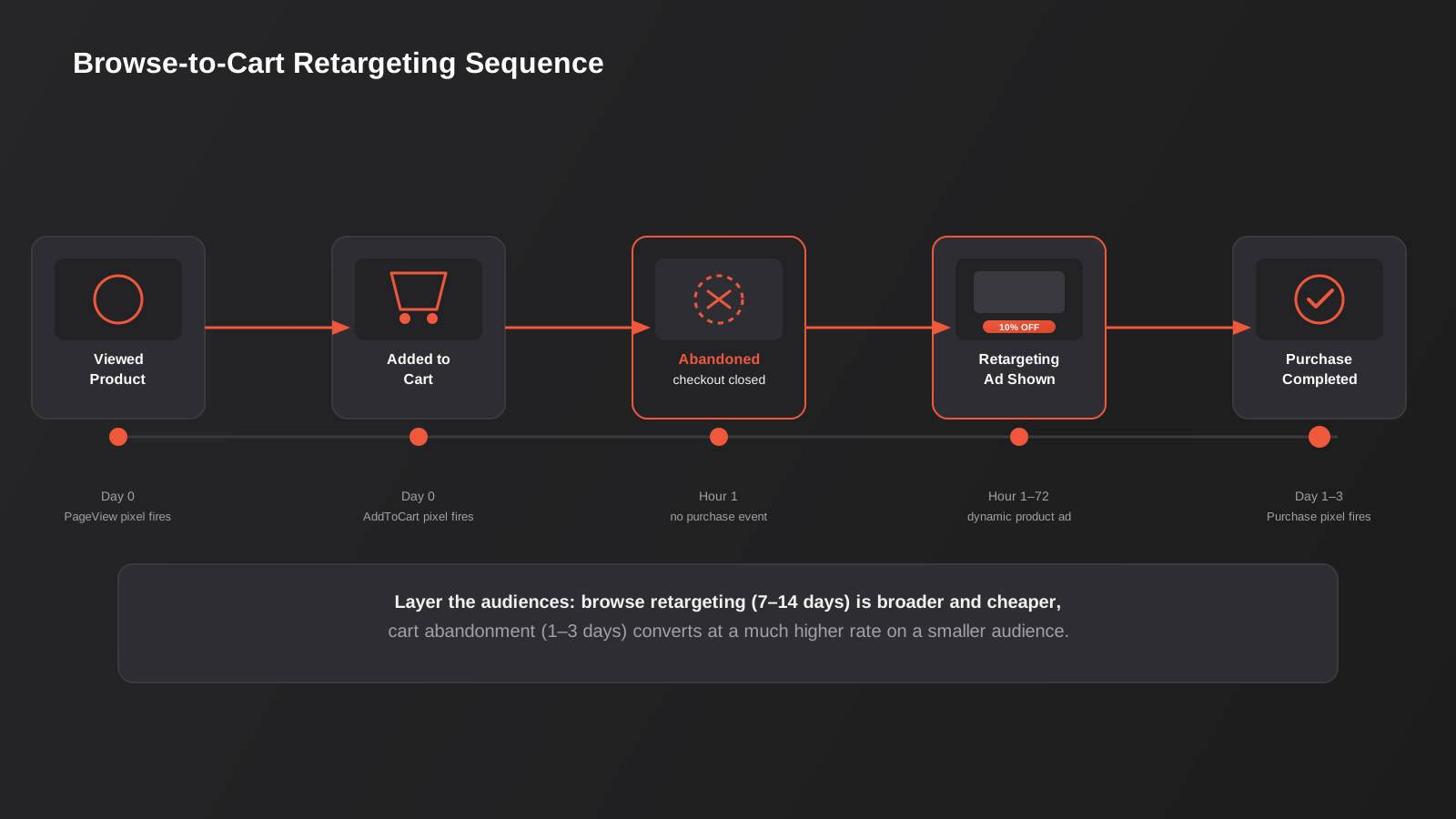
Cart abandoners are your highest-intent audience outside of past purchasers, and the sequence you run against them matters more than almost any other decision in an ecommerce account. A structure that consistently performs well for our clients looks roughly like this:
- Hour 1–4: a straightforward reminder ad showing the exact product(s) left in cart — no discount yet. A meaningful share of abandoners simply got distracted and will convert off a plain reminder.
- Day 1–2: address friction — free shipping threshold, returns policy, delivery timeframe — rather than jumping to price. Most abandonment is friction-driven, not price-driven, and leading with a discount here trains customers to always wait for one.
- Day 3–5: a modest, time-bound incentive if the first two stages haven’t converted them. Keep it tight enough that it doesn’t erode margin on the customers who would have converted anyway.
- Beyond day 7: fold them into a broader retargeting or lookalike-seed audience rather than continuing to chase with discounts indefinitely — diminishing returns set in fast.
Frequency caps matter here too. Cart abandoners are a small, finite audience, and showing the same three ads on repeat for two weeks burns through goodwill fast. We generally cap frequency in this sequence and rotate creative every few days to avoid fatigue.
Browse abandonment vs cart abandonment
It’s worth keeping these as genuinely separate audiences and sequences rather than lumping “everyone who visited but didn’t buy” into one bucket. Browse abandoners haven’t shown purchase intent in the same way cart abandoners have, so they warrant a longer, more educational sequence and a smaller share of retargeting budget. Cart abandoners deserve the lion’s share of spend and the faster, more direct sequence above — they’re closer to the finish line and the cost per recovered sale is almost always lower.
Cross-sell and upsell audiences from purchase data
Once you’ve got customers, purchase data becomes one of the richest targeting inputs you have — and it’s the part of ecommerce Facebook advertising most stores never touch beyond a basic “past purchasers” exclusion.
Building customer value segments
Not all past customers are worth the same retargeting spend. Segmenting by order value, purchase frequency, and product category lets you build lookalike audiences off your highest-value customers specifically, rather than off every person who’s ever bought anything — including the one-off discount shoppers who are unlikely to become repeat buyers. A lookalike seeded from customers with two or more orders and above-average order value will typically outperform a lookalike seeded from all-time purchasers, because you’re asking Meta to find more people who look like your best customers rather than your average ones.
Post-purchase upsell sequences
Complementary product ads timed to a customer’s purchase and usage cycle are one of the highest-ROAS campaign types available, because you’re not paying to acquire a new customer — you’re paying a small amount to increase the value of one you already have. A skincare brand might trigger a complementary-product ad three to four weeks after a first purchase, timed to when the product is likely running low or a routine addition makes sense. A homewares store might trigger cross-category suggestions (a customer who bought bedding sees an ad for matching cushions) a week or two after delivery, once the first order has landed and been used.
Excluding recent purchasers correctly
This sounds basic but gets missed constantly: if your prospecting and retargeting campaigns aren’t excluding recent purchasers of that exact product, you’re paying to show someone an ad for something they already bought last week. Set exclusion windows based on your typical repurchase or consideration cycle — short for consumables, longer for durable goods — and audit them periodically, because a static exclusion window set up a year ago rarely matches how the business has evolved.
Ecommerce creative that performs
The general principles of ad creative — hook in the first second, clear value proposition, strong call to action — apply here too, but ecommerce has some format-specific patterns worth calling out.
UGC and product-in-use video
User-generated and creator-style content — real people using the product in a normal setting rather than polished studio footage — consistently outperforms brand-produced creative in our ecommerce accounts, particularly in retargeting and top-of-funnel prospecting alike. It reads as native to the feed rather than as an ad, and for products where the “does this actually work / fit / look like the photos” question is the main barrier to purchase, seeing a real person use it does more convincing than another studio shot ever will. If you don’t have a library of this content yet, even simple founder-recorded or customer-submitted clips outperform nothing, and they’re worth building into your order-fulfilment process as a standing request.
Static vs video for catalog ads
Dynamic catalog ads are usually built from your product feed’s static images by default, which works fine for prospecting at scale. But layering video into retargeting — even a short product-in-use clip alongside the catalog carousel — tends to lift conversion in the cart-abandonment stage specifically, where the shopper needs one more piece of reassurance rather than just a repeated image of the item they already looked at.
Creative testing cadence
Catalog creative fatigues differently to standard campaign creative because the “creative” is largely your product photography and feed copy, which doesn’t change often. That makes the surrounding elements — overlay text, video hooks, carousel intro cards — the parts you should be testing and refreshing on a cycle, typically every few weeks for active retargeting audiences and less frequently for evergreen prospecting.
Realistic ROAS benchmarks by margin and AOV
Why “good ROAS” is a margin question, not a universal number
We get asked “what ROAS should I be hitting” more than almost any other question, and the honest answer is that a single benchmark number is close to useless without knowing your margin and average order value. A 3x ROAS on a product with 70% gross margin is genuinely excellent. A 3x ROAS on a product with 20% margin might be barely break-even once you account for cost of goods, shipping, payment processing and returns. Chasing an industry-average ROAS figure without doing this maths first is one of the most common ways ecommerce stores convince themselves a profitable account is underperforming, or worse, convince themselves an unprofitable account is doing fine.
Benchmark ranges by AOV and margin
As rough, directional ranges — not guarantees, and always worth calculating against your own numbers — here’s how we tend to frame target ROAS for Australian ecommerce clients:
- Low AOV (under $50), moderate margin (30–40%): you generally need a higher ROAS, often 4x or more, because the fixed costs of shipping and processing eat a larger share of a smaller order.
- Mid AOV ($50–150), healthy margin (40–55%): a 2.5–3.5x ROAS is often genuinely profitable once overheads are covered, particularly once retargeting and repeat-purchase campaigns are pulling their weight at a much higher return than prospecting.
- Higher AOV ($150+), strong margin (55%+): profitable ROAS thresholds can sit lower, sometimes 1.5–2.5x, because the absolute margin dollars per order are large enough to absorb a higher acquisition cost.
Blended account ROAS also matters more than any single campaign’s number — a prospecting campaign running at 1.8x can be entirely healthy if it’s feeding a retargeting and repeat-purchase engine running at 8–10x, because the real return shows up across a customer’s lifetime value, not their first order. If you want a proper look at what this should cost to run well, our Meta Ads pricing page breaks down what’s typically involved at different spend levels.
Tracking and attribution for catalog campaigns
None of the above works if Meta can’t see what’s actually happening on your store. Catalog ads, retargeting sequences and cross-sell audiences all depend on accurate, timely event data flowing back from your site — a viewed product, an add-to-cart, a purchase, matched to the right person. Since Apple’s App Tracking Transparency changes and the broader move toward browser-level tracking restrictions, pixel-only tracking has become noticeably less reliable, and we still see ecommerce accounts running on pixel data alone, quietly under-reporting conversions and starving the algorithm of the signal it needs to optimise well.
Why Conversions API matters more for ecommerce than almost any other business type
Meta’s Conversions API sends event data server-to-server rather than relying solely on a browser-based pixel, which makes it far less susceptible to ad blockers, browser privacy settings and tracking prevention. For ecommerce specifically, this matters because catalog and retargeting campaigns are entirely dependent on granular, product-level event data — which product was viewed, which was added to cart, which was purchased and at what value. Lose a meaningful chunk of that data to tracking prevention and the algorithm starts making retargeting decisions on an incomplete picture, which shows up as bloated cost-per-acquisition and retargeting audiences that don’t quite match actual behaviour.
Setting it up on Shopify and WooCommerce
Shopify has native, relatively low-friction Conversions API support built into its Meta sales channel integration, which is another practical advantage of the platform for stores serious about catalog advertising — it’s largely a configuration job rather than a development one. WooCommerce again needs more manual work, typically through a plugin or a custom server-side integration, and it’s worth having whoever built your site confirm event matching quality (the percentage of events Meta can confidently attribute to a real person) rather than assuming a plugin install alone has solved it. A properly configured CAPI setup should show event match quality in the “good” or “great” range inside Events Manager — if it’s sitting in “poor,” the retargeting and catalog work above won’t perform anywhere near its potential regardless of how well the feed or creative is built.
Deduplication and data accuracy
Running both browser pixel and server-side Conversions API together — which is the recommended setup, not an either-or choice — means the same event can arrive twice unless it’s properly deduplicated using matching event IDs. Get this wrong and you’ll see inflated conversion counts that look great in reporting but actively mislead budget decisions, because the platform thinks a campaign is converting better than it actually is. This is a technical detail, but it’s one worth having checked properly rather than assumed, since it directly affects every ROAS number discussed above.
Common mistakes we see ecommerce brands make
- Running catalog ads on a feed nobody has audited in months. Stock levels, pricing and images drift out of sync with the live store, and the algorithm has no way to know.
- Treating every abandoner the same. Cart abandoners and browse abandoners need different sequences, different budgets, and different urgency.
- Leading with a discount instead of removing friction. Most abandonment is caused by shipping cost, uncertainty about returns, or just distraction — not price.
- Never excluding recent purchasers. Paying to advertise a product to someone who bought it last week is pure wasted spend.
- Judging ROAS against an industry number instead of their own margin. A “bad” ROAS on paper can be genuinely profitable, and a “good” one can be quietly losing money.
- Skipping video and UGC entirely in favour of static product shots. Particularly in retargeting, a bit of real-person context often does more convincing than another clean product photo.
- Setting up catalog campaigns before there’s enough conversion volume to support them. Newer or lower-traffic stores often get more consistent results from standard campaigns first.
Frequently Asked Questions
What’s the difference between catalog ads and regular Facebook ads for ecommerce?
Regular Facebook ad campaigns show a fixed set of ad creative you’ve built to a defined audience. Catalog ads connect to your live product feed and dynamically choose which specific products to show each individual, based on their browsing and purchase behaviour. Catalog ads generally need enough SKUs and enough traffic data to be worth the setup — smaller catalogues often do better with well-made standard campaigns first.
How many products do I need before catalog ads make sense?
There’s no hard cutoff, but as a practical guide we typically see catalog ads start earning their keep once a store has fifty or more active SKUs and reasonable product-level traffic history. Below that, a strong standard campaign showing your bestsellers tends to outperform a catalog campaign that doesn’t have enough variety to personalise meaningfully.
Does catalog advertising work differently on Shopify versus WooCommerce?
The advertising mechanics are the same once your catalog is connected, but getting there differs. Shopify syncs to Meta automatically through its official sales channel integration, which keeps stock, pricing and product data current with minimal maintenance. WooCommerce needs a feed-generation plugin producing a file Meta pulls on a schedule, which introduces more points where sync can quietly break. See our Shopify development page for more detail on how we handle this for Shopify builds.
What ROAS should my ecommerce store be aiming for?
It depends entirely on your margin and average order value — there’s no single universal target. Lower-margin, lower-AOV products typically need a higher ROAS (often 4x-plus) to be genuinely profitable, while higher-margin, higher-AOV products can be profitable at a much lower ROAS. Work out your break-even ROAS from your own numbers before comparing yourself to any industry benchmark.
How long should an abandoned cart retargeting sequence run?
We generally run the active sequence across the first five to seven days — a plain reminder in the first few hours, friction-removal messaging over the next day or two, and a modest time-bound incentive if that hasn’t converted them. Beyond a week, diminishing returns set in fast and abandoners are better folded into broader retargeting rather than chased indefinitely.
Should I discount immediately to recover abandoned carts?
Generally no. Most cart abandonment is caused by friction — unexpected shipping cost, uncertainty about returns, or simple distraction — rather than price. Leading with a discount trains shoppers to expect one every time and erodes margin on customers who would have converted without it. We recommend addressing friction first and holding the discount in reserve for later in the sequence.
Can I run catalog ads and standard campaigns at the same time?
Yes, and for many stores this is the right structure — standard campaigns for brand and launch-driven prospecting, catalog campaigns for scaled retargeting and cross-sell. The two aren’t mutually exclusive; they solve different problems, and combining them well is a lot of what a properly structured Meta Ads account looks like.
Where to start
If you’re running Facebook ads for an ecommerce store and you’re not sure whether the problem is your feed, your retargeting structure, or your creative, the fastest way to find out is a proper audit — not another round of guessing at audience settings. We’d start by pulling your product feed apart line by line, mapping your current retargeting sequences against actual cart and browse abandonment data, and working out what ROAS you actually need to hit against your real margin, not an industry average. If your store is on Shopify or WooCommerce and the feed sync itself is the weak point, that’s often a build issue as much as an ads issue — worth reading alongside our Shopify for Australian ecommerce guide if platform migration is on the table. From there, get in touch and we’ll walk you through what a properly built Meta Ads account looks like for a store your size.
Keep reading
Related posts
Meta Ads Cost and Targeting in Australia: A 2026 Deep Dive
Real 2026 Meta Ads cost benchmarks for Australia, plus how Advantage+, detailed targeting and placement strategy actually work now.
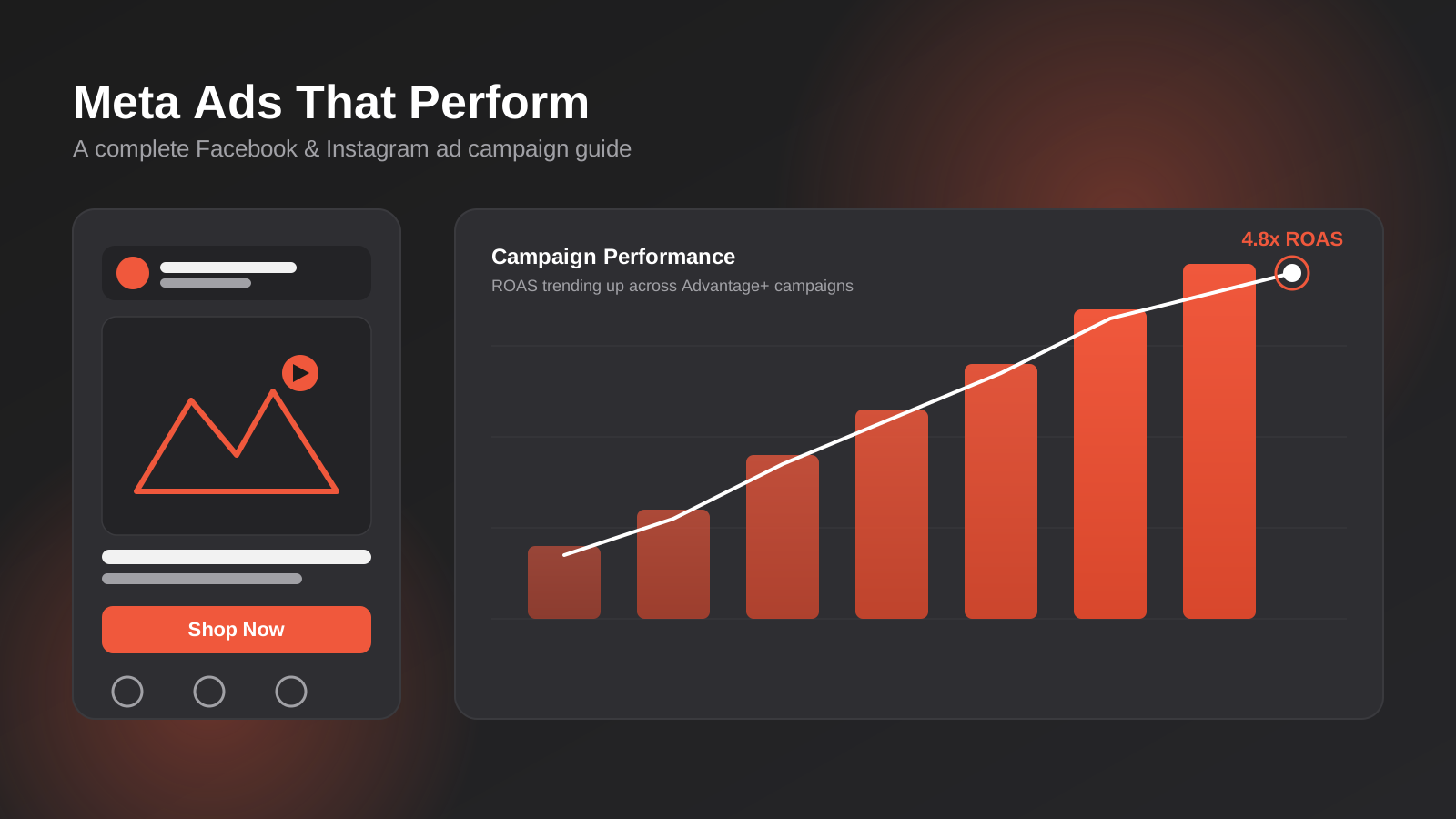
How to Run a High-Performing Facebook Ad Campaign: A Complete Guide (2026)
A complete guide to Facebook ads for Australian businesses in 2026 — campaign structure, creative, targeting, budget and measuring ROAS properly.
Got a project you'd like to talk through?
Tell us what you're working on — we'll come back with a plan.
