
Single Sign-On for Australian Businesses: When SSO Is Worth the Setup
 Jignesh Vagadiya
16/10/2026
22 min read
Jignesh Vagadiya
16/10/2026
22 min read
Somewhere around the fifteenth SaaS subscription, a pattern shows up in every growing business we work with. Someone on the team is juggling nine passwords in a spreadsheet marked “DO NOT DELETE,” a staff member who left three months ago still has an active login to the accounting system, and nobody can say with confidence who has access to what. It isn’t a security team’s problem yet — it’s just annoying. Then someone gets phished through a stale account, or an auditor asks for an access list that doesn’t exist, and it becomes everyone’s problem at once.
Single sign-on, or SSO, is the usual fix people reach for. Log in once, get into everything. It sounds simple, and in the biggest companies it’s treated as a given — nobody at a bank re-types their password for every internal tool. But for a 15 to 150-person Australian business running a mix of off-the-shelf SaaS and a few custom-built internal tools, SSO is not a single product you buy. It’s a decision about which identity provider to trust, which protocol your tools actually speak, and how much of your existing stack can even plug into it.
This guide is about making that decision properly — what SSO actually solves, what it doesn’t, the three protocols you’ll keep running into (SAML, OAuth and OIDC), how to pick a provider that fits a business your size, and the rollout mistakes that turn a security upgrade into a locked-out sales team on a Monday morning.
What Single Sign-On Actually Does (and Doesn’t)
At its simplest, SSO means your staff authenticate once with a single identity provider — think Microsoft, Google, Okta or similar — and that one login then grants access to every connected application, without a second password prompt. The identity provider (IdP) becomes the single source of truth for “who is this person and what are they allowed to touch.” Individual apps stop managing their own password databases for your staff and instead trust an assertion from the IdP that says, in effect, “yes, this is really Sarah from accounts, and she’s still employed here.”
That’s the part people picture. The part they don’t picture is what SSO gives you underneath the convenience: one place to switch off access when someone leaves, one login event log instead of twelve, and the ability to enforce multi-factor authentication centrally rather than app by app. For a business juggling a CRM, an accounting platform, a help desk, a few Google Workspace or Microsoft 365 apps and one or two custom internal tools, that central control is usually worth more than the convenience of fewer passwords.
SSO vs a password manager vs “just use Google login”
It’s worth being blunt about what SSO isn’t, because the alternatives get recommended constantly and they solve a different problem.
A password manager (1Password, Bitwarden and similar) stores and autofills credentials. It’s a genuinely good idea for any business, SSO or not, because it stops people reusing “Winter2024!” across every tool. But it doesn’t centralise control. If someone leaves the business, you still have to manually revoke access in each individual app, and the password manager has no idea whether that person is still employed.
“Sign in with Google” or “Sign in with Microsoft” buttons, which most SaaS tools now offer, are a lightweight form of federated login, and for a very small team they can get you 80% of the SSO benefit for free. The gap is visibility and control: there’s usually no central dashboard showing you every app a staff member has linked their Google account to, no way to force a group-wide login policy, and no audit trail beyond what each individual app happens to log. It’s a reasonable starting point for a five-person team. It stops being adequate once you’ve got more than a handful of tools and more than one person who can grant access.
True SSO, through a dedicated identity provider, sits above both. It’s the layer that says “these are the twenty apps our business uses, this is who’s allowed into each one, and this is proof of exactly when every login happened.” That’s the layer that matters when an insurer, an enterprise client’s security questionnaire, or your own instinct after a close call with a phishing email starts asking harder questions.
Why Growing Businesses Hit This Wall
Nobody sets out to build an access management mess. It accumulates. A business starts with Gmail and a spreadsheet, adds a CRM, then an accounting package, then a help desk tool, then a project management tool, then a custom-built client portal or internal dashboard somewhere along the way because off-the-shelf software stopped fitting how the business actually works. Each addition gets its own login, its own password reset process and its own idea of who the “admin” is.
A few signals tend to show up right before a business decides it’s time to sort this out properly:
- Offboarding a staff member takes a checklist with ten or more items, and everyone privately suspects the checklist is incomplete.
- Someone asks “who actually has access to the Xero account” and the honest answer is “we’re not sure, let’s check.”
- A new hire’s first week involves a dozen separate account-creation emails and at least one tool they still can’t get into by day three.
- An enterprise customer, insurer, or a grant or tender application sends a security questionnaire asking about access controls, and the answers are uncomfortable to write honestly.
- A contractor or ex-employee’s access was discovered, well after the fact, to have never been switched off.
None of these are hypothetical — they’re the normal cost of a growing software stack with no central identity layer. The question isn’t whether this happens. It’s whether you deal with it deliberately, with SSO and a proper offboarding process, or you deal with it reactively, after the uncomfortable version of one of the above has already happened.
When it’s genuinely not worth it yet
It’s worth being equally honest about the other side of this. A five or six-person business running two or three tools, where the same one or two people handle every login anyway, usually doesn’t need a dedicated identity provider yet. The admin overhead of configuring and maintaining SSO can outweigh the benefit at that scale, and a password manager plus a simple, written offboarding checklist will cover most of the same risk for a lot less setup. The point at which SSO starts earning its keep is less about a specific headcount and more about the number of people who can independently grant access to something, and the number of tools where you’d genuinely struggle to list every active login from memory.
The Three Protocols Behind SSO: SAML, OAuth and OIDC
This is the part that trips people up, because vendors throw these three acronyms around as if they’re interchangeable, and they’re not. Each one answers a different question, and knowing which is which saves you from buying the wrong tool or briefing a developer incorrectly.

SAML — the enterprise workhorse
SAML (Security Assertion Markup Language) has been the backbone of enterprise SSO since the early 2000s. It’s XML-based, which dates it, but it’s exactly what most established business software — Salesforce, Workday, Microsoft 365, and a long list of older enterprise platforms — was built to speak. When you see a SaaS tool advertise “SSO available on our Enterprise plan,” there’s a reasonable chance it means SAML specifically, and a reasonable chance that plan costs meaningfully more than the one you’re currently on.
OAuth — delegated access, not login
OAuth answers a different question entirely: not “who is this person” but “is this app allowed to do this specific thing on someone’s behalf.” When you click “Allow” to let a scheduling tool read your Google Calendar, or let an accounting app pull transactions from your bank feed, that’s OAuth at work. It’s the protocol behind most of the API integrations we’ve covered in our guide to OAuth vs API keys for business integrations, where the concern is system-to-system access rather than a human logging into an app. It’s worth keeping those two use cases separate in your head: OAuth for “can this software talk to that software,” SSO (usually SAML or OIDC) for “can this person log into that app.”
OIDC — the modern login layer
OpenID Connect (OIDC) is a login layer built on top of OAuth, using the same mechanics but adding a standard way to confirm identity, not just authorise access. It’s JSON-based rather than XML, which makes it considerably easier for modern web apps, single-page applications and mobile apps to implement than SAML. If you’re building a custom internal tool or client portal from scratch, OIDC is almost always the more sensible protocol to build against — it has better developer tooling, cleaner documentation, and every major identity provider supports it as a first-class option — the OpenID Foundation’s own explainer is a reasonable starting point if a developer on your team wants the technical detail.
Which one shows up where
In practice, you don’t get to pick one protocol and standardise your whole stack on it. Older, established enterprise software tends to default to SAML because that’s what it was built with years ago. Newer SaaS tools, and anything custom-built for your business, tend to default to OIDC because it’s the current standard. Most identity providers speak both, which is exactly why they exist — they’re the translation layer that lets a SAML-only accounting platform and an OIDC-native internal tool both trust the same login event. When you’re evaluating a new piece of software and its sales page just says “SSO supported,” it’s worth asking which protocol specifically, because the honest answer sometimes turns out to be “only on our top-tier plan, and only SAML.”
Choosing an Identity Provider for an Australian SMB
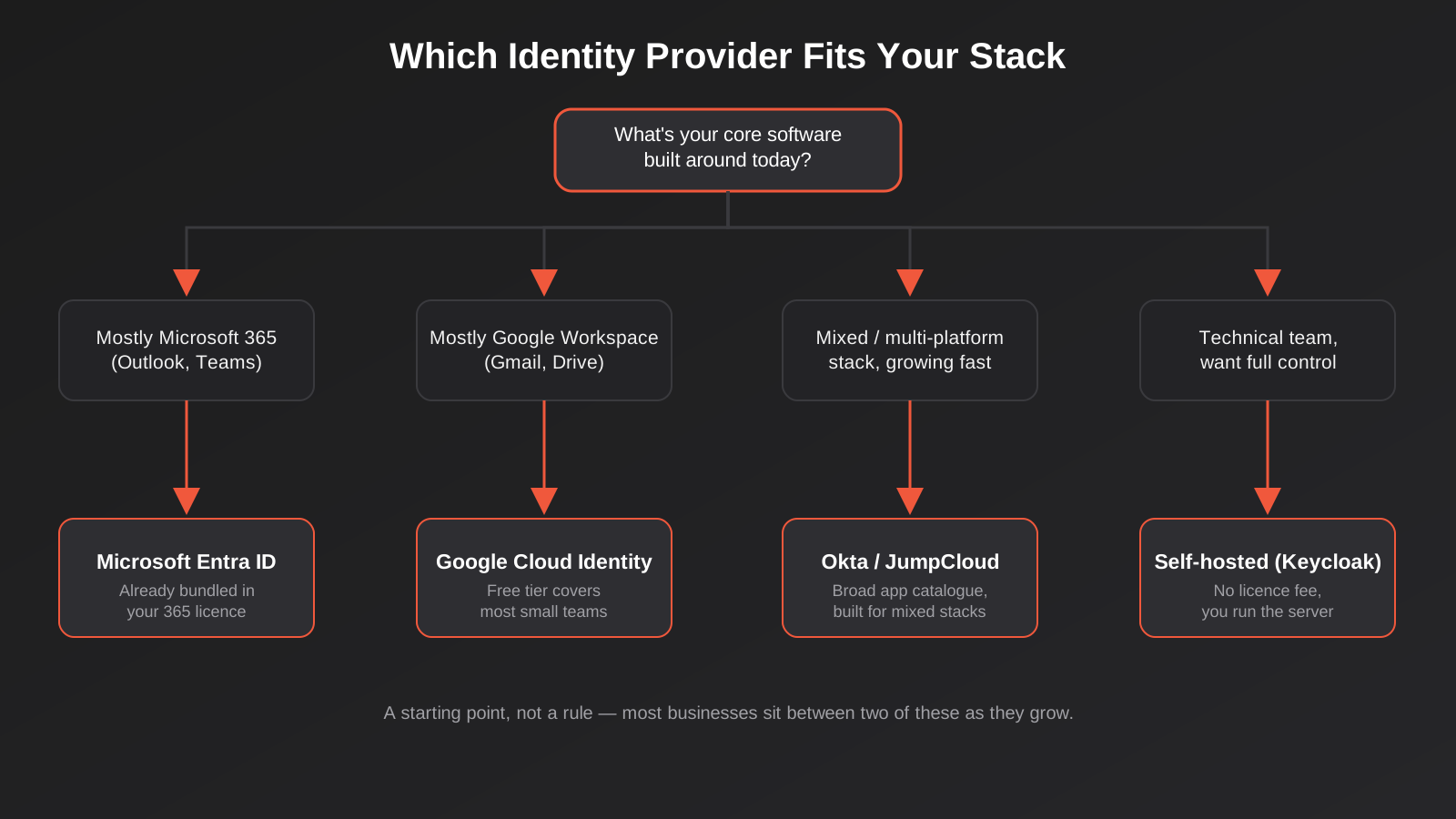
The identity provider is the product you actually buy and configure — it’s the thing your staff log into every morning that then vouches for them everywhere else. For most growing Australian businesses, the decision comes down to what you’re already paying for.
If you’re already on Microsoft 365
Microsoft Entra ID (formerly Azure AD) is bundled into most Microsoft 365 business plans at a basic level, and the paid tiers that unlock proper SSO, conditional access and group-based policies sit at a reasonably accessible price point on top of that. If your business already runs Outlook, Teams and SharePoint, this is almost always the path of least resistance — the identity layer you need is sitting underneath software you’re already paying for, and your IT provider or internal admin likely already has some familiarity with it.
If you’re already on Google Workspace
Google Workspace’s identity layer (Cloud Identity) covers a genuinely useful amount of SSO at no extra cost for a reasonable number of users, with a paid premium tier if you need more advanced policies. For a Google-first business — Gmail, Google Drive, Google Calendar as the daily tools — this is the natural default for the same reason Entra ID is natural for Microsoft shops: it’s already there.
If you’re multi-platform or growing fast
Once a business is running a genuine mix — some Google, some Microsoft, a CRM that’s neither, a handful of niche SaaS tools, maybe some Linux servers or a custom internal platform — a dedicated identity provider built for exactly this problem tends to earn its cost. Okta has the broadest catalogue of pre-built integrations of any provider on the market, which matters if your stack is eclectic. JumpCloud is worth a specific look if you don’t have dedicated IT staff and want one directory that covers Windows, macOS and Linux devices as well as app logins, without running your own servers. Both charge per user per month, and the honest answer on pricing is “get a current quote” — published rates move around and volume discounts are common, so treat any number you read online as a ballpark rather than a figure to budget against.
Self-hosted options — when DIY makes sense
Keycloak and similar open-source identity platforms exist for a reason: zero licence cost, full control over data residency, and no per-user fee that scales against you as the team grows. The catch is that “free” means free of licence fees, not free of effort — you’re now responsible for hosting it, patching it, and keeping it available, which is a genuine ongoing commitment rather than a one-off setup task. This tends to make sense for a technically-staffed business with specific data residency requirements, or one already comfortable maintaining its own infrastructure. For most growing businesses without an internal engineering team, the time cost of self-hosting an identity provider usually outweighs the licence fees it saves — patching and maintaining your own identity server is exactly the kind of ongoing technical responsibility that’s cheaper to hand to someone who already does it day to day than to take on in-house.
What It Actually Costs
Identity providers are almost universally priced per user per month, which means the headline number matters less than how many staff actually need logins, and how many of your tools can genuinely plug into SSO without an expensive plan upgrade. A few things worth budgeting for beyond the per-seat licence:
- Plan upgrades on existing software. This is the cost that catches people out. Plenty of SaaS tools gate SSO behind their most expensive tier — sometimes called an “Enterprise” or “SSO add-on” plan — even when the rest of the features you use sit on a much cheaper plan. Audit this before you commit to a rollout timeline, because it can change the business case entirely.
- Setup and configuration time. Connecting a handful of mainstream SaaS tools to a mainstream identity provider is usually a few hours of configuration each, not a project. Connecting a custom-built internal tool or an older, less standard piece of software can take considerably longer, and sometimes needs code changes on the tool’s side if it wasn’t built with SAML or OIDC support from the start.
- The tools that simply can’t do it. Some software, particularly older desktop applications or niche industry tools, has no SSO support at all and never will. Budget for these to stay on password manager-protected logins indefinitely, rather than assuming everything will eventually be covered.
- Ongoing admin time, not just setup time. Someone still needs to own the identity provider itself — adding new starters to the right groups, reviewing access periodically, and keeping the directory itself tidy. It’s less time than managing a dozen separate systems, but it isn’t zero, and it needs a named owner rather than being everyone’s job and therefore nobody’s.
Rolling Out SSO Without Breaking Everything
The technical part of connecting an app to an identity provider is rarely the hard part. The hard part is sequencing the rollout so nobody gets locked out of something they need on a Tuesday morning, and so the project doesn’t quietly stall at “we connected three of our twelve tools and then everyone got busy.”
Audit what you’re actually connecting
Before touching any configuration, write down every tool the business actually uses, who has access to each one today, and whether that tool supports SAML, OIDC, both, or neither. This sounds tedious and it is, but it’s also the single most useful hour you’ll spend on the whole project — it’s the point where you usually discover the three or four accounts nobody remembers creating.
Start with your riskiest systems first
It’s tempting to start with whatever’s easiest to connect, to get an early win. A better sequence starts with whatever holds the most sensitive data or the most financial risk — accounting software, your CRM, anything holding customer payment details — because that’s where an unmanaged login is the most expensive mistake. Save the easy, low-stakes tools for later in the rollout, when the team has more confidence in the process.
Pair SSO with MFA — it’s not a substitute
This is the most common misunderstanding we run into: SSO on its own doesn’t make a business meaningfully more secure, it makes it more convenient and more auditable. If someone’s identity provider password is compromised, SSO without multi-factor authentication means that one compromised password now opens every connected app at once, rather than just one. Every credible identity provider makes MFA straightforward to enforce centrally — turning it on is not optional, it’s the point at which SSO actually starts improving your security posture rather than just consolidating your risk into one login.
Plan for the apps that can’t do SSO
Every rollout we’ve been involved in has had at least one tool that simply doesn’t support SAML or OIDC, often because it’s older or more niche than the mainstream SaaS everyone expects to just work. Don’t let one stubborn tool hold up the rest of the project. Connect everything you can, document the exceptions clearly, and make sure those exceptions are covered by a password manager and included in your offboarding checklist — they haven’t gone away, they’ve just moved to a different list.
SSO for Custom-Built Tools and Portals
If your business has moved past purely off-the-shelf software — a client portal, an internal operations dashboard, a custom booking or job management system — the SSO conversation changes slightly, because now you’re not just connecting to a vendor’s existing integration, you’re building the connection yourself. This is exactly the territory we cover in more depth in our guide to client portals and internal tools replacing spreadsheets: once a tool is custom-built, identity and access control become a design decision, not an afterthought.
The good news is that building OIDC support into a new internal tool or portal from day one is a well-understood, relatively modest piece of development work — every mainstream identity provider ships SDKs and clear documentation for it, and it’s considerably cheaper to design in from the start than to retrofit once a tool already has fifty active users and its own separate login table. If you’re scoping a new piece of custom web app development, this is worth raising with whoever’s building it before the first line of code is written, not after launch. The same applies if the tool needs to talk to other systems behind the scenes — CRM data, accounting records, an ERP platform — where the relevant pattern is usually OAuth-based API integration rather than SSO, and the two should be designed together rather than bolted on separately.
One detail that’s easy to miss: a custom tool built to support OIDC from the start doesn’t just save development time later, it also means the tool shows up properly in your central access logs and offboarding checklist from day one, instead of becoming yet another “oh, and don’t forget to also remove them from the client portal” line item that someone inevitably forgets.
It’s also worth deciding upfront how long a login session should last inside a custom tool before it needs re-checking with the identity provider. A client-facing portal with sensitive order or account data usually warrants shorter sessions and a re-authentication prompt after a period of inactivity, while an internal dashboard your own staff use all day can reasonably stay signed in for longer. This is a configuration decision, not a big technical undertaking, but it’s one that’s easy to leave at whatever the framework defaults to if nobody raises it during the build.
Common Mistakes We See
- Treating SSO as a security fix on its own. Without enforced MFA, SSO mainly consolidates convenience, not risk. A compromised identity provider password without MFA is worse than a compromised password for one app, not better.
- Not checking which plan tier actually includes SSO. Committing to a rollout before confirming that half your existing software needs an expensive plan upgrade to support it, then discovering the real cost halfway through the project.
- Connecting everything at once. Flipping the switch on every app in one weekend, rather than rolling it out system by system, which turns any single misconfiguration into a business-wide lockout instead of an isolated, fixable issue.
- Forgetting break-glass access. If your identity provider itself has an outage, or an admin account gets locked out, you need at least one documented, tightly controlled way back in that doesn’t depend on the system that’s currently unavailable.
- Letting old accounts linger “just in case.” SSO makes offboarding easier, but only if offboarding is actually a defined step someone owns. The tool doesn’t do the process for you.
- Bolting SSO onto a custom tool after launch. Retrofitting identity support into a tool that already has its own login system and an active user base is meaningfully harder than designing it in from the start.
Frequently Asked Questions
Is SSO worth it for a business with under 20 staff?
It depends more on how many separate tools you’re running than on headcount. A 15-person business juggling a dozen SaaS platforms, several of them holding sensitive customer or financial data, usually gets more value from SSO than a 40-person business running three well-managed tools. If you’re already on Microsoft 365 or Google Workspace, the basic identity layer is likely included at no extra cost, which makes the decision considerably easier — the main cost becomes the time to configure it, not a new subscription.
What’s the difference between SSO and multi-factor authentication (MFA)?
SSO is about using one identity to access many systems instead of a separate login for each. MFA is about proving that identity is genuinely you, beyond just a password, usually with a code or approval on a second device. They solve different problems and work best together: SSO without MFA means one compromised password opens everything at once, which is a real step backwards for security even though it’s a step forward for convenience.
Can we add SSO to software that doesn’t advertise support for it?
Sometimes, but it depends entirely on the tool. Some software has SSO available but gated behind a higher-priced plan that isn’t obvious from the marketing page — worth a direct question to the vendor. Genuinely older or niche software may have no SSO path at all, in which case the realistic options are a strong password manager with enforced unique passwords, or eventually replacing the tool. It’s rarely worth custom-building a workaround just to force SSO onto software that was never designed to support it.
Do we need a dedicated identity provider like Okta, or is Microsoft/Google enough?
If your business is genuinely centred on one ecosystem — mostly Microsoft or mostly Google — their built-in identity layers usually cover what a growing business needs without an extra subscription. A dedicated provider earns its cost once your stack is genuinely mixed: some Microsoft, some Google, a CRM or ERP that’s neither, and a handful of niche tools that need a broader catalogue of pre-built integrations than either Microsoft or Google maintains on their own.
How long does an SSO rollout usually take?
For a handful of mainstream SaaS tools connecting to a mainstream identity provider, individual connections are often a matter of hours each once you know what you’re doing. The realistic timeline for a full rollout across a growing business’s whole stack, done properly with a staged approach and testing at each step, tends to run from a few weeks to a couple of months, mostly because of the audit work and the plan-tier negotiations rather than the technical configuration itself.
Does SSO help if we’re giving AI tools or AI agents access to our systems?
Not directly — SSO is built for human logins, while AI agents and automated tools typically need machine-to-machine authentication, usually OAuth-based API access rather than an interactive SSO login flow. The two are related but distinct problems. If you’re giving an AI agent access to business systems, that’s covered in more depth in our guide to AI agent security, which deals specifically with locking down automated access rather than human sign-in.
What happens if the identity provider itself goes down?
This is the main objection people raise against SSO, and it’s a fair one — you’re trusting one provider’s uptime for access to everything. In practice, mainstream identity providers have strong uptime records, and the realistic mitigation is having one documented, tightly controlled “break-glass” admin account per critical system that bypasses SSO entirely, kept for genuine emergencies only and audited whenever it’s used. It’s a small amount of extra setup for a risk that’s rare but worth planning for properly rather than discovering during an actual outage.
Where to Start
The honest starting point isn’t choosing an identity provider. It’s the audit: a plain list of every tool your business runs, who has access to each one today, and whether that tool speaks SAML, OIDC, both or neither. That list usually tells you most of what you need to know — whether your existing Microsoft 365 or Google Workspace subscription already covers the bulk of it, which tools are going to need a plan upgrade, and which ones are the stubborn exceptions you’ll manage separately.
If part of what’s driving this is a custom internal tool or client portal that needs proper login and access control built in from the start, or an existing system that’s grown past what a spreadsheet and shared passwords can safely handle, that’s a conversation worth having with whoever’s building or maintaining it before the access problem gets any bigger. We work through exactly this kind of access and systems audit with Australian businesses regularly — if you’d like a second opinion on where your own stack stands, book a call and we’re happy to talk through it.
Keep reading
Related posts
Who Owns Your Custom Software? Source Code, IP and Handover for Australian Businesses (2026)
Paying for custom software doesn't mean you own it. What Australian contracts must say about code ownership, licences, handover and escrow.
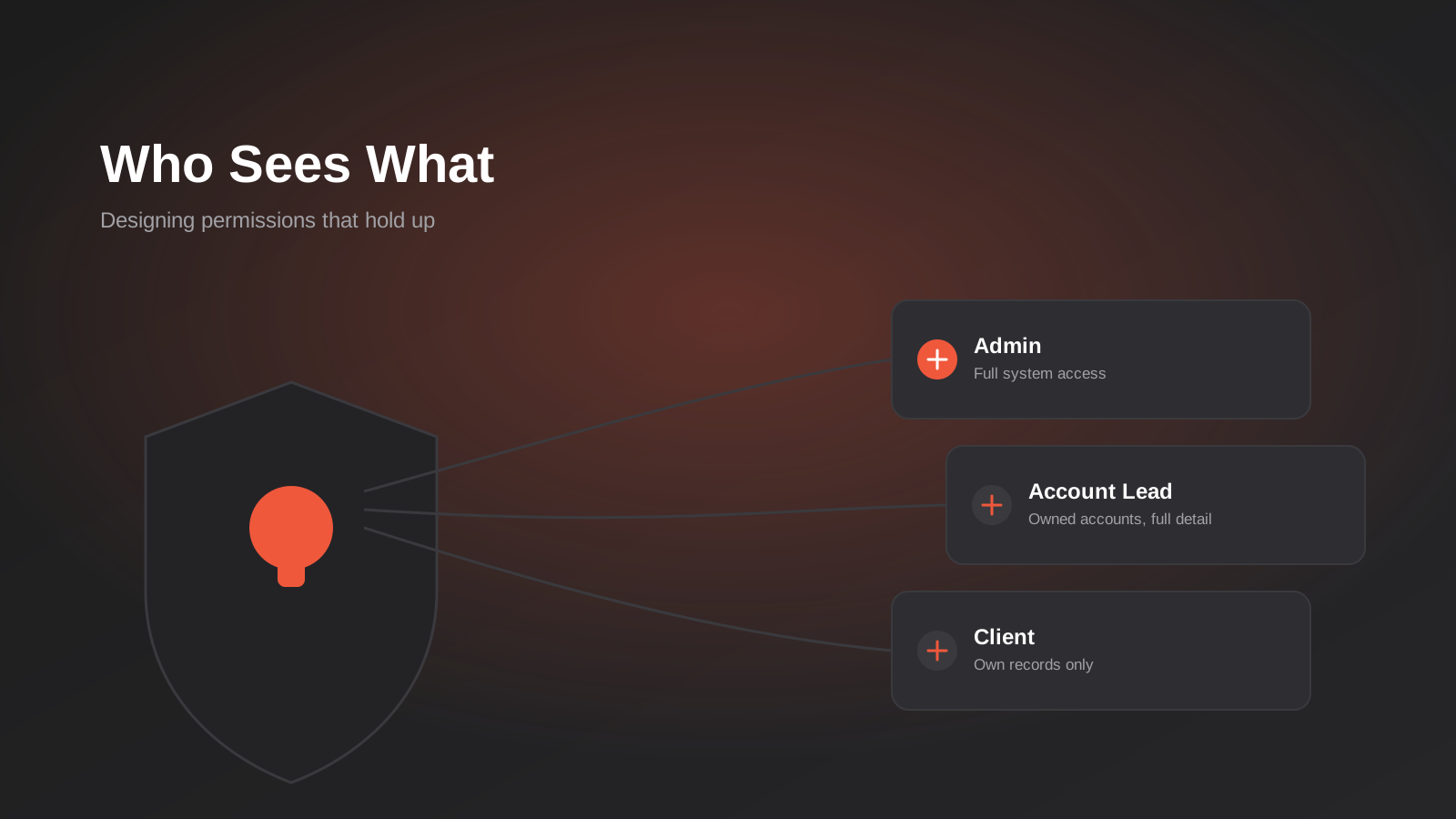
Role-Based Access Control for Client Portals and Internal Tools: A Practical Guide
RBAC for client portals and internal tools: roles, record-level isolation and audit logs explained — a practical guide for growing Australian businesses.
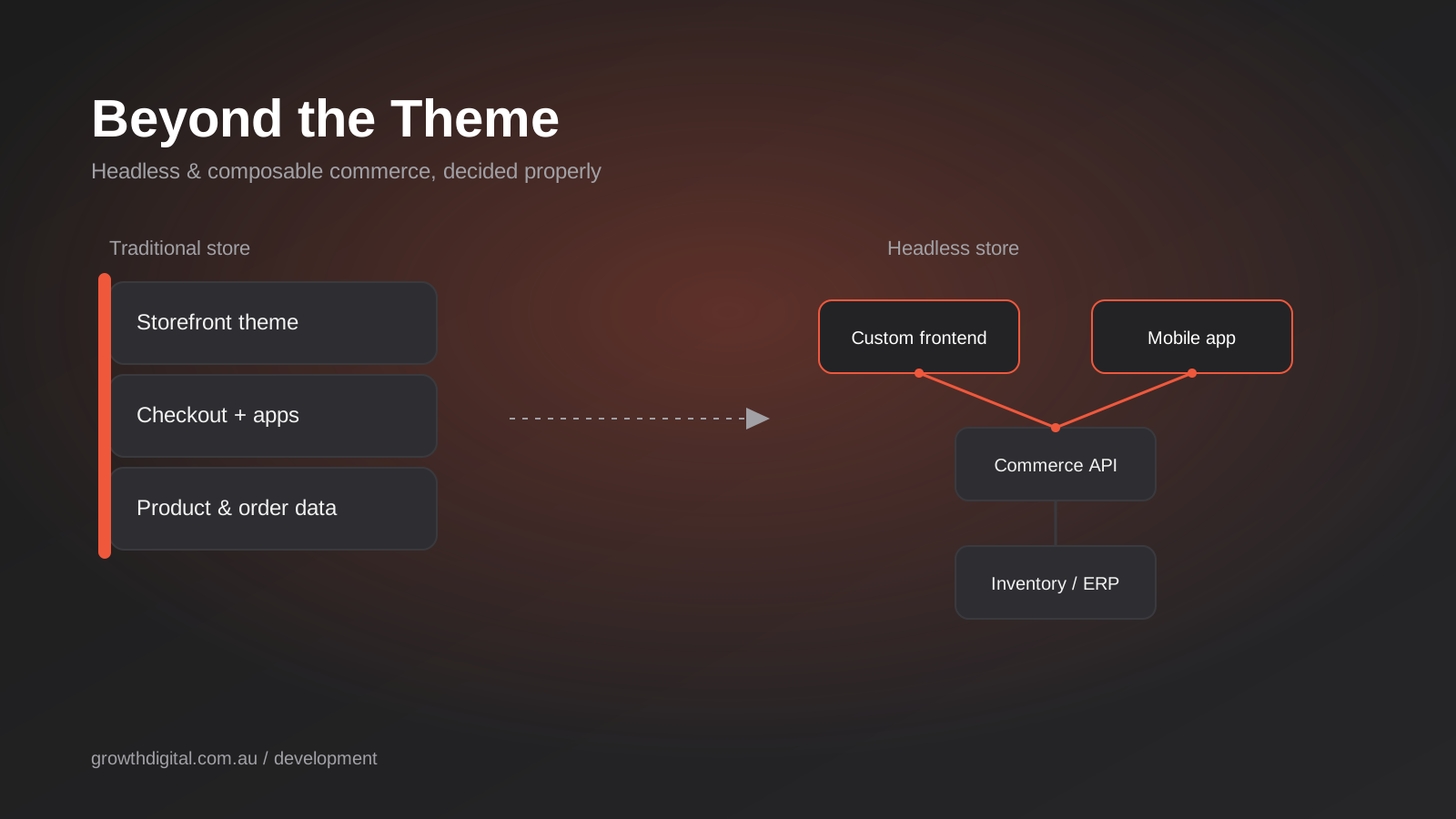
Headless Commerce for Australian Ecommerce: When It’s Actually Worth the Cost (2026)
When headless or composable commerce actually pays off for Australian ecommerce businesses: real 2026 costs, warning signs, and when to simply wait.
Got a project you'd like to talk through?
Tell us what you're working on — we'll come back with a plan.
